TR7500_Series_Software_v29_En - 第135页
Test Research Inc. TR7500 Series User Guide – Software v.2.9.0 113 Figure 184 : Coverage Repo rt Screen [Save File] – Exports the report to a text file. Figure 185 : Coverage Repo rt Saved Scre en [Edit Pad ] –Edit t…
Test Research Inc.
112 TR7500 Series User Guide –Software v.2.9.0
3.10.23.2 Del
Select a user, and press [Del] to delete the user.
3.10.23.3 Chg
Select a user, and press [Chg] to modify the power of the user.
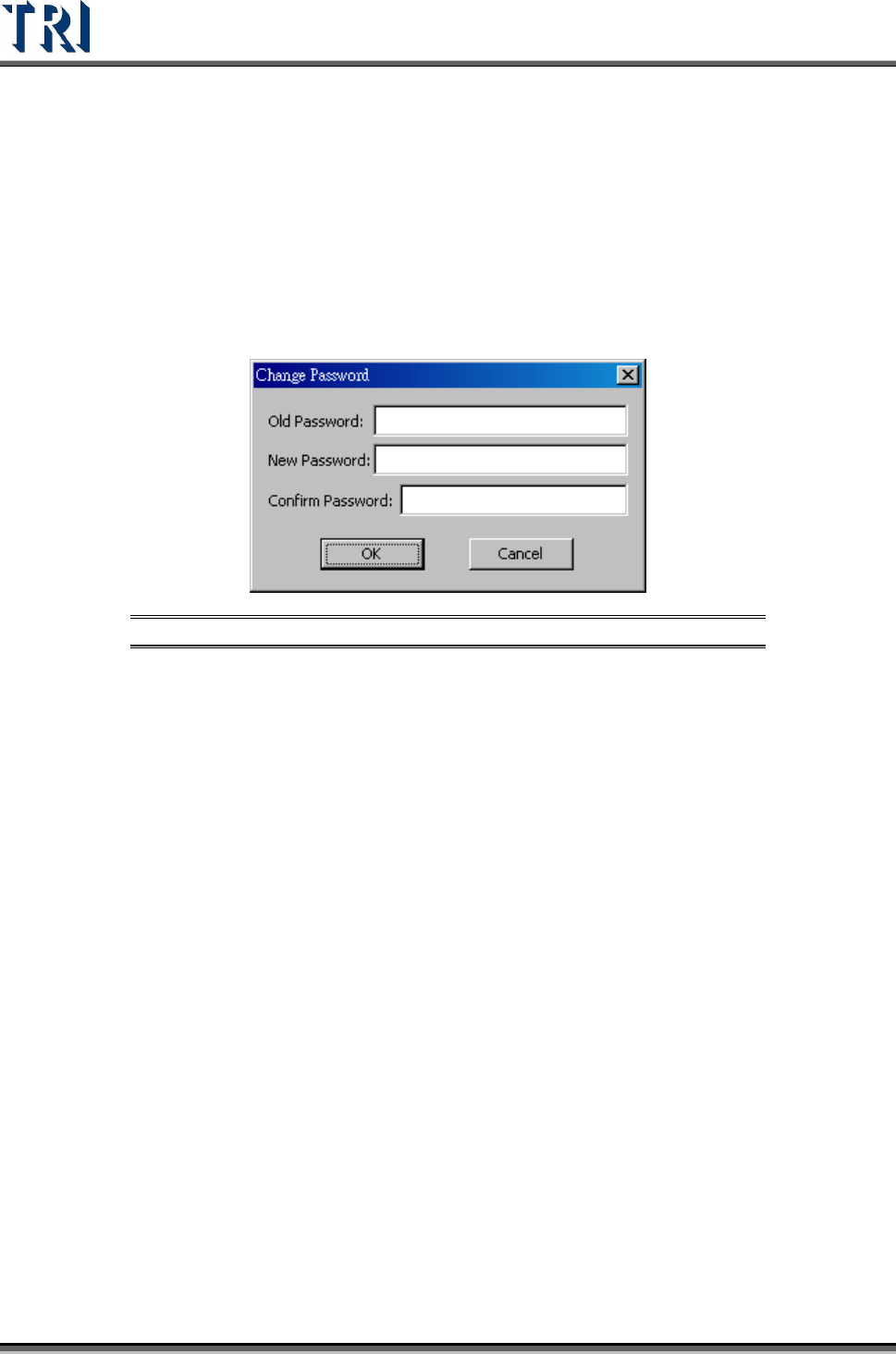
3.10.24 Change Password
Use this function to change the password for the current user.
Figure 183: Change Password Dialog
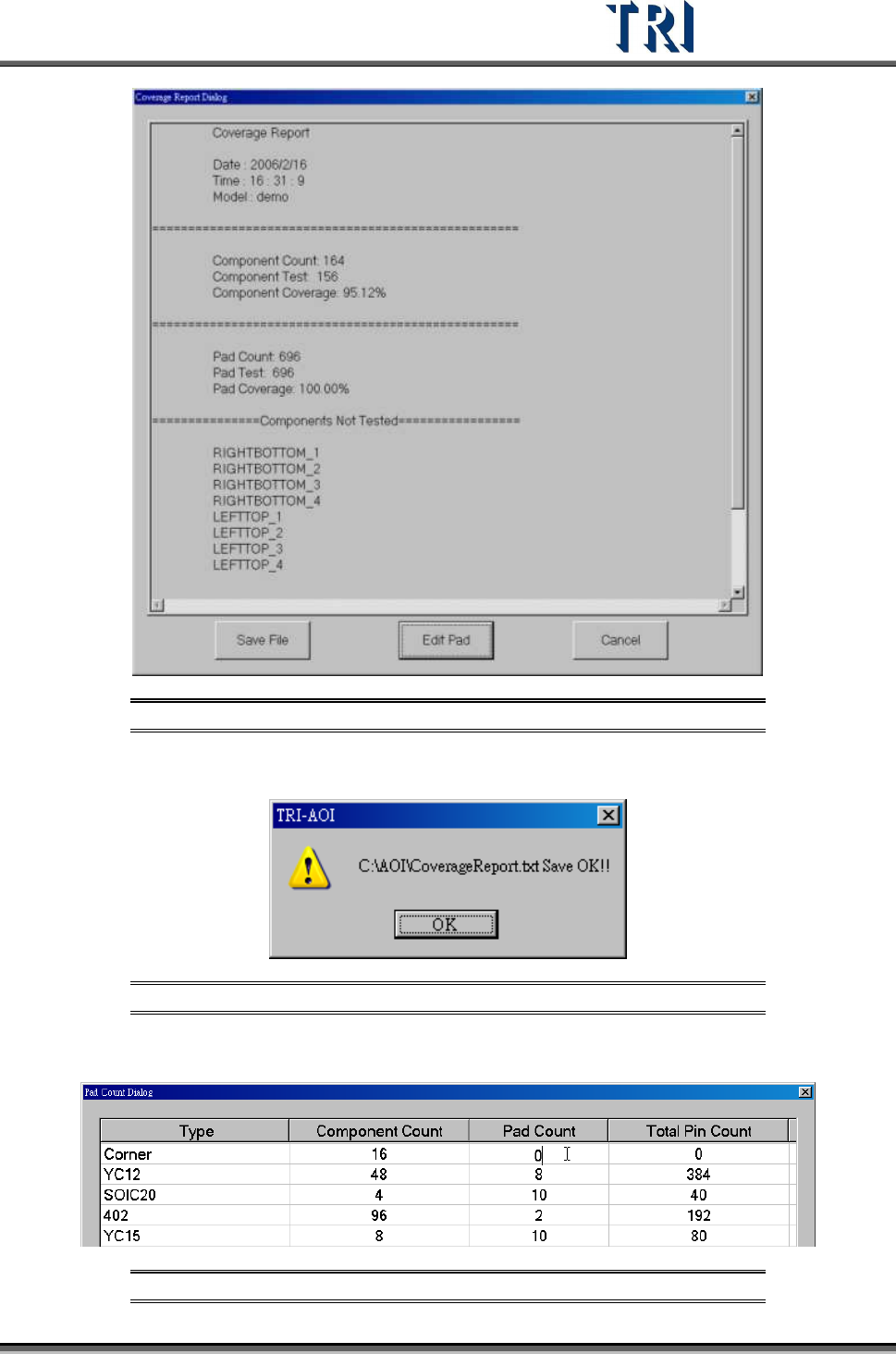
3.10.25 Coverage Report
Shows the report for coverage (see the following figure). The system calculates the coverage
for components and pads automatically. The report displays the components without
[Missing] box, components that are with an untested pad and the components that were not
tested.
Test Research Inc.
TR7500 Series User Guide –Software v.2.9.0 113
Figure 184: Coverage Report Screen
[Save File] – Exports the report to a text file.
Figure 185: Coverage Report Saved Screen
[Edit Pad] –Edit the number of PAD.
Figure 186: Pad Count Dialog
Test Research Inc.
114 TR7500 Series User Guide –Software v.2.9.0
[Cancel] – Close the dialog.
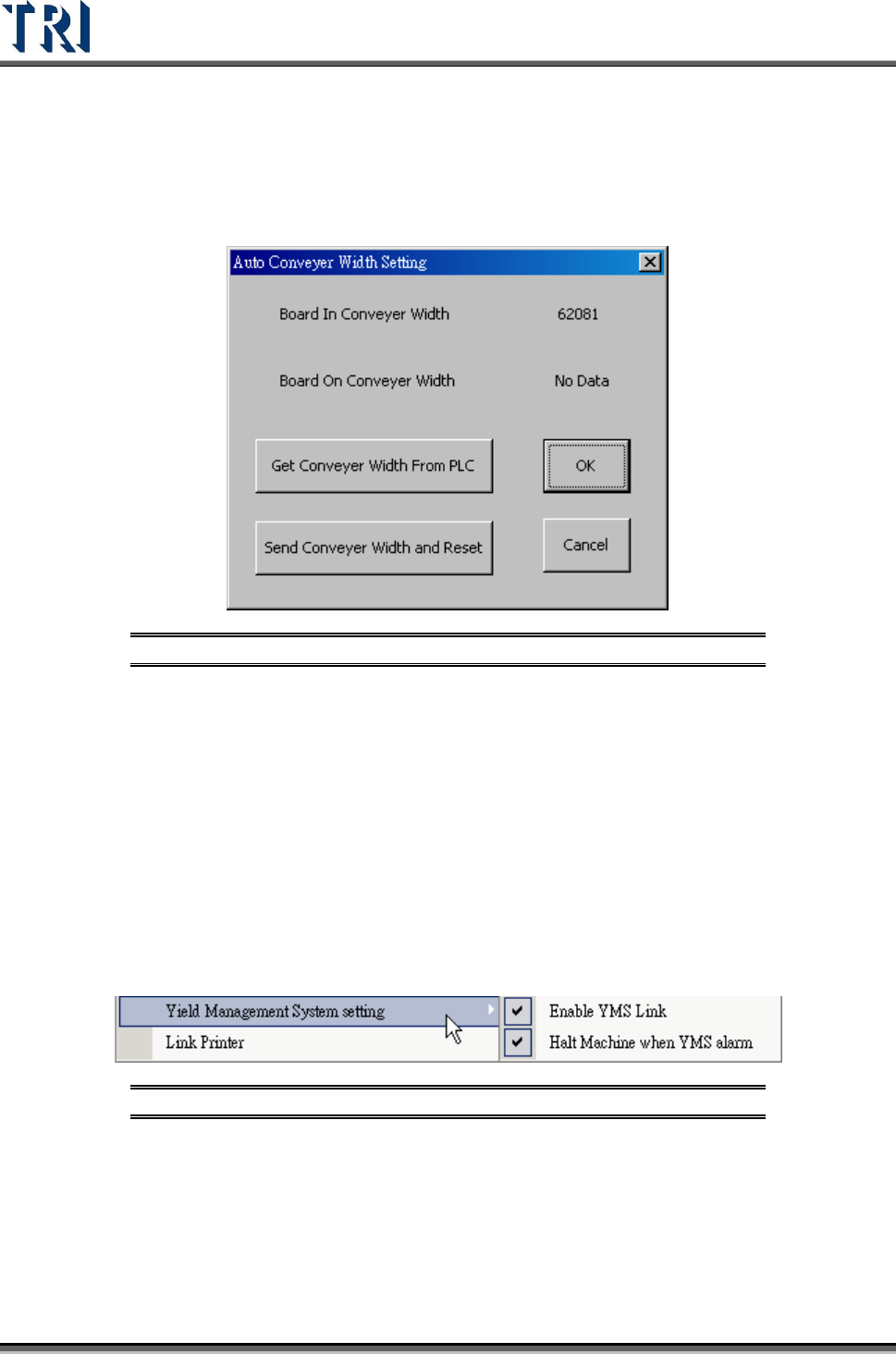
3.10.26 Auto Conveyor Width Setting
This dialog is to read the conveyor width from PLC to the project or send the conveyor width
to PLC to adjust the conveyor width instantly.
Figure 187: Auto Conveyor Width Setting
[Board In Conveyor] Width – Display the board-in conveyor width.
[Board On Conveyor Width] – Display the board-on conveyor width. This field displays
data only when the parameter [AutoConveyorWidth] in registry is 2 and the width is set
in PLC.
[Get Conveyor Width From PLC] –Save the current conveyor width to the project.
[Send Conveyor Width and Reset] –Send the conveyor width to PLC then the
conveyor will start to set the new width.
3.10.27 Yield Management System Setting
Link to the YMS system.
Figure 188: Yield Management System Setting
3.10.28 Link Printer
Selecting this links the system with the small printer. Then, after inspection, it can print the
defective components.