TR7500_Series_Software_v29_En - 第140页
Test Research Inc. 118 TR7500 Series User Guid e –Softwa re v.2.9.0 Figure 194 : Set Board Num ber to Repair S tation Figure 195 : Set Board Num ber Dialog 3.10.33 Multiboard Copy The function is enabled only under [Trai…
Test Research Inc.
TR7500 Series User Guide –Software v.2.9.0 117
NA means not being inspected
Clicking each inspection box will move to the corresponding FOV under [Train]
dialog
Pressing [Inspect] can test the selected inspection box individually.
3.10.30 Version Compare
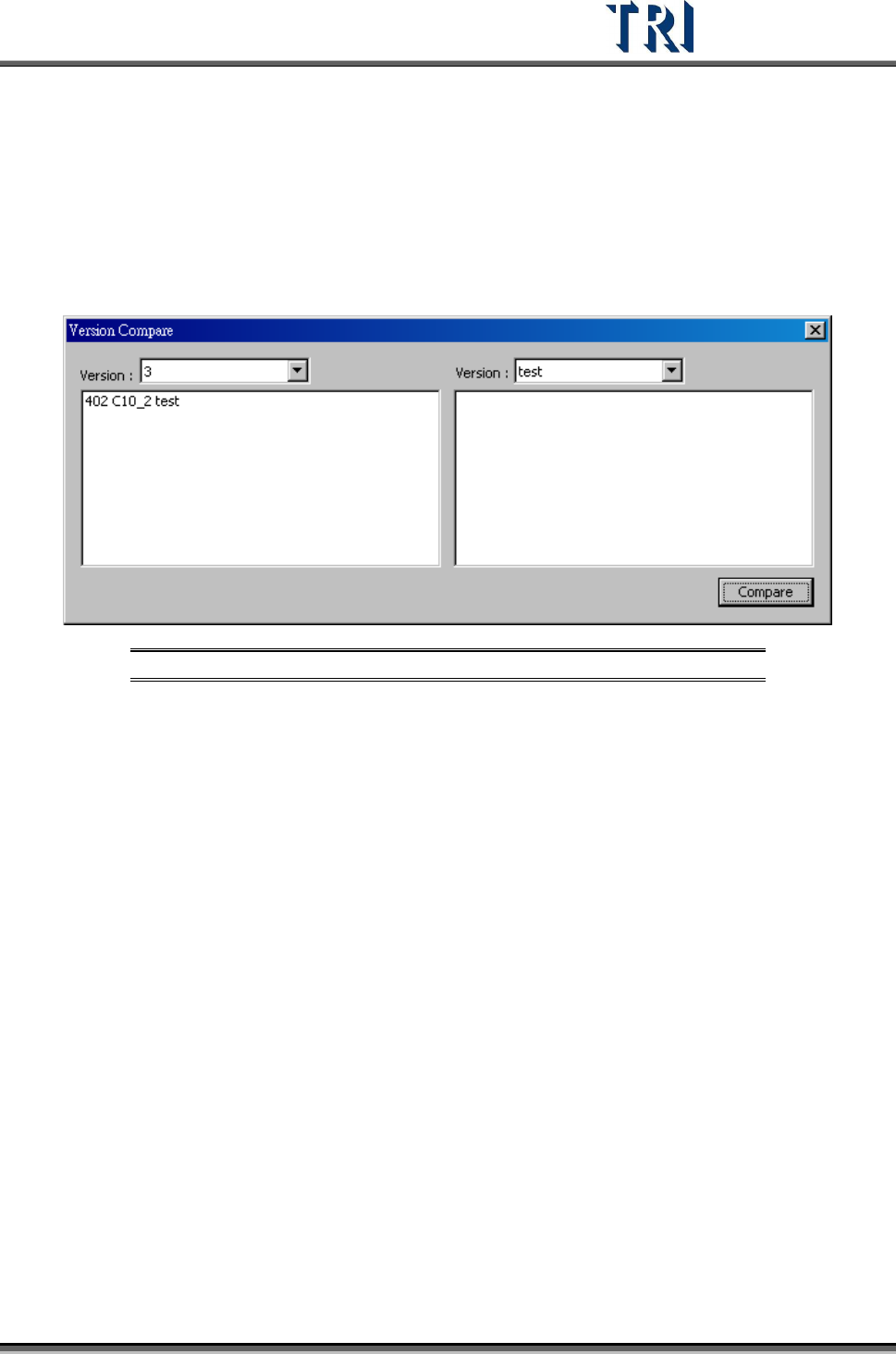
In a project, use this function to list the difference between different versions.
Figure 193: Version Compare Screen
After selecting the version to compare and pressing [Compare], the window will display the
differences. For example, in the figure above, C10_2 is tested in [Version: 3], but it’s not
tested in [Version: Test].
3.10.31 Offline Tune Mode
Users can use the [Offline Tune Mode] to collect and analyze the multi-panel boards offline
data. Under [Offline Tune Mode], the images will be saved into a file which is named by the
time of scanning. System will automatically collect inspection boxes’ dates during the [Offline
Tune Mode]. Otherwise, the system will show the [Statistics Chart] dialog.
3.10.32 Set Board No to RS
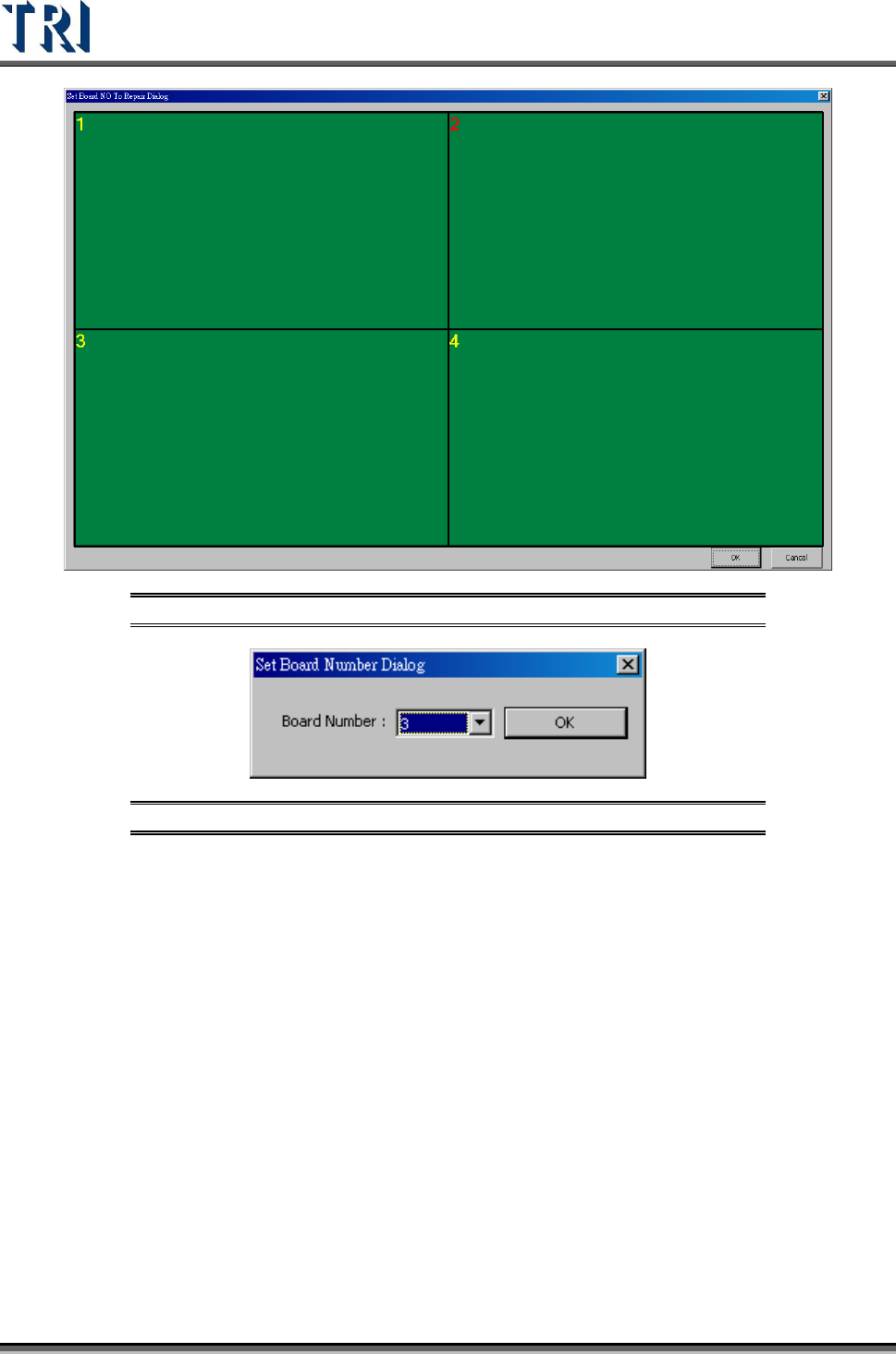
This function is to modify the board number sent to [Repair Station]. Double click on the
board, then a dialog appears to let the user assign the number.
Test Research Inc.
118 TR7500 Series User Guide –Software v.2.9.0
Figure 194: Set Board Number to Repair Station
Figure 195: Set Board Number Dialog
3.10.33 Multiboard Copy
The function is enabled only under [Train] dialog. After selecting this function, the system will
copy the parameters and position of all components on board 1 to the other multi-panel
boards.
3.10.34 Report to Hitachi Eyes Checker
Output the inspection result to Hitachi Eyes Checker.
3.10.35 Enable Barcode Pre-Check
System can decide if the panel has to be inspected according to the file that user has
provided after scanning the barcode.
Test Research Inc.
TR7500 Series User Guide –Software v.2.9.0 119
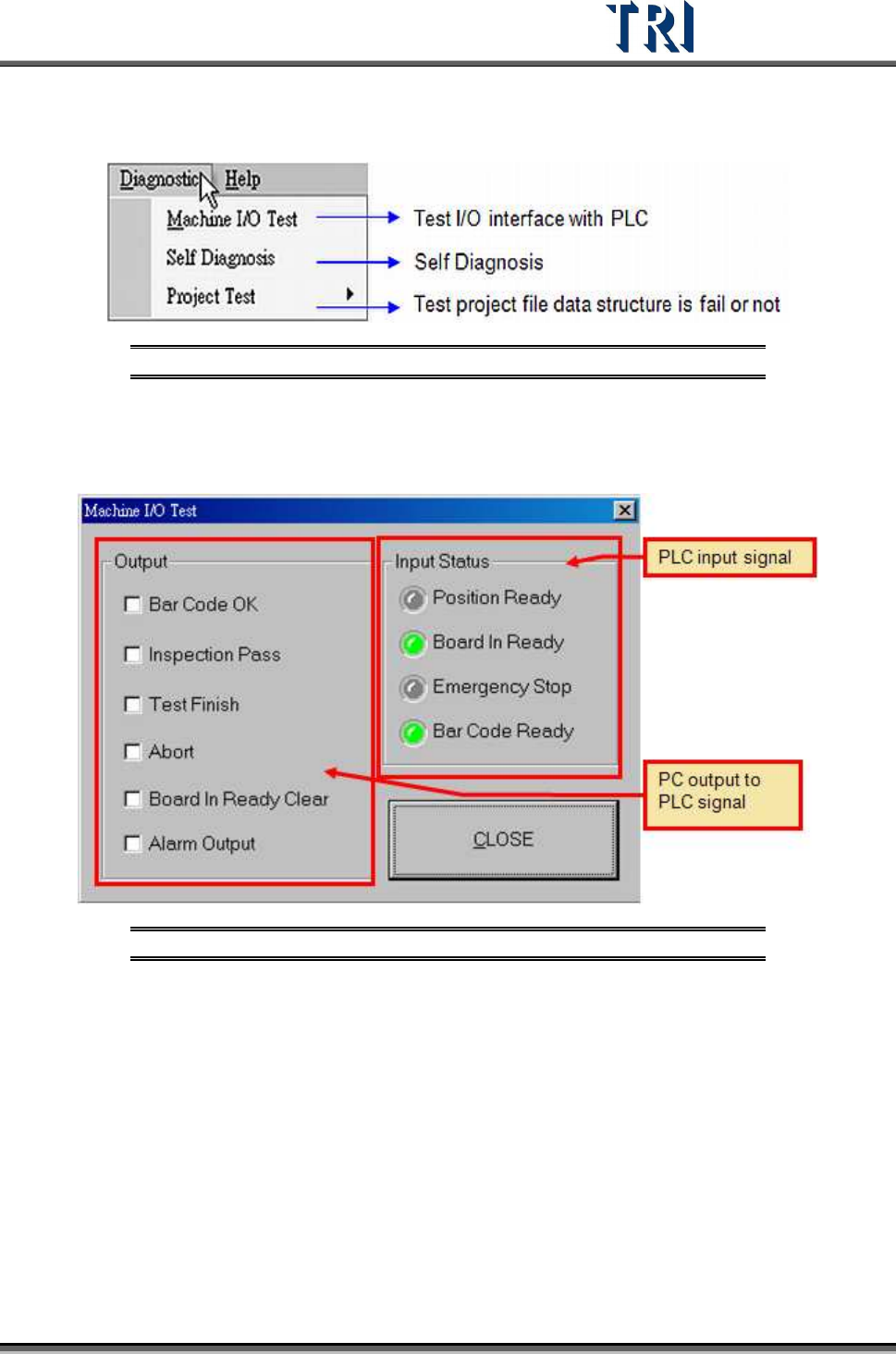
3.11 Diagnostic Tab
Figure 196: Diagnostic Tab
3.11.1 Machine I/O Test
Direct PC-to-PLC input and output testing.
Figure 197: PC/PLC I/O Test Screen
3.11.2 Self Diagnosis
Perform several system self-tests.