TR7500_Series_Software_v29_En - 第142页
Test Research Inc. 120 TR7500 Series User Guid e –Softwa re v.2.9.0 Figure 198 : Self Diagnosis Options Press [Lighting Dia g nosis] to test the lightin g system or press [Communication ] to test the communication be twe…
Test Research Inc.
TR7500 Series User Guide –Software v.2.9.0 119
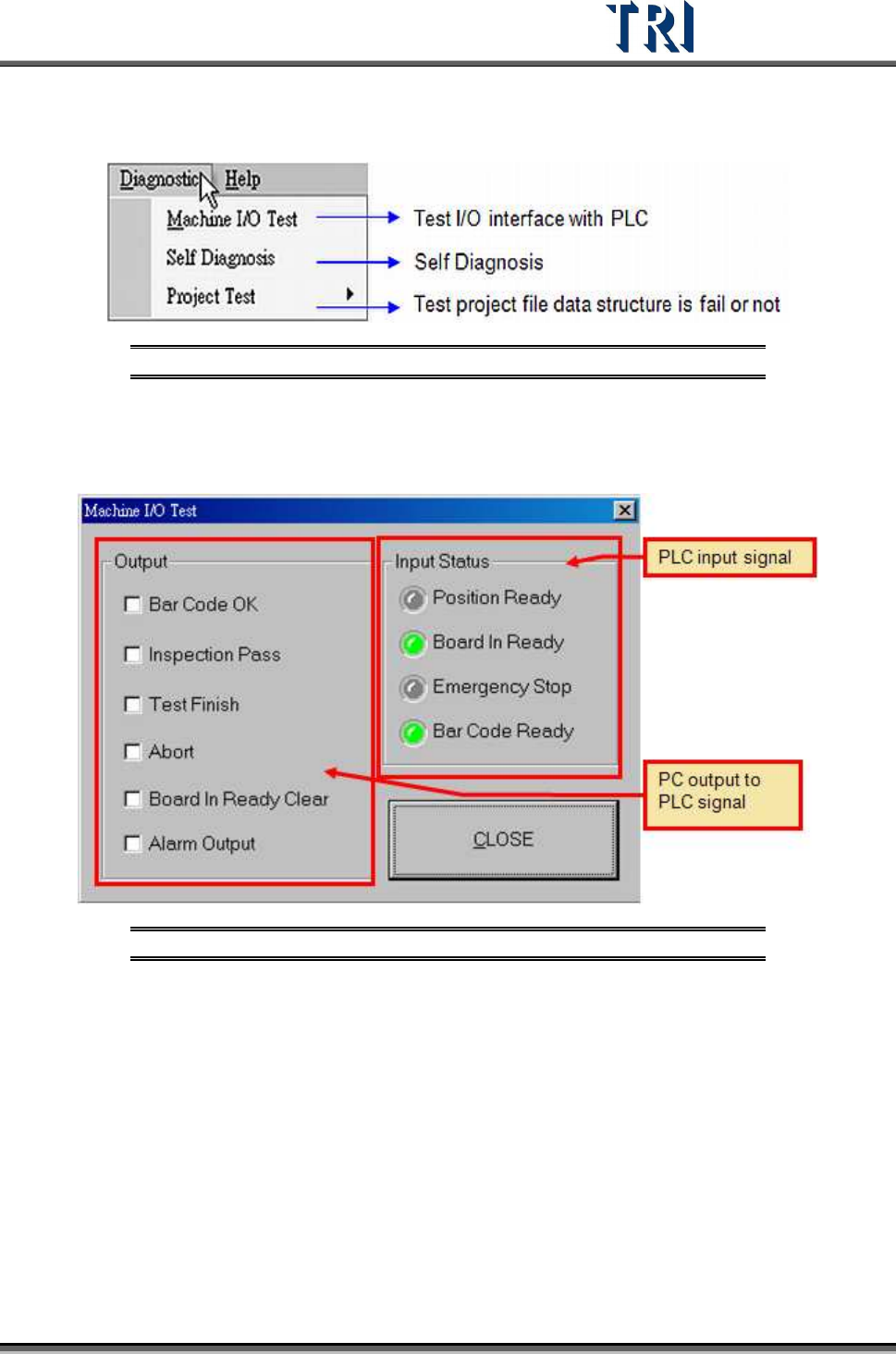
3.11 Diagnostic Tab
Figure 196: Diagnostic Tab
3.11.1 Machine I/O Test
Direct PC-to-PLC input and output testing.
Figure 197: PC/PLC I/O Test Screen
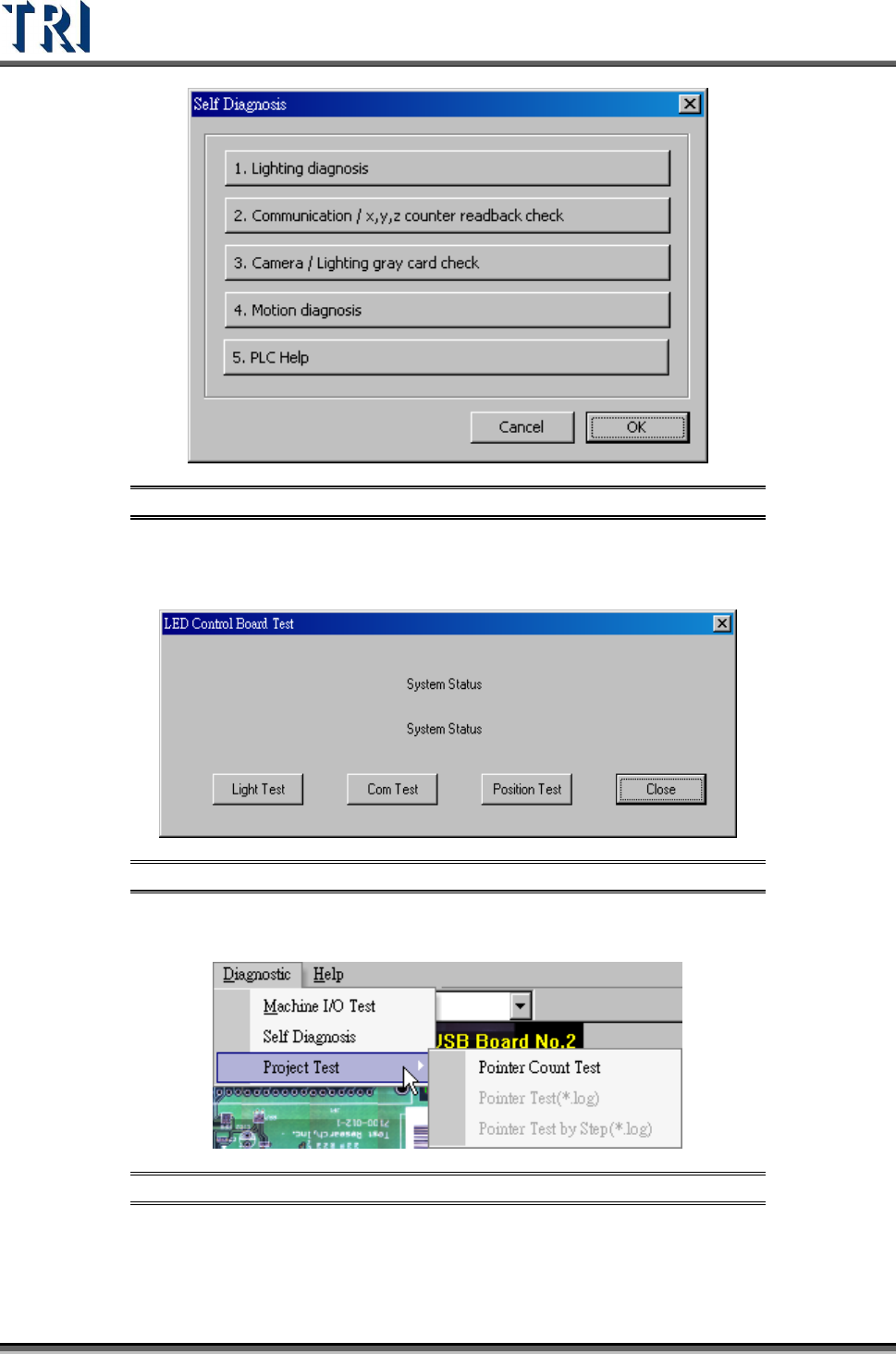
3.11.2 Self Diagnosis
Perform several system self-tests.
Test Research Inc.
120 TR7500 Series User Guide –Software v.2.9.0
Figure 198: Self Diagnosis Options
Press [Lighting Diagnosis] to test the lighting system or press [Communication] to test the
communication between hardware.
Figure 199: LED Control Board Test Screen
3.11.3 Project Test
Figure 200: Project Test Function
Press [Pointer Count Test] to test the structure and link of inspection boxes in this project. If
the testing result shows “Fail” the project can be repaired.
Test Research Inc.
TR7500 Series User Guide –Software v.2.9.0 121
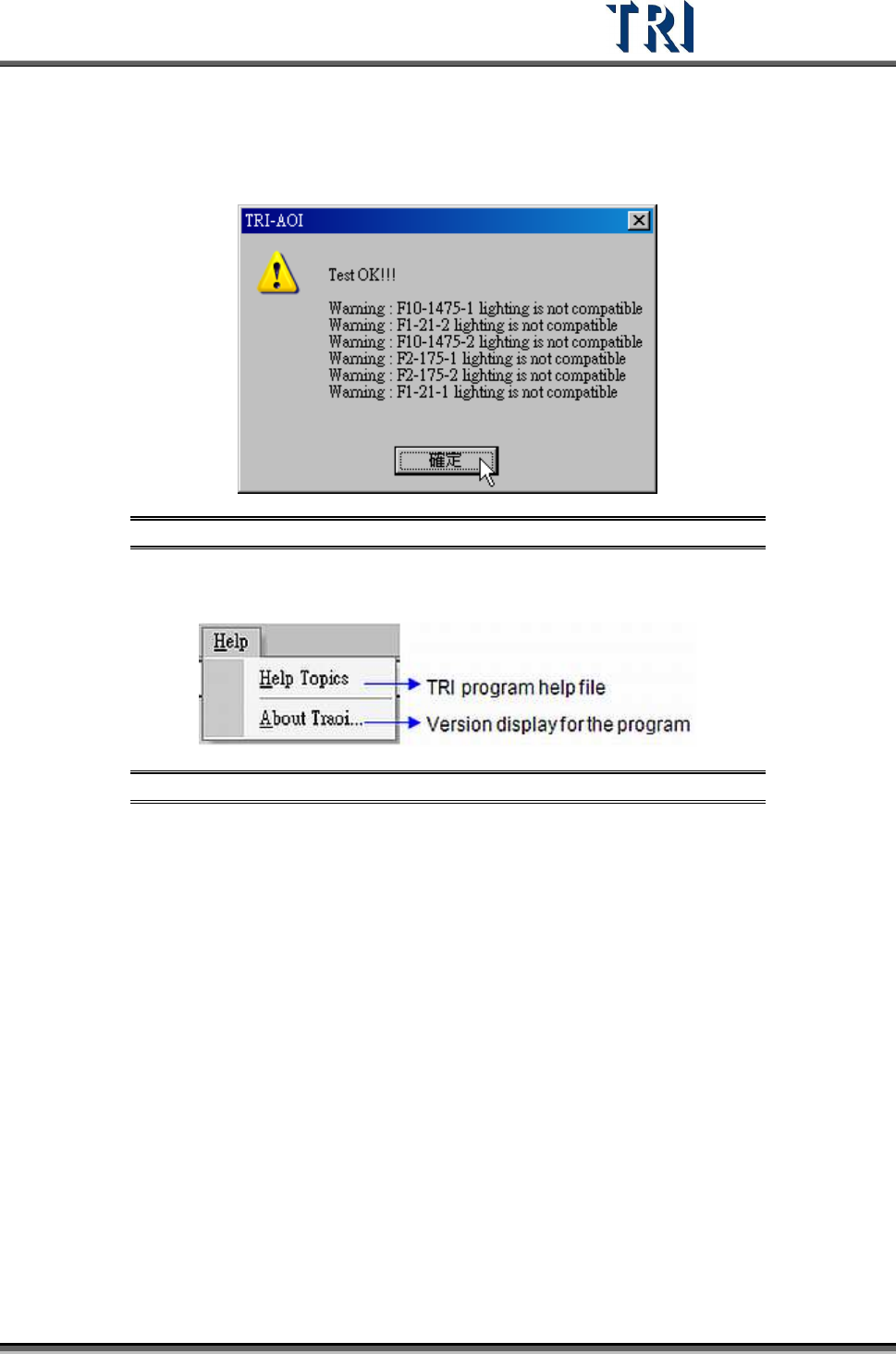
Perform this test under the [Train] window. It will check if all the inspection boxes are in the
correct lighting method within FOV and show a warning if they are not compatible. FOVs will
appear in white, which will create incompatibilities with some inspection boxes. A warning will
be displayed like in the following figure.
Figure 201: Project Test Warning Message
3.12 Help
Figure 202: Help Tab
3.12.1 Help Topics
Shows the help menu.
3.12.2 About TRAOI
Displays the version of TR7500 system software.