TR7500_Series_Software_v29_En - 第149页
Test Research Inc. TR7500 Series User Guide – Software v.2.9.0 127 (4). [Translator List] – All t ranslator lists in t he system. (5). [Import] – Load the new translator. (6). [Quit] – Exit translato r import program.
Test Research Inc.
126 TR7500 Series User Guide –Software v.2.9.0
(6). [BOM Translator] – Check to translate information of bill of material to BOM file.
Since the BOM format differs from company to company the converter may not be
suitable for all BOMs. In this case we suggest that it’s better to create the BOM file
manually.
(7). [Import] – Input translator program (See section 4.2.2).
(8). [Translator] – Choose translator program.
(9). [Set as Default] – Use current translator setting as default.
(10). [Message Window] – Display the standard form of the translator for example.
(11). [Translate] – Start to translate CAD file to AOI file.
(12). [Quit] – Exit the translator procedure.
4.2.2 Import
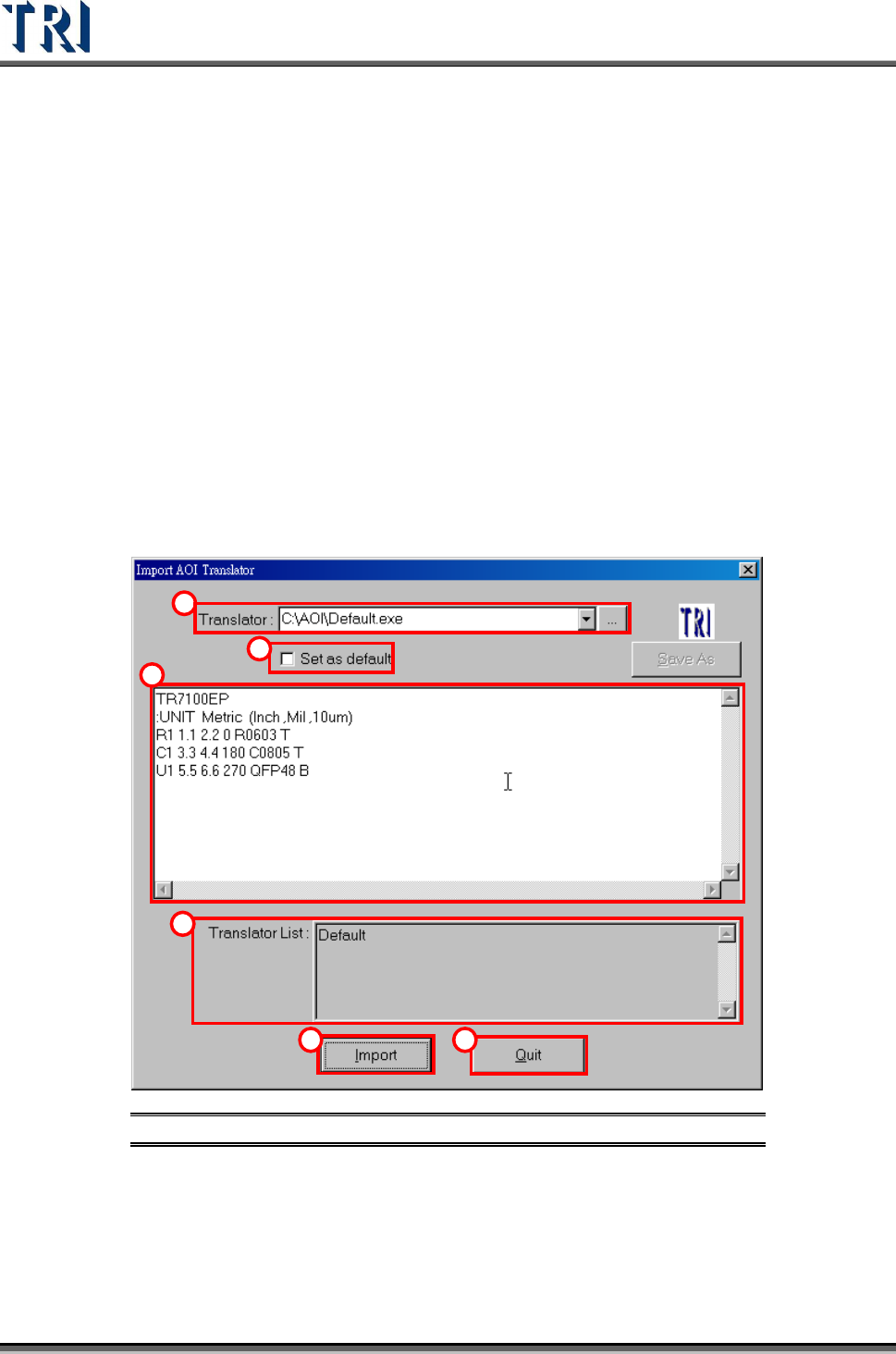
Press “Import” in the “File Translator” dialog, the system then enters the “Import AOI
Translator” dialog as follows.
1
2
3
4
5 6
Figure 208: Import AOI Translator Window & Functions
(1). [Translator] – Input or add a new translator file.
(2). [Set as Default] –Use current translator file as default.
(3). [Message Window] –Display the standard form of the translator for example.
Test Research Inc.
TR7500 Series User Guide –Software v.2.9.0 127
(4). [Translator List] – All translator lists in the system.
(5). [Import] – Load the new translator.
(6). [Quit] – Exit translator import program.
Test Research Inc.
128 TR7500 Series User Guide –Software v.2.9.0
5 E
DIT
C
OMPONENT
D
ATA
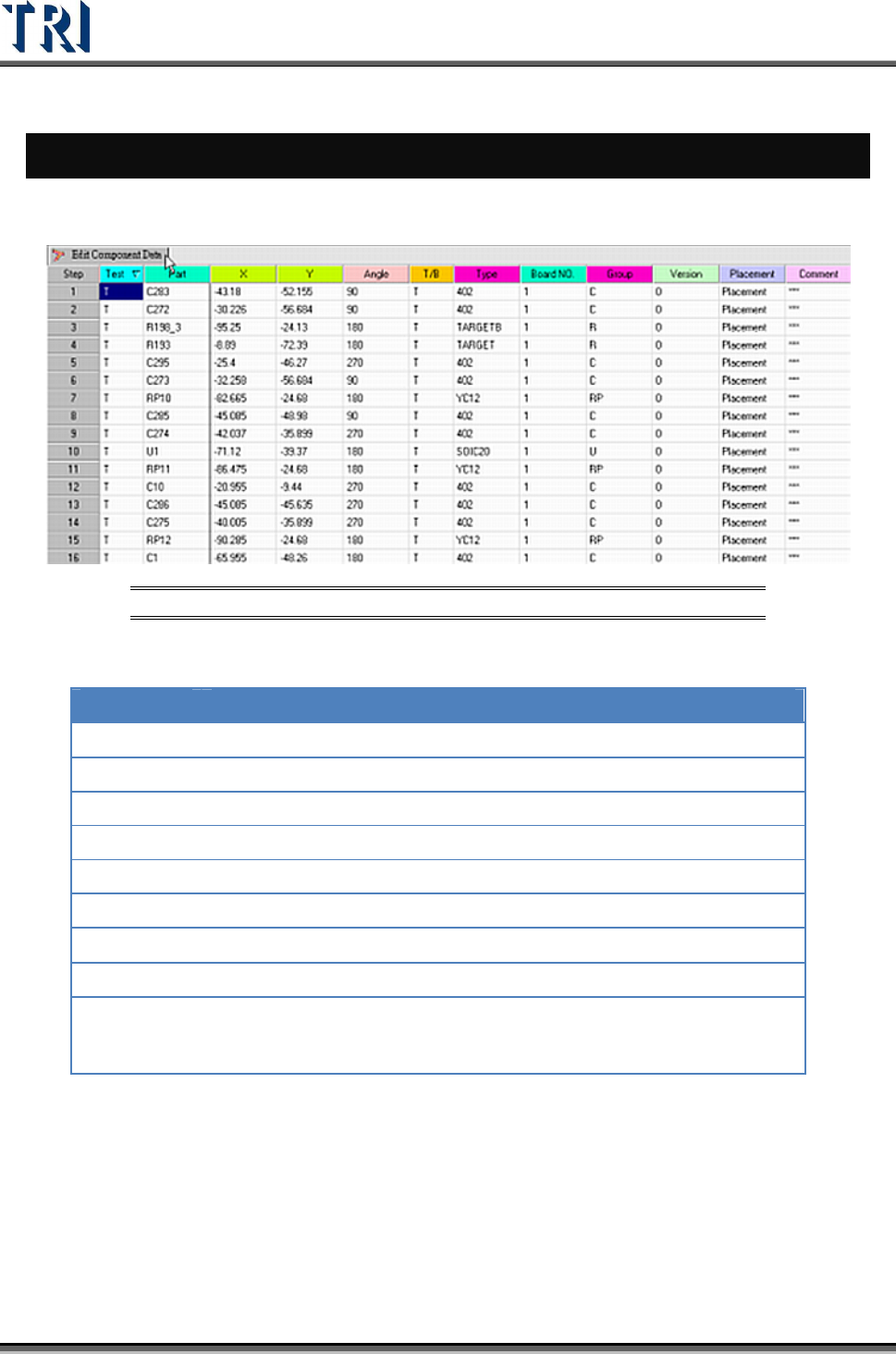
The following figure shows the main screen for editing component data.
Figure 209: Edit Component Data Main Screen
The meanings of the fields from left to right are:
NAME DESCRIPTION
Test
Test or do not test
Part
Component name
X
X coordinate
Y
Y coordinate
Angle
Component angle
T/B
Top or bottom side of the PCB
Type
Component type
Board NO.
Board number
Group
Group of the component. The system separates the group
automatically according to the beginning characters of the component.
The group can also be defined manually in the 7
th
field of the AOI file.