TR7500_Series_Software_v29_En - 第154页
Test Research Inc. 132 TR7500 Series User Guid e –Softwa re v.2.9.0 In order to f ind the m appin g of components easily, select [Tile W indows] on the main tool bar. This function puts the [Board View ] and [Edit Compon…
Test Research Inc.
TR7500 Series User Guide –Software v.2.9.0 131
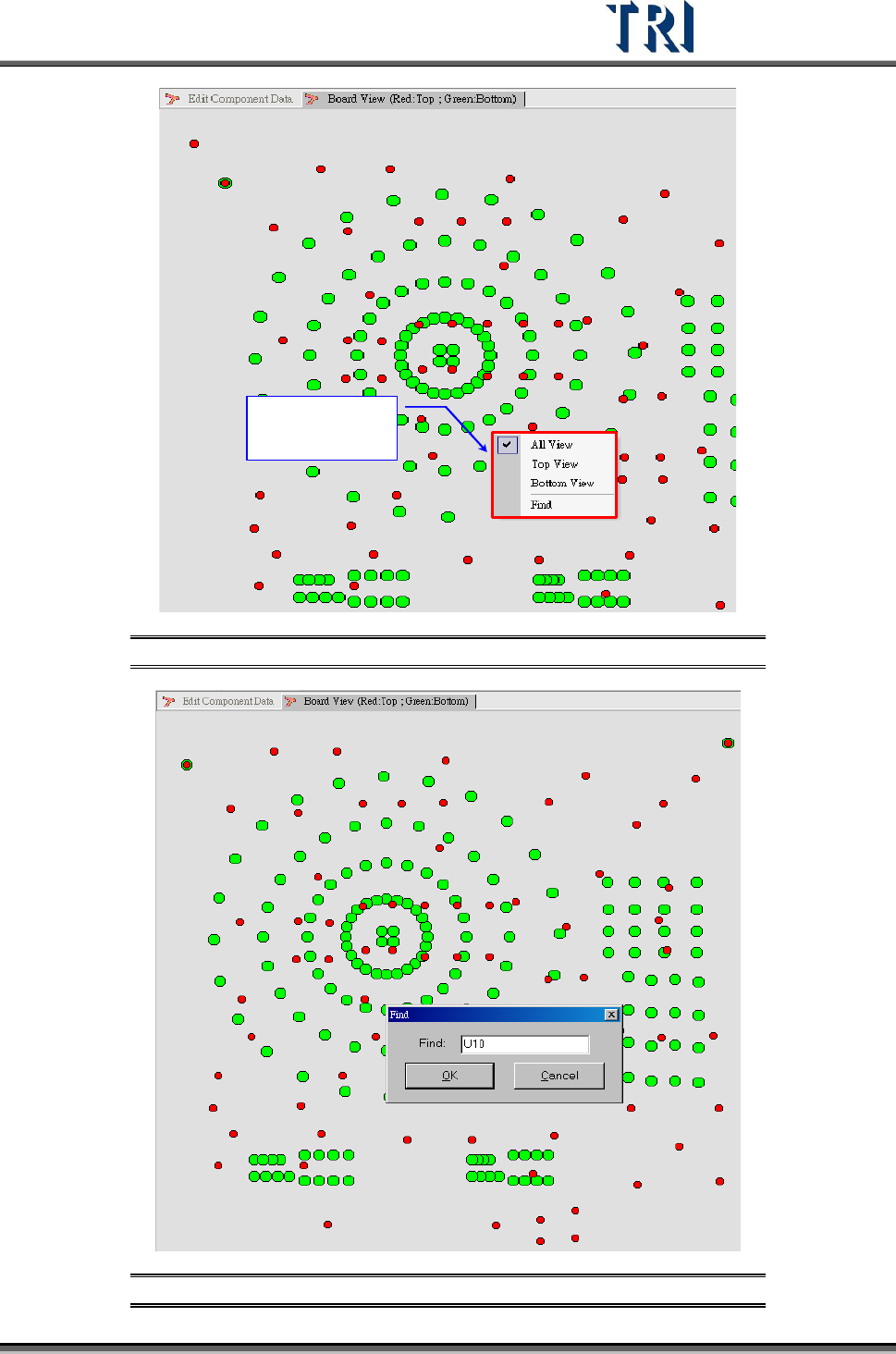
C lick rig ht button
of m o use to show
the to olbar
Figure 212: Board View Window – View & Find Options
Figure 213: Board View Window – Find Command
Test Research Inc.
132 TR7500 Series User Guide –Software v.2.9.0
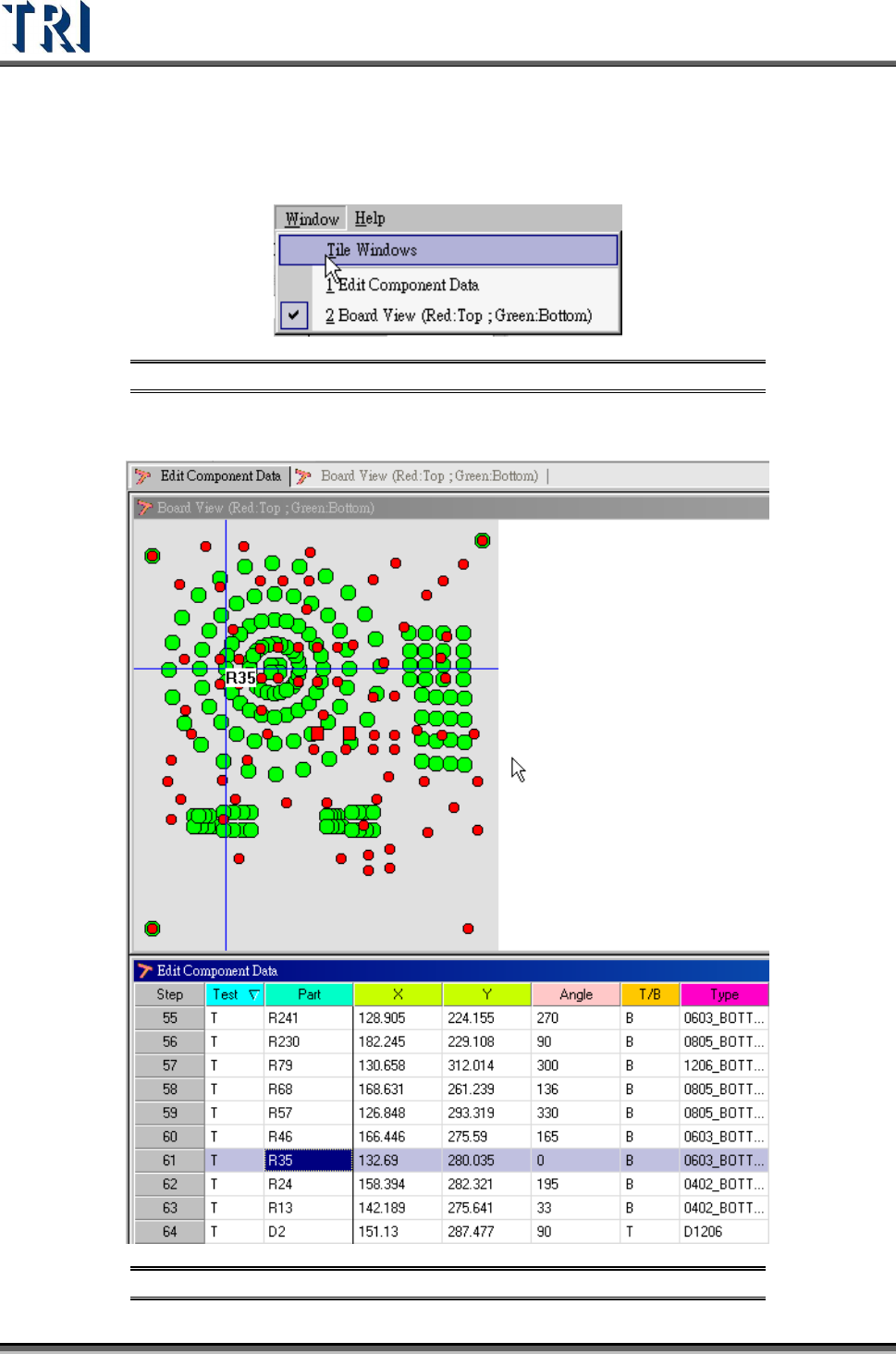
In order to find the mapping of components easily, select [Tile Windows] on the main tool bar.
This function puts the [Board View] and [Edit Component Data] windows together. Select a
component on the [Board View] window to show its information on the corresponding
[Component Data] window and vice versa.
Figure 214: Tile Windows Command
After selecting [W
INDOW
>
T
ILE
W
INDOW
] the screen will look like the figure below.
Figure 215: Tile Windows Result -- Board View (top) & Component Data
Test Research Inc.
TR7500 Series User Guide –Software v.2.9.0 133
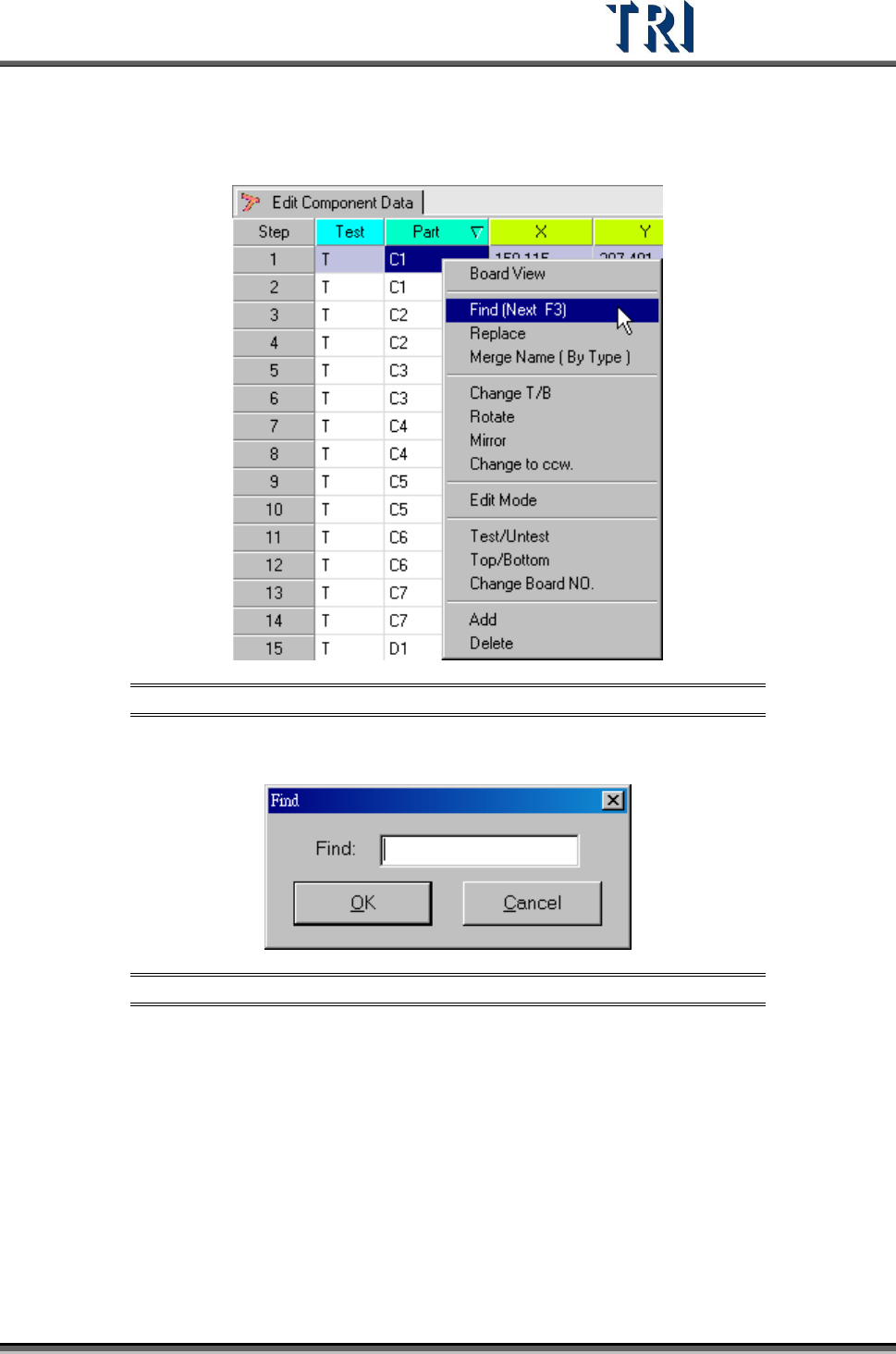
5.3 Find (Next F3)
Search for the specified component data..
Figure 216: Select Find Command
Input the component name for the search and click [OK]. Press [F3] to find the next one.
Figure 217: Find Command Dialog Box