TR7500_Series_Software_v29_En - 第158页
Test Research Inc. 136 TR7500 Series User Guid e –Softwa re v.2.9.0 Figure 221 : Merge Name B y Type Process & Result Merge several types: Select more than one com ponent by hold ing down th e [Ctrl] key to merge nam…
Test Research Inc.
TR7500 Series User Guide –Software v.2.9.0 135
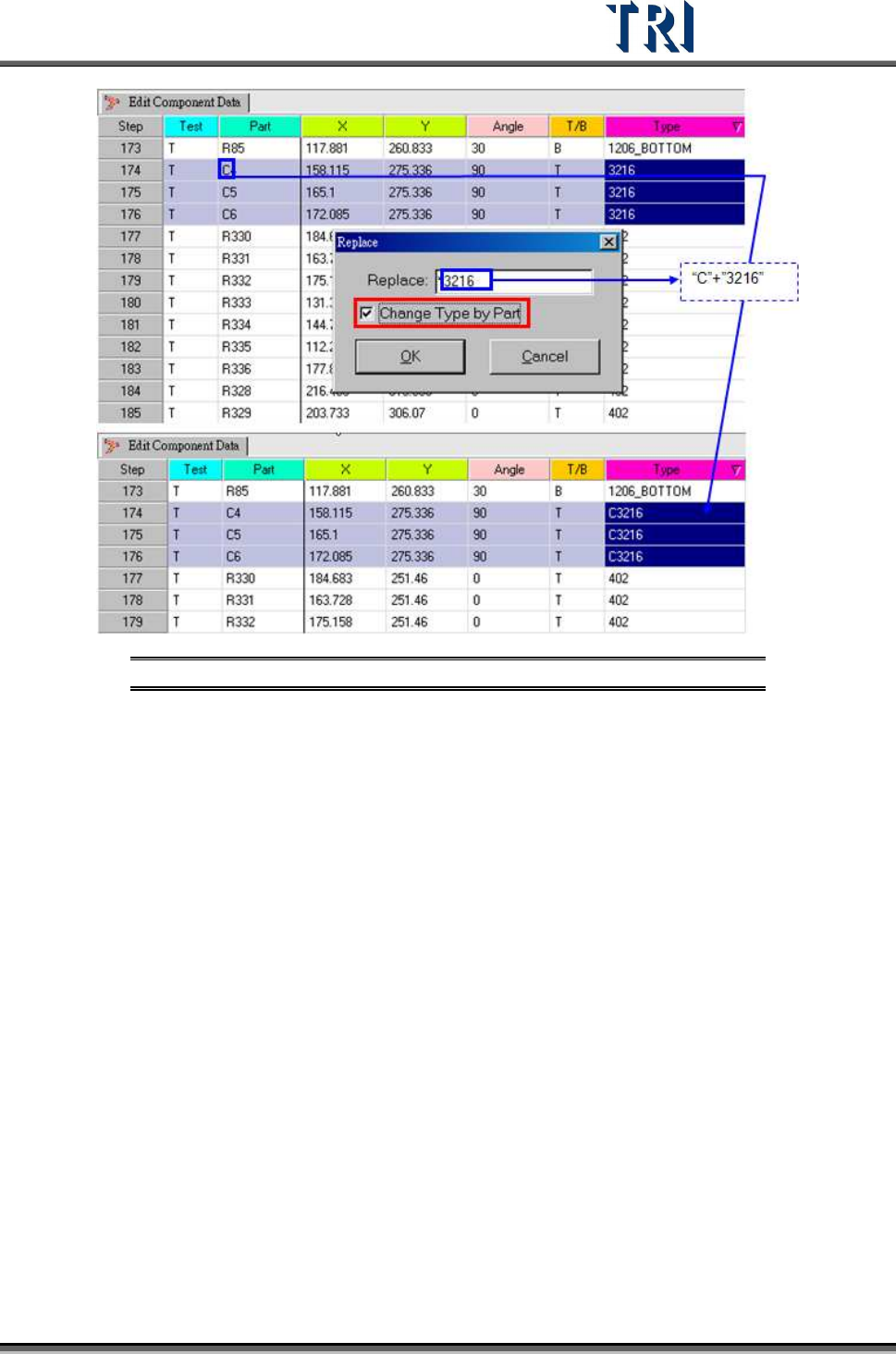
Figure 220: Replace/Change Type by Part Input & Result
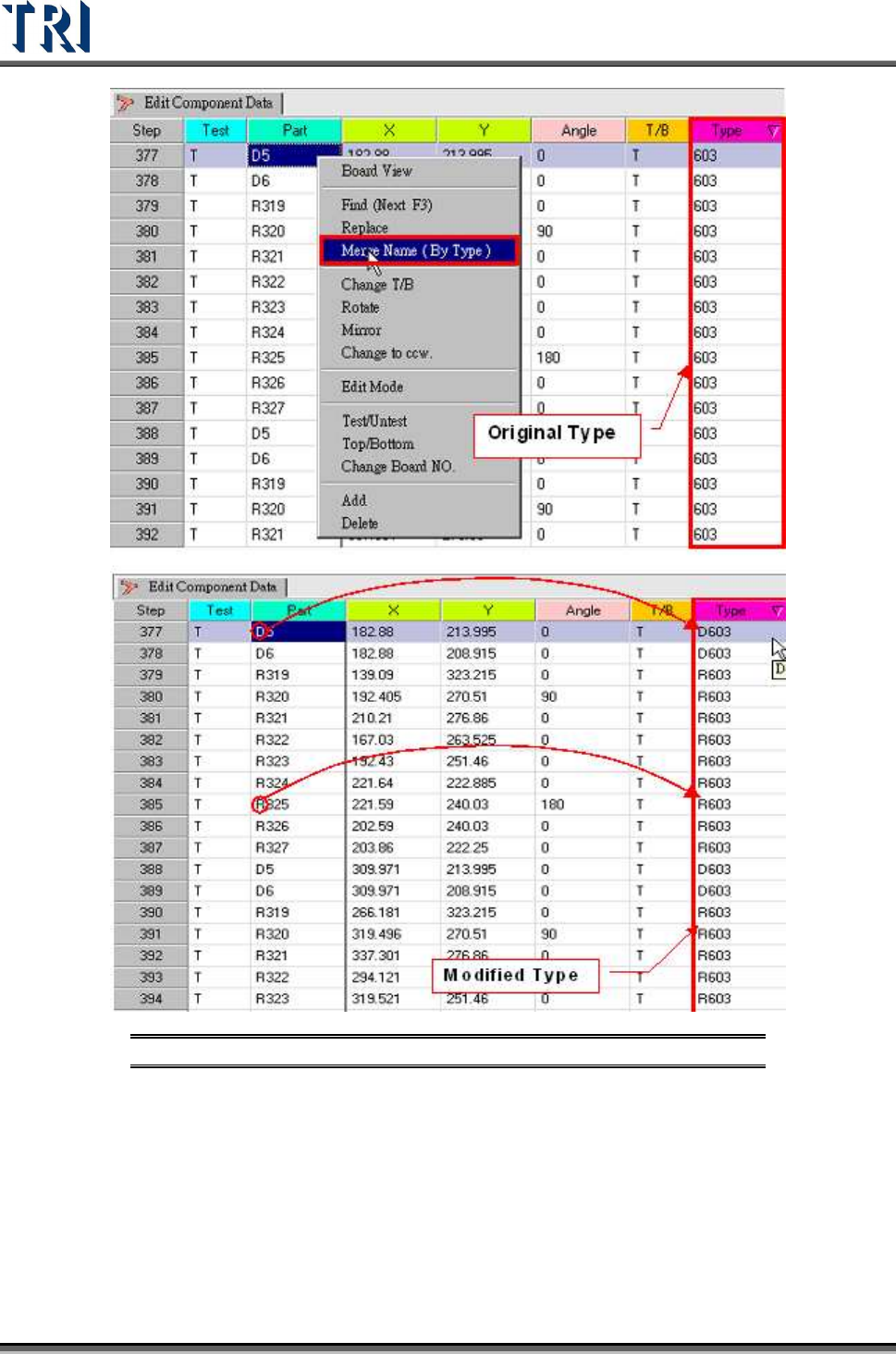
5.5 Merge Name (By Type)
When one component is selected for the [Merge Name] function, the other components in
same type will be merged at the same time.
Merge one type: Select the object component, right-click the mouse then press [Merge Name
(By Type)]. The initial character(s) will be merged into the [Type] name.
Test Research Inc.
136 TR7500 Series User Guide –Software v.2.9.0
Figure 221: Merge Name By Type Process & Result
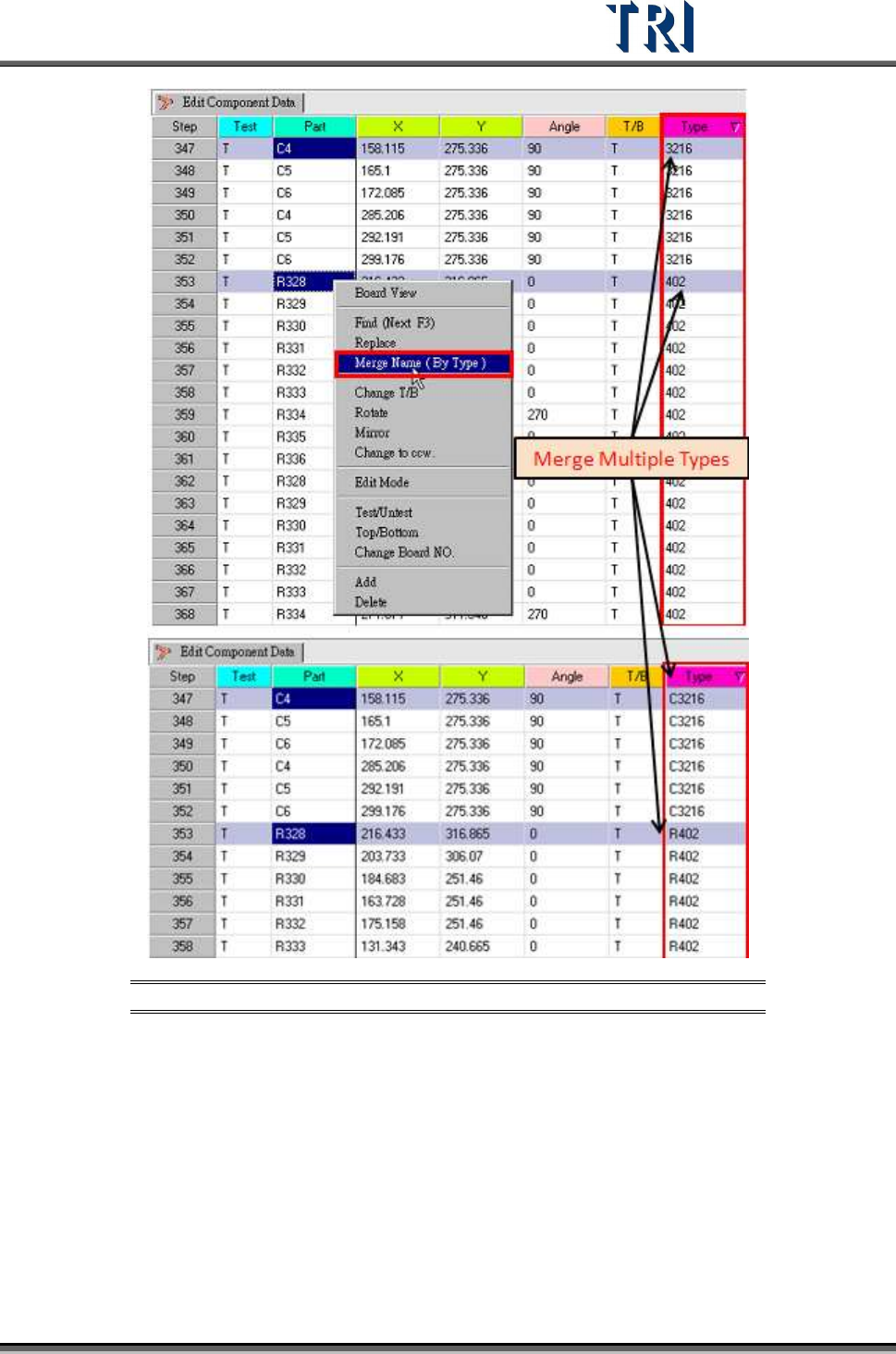
Merge several types: Select more than one component by holding down the [Ctrl] key to
merge names.
Test Research Inc.
TR7500 Series User Guide –Software v.2.9.0 137
Figure 222: Merge Multiple Name By Type Process & Result