TR7500_Series_Software_v29_En - 第160页
Test Research Inc. 138 TR7500 Series User Guid e –Softwa re v.2.9.0 5.6 Chang e T/B (T op/Bottom) Change the entire comp onent list of a board from the top side to bottom side and from the bottom side to the top side. Fi…
Test Research Inc.
TR7500 Series User Guide –Software v.2.9.0 137
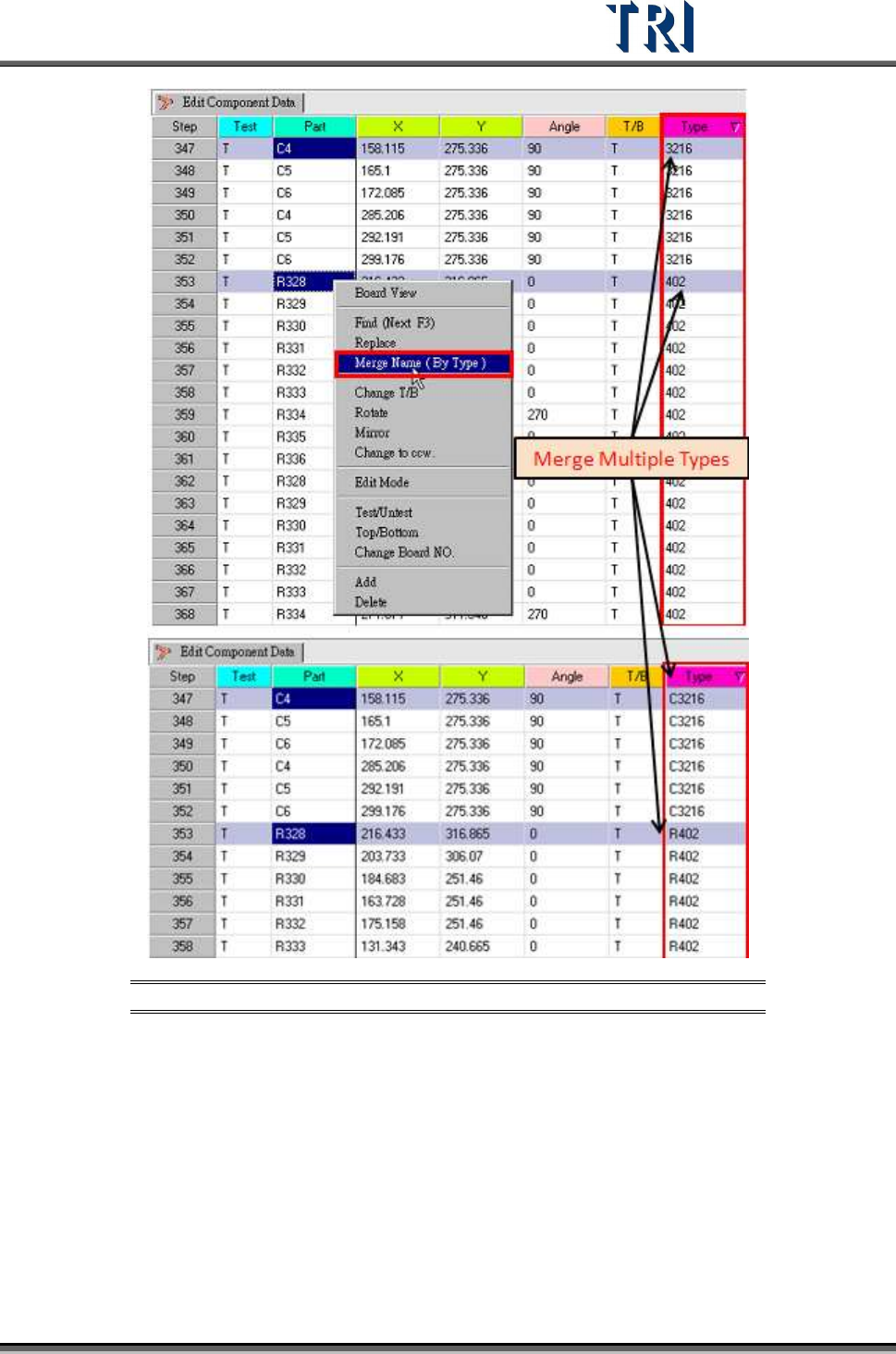
Figure 222: Merge Multiple Name By Type Process & Result
Test Research Inc.
138 TR7500 Series User Guide –Software v.2.9.0
5.6 Change T/B (Top/Bottom)
Change the entire component list of a board from the top side to bottom side and from the
bottom side to the top side.
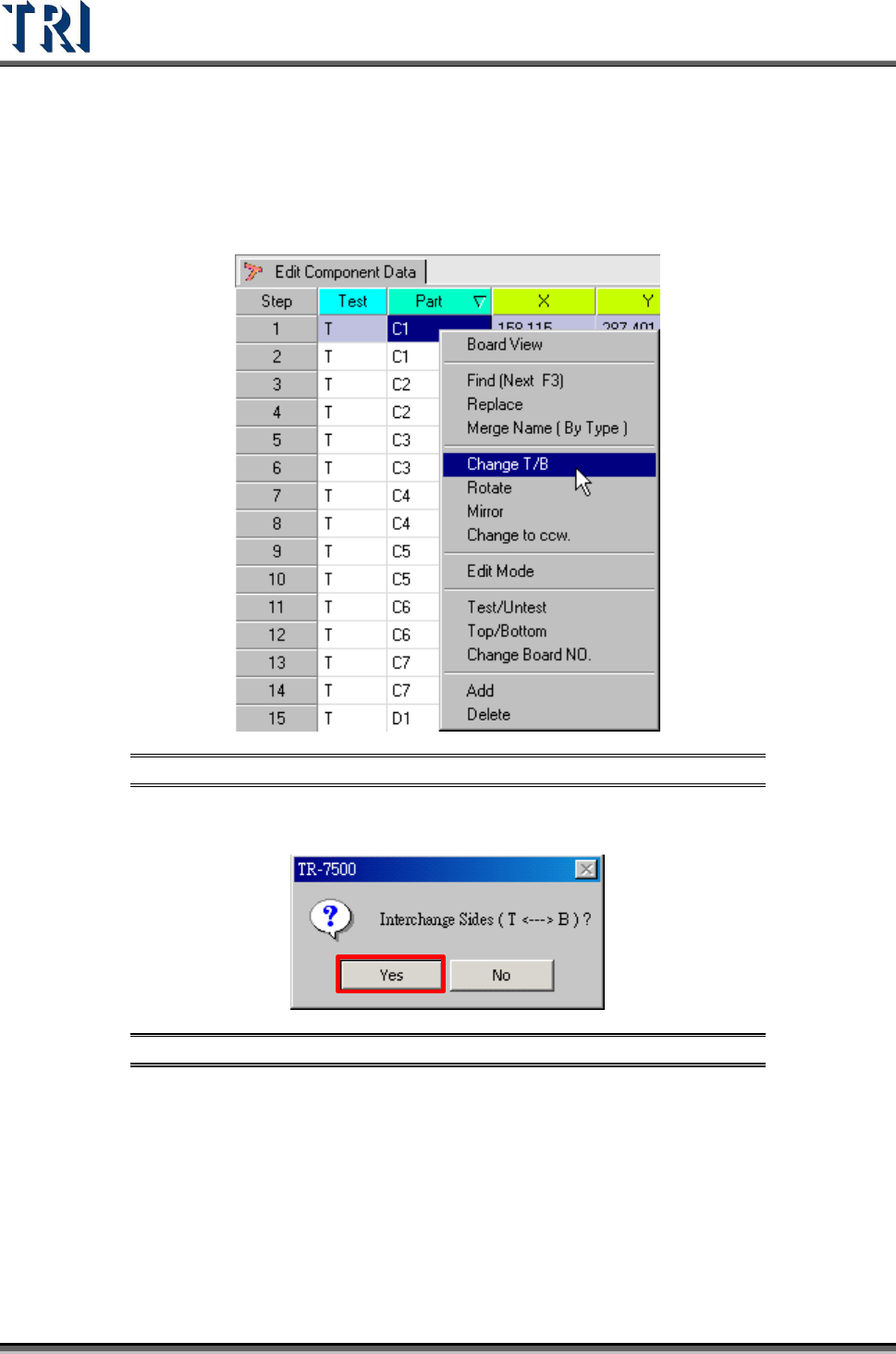
Figure 223: Select Change T/B Command
A confirmation message window will be displayed. Click [YES] to change all components.
Figure 224: Change Top/Bottom Confirm Window
Test Research Inc.
TR7500 Series User Guide –Software v.2.9.0 139
5.7 Rotate
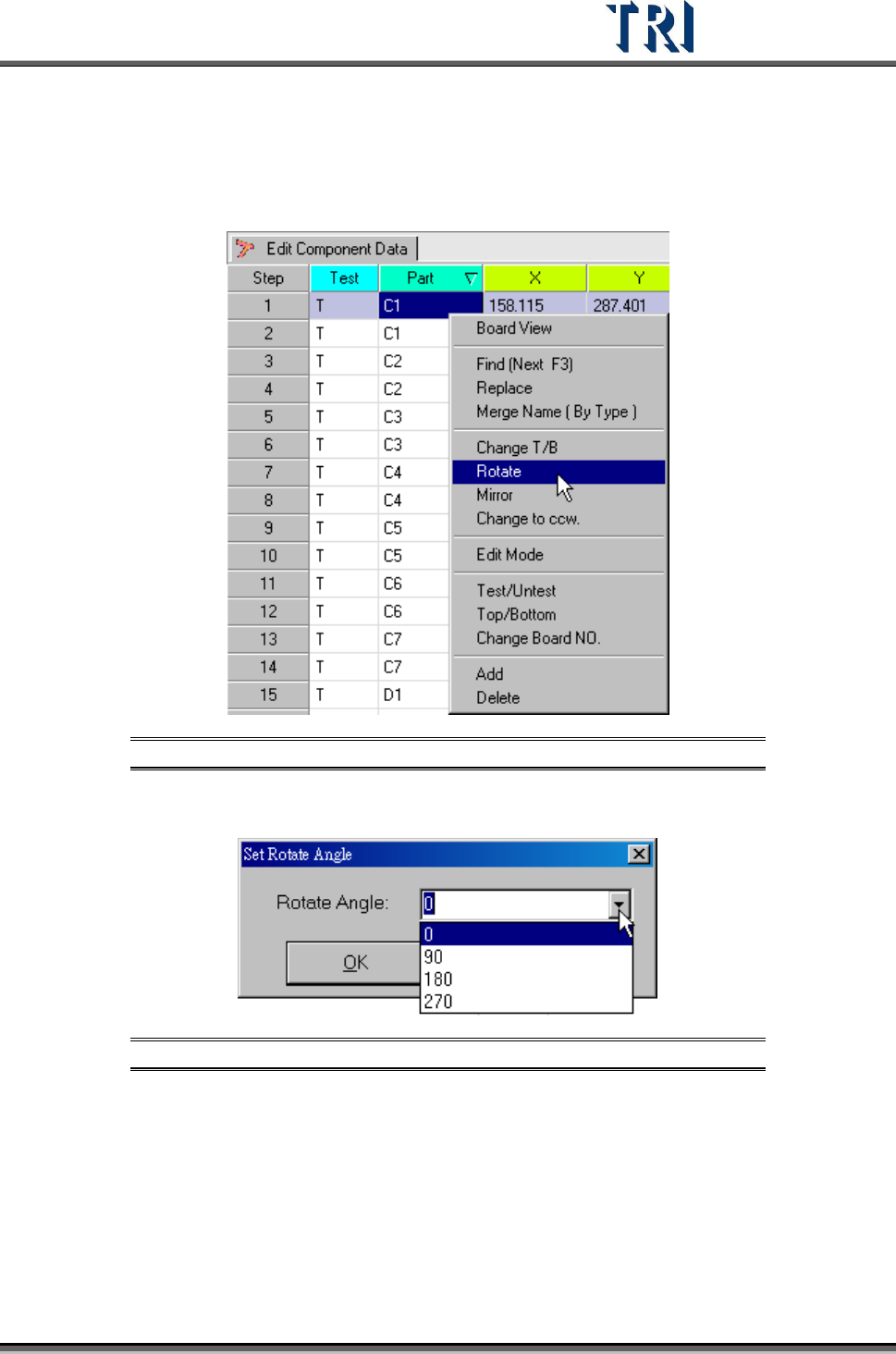
Rotate the board angle to specific degree (from 0 ~ 360 degree).
Figure 225: Select Rotate Command
Key in any value from 0-360 degrees or select a default value.
Figure 226: Set Rotate Angle Dialog