TR7500_Series_Software_v29_En - 第162页
Test Research Inc. 140 TR7500 Series User Guid e –Softwa re v.2.9.0 5.8 Mirr or Set the board mappin g way from [LeftRight] or [TopB ottom]. [Le ft Right] – Change the board’s le ft side mappin g to right side and ri g…
Test Research Inc.
TR7500 Series User Guide –Software v.2.9.0 139
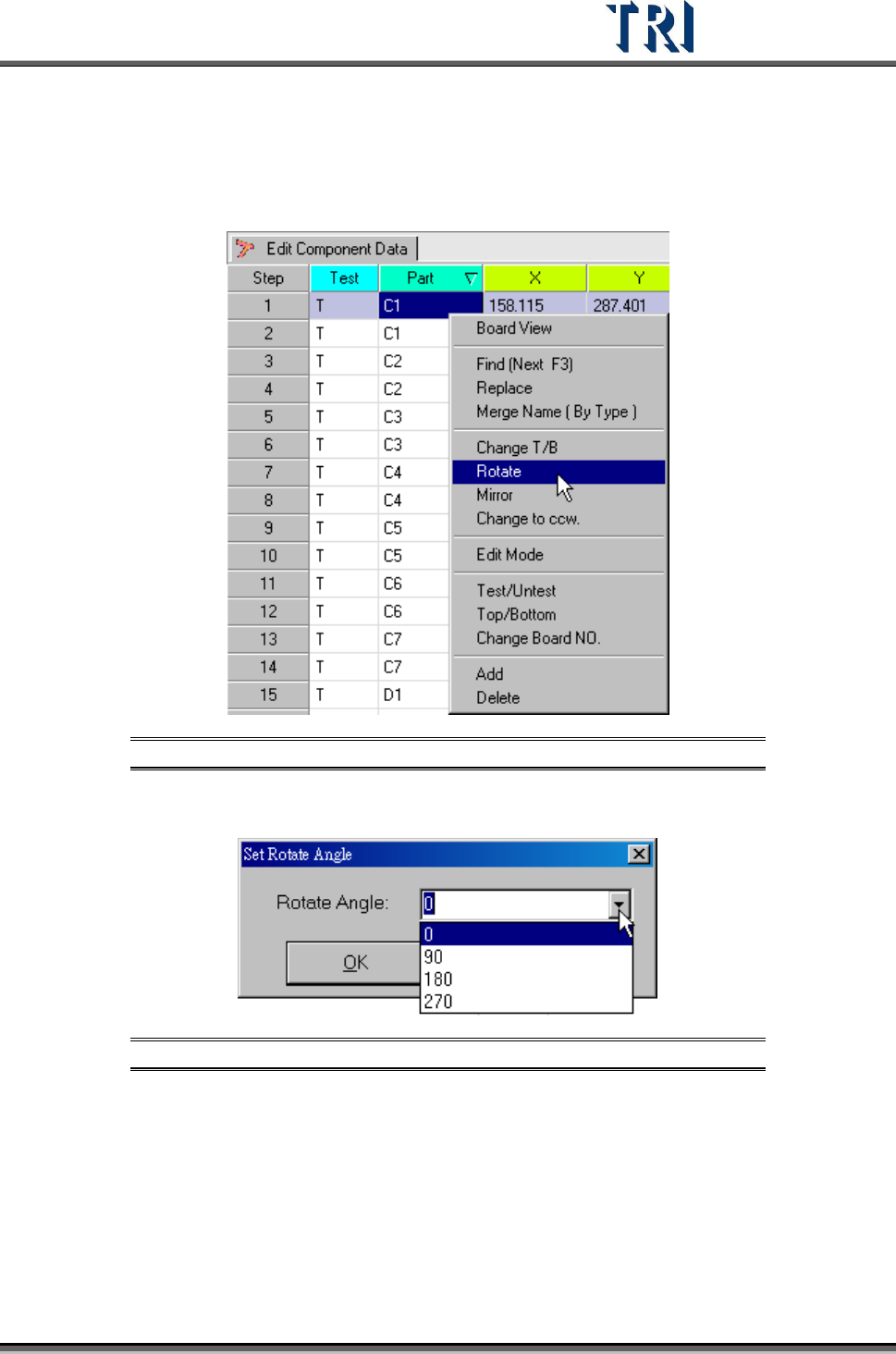
5.7 Rotate
Rotate the board angle to specific degree (from 0 ~ 360 degree).
Figure 225: Select Rotate Command
Key in any value from 0-360 degrees or select a default value.
Figure 226: Set Rotate Angle Dialog
Test Research Inc.
140 TR7500 Series User Guide –Software v.2.9.0
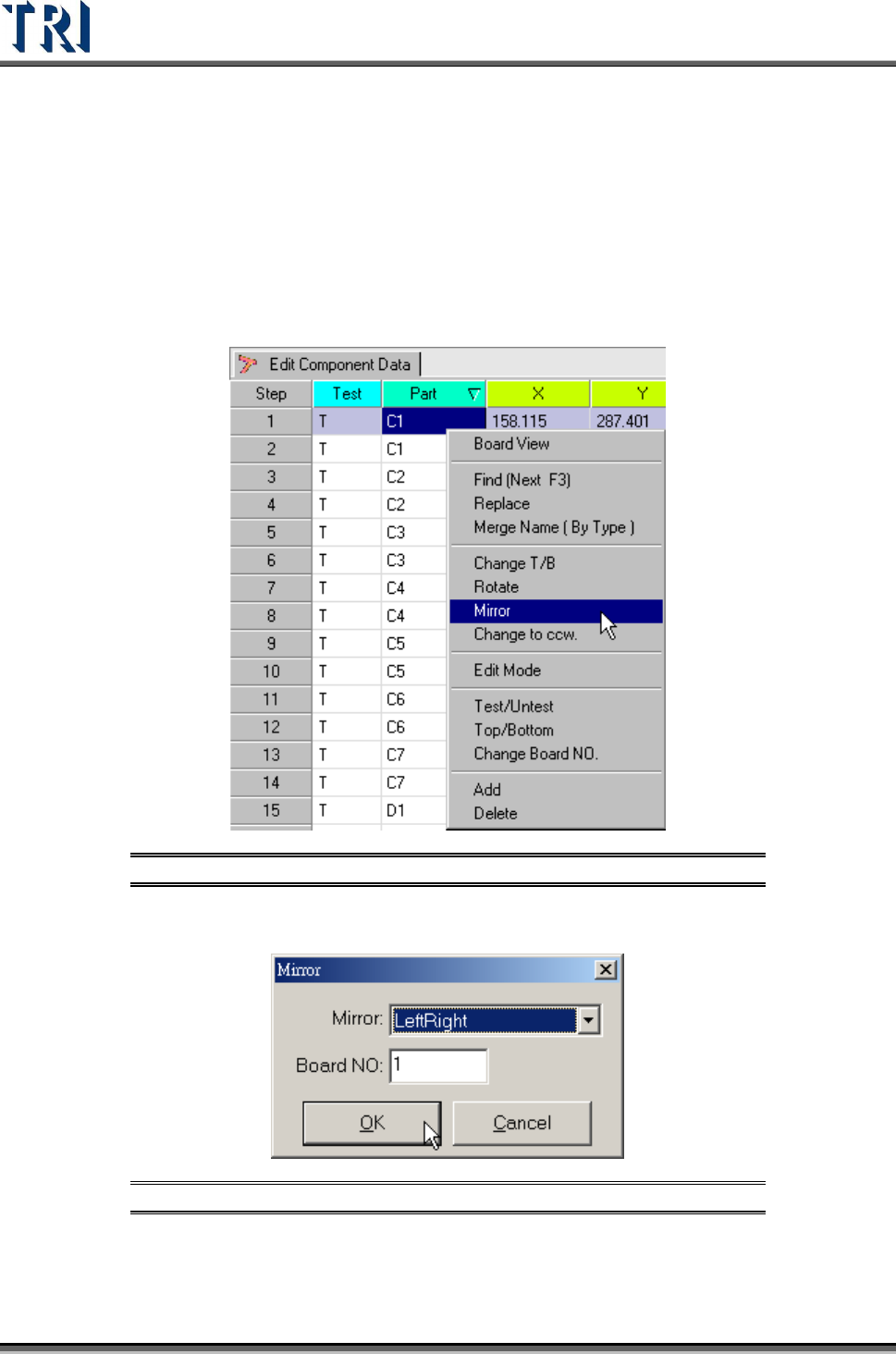
5.8 Mirror
Set the board mapping way from [LeftRight] or [TopBottom].
[LeftRight] – Change the board’s left side mapping to right side and right side
mapping to left.
[TopBottom] – Change the board’s top side mapping to the bottom and the
bottom side mapping to top.
Figure 227: Select Mirror Command
Select [LeftRight] or [TopBottom] way to mirror. Then select the board number to be mirrored.
Figure 228: Mirror Dialog
After mirroring, the system will change top side to bottom side and bottom side to top side
automatically. The [Change T/B] command can also be used if needed.
Test Research Inc.
TR7500 Series User Guide –Software v.2.9.0 141
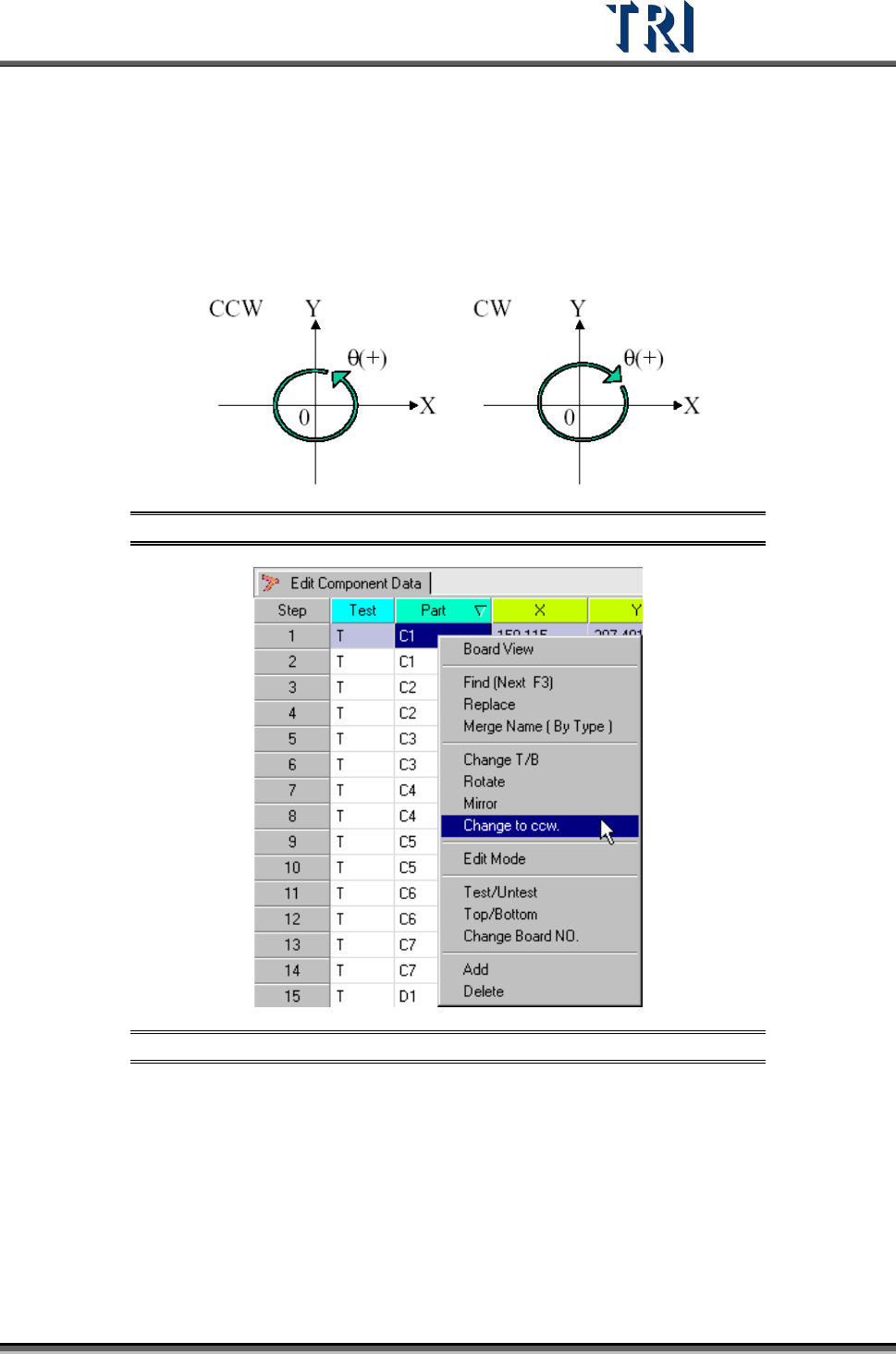
5.9 Change to CCW (Counterclockwise)
The default rotate direction used by the TR7500 system is counterclockwise (CCW). If the
definition of angles in the original CAD is clockwise (CW), the directions must be changed by
using this function.
Figure 229: Counterclockwise & Clockwise Rotation
Figure 230: Select Change to CCW Command
Display the double confirm message window.