TR7500_Series_Software_v29_En - 第165页
Test Research Inc. TR7500 Series User Guide – Software v.2.9.0 143 5.11 Test/Un test Set whether speci f ied components should be inspected or not. Figure 233 : Select Test/Unt est Command Display the component status as…
Test Research Inc.
142 TR7500 Series User Guide –Software v.2.9.0
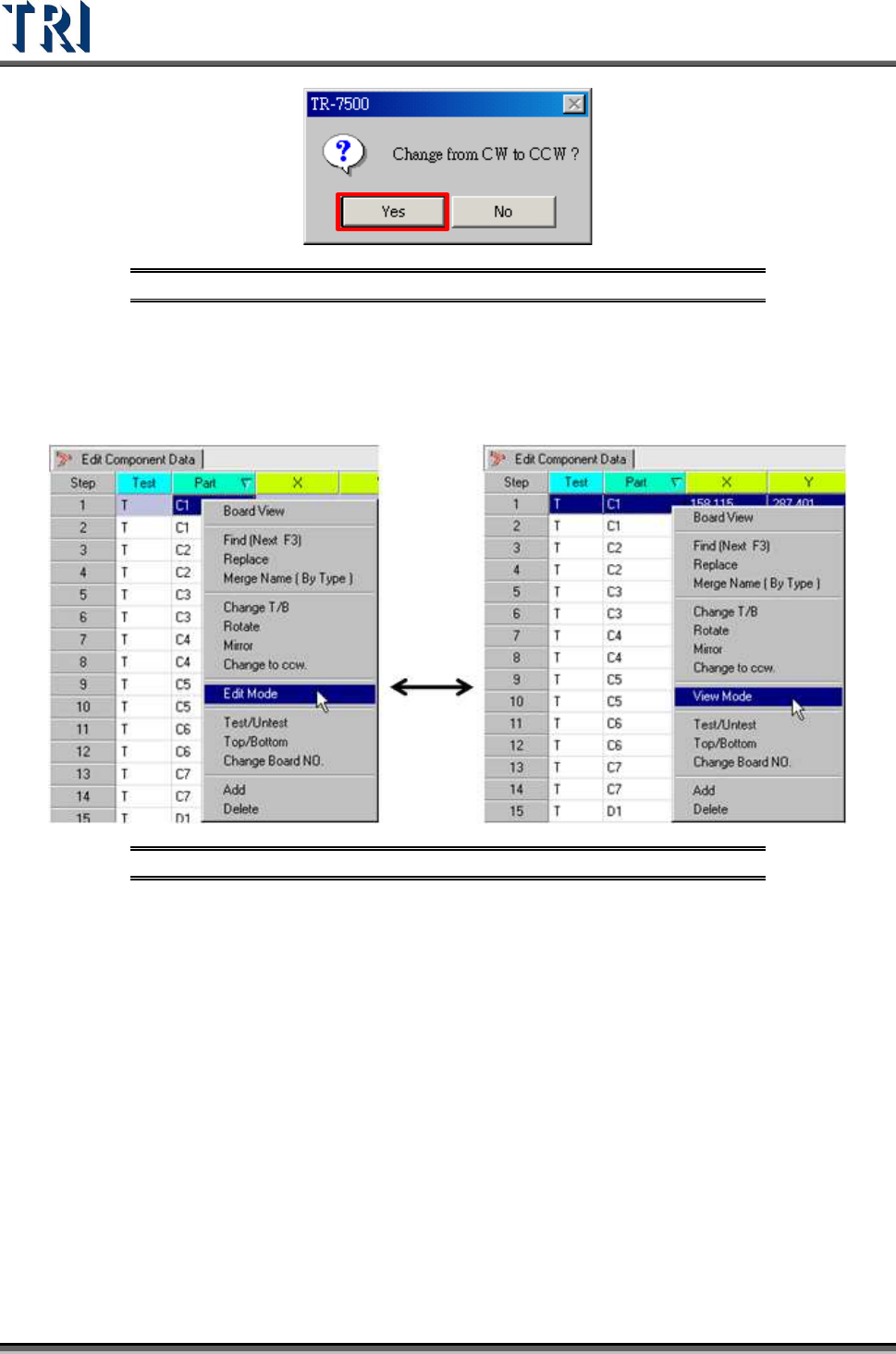
Figure 231: Change to CCW Confirm Window
5.10 Edit/View Mode
Change the [Component Data] table from [View] mode to [Edit] mode. The information of
components can be changed except [Test], [Part], [T/B] or [Board NO].
Figure 232: Select Edit/View Command
Click the [View Mode] and return to the view mode so that the data is not changed.
Test Research Inc.
TR7500 Series User Guide –Software v.2.9.0 143
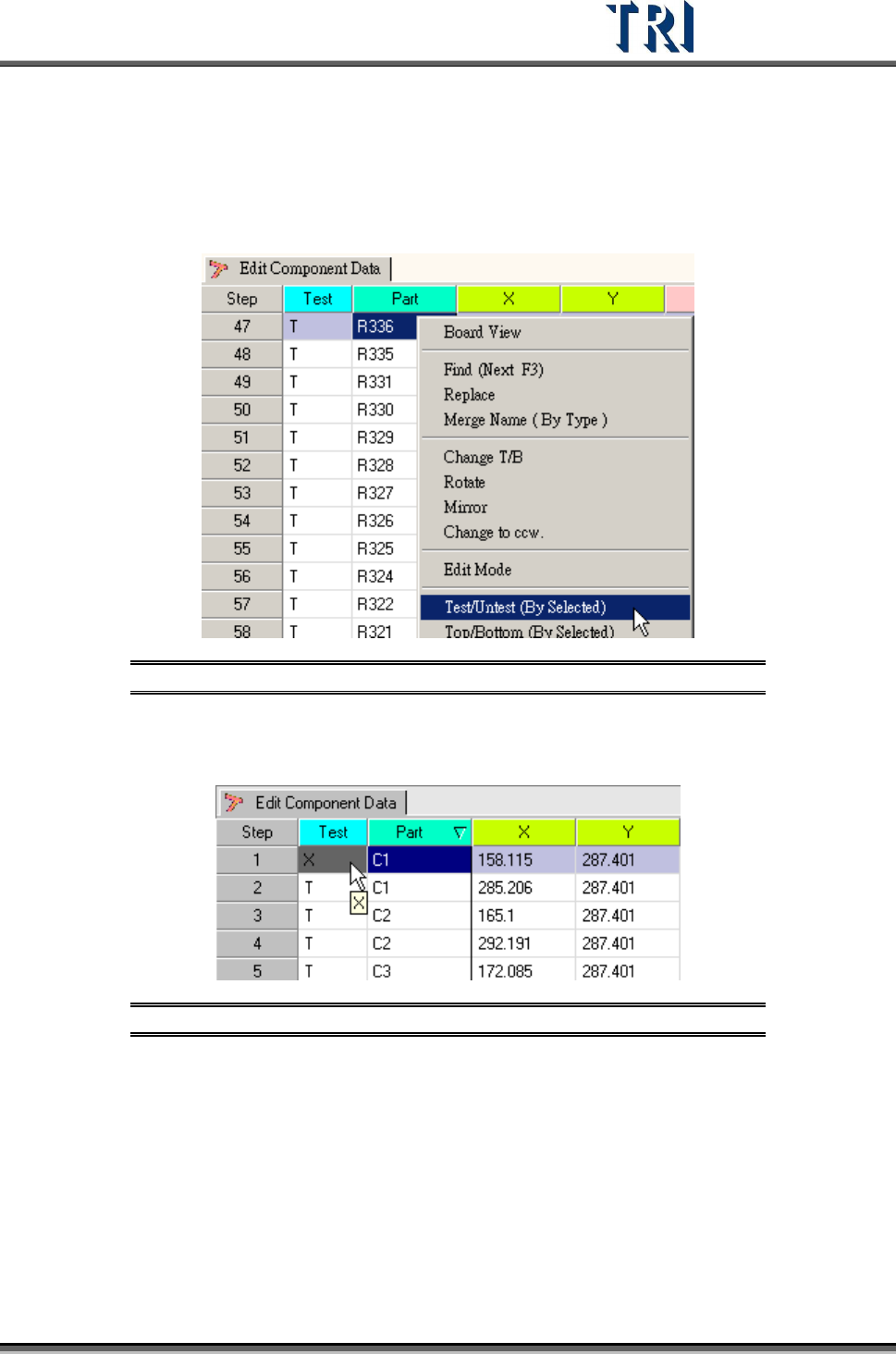
5.11 Test/Untest
Set whether specified components should be inspected or not.
Figure 233: Select Test/Untest Command
Display the component status as T [Test] or X [Do Not Test] in the [AOI Component Data]
table.
Figure 234: Change Component Test Status
Test Research Inc.
144 TR7500 Series User Guide –Software v.2.9.0
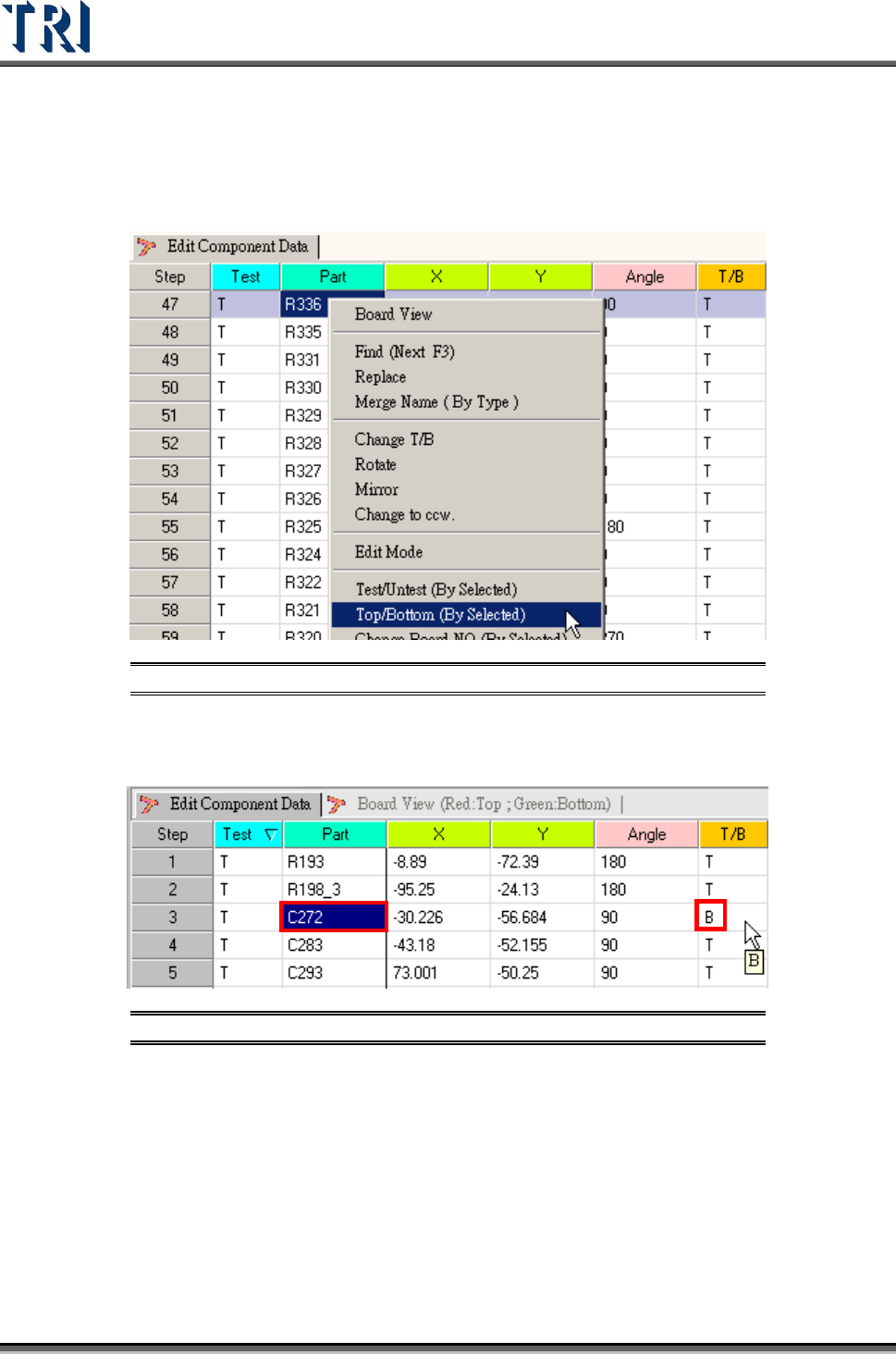
5.12 Top/Bottom
Change the specified components from top side to bottom side or bottom side to top side.
Figure 235: Select Top/Bottom Command
Display whether a specified component is on the top or bottom side in the AOI inspection
table.
Figure 236: Change Component Top/Bottom Data