TR7500_Series_Software_v29_En - 第175页
Test Research Inc. TR7500 Series User Guide – Software v.2.9.0 153 Figure 253 : Paste CAD
Test Research Inc.
152 TR7500 Series User Guide –Software v.2.9.0
6.4 Right-clicking Menu
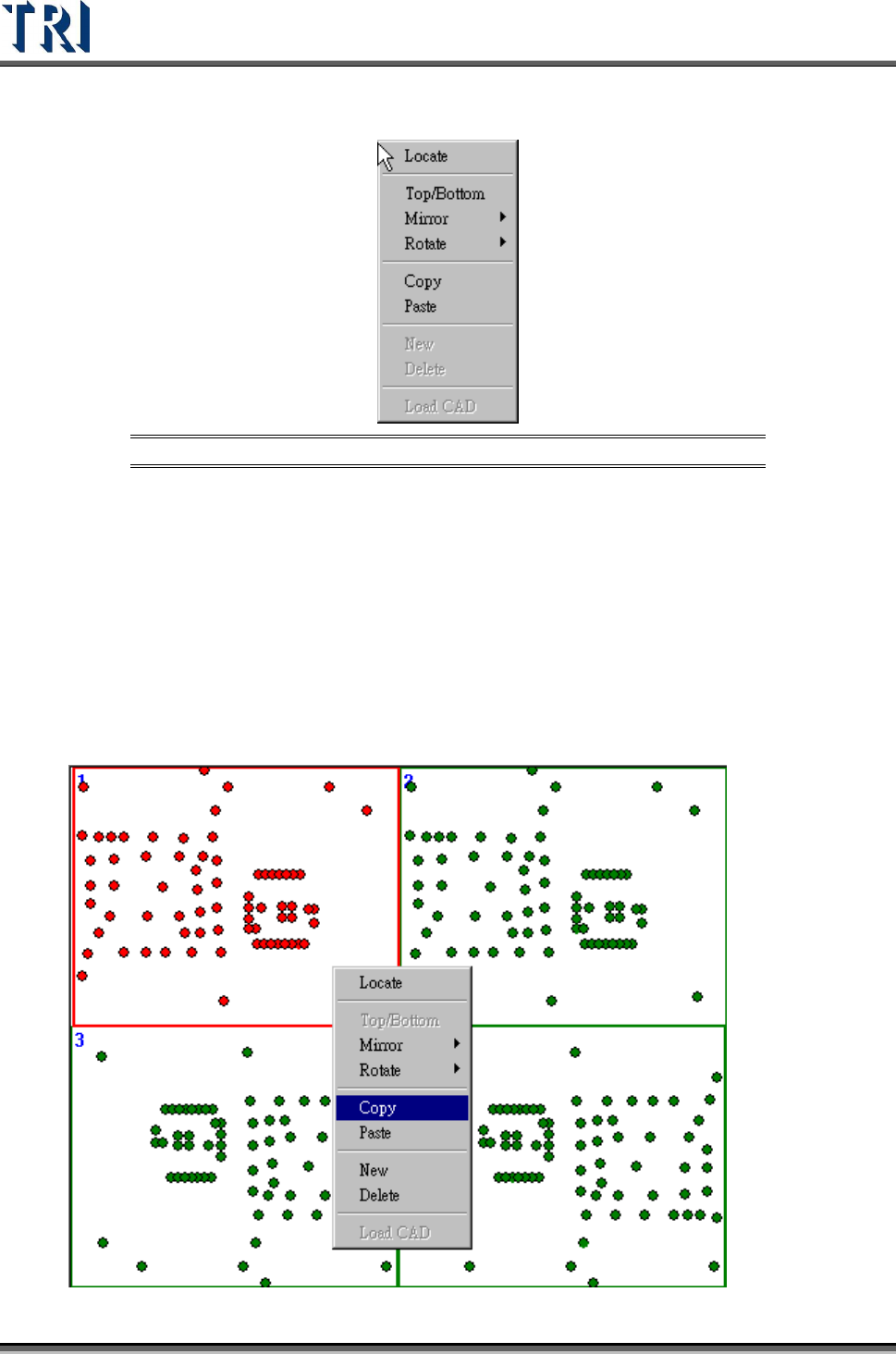
Figure 252: Multi-Board Right-Clicking Menu
Locate-Locate the component.
Top/Bottom-Change the side of the board.
Mirror-User can select mirror by left-right or top-bottom. It can’t be used under edit
mod.
Rotate-0, 90, 180 and 270 degree can be selected. Under edit mode, only 180 degree
can be select. In regular multi-board, when select 90 degree or 270 degree, system will
rotate the other multi-board with the same rotate angle.
Copy-Copy a layout of a board and paste to the other board.
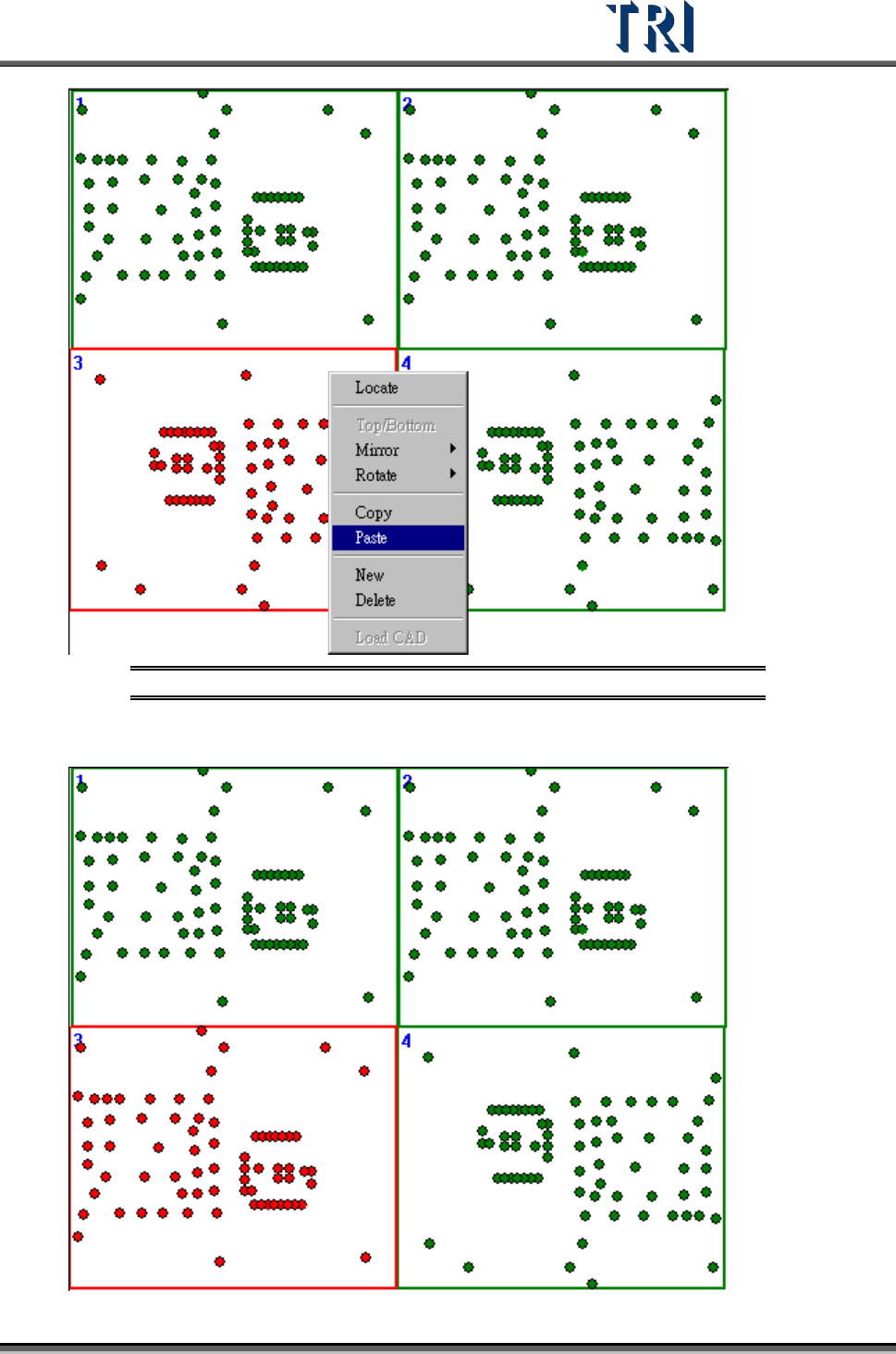
Paste-Copy a layout of a board and paste to the other board.
Test Research Inc.
TR7500 Series User Guide –Software v.2.9.0 153
Figure 253: Paste CAD
Test Research Inc.
154 TR7500 Series User Guide –Software v.2.9.0
Figure 254: Result of Pasting CAD
New-Add a row or column board. It is only can be used in edit mode.
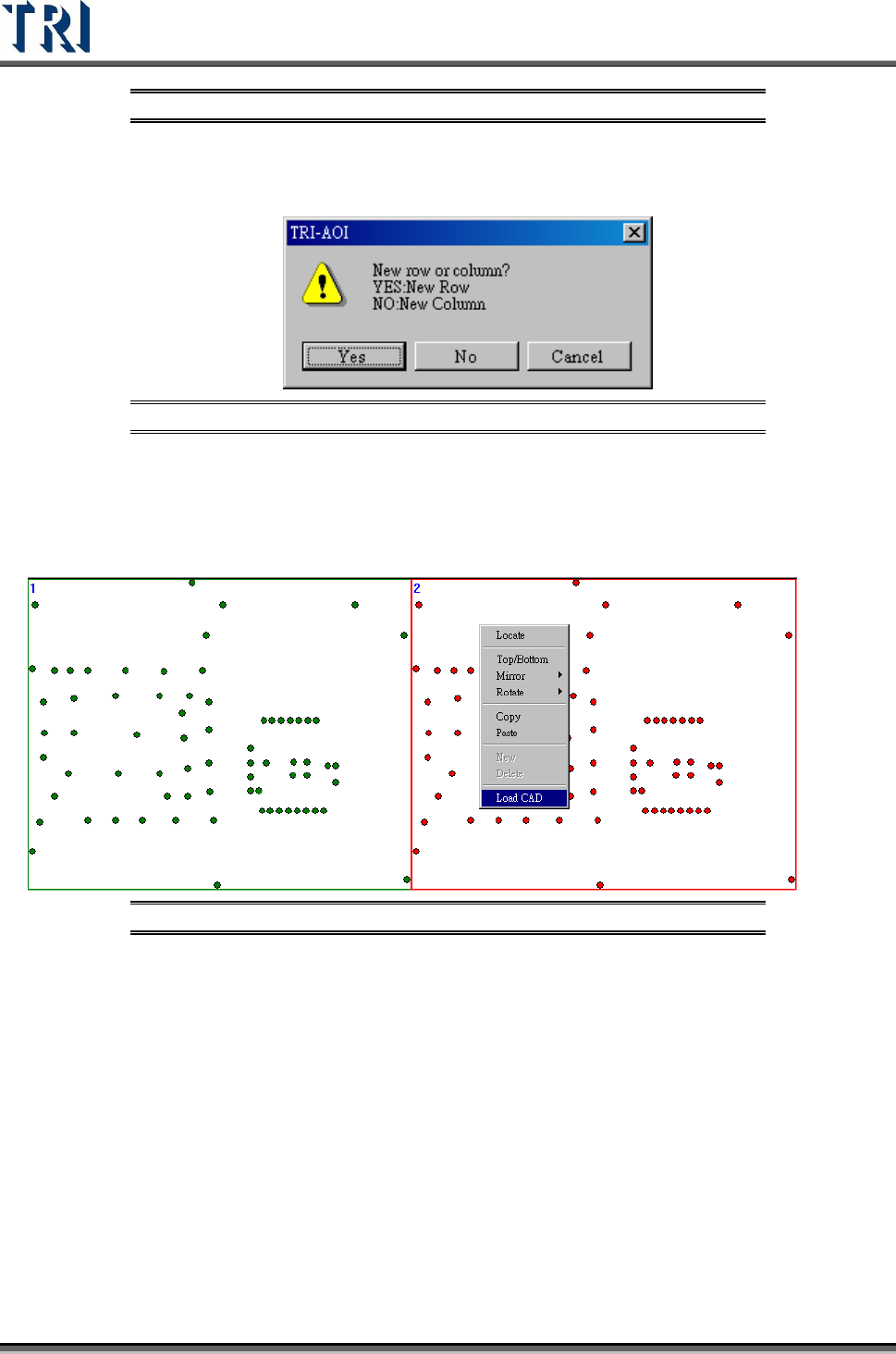
Figure 255: New Row/ New Column
Delete-Delete a row or column boards. It only can be used in edit mode.
Load CAD-When user select [Manual] in multi-board layout step, he can load the other
CAD file for any board in the panel. It can’t be used in edit mode.
Figure 256: Load CAD