TR7500_Series_Software_v29_En - 第180页
Test Research Inc. 158 TR7500 Series User Guid e –Softwa re v.2.9.0 Figure 263 : Set Stop Senso r Position Figure 264 : Confirm Stop Position 6.5.5 Board 1 Size Set board 1 siz e here. 6.5.6 Mosaic Press this function to…
Test Research Inc.
TR7500 Series User Guide –Software v.2.9.0 157
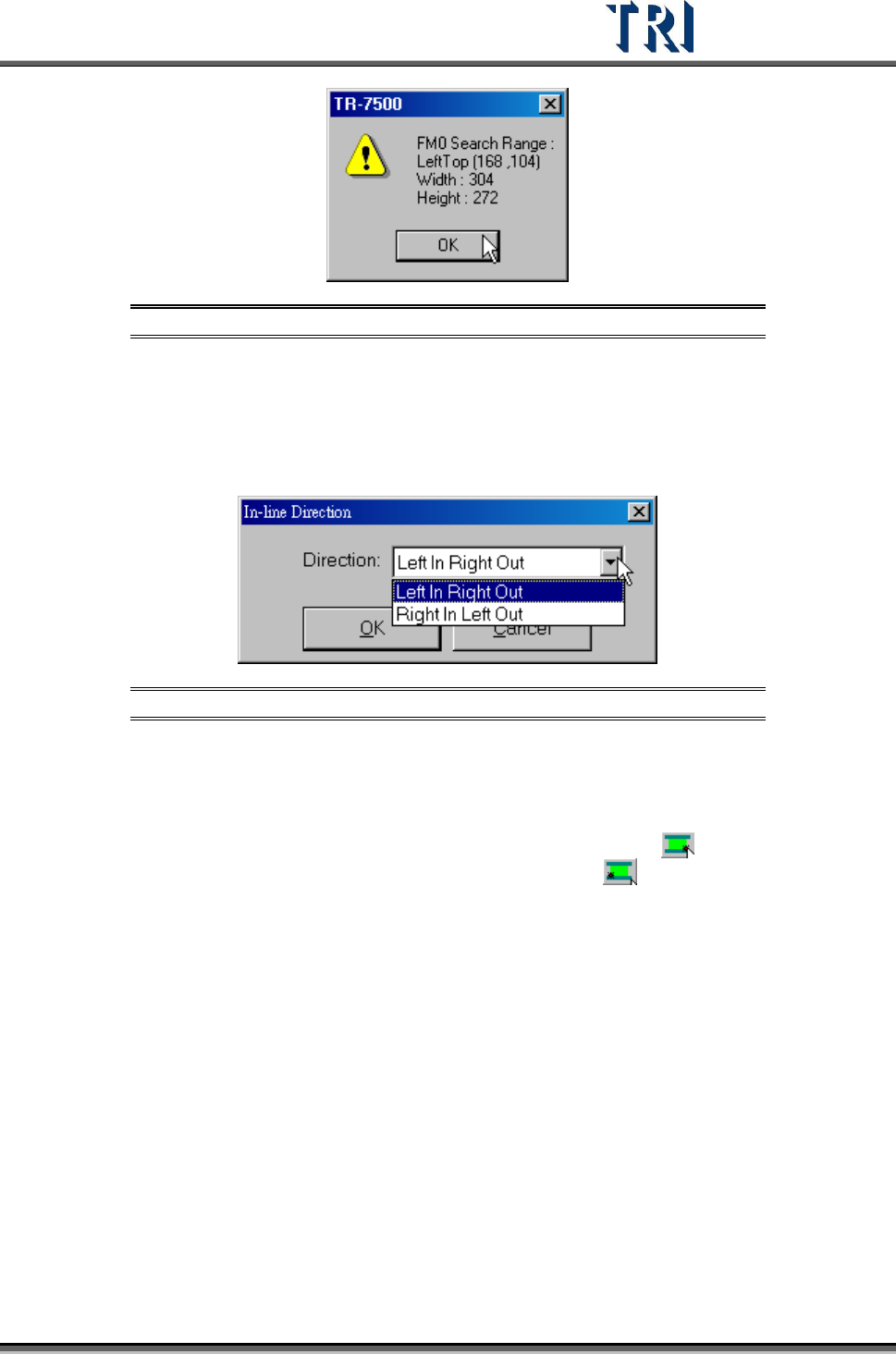
Figure 261: Confirm Fiducial Mark Search Range
6.5.2 Get Rotate Angle
Use this function to calculate rotate angle again if the board has been reloaded.
6.5.3 In-line Direction
Figure 262: Set In-Line Direction Dialog
6.5.4 Stop Position
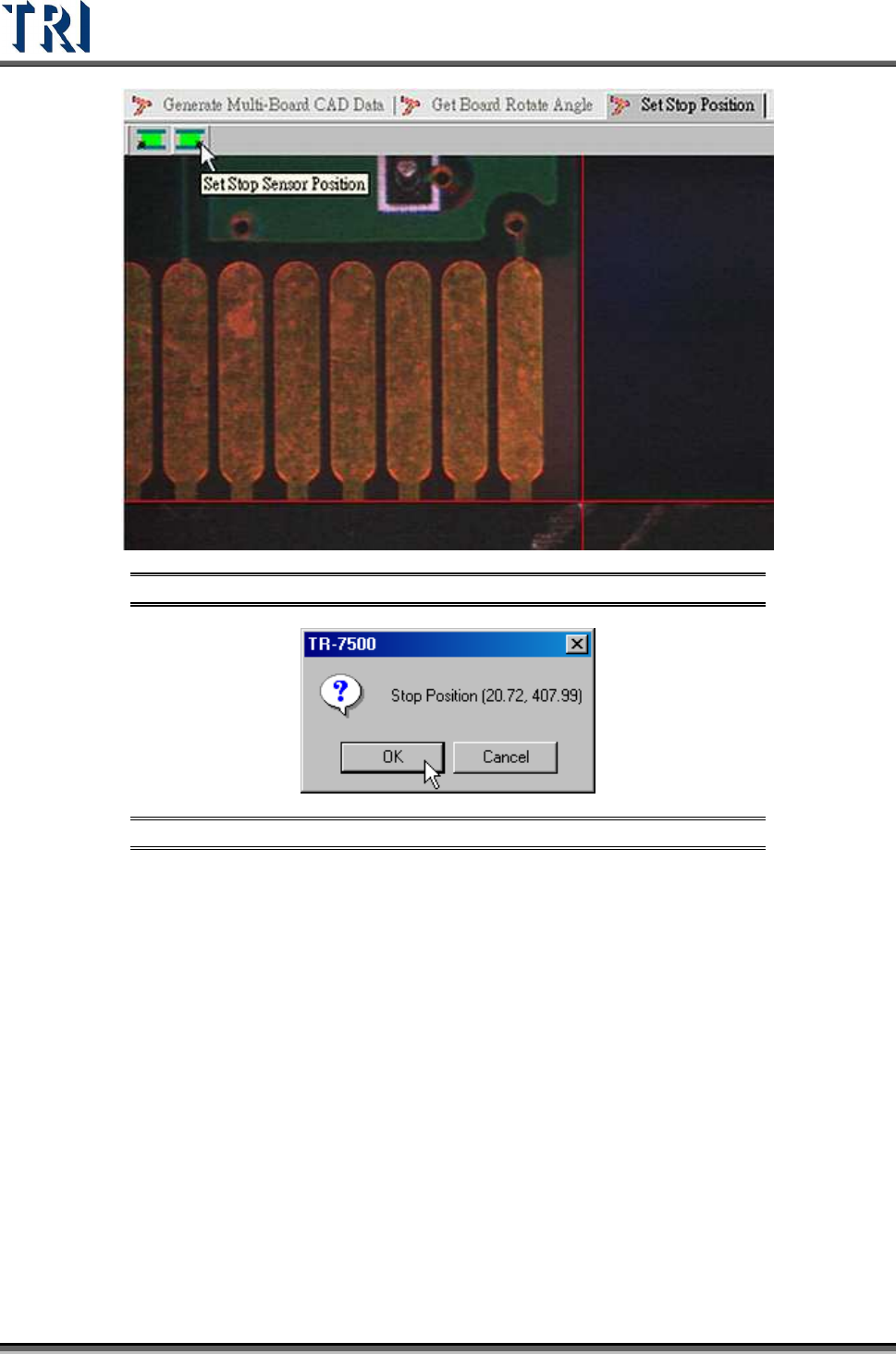
Set the stop position of board. If the direction is [Left In Right Out] use to set the lower-
right corner of the PCB; if the direction is [Right In Left Out] use
to set the lower-left
corner of the PCB.
Test Research Inc.
158 TR7500 Series User Guide –Software v.2.9.0
Figure 263: Set Stop Sensor Position
Figure 264: Confirm Stop Position
6.5.5 Board 1 Size
Set board 1 size here.
6.5.6 Mosaic
Press this function to get panel map.
Test Research Inc.
TR7500 Series User Guide –Software v.2.9.0 159
6.6 Library
6.6.1 Verify
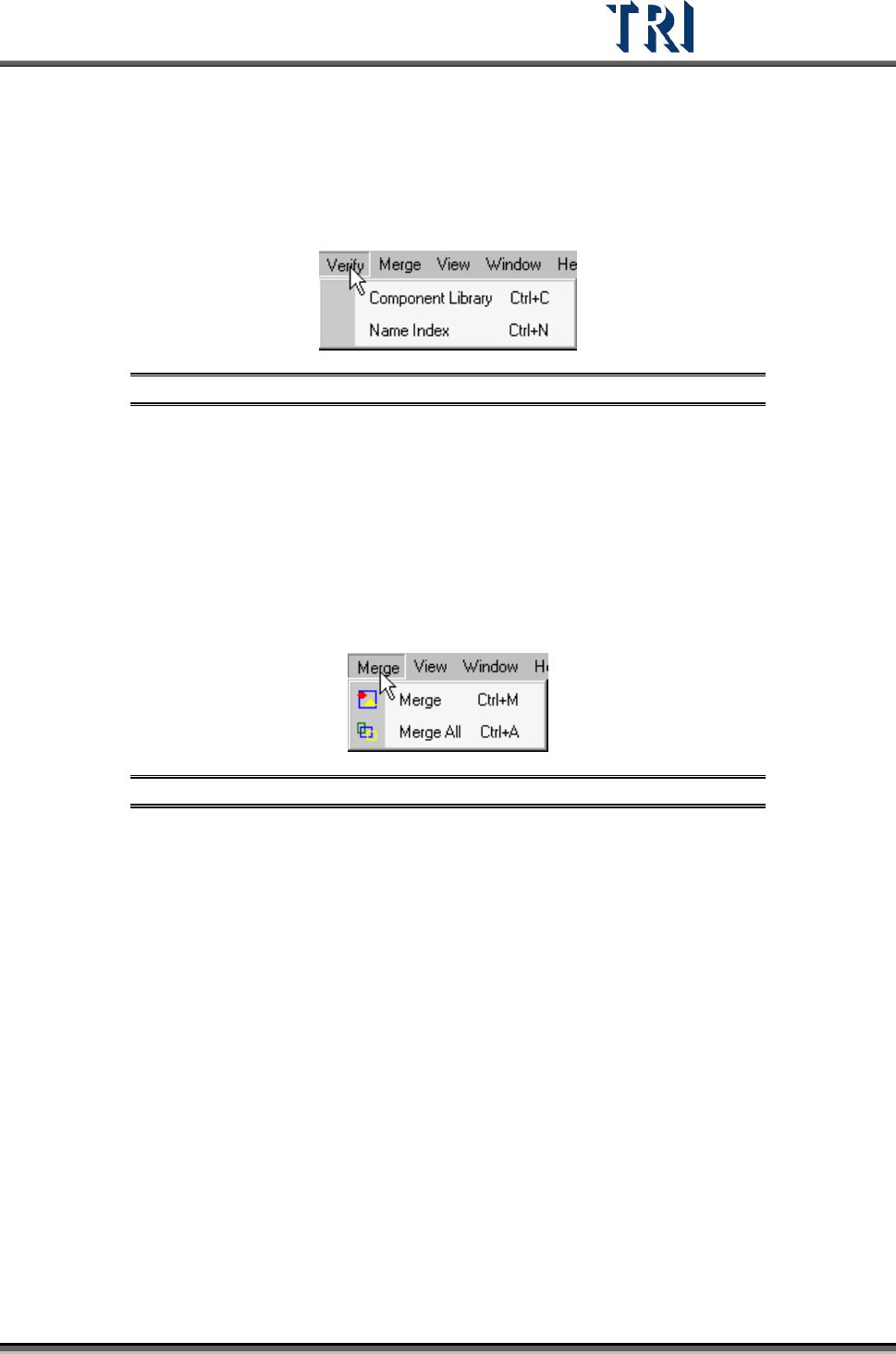
Figure 265: Library Verify Tab
6.6.1.1 Component Library
Select to enter the [Tune] field.
6.6.1.2 Name Index
Select to open [Name Index] window.
6.6.2 Merge
Figure 266: Library Merge Tab
Merge means for all components on a PCB the system will copy all inspection boxes to every
component depending on the type.
6.6.2.1 Merge
Merge the selected type.
6.6.2.2 Merge All
Merge all types.