TR7500_Series_Software_v29_En - 第187页
Test Research Inc. TR7500 Series User Guide – Software v.2.9.0 165 (12). [Rename] – Change name o f current lighting set . Figure 274 : Rename Lighti ng Set Dialog (13). [Delete] – Delete an existing li g hting set.
Test Research Inc.
164 TR7500 Series User Guide –Software v.2.9.0
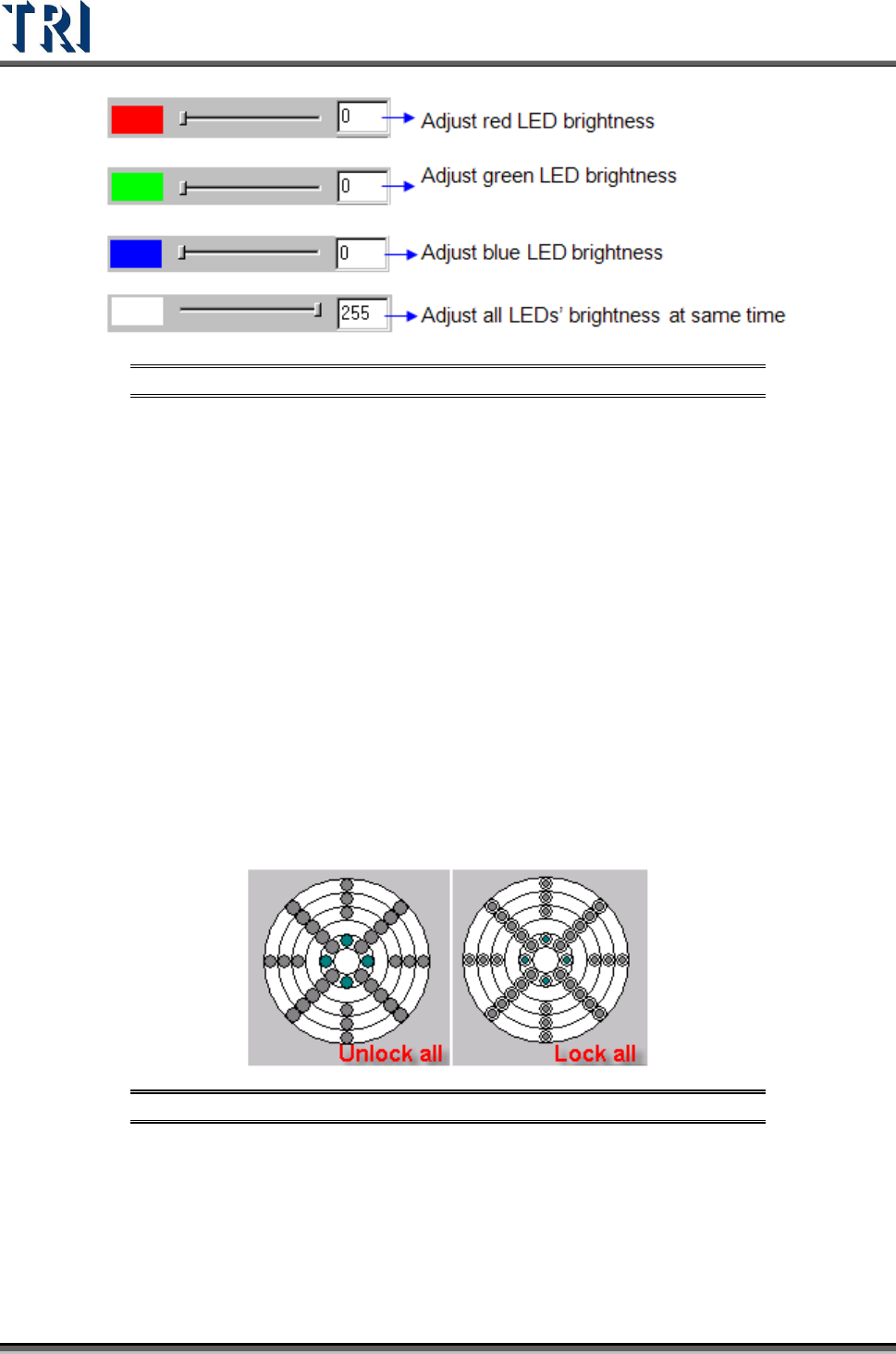
Figure 272: LED Brightness Adjustment
(5). [Set Name] [Comment] – Choose lighting style (Top light, Topside light, Side light,
etc.) with its comment.
(6). [Normal/All]: Toggles between showing the lighting sets specific to this project and
showing all the different lighting sets available to the system.
(7). [MirrorX] – Mirror the current lighting according to the X axis.
(8). [MirrorY] – Mirror the current lighting according to the Y axis.
(9). [Rotate+90] – Click once to rotate the lighting 90 degrees clockwise.
(10). [Rotate-90] – Click once to rotate the lighting 90 degrees counterclockwise.
(11). [Select All/Unselect All]
[Select All] – After pressing the button all controlled circles will be locked and the
characters of the button will be turned into [Unselect All].
[Unselect All] – After pressing the button all controlled circles will be locked and the
characters of the button will be turned into [Select All].
Figure 273: Select/Unselect LED
Test Research Inc.
TR7500 Series User Guide –Software v.2.9.0 165
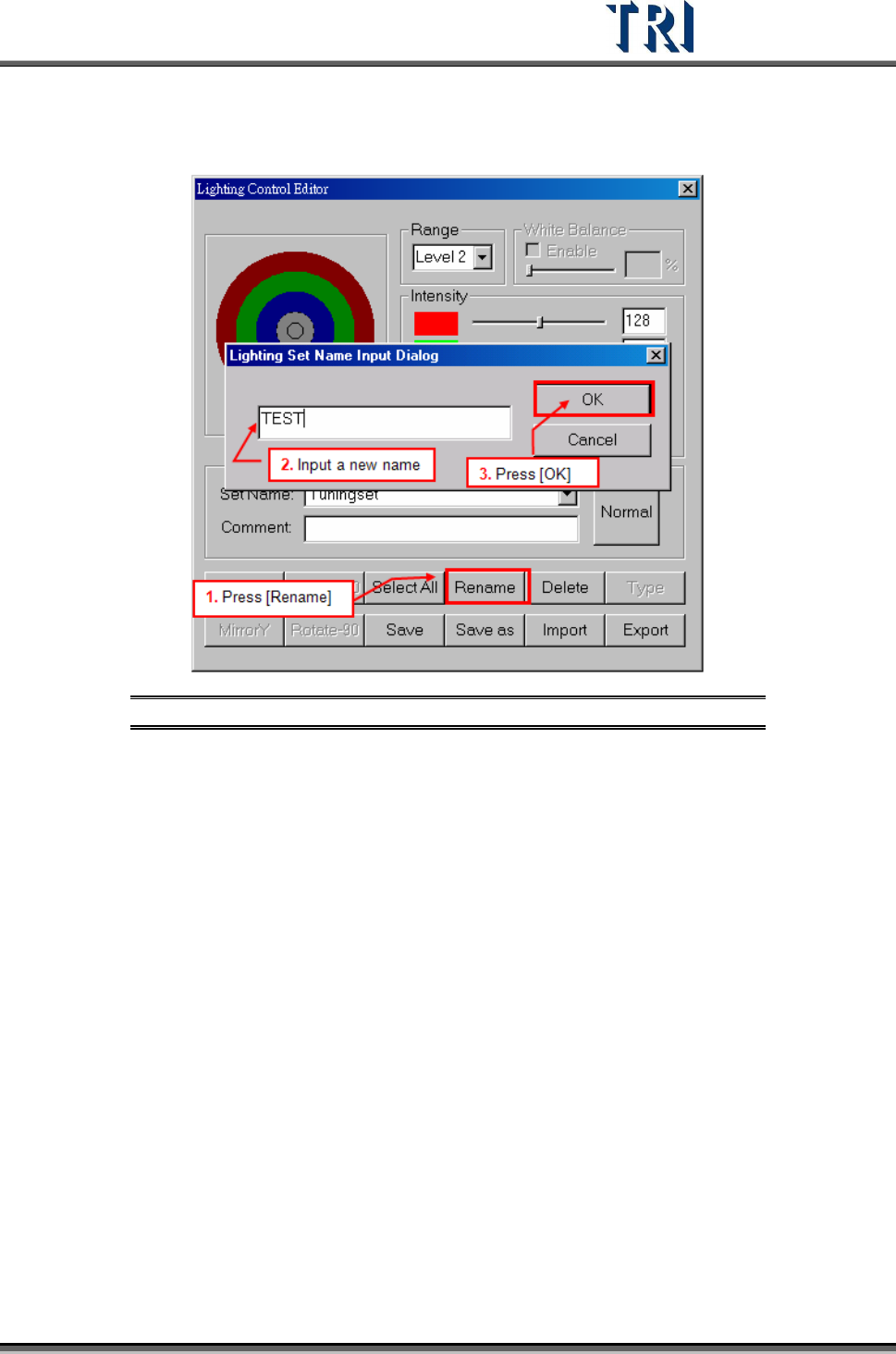
(12). [Rename] – Change name of current lighting set.
Figure 274: Rename Lighting Set Dialog
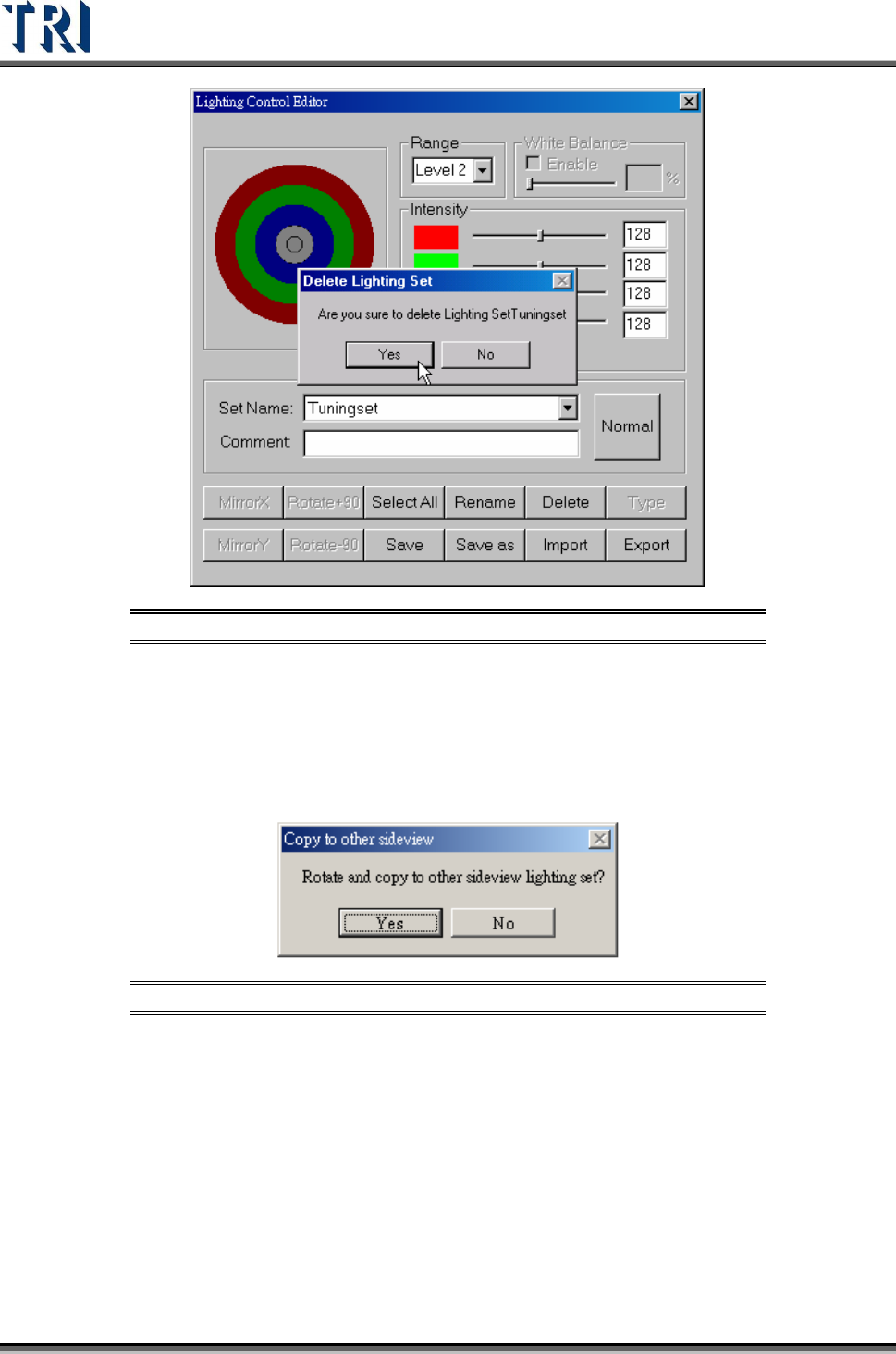
(13). [Delete] – Delete an existing lighting set.
Test Research Inc.
166 TR7500 Series User Guide –Software v.2.9.0
Figure 275: Delete Lighting Set Dialog
(14). [Type] – When [Set Name] is set to “All”, this function will show all default
lighting.
(15). [Save] – Save current light setting parameter. When the lighting that is
modified is [AnglelightA] or [AnglelightB], the system asks to confirm applying the
setting to corresponding lightings.
Figure 276: Confirm Copy Sideview Lighting
(16). [Save as] – Save current light setting under a new name.
(17). [Import] – Input LED lighting definition file from outside. The file name
extension is [*.LED].
(18). [Export] – Output LED lighting definition to file.
When opening a new project, the system sets [C:\AOI\DEFAULTLED7500.LED]
file as the default for the new project.
Every change for lighting in the project is saved in the current project. If you want
to share the lighting to another project, you have to [Export] the current lighting
then [Import] them when opening the other projects.