TR7500_Series_Software_v29_En - 第195页
Test Research Inc. TR7500 Series User Guide – Software v.2.9.0 173 to load library “0805” type “R0805”, see the di ff erence in the foll owing f igure. Figure 283 : Confirm Comp onents as S ame Type S elect [YES]: R080…
Test Research Inc.
172 TR7500 Series User Guide –Software v.2.9.0
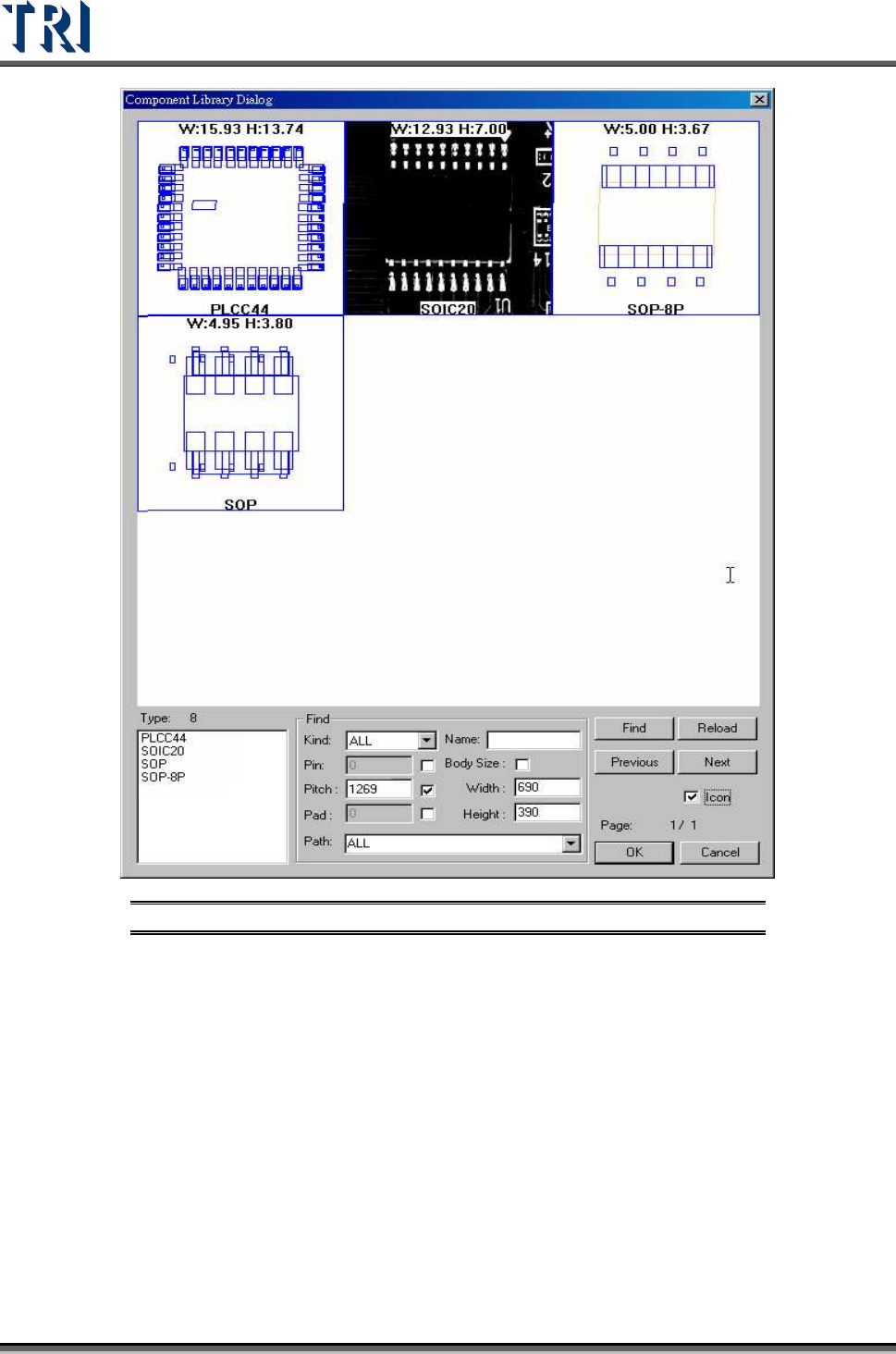
Figure 282: Component Library Icon Result
(7). [OK]– Press to load the selected library to current type. This function is the
same as double clicking the objective library on sketch area.
(8). [Cancel]– Exit the dialog.
8.1.2.1 Load Library Procedure
Step1. Input the conditions and press [Find] to search the suitable library.
Step2. Double click the sketch area or press [OK} to load the library.
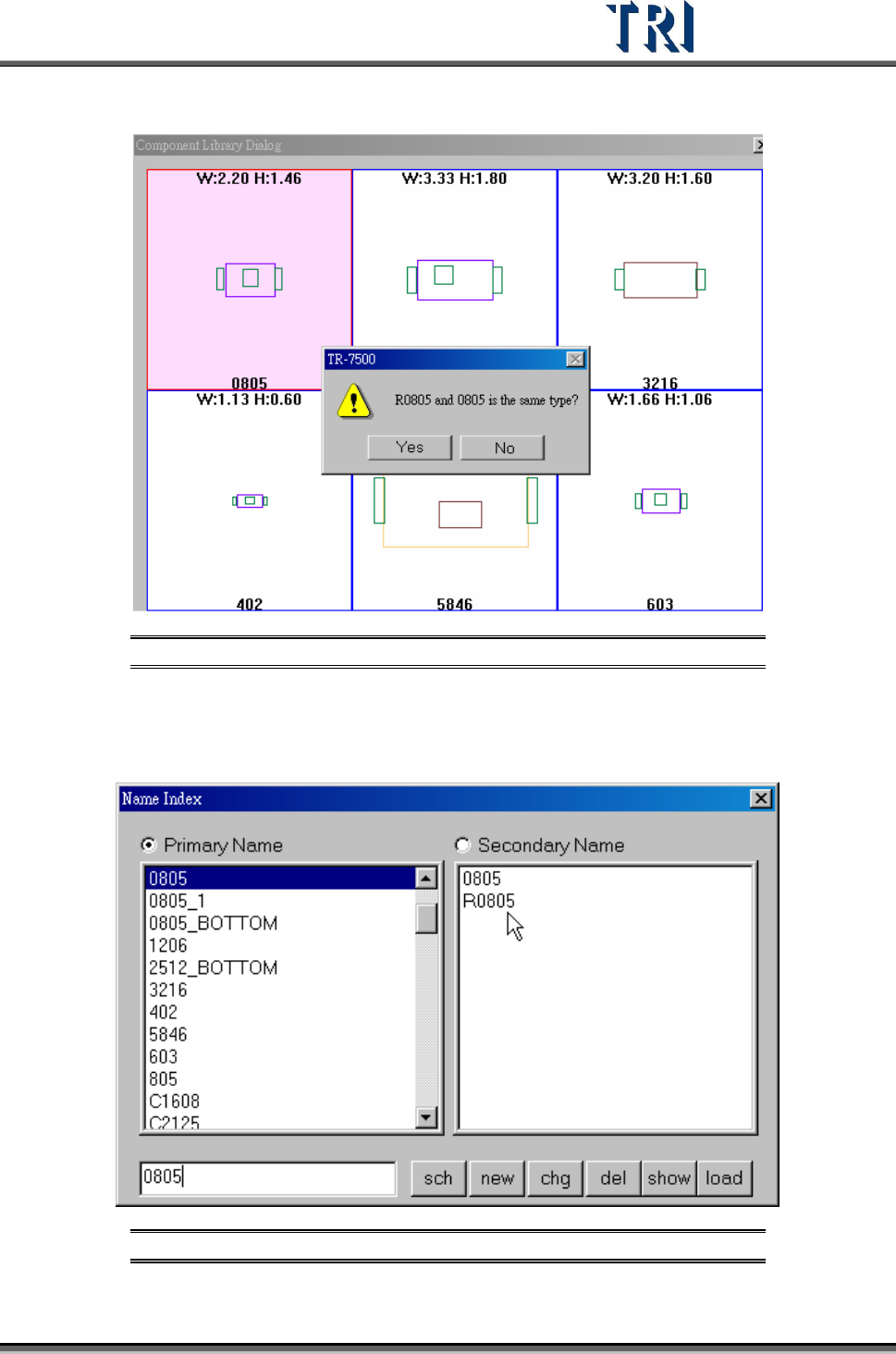
Step3. Answer the question “Is the current type the same as the objective library?” If you
press [YES] (it means the current type is the same as the selected library), the
current type will be listed as a child type of the selected type. Otherwise the current
type will copy the library and build a new library with its own type name. For example,
Test Research Inc.
TR7500 Series User Guide –Software v.2.9.0 173
to load library “0805” type “R0805”, see the difference in the following figure.
Figure 283: Confirm Components as Same Type
Select [YES]: R0805 will be saved as a secondary name and the modified library
will be saved in 0805.pgl. If you have the type “R0805” next time, the system will
use “0805.pgl” as its library automatically.
Figure 284: Primary & Secondary Component Names
Test Research Inc.
174 TR7500 Series User Guide –Software v.2.9.0
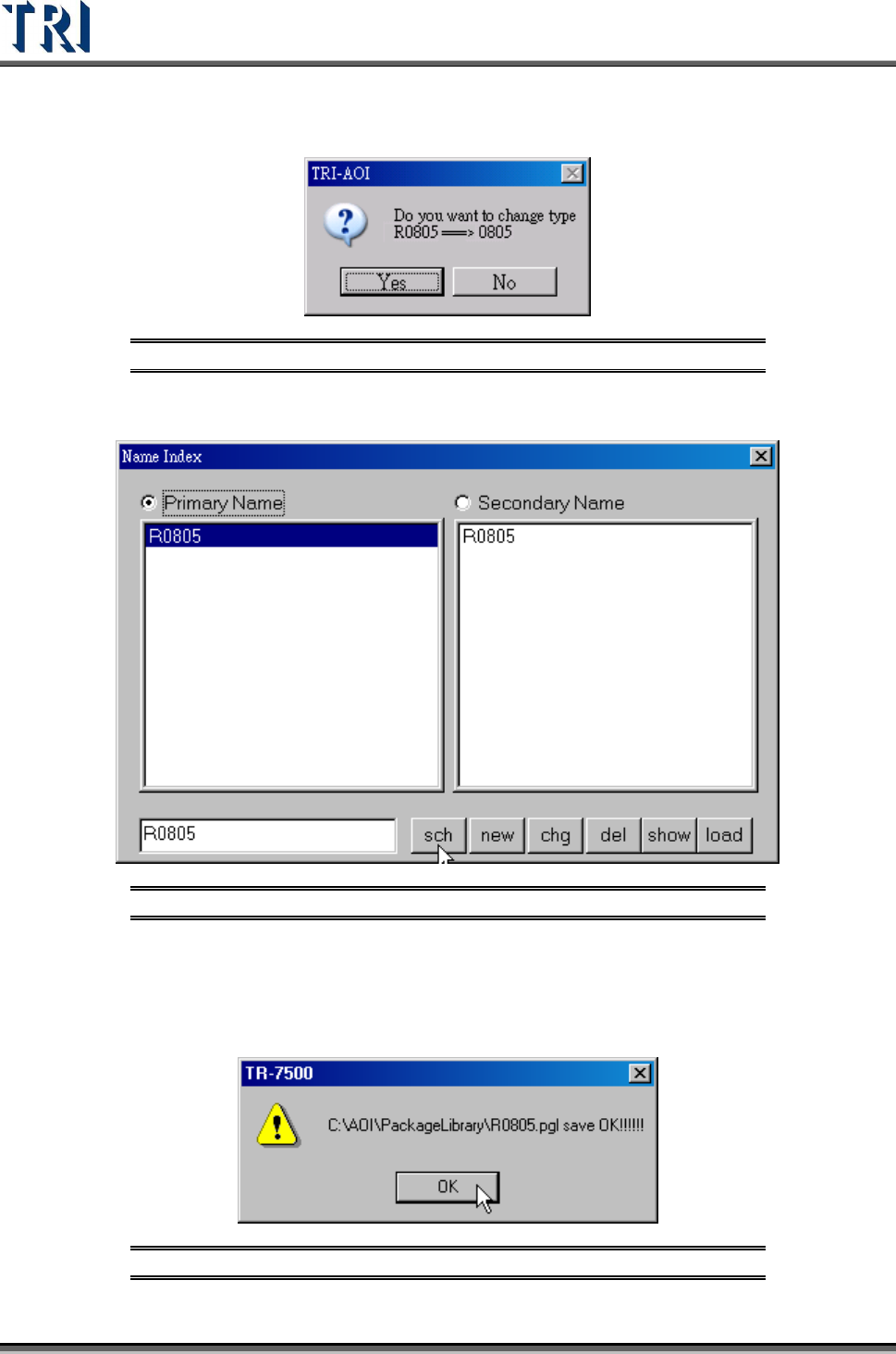
The system will then ask if you want to change the type name from [R0805] to
[0805].
Figure 285: Confirm Change Component Type Window
Select NO: R0805 will be saved as a new type R0805.pgl.
Figure 286: New Primary Component Type
8.1.3 Save
Save the type that is being edited now to the library. Press [Save] and the following window
will show. Confirm the path then press [OK] to save.
Figure 287: Confirm Save Window