TR7500_Series_Software_v29_En - 第201页
Test Research Inc. TR7500 Series User Guide – Software v.2.9.0 179 8.2.6 Rotate Sid e Rotate the pin direc t ion 90 de grees counterclockwi s e by clicking once. Figure 299 : Rotate Pin Dir ection Command Result 8.2.7 Ch…
Test Research Inc.
178 TR7500 Series User Guide –Software v.2.9.0
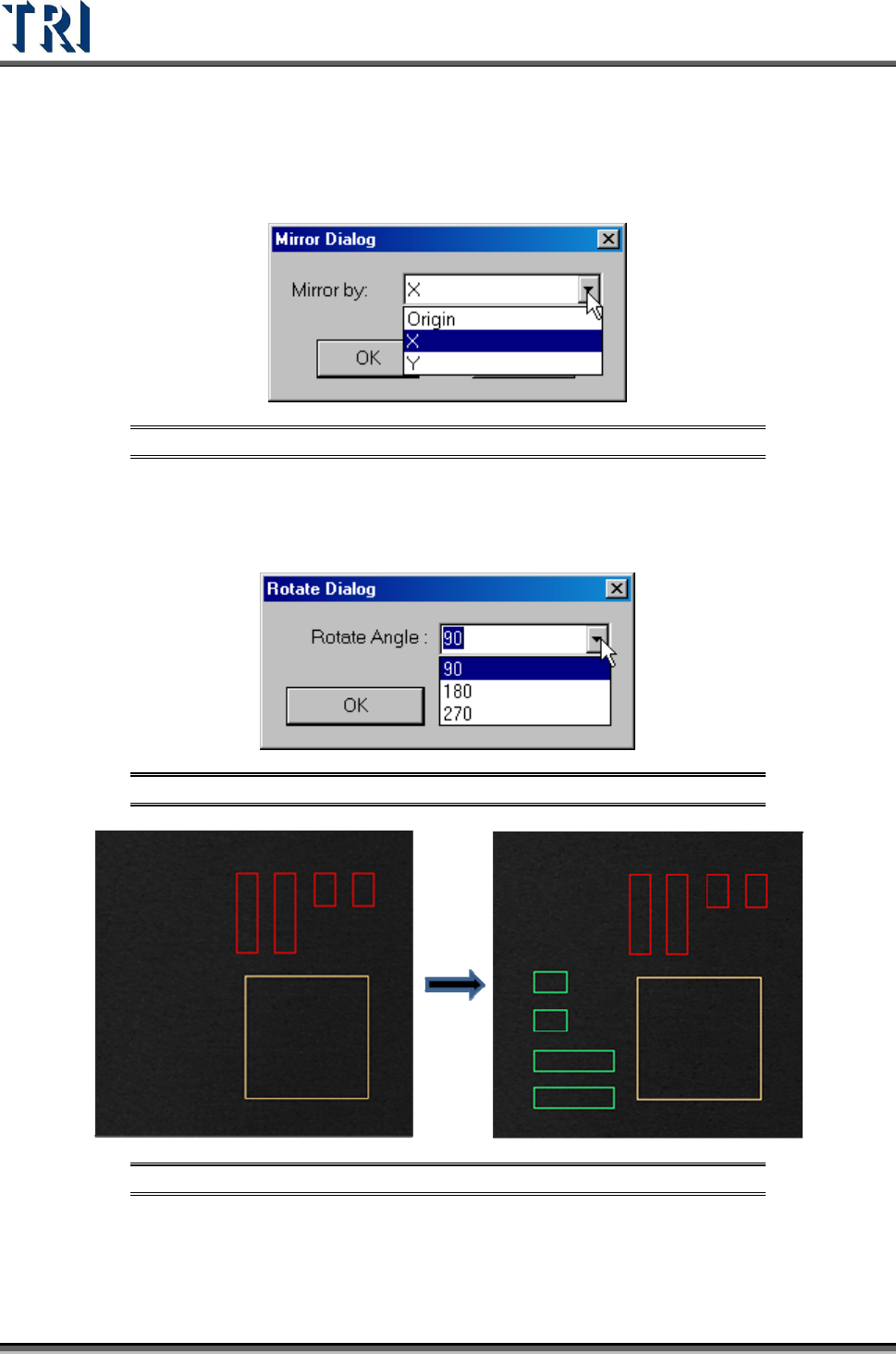
8.2.4 Mirror
Map and copy the inspection boxes by X direction, Y direction or the origin.
Figure 296: Mirror Command Dialog
8.2.5 Rotate Copy
Rotate and copy the inspection boxes by assigned degree.
Figure 297: Rotate Copy Command Dialog
Figure 298: Rotate Copy Command Result
Test Research Inc.
TR7500 Series User Guide –Software v.2.9.0 179
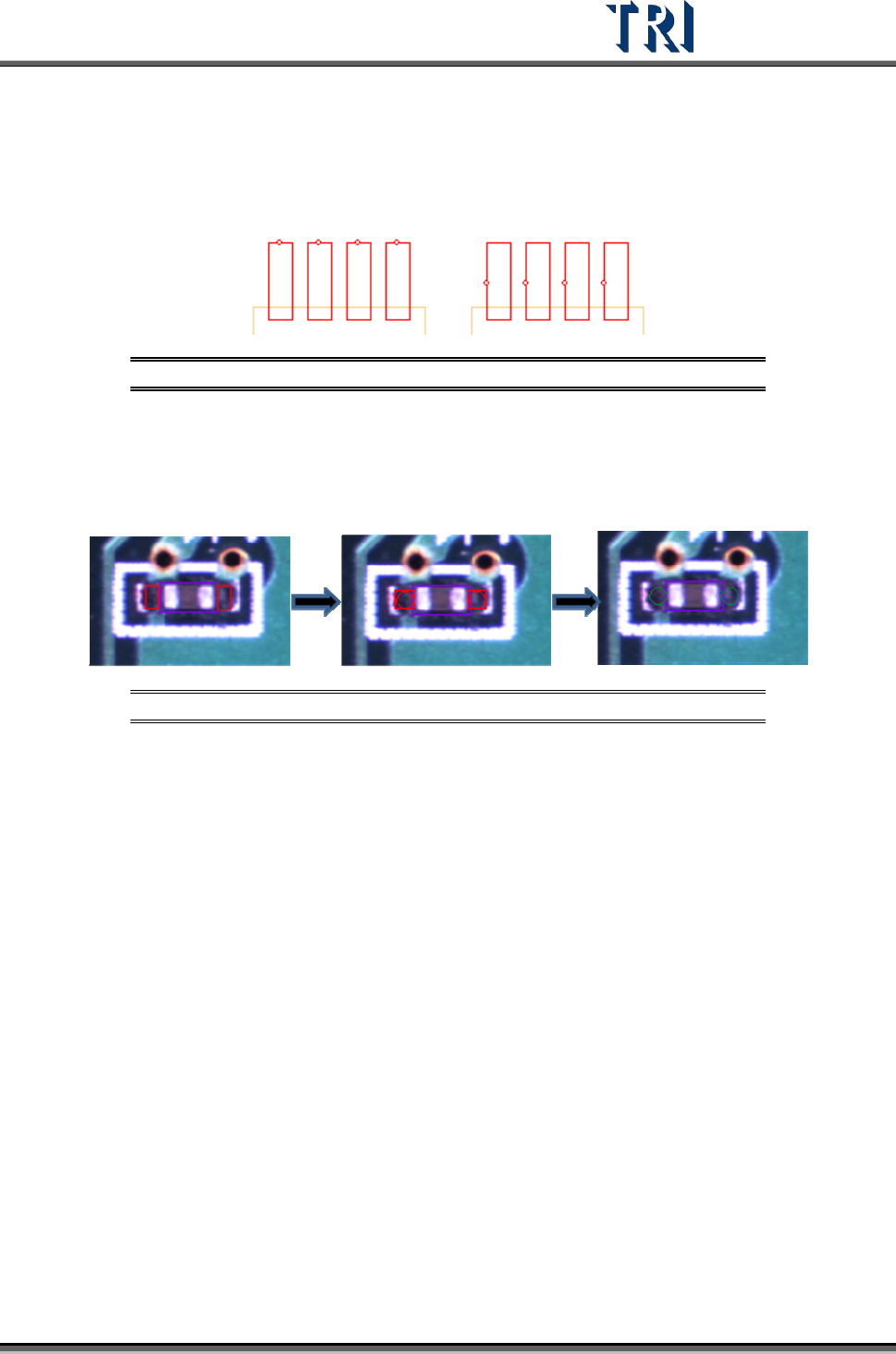
8.2.6 Rotate Side
Rotate the pin direction 90 degrees counterclockwise by clicking once.
Figure 299: Rotate Pin Direction Command Result
8.2.7 Change Shape
The function is to change the window shape from square to circle or from circle to square. It
only works for [Void] or [Solder] window.
Figure 300: Change Window Shape Command Result
Test Research Inc.
180 TR7500 Series User Guide –Software v.2.9.0
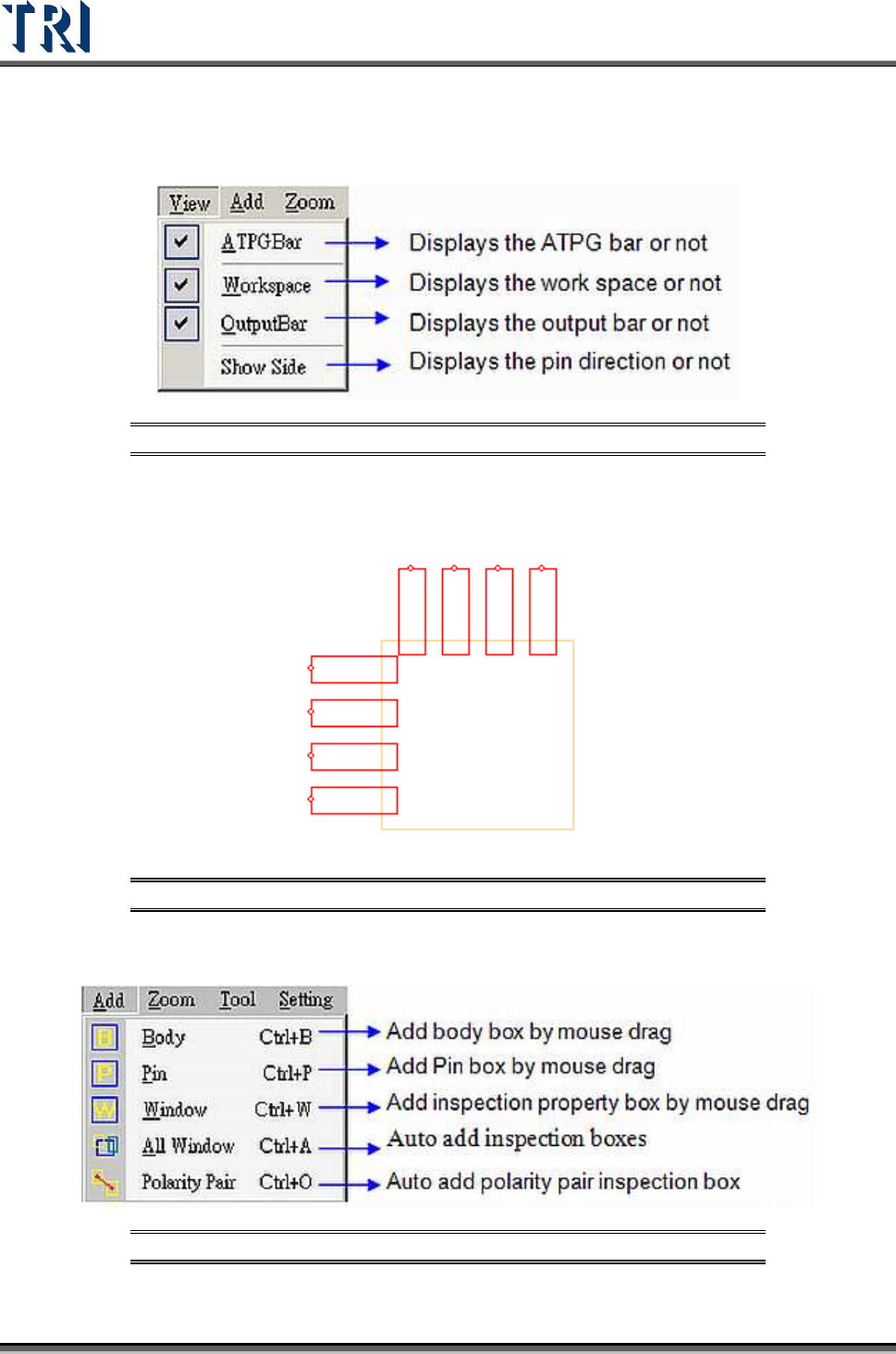
8.3 View Command
Figure 301: View Command Menu
Show directionality of the pins with small circle. The correct direction is shown as the
following. If the direction is wrong, to select [Edit/Rotate Side] to change the direction.
Figure 302: Example of Show Side Function
8.4 Add Command
Figure 303: View Command Menu