TR7500_Series_Software_v29_En - 第207页
Test Research Inc. TR7500 Series User Guide – Software v.2.9.0 185 8.4.5 Polarity Pair Click [A DD > P OLARITY P AIR ], a pair of wi ndows will be created. M o ve them to di fferent positions wi th a variation of gray…
Test Research Inc.
184 TR7500 Series User Guide –Software v.2.9.0
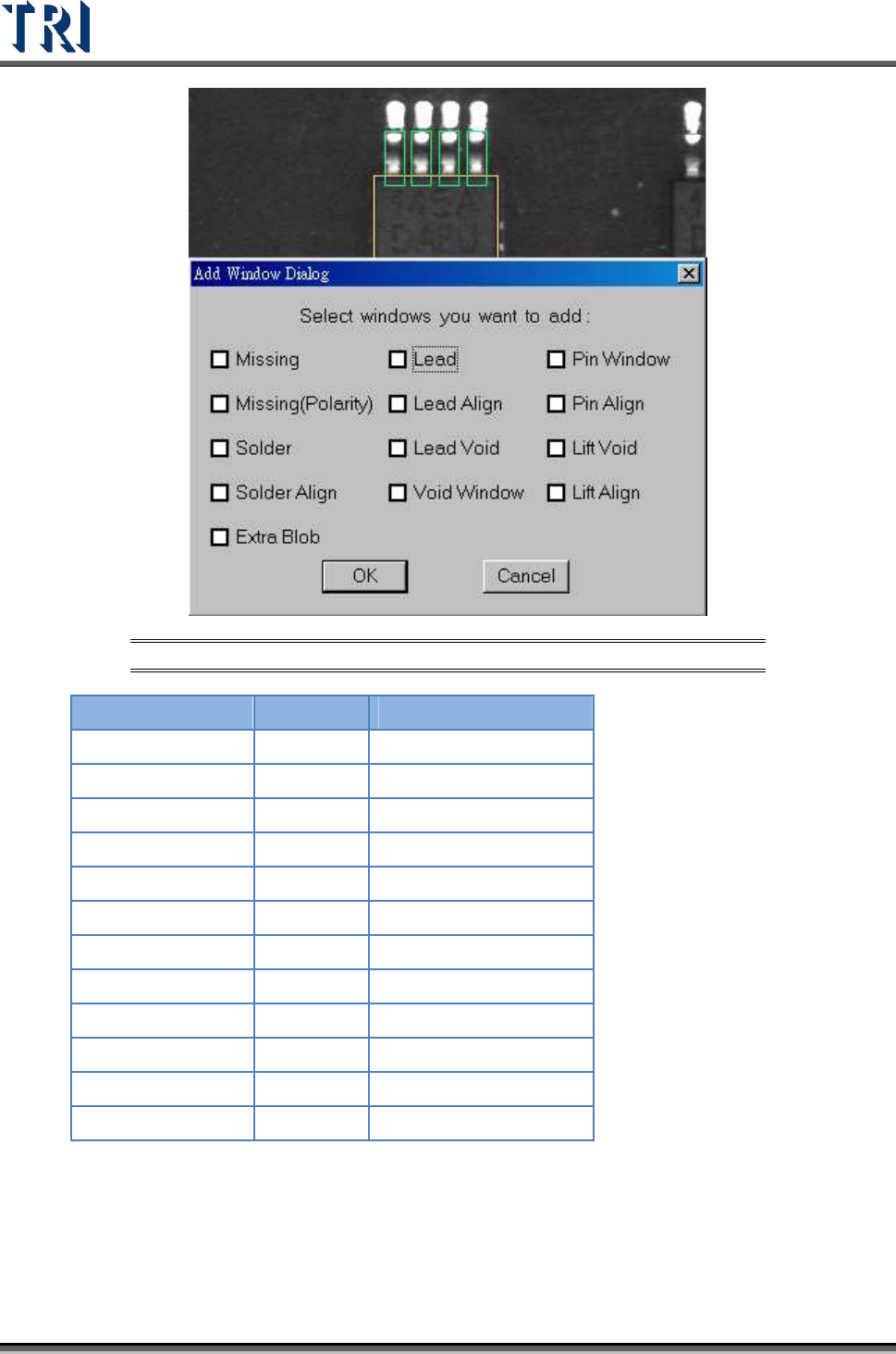
Figure 311: Example -- Add All Windows Dialog
C
AMERA
L
IGHT
Missing
Top ToplightA
Missing (Polarity)
Top ToplightA
Solder
Rear RearlightA
Solder Align
Rear RearlightA
Lead
Top ToplightA
Lead Align
Top ToplightA
Lead Void
Top ToplightA
Void Window
Rear RearlightA
Pin Window
Rear RearlightA
Pin Align
Rear RearlightA
Lift Void
Right/Left RightlightA - LeftlightA
Lift Align
Right/Left RightlightA - LeftlightA
Test Research Inc.
TR7500 Series User Guide –Software v.2.9.0 185
8.4.5 Polarity Pair
Click [A
DD
>
P
OLARITY
P
AIR
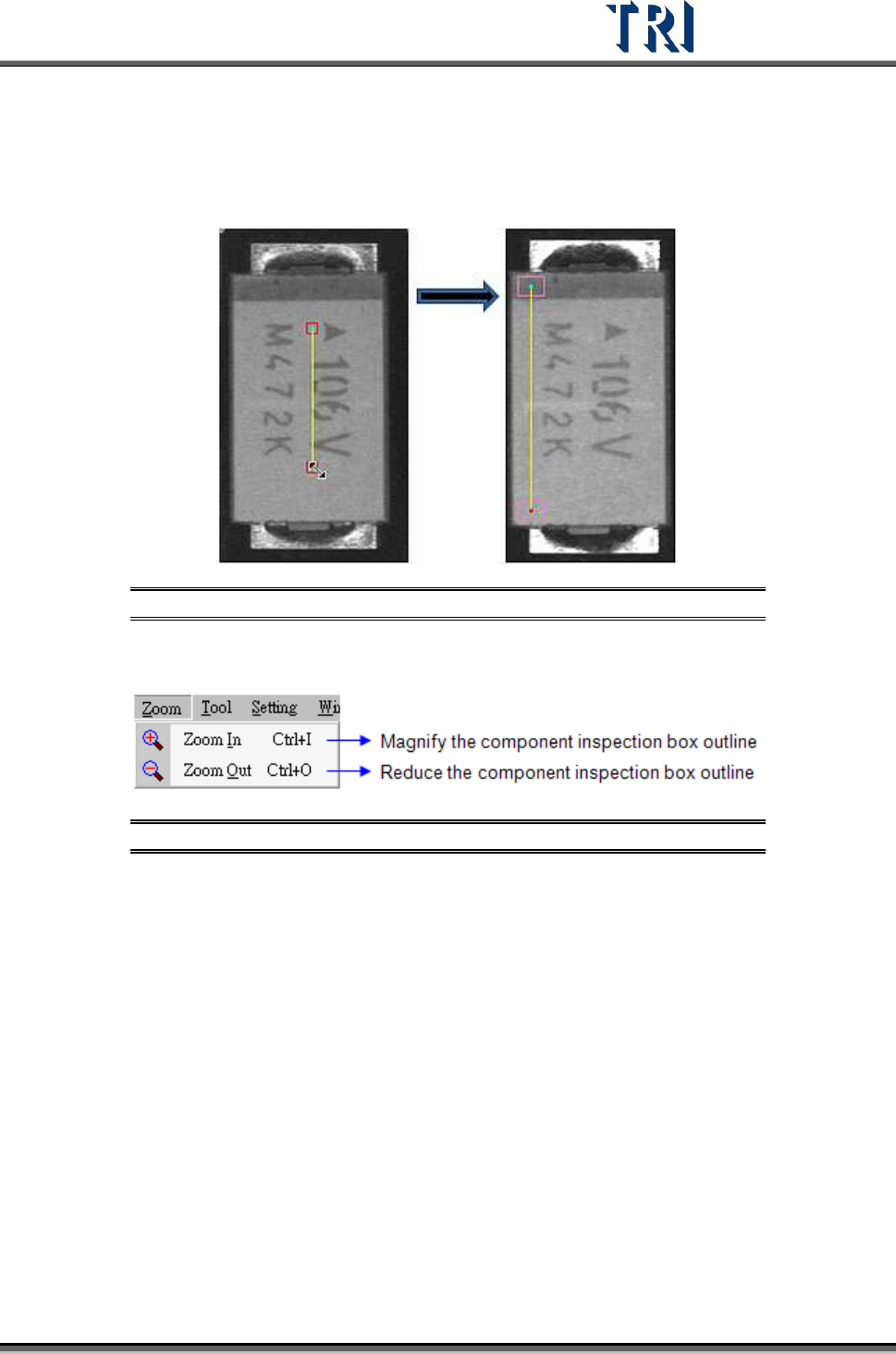
], a pair of windows will be created. Move them to different
positions with a variation of gray levels. The system will show Polarity Fail if the gray level of
two windows is reversed.
Figure 312: Add Polarity Pair Function
8.5 Zoom Command
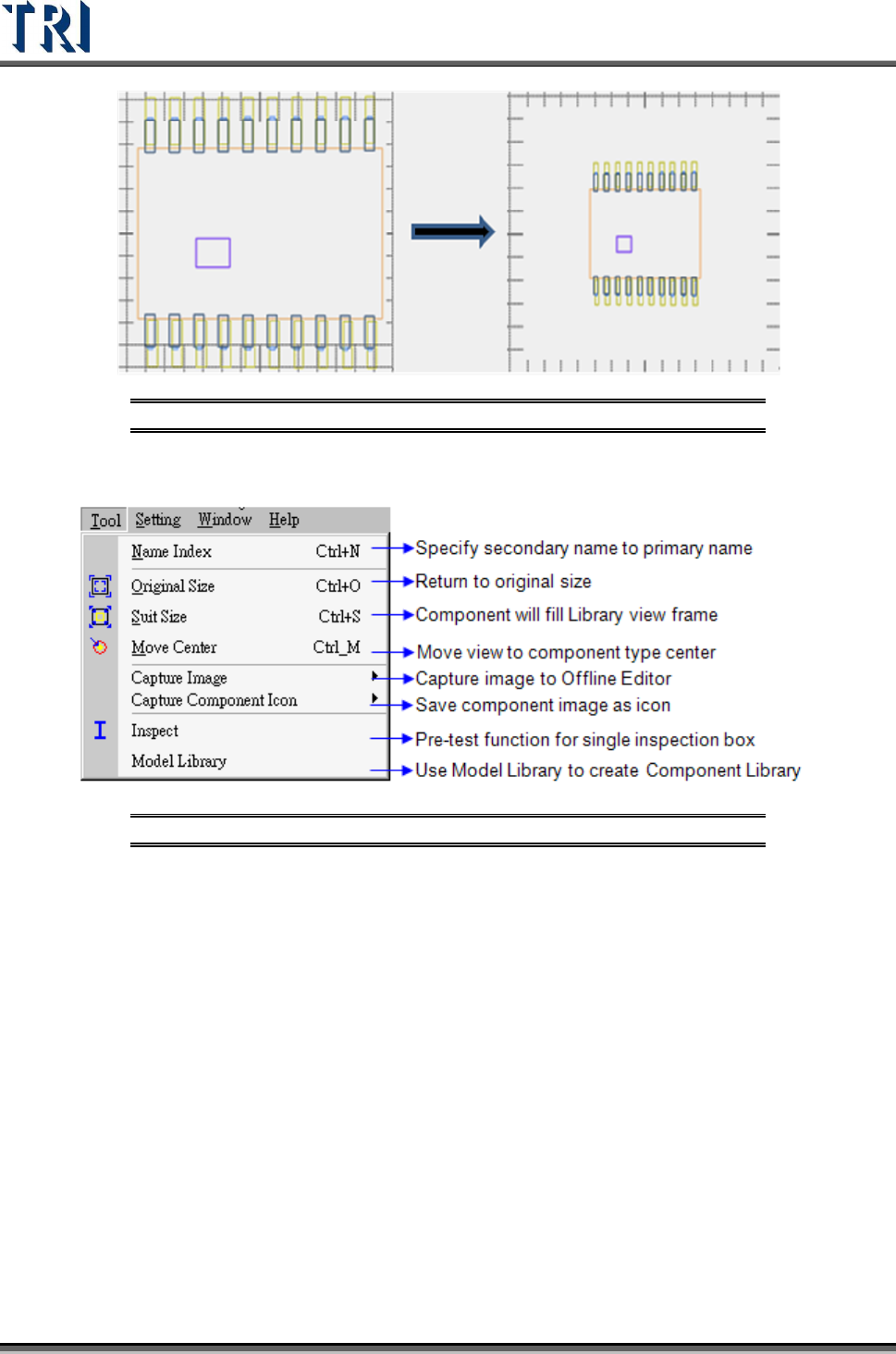
Figure 313: Zoom Command Menu
8.5.1 Zoom In
After choosing [Zoom > Zoom In], an enlarged drawing frame window is shown. The windows
enlarge10% each time [Zoom In] is selected.
8.5.2 Zoom Out
Window size is reduced after pressing [Zoom > Zoom Out]. The windows reduce 10% each
time [Zoom Out] is selected.
Test Research Inc.
186 TR7500 Series User Guide –Software v.2.9.0
Figure 314: Zoom In (left) & Zoom Out
8.6 Tool Command
Figure 315: Tool Command Menu
8.6.1 Name Index
Specify second name for index that the component has same model type but not same name.