TR7500_Series_Software_v29_En - 第221页
Test Research Inc. TR7500 Series User Guide – Software v.2.9.0 199 [ Group] – System w ill com pose the sele cted wi ndows with assigned [Operator ] after clicking on [Group ] . Check [Group] in [Group /It em] 1. Se l …
Test Research Inc.
198 TR7500 Series User Guide –Software v.2.9.0
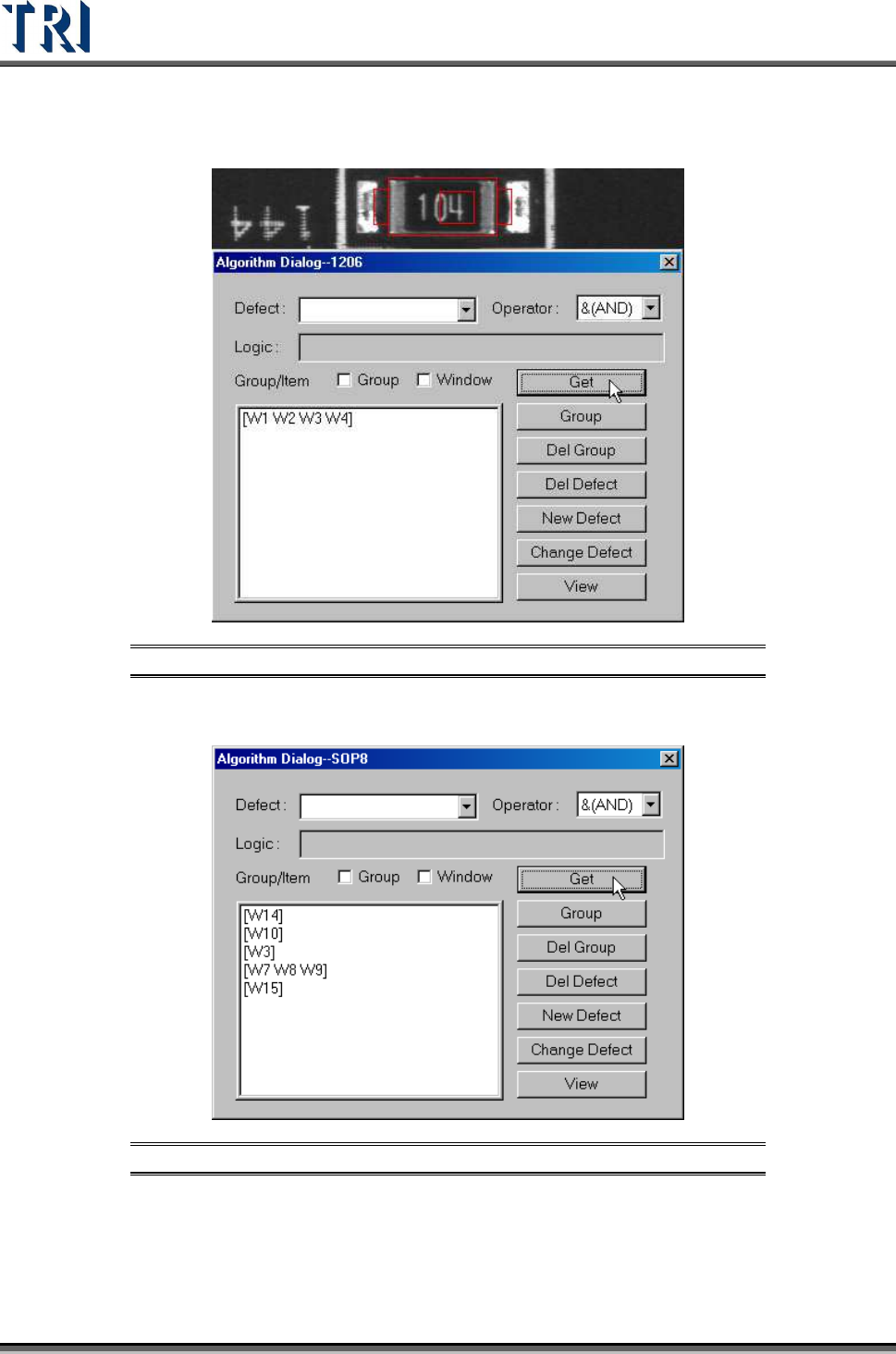
Get several inspection windows at the same time.
Figure 334: Get Several Inspection Windows
Get several inspection windows separately.
Figure 335: Get Several Inspection Windows Separately
Test Research Inc.
TR7500 Series User Guide –Software v.2.9.0 199
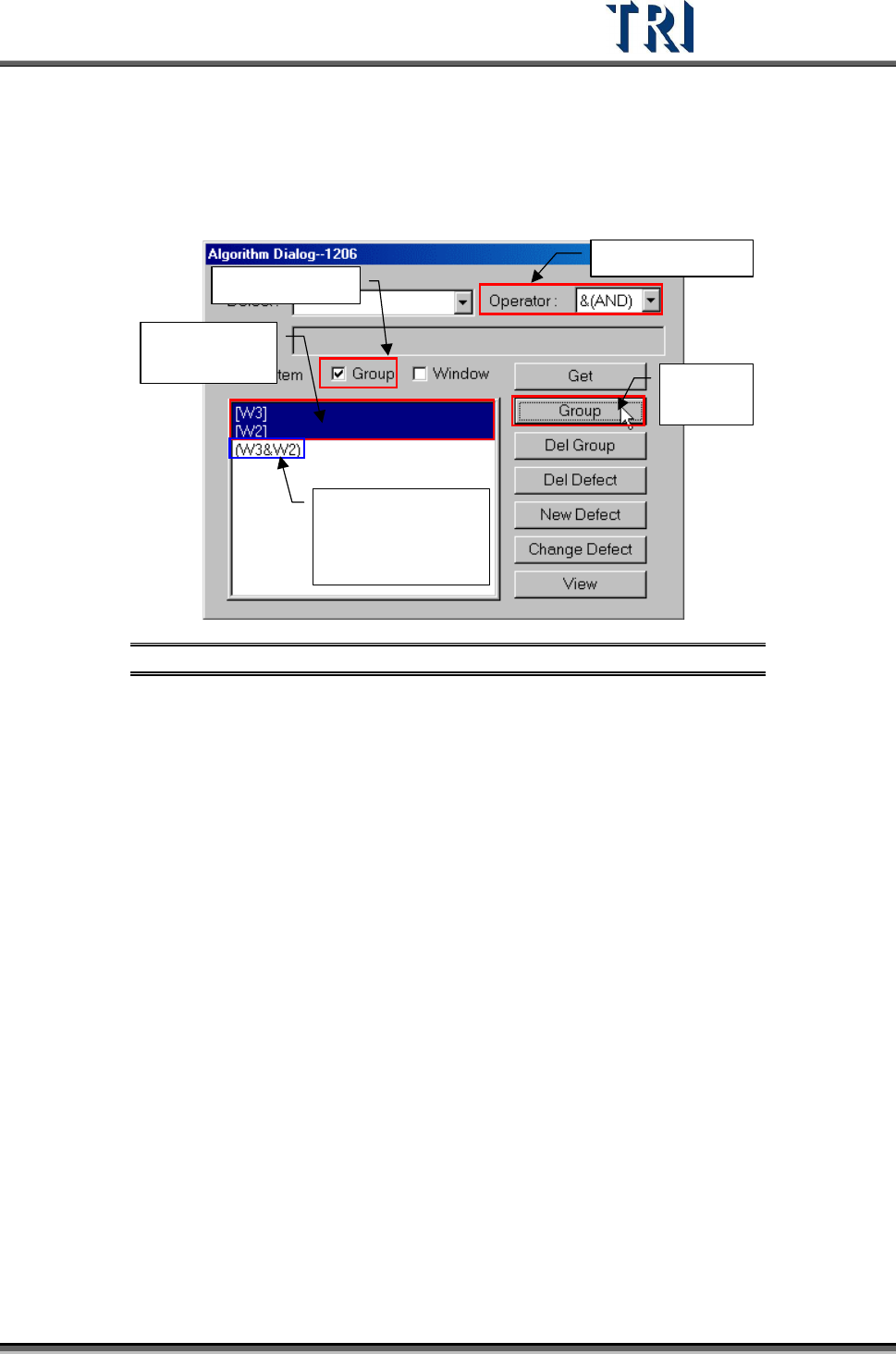
[Group] – System will compose the selected windows with assigned [Operator]
after clicking on [Group].
Check [Group] in [Group/Item]
1.
Select Operator
2.
Check Group
3.
Select
windows here
4.
Press
[Group]
5.
Result: appear
group combined
with windows and
operator
Figure 336: Group Windows by Group Process
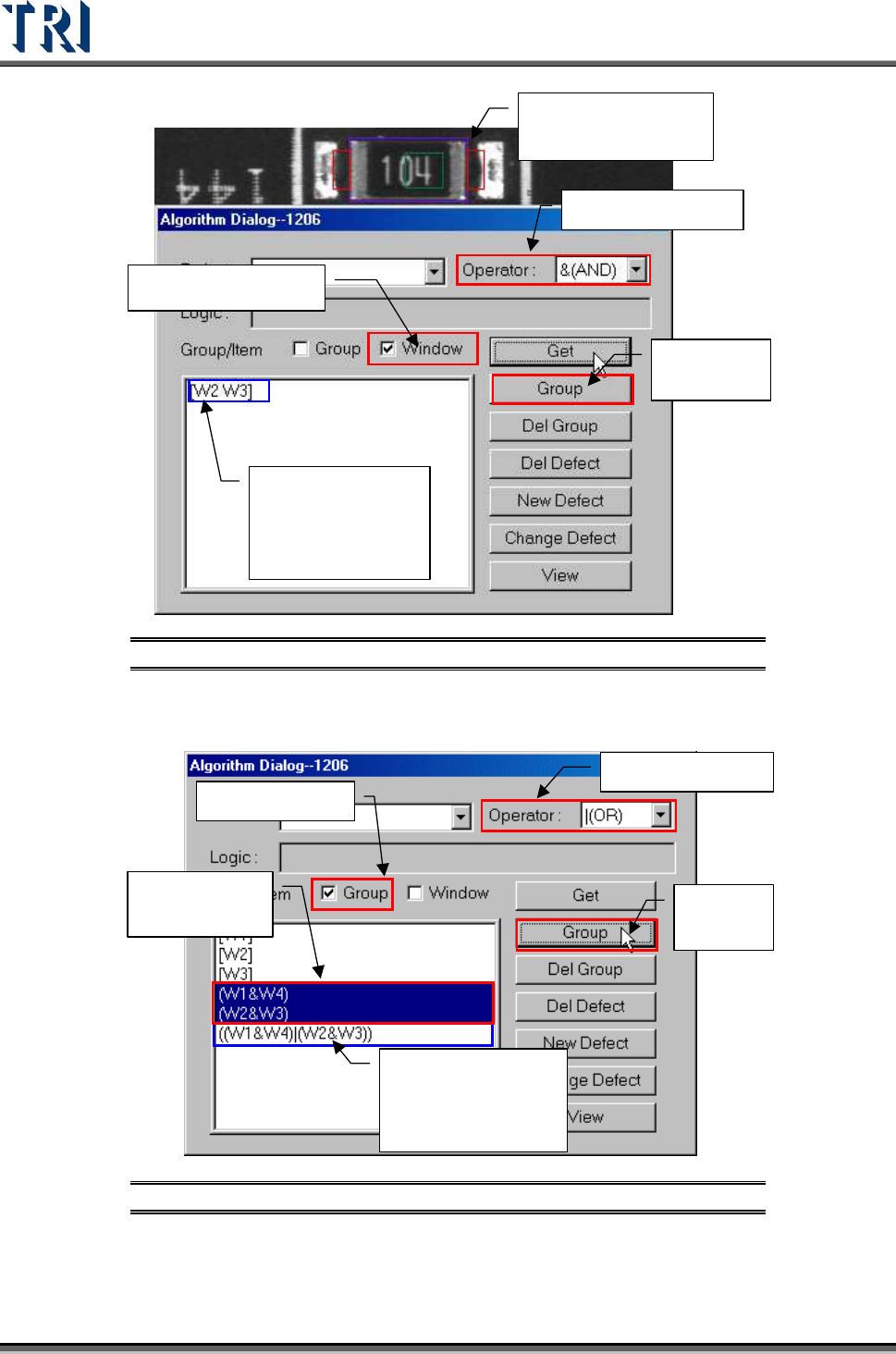
Check [Window] in [Group/Item]
Test Research Inc.
200 TR7500 Series User Guide –Software v.2.9.0
2. Select Operator
3. Select Window
4.
Press
[Group]
5.
Result: appear
group combined
with windows and
operator
1.
Select Inspection
Windows
Figure 337: Group Windows by Window Process
Group other groups and windows.
1.
Select Operator
2.
Check Group
3.
Select
groups here
4.
Press
[Group]
5.
Result: appear
group combined
with windows and
operator
Figure 338: Group Other Groups & Windows Process
[Del Group] – Delete the logic group.