TR7500_Series_Software_v29_En - 第222页
Test Research Inc. 200 TR7500 Series User Guid e –Softwa re v.2.9.0 2. Sel ect Oper ato r 3. Sel ect Wi ndow 4. Pre ss [Gro up] 5. Resul t : ap pear gro up co mb i ned wi t h wi ndows and o perato r 1. Sele ct Inspec t i…
Test Research Inc.
TR7500 Series User Guide –Software v.2.9.0 199
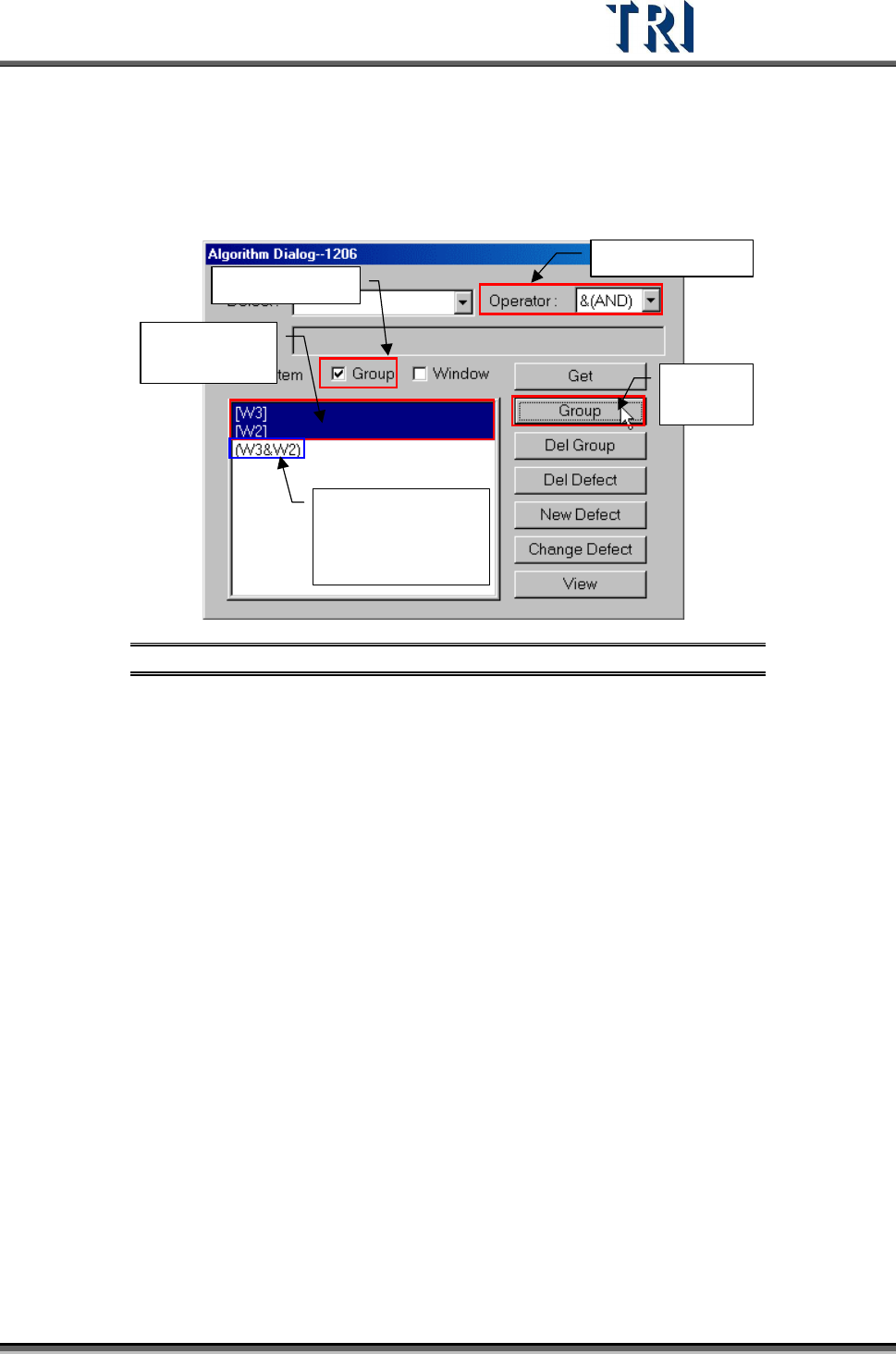
[Group] – System will compose the selected windows with assigned [Operator]
after clicking on [Group].
Check [Group] in [Group/Item]
1.
Select Operator
2.
Check Group
3.
Select
windows here
4.
Press
[Group]
5.
Result: appear
group combined
with windows and
operator
Figure 336: Group Windows by Group Process
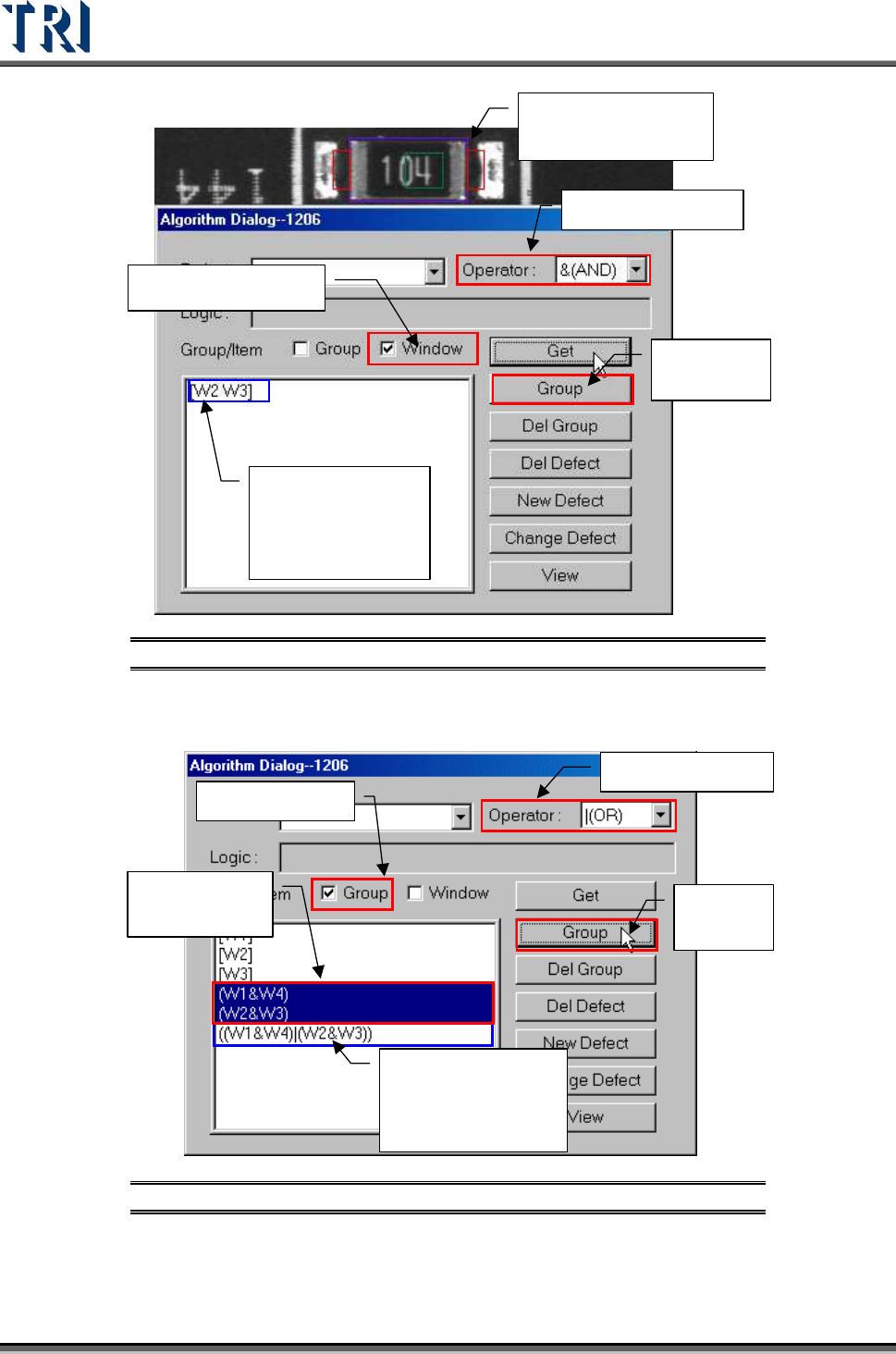
Check [Window] in [Group/Item]
Test Research Inc.
200 TR7500 Series User Guide –Software v.2.9.0
2. Select Operator
3. Select Window
4.
Press
[Group]
5.
Result: appear
group combined
with windows and
operator
1.
Select Inspection
Windows
Figure 337: Group Windows by Window Process
Group other groups and windows.
1.
Select Operator
2.
Check Group
3.
Select
groups here
4.
Press
[Group]
5.
Result: appear
group combined
with windows and
operator
Figure 338: Group Other Groups & Windows Process
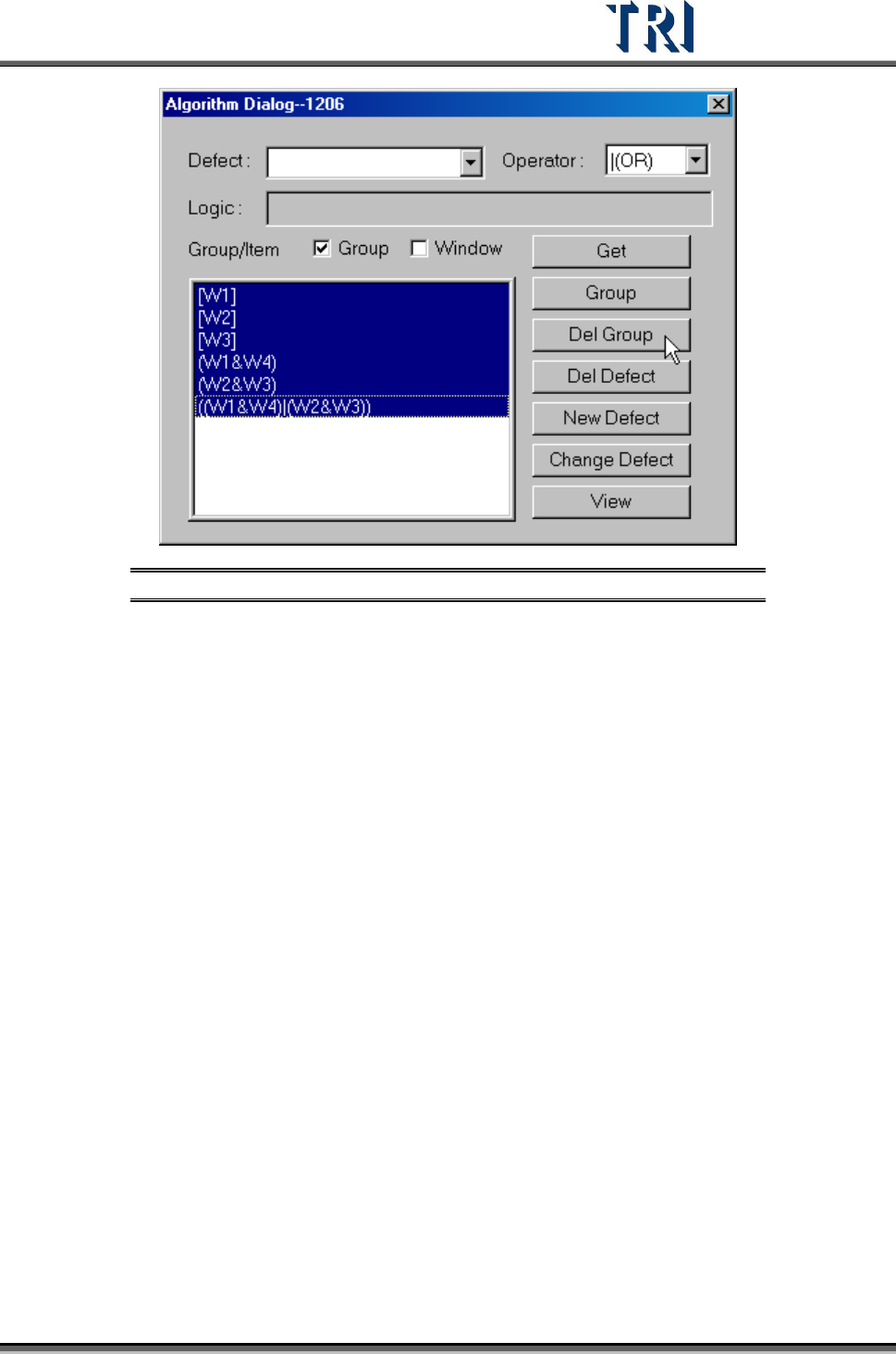
[Del Group] – Delete the logic group.
Test Research Inc.
TR7500 Series User Guide –Software v.2.9.0 201
Figure 339: Delete Group(s)