TR7500_Series_Software_v29_En - 第235页
Test Research Inc. TR7500 Series User Guide – Software v.2.9.0 213 8.7.6 Pin Directi vity This function is to de f ine the rotate rul e for the IC pins. Sele ct clockwi s e or counterclockwi se as shown below . T he defa…
Test Research Inc.
212 TR7500 Series User Guide –Software v.2.9.0
8.7.5 Directory
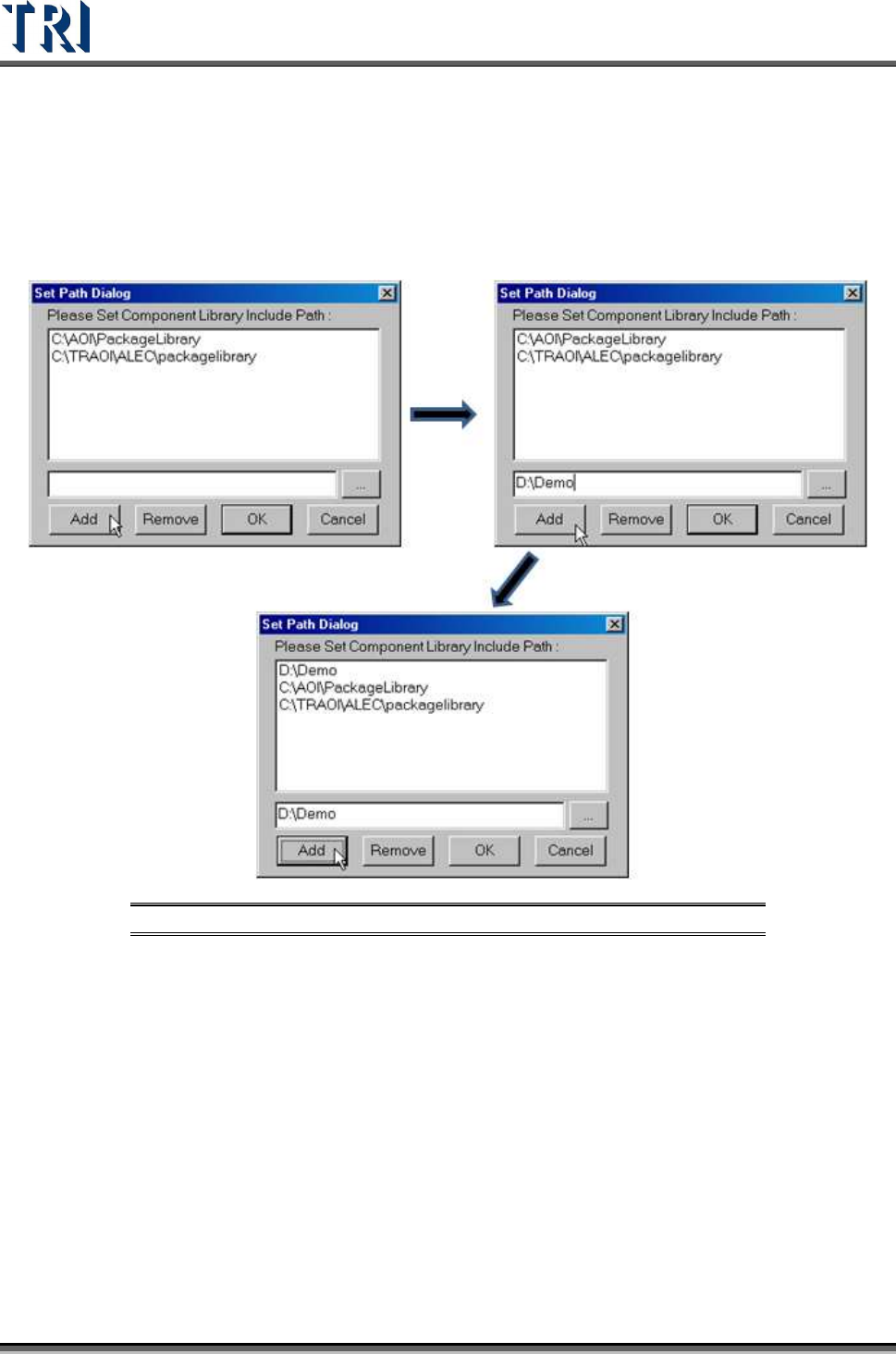
Sets component library save or load path
[ADD] – Adds the component library path. More than one path can be added.
Figure 356: Add Component Library Directory Path Process
[REMOVE] – Remove the component library path.
[OK] – Save settings and close the dialog
[Cancel] – Close the dialog and don’t save any change.
Test Research Inc.
TR7500 Series User Guide –Software v.2.9.0 213
8.7.6 Pin Directivity
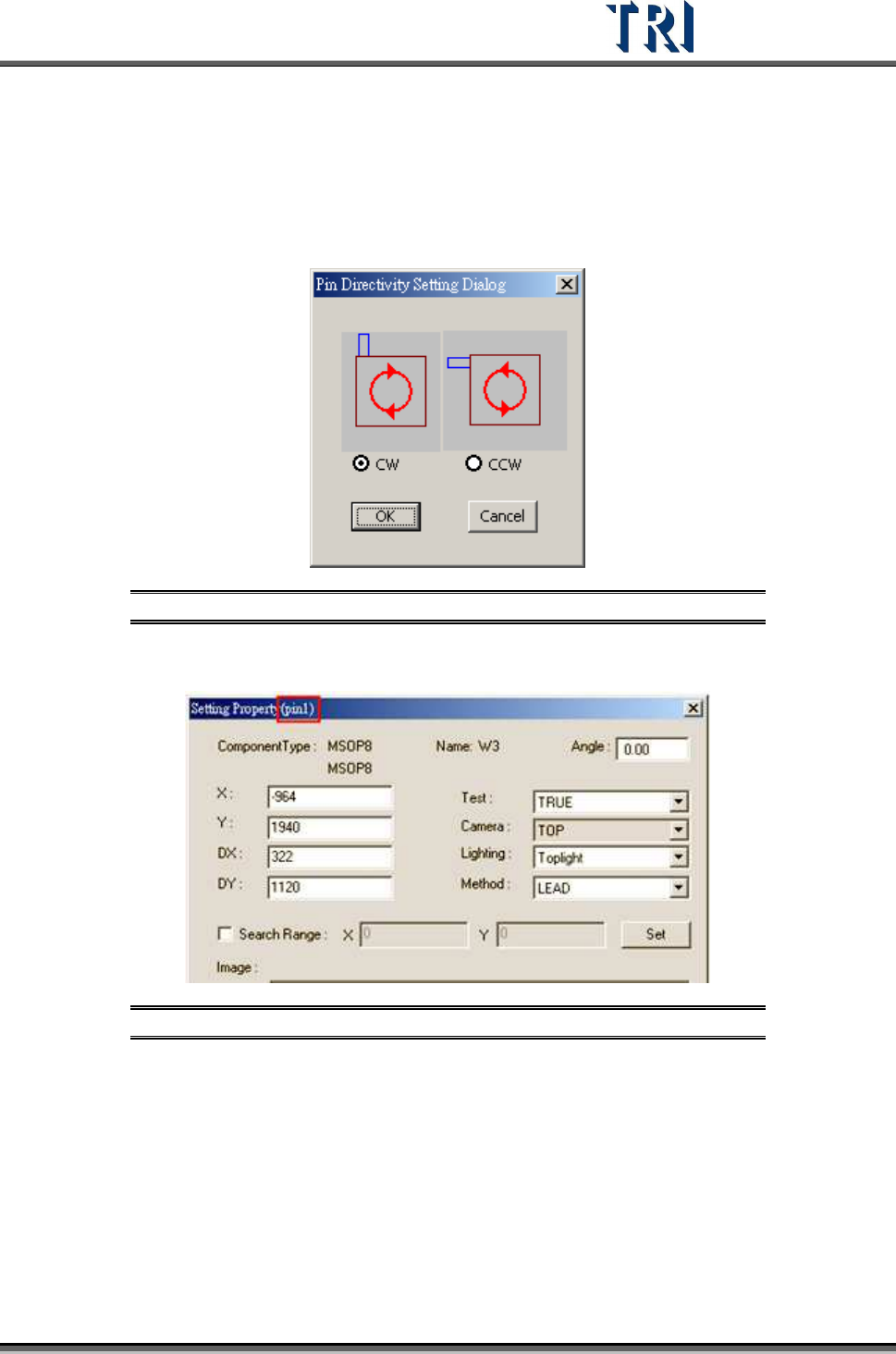
This function is to define the rotate rule for the IC pins. Select clockwise or counterclockwise
as shown below. The default is clockwise.
Figure 357: Pin Directivity Dialog
View the serial number of IC pin in the [Property] dialog.
Figure 358: View IC Pin Serial Number
Test Research Inc.
214 TR7500 Series User Guide –Software v.2.9.0
8.8 Others
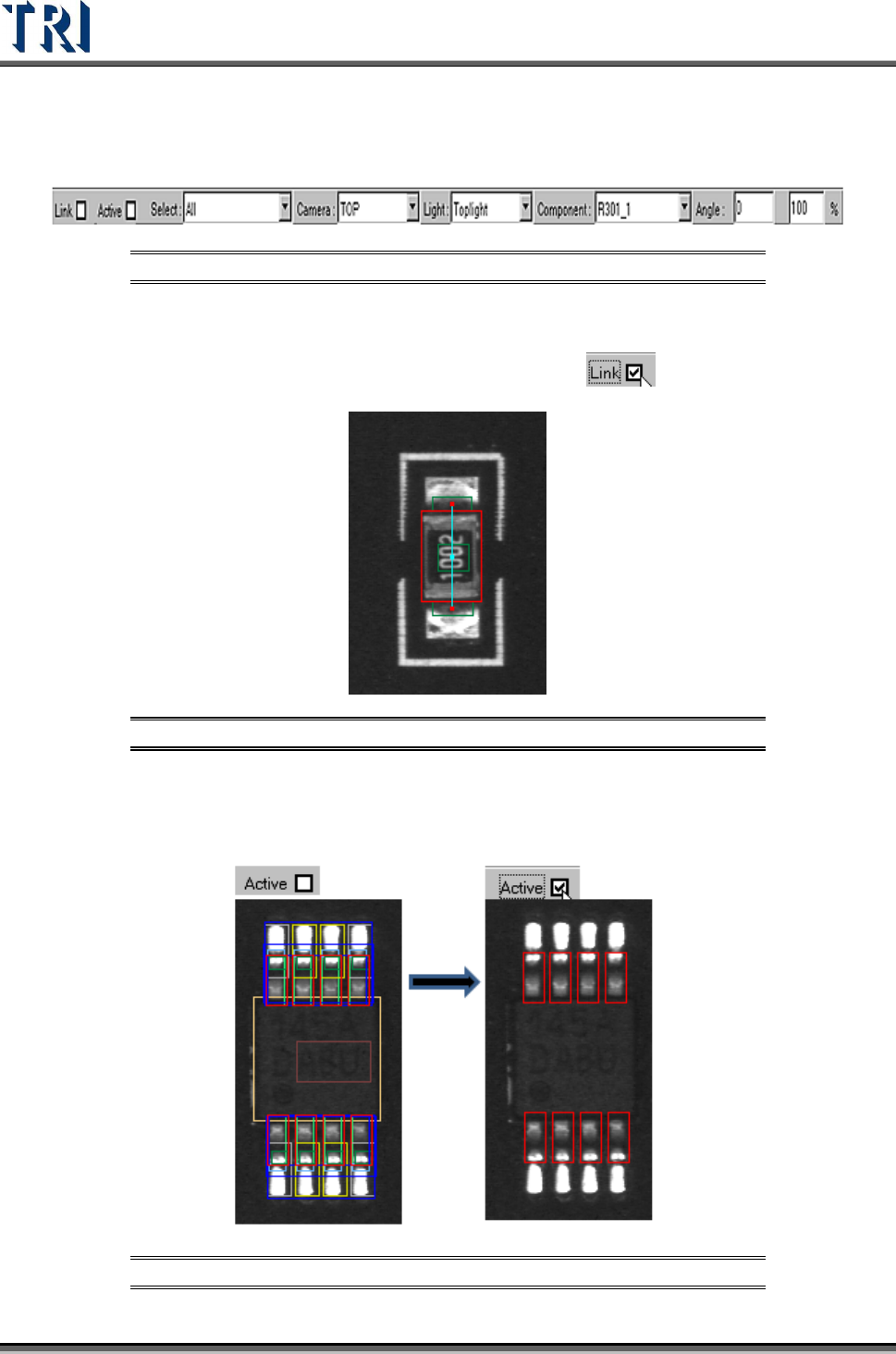
Figure 359: Other Window Options
8.8.1 Link
Check [Link] to display the link of active box with other boxes.
Figure 360: Display Active Box Link
8.8.2 Active
Check [Active] to show the active window only.
Figure 361: Show Active Windows