TR7500_Series_Software_v29_En - 第237页
Test Research Inc. TR7500 Series User Guide – Software v.2.9.0 215 8.8.3 Select Choose a specific kind of wi ndo w to be selected. Figure 362 : Select Window Type 8.8.4 Camera Select camera to disp lay 8.8.5 Light Choose…
Test Research Inc.
214 TR7500 Series User Guide –Software v.2.9.0
8.8 Others
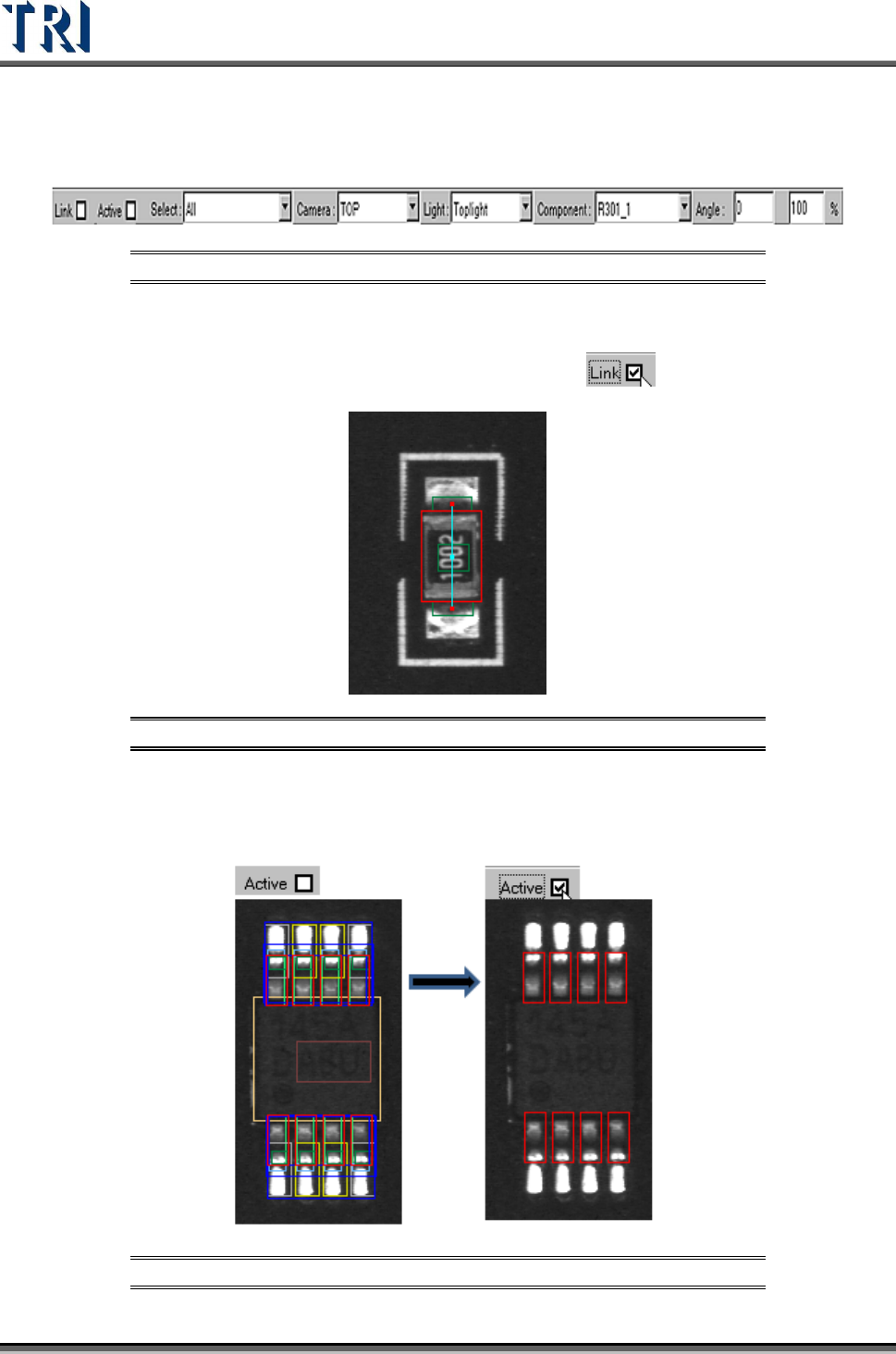
Figure 359: Other Window Options
8.8.1 Link
Check [Link] to display the link of active box with other boxes.
Figure 360: Display Active Box Link
8.8.2 Active
Check [Active] to show the active window only.
Figure 361: Show Active Windows
Test Research Inc.
TR7500 Series User Guide –Software v.2.9.0 215
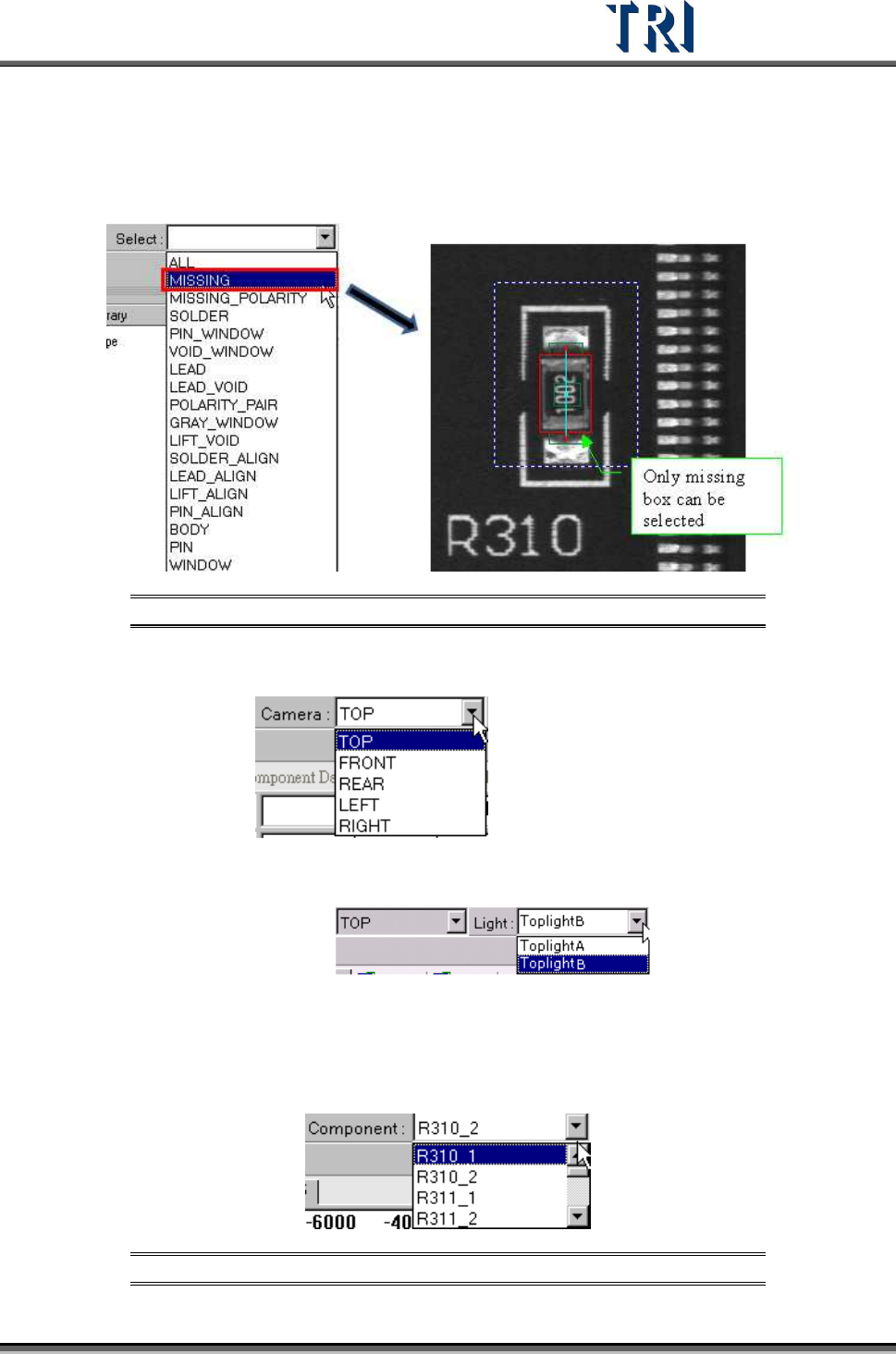
8.8.3 Select
Choose a specific kind of window to be selected.
Figure 362: Select Window Type
8.8.4 Camera
Select camera to display
8.8.5 Light
Choose a specific light to display:
8.8.6 Component
Select any component in this type according to CAD file. The camera will move to grab the
image of a specific component.
Figure 363: Select Component Type
Test Research Inc.
216 TR7500 Series User Guide –Software v.2.9.0
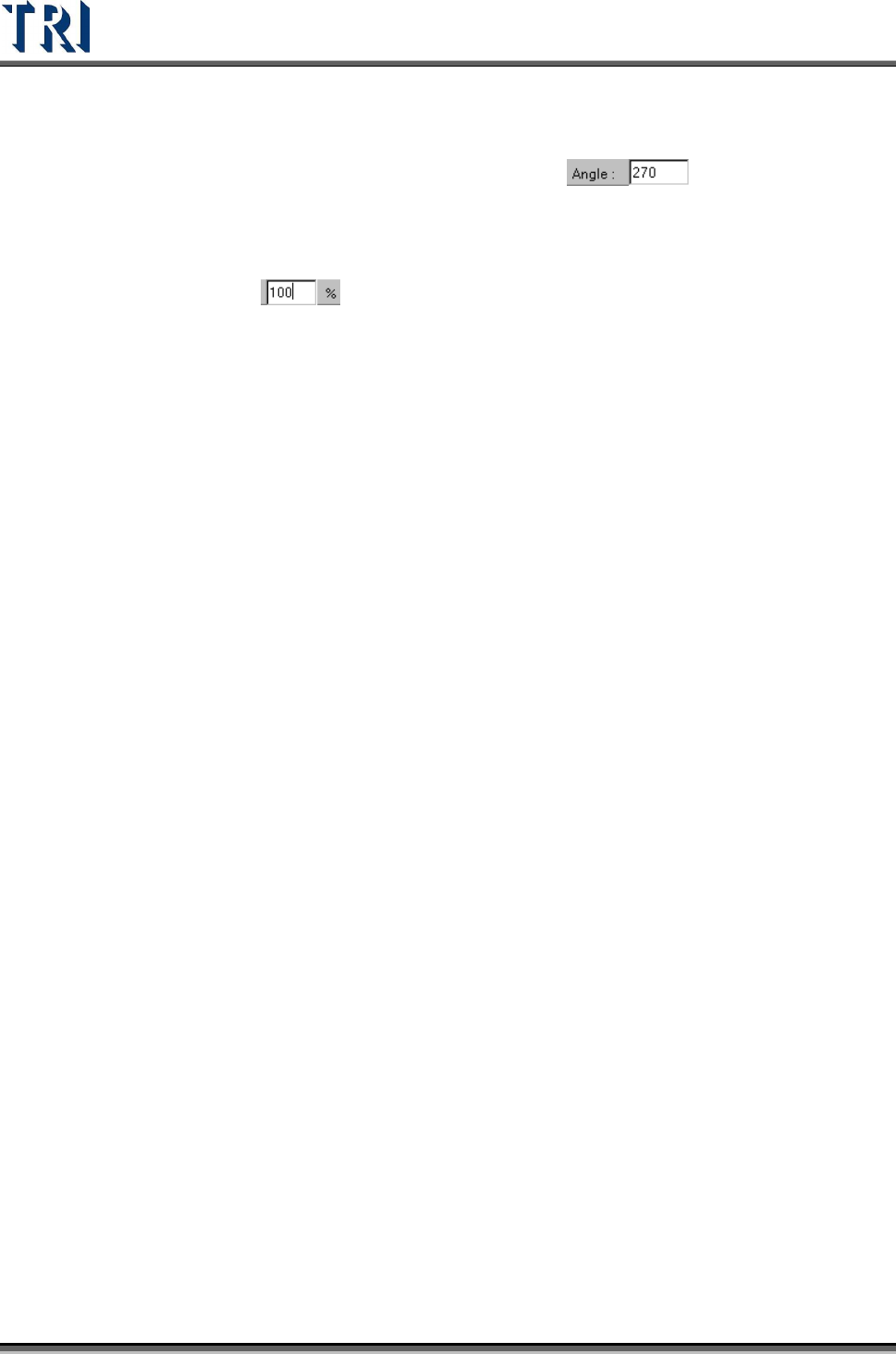
8.8.7 Angle
Display the angle of the current component. Change the value to see the rotation of
inspection boxes, but the real angle can’t be changed here:
8.8.8 % (Percent)
Change the value to reduce or enlarge the size of all boxes. When the library is saved, the
current size will be saved: