TR7500_Series_Software_v29_En - 第242页
Test Research Inc. 220 TR7500 Series User Guid e –Softwa re v.2.9.0 8.9.2 Example 2 - IC (1) Choose a componen t that is not shi f ted or skewed and has a clean, clear shape. Then resize the body w indow to m atch the co…
Test Research Inc.
TR7500 Series User Guide –Software v.2.9.0 219
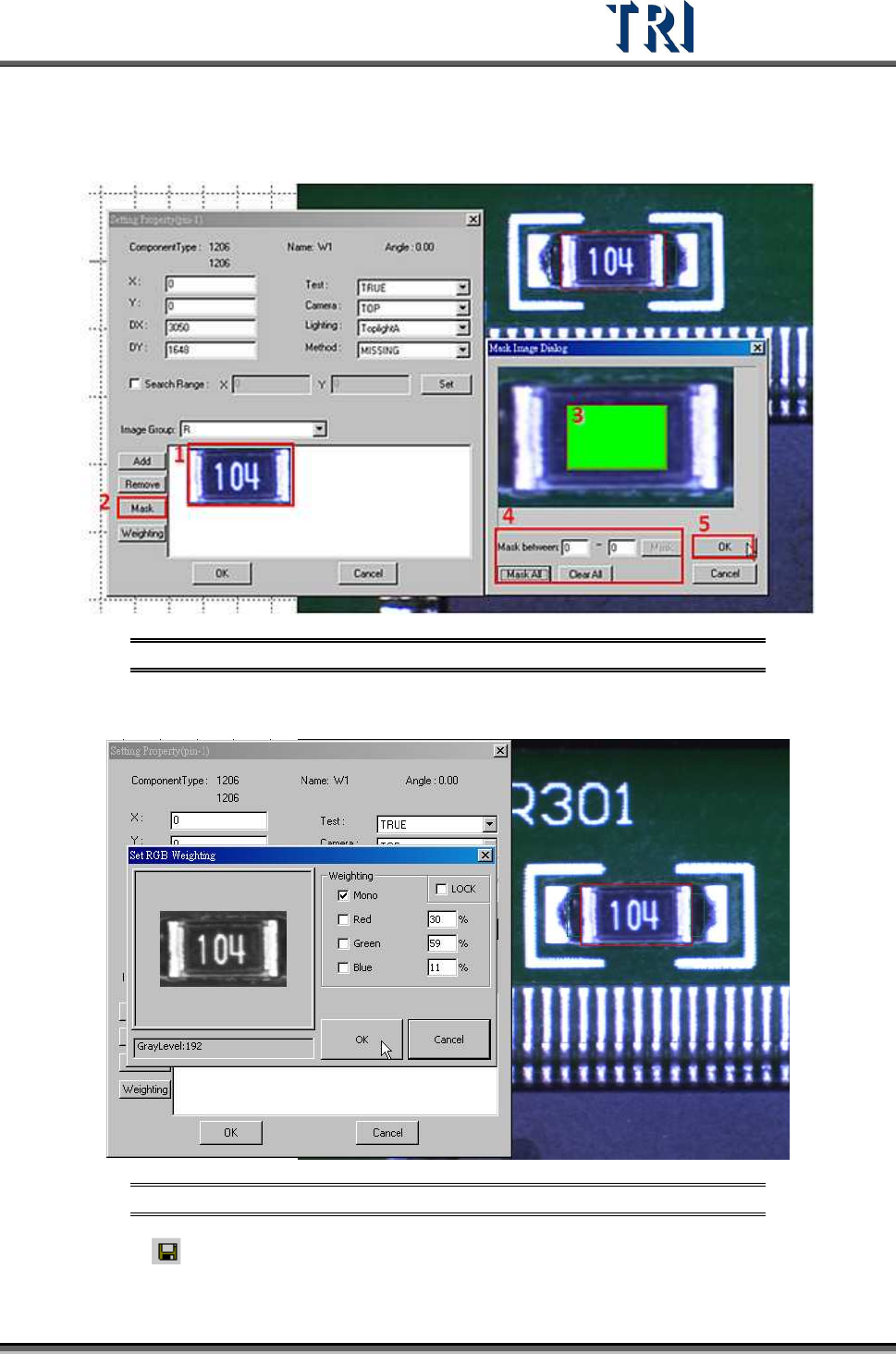
(6) Mask image of [Missing] window. Select the image and press [Mask] to mask the center
area of image.
Figure 368: Mask Center of Image
(7) Set the [Weighting].
Figure 369: Set Weighting
(8) Click on [Save] to save this type. The system will store the saved file in
[C:\AOI\packagelibrary] folder.
Test Research Inc.
220 TR7500 Series User Guide –Software v.2.9.0
8.9.2 Example 2 - IC
(1) Choose a component that is not shifted or skewed and has a clean, clear shape. Then
resize the body window to match the component area.
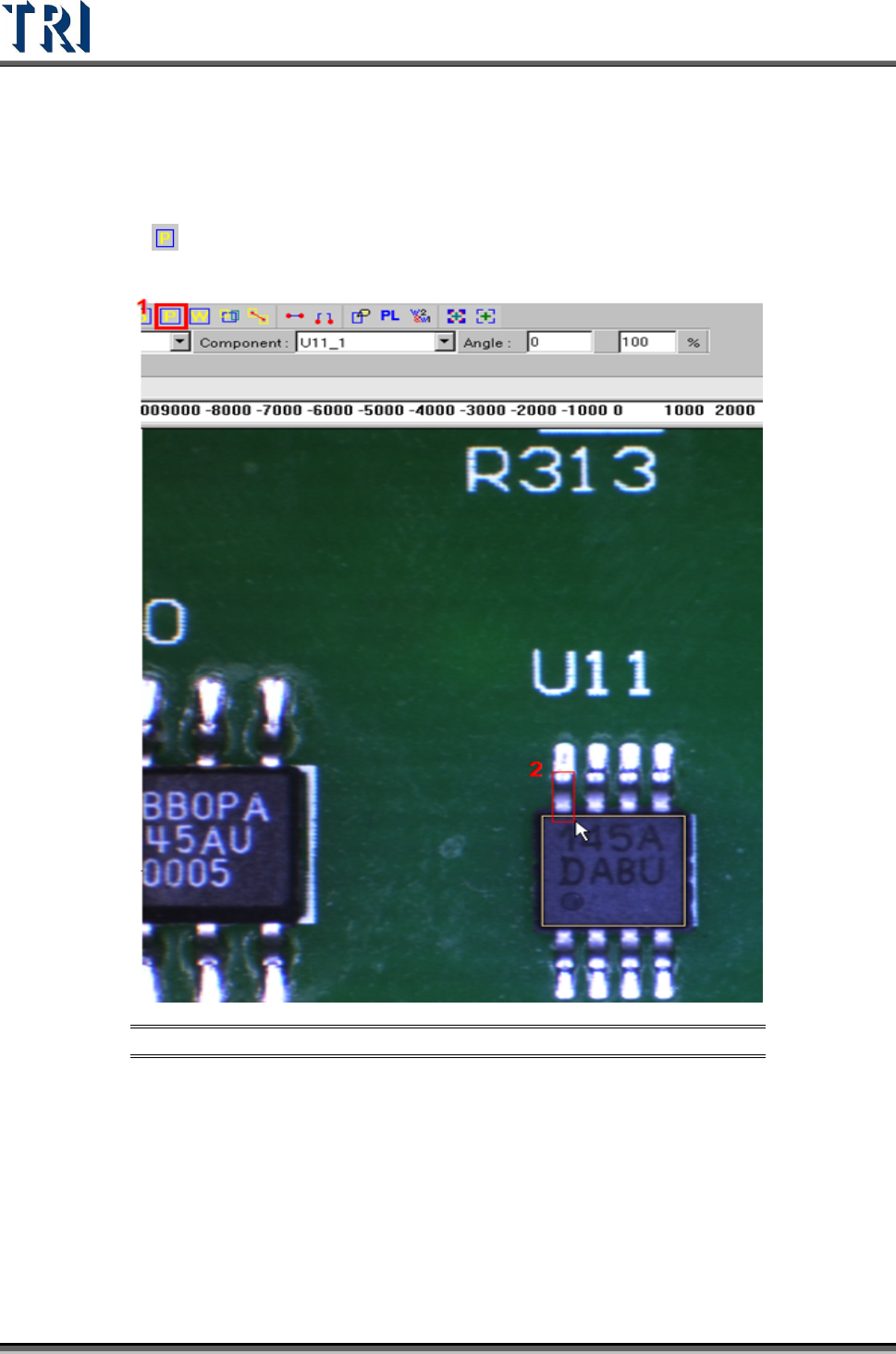
(2) Click on
[Add Pin] to add one pin then move and resize the pin to match the first
lead area.
Figure 370: Add & Resize Pin
Test Research Inc.
TR7500 Series User Guide –Software v.2.9.0 221
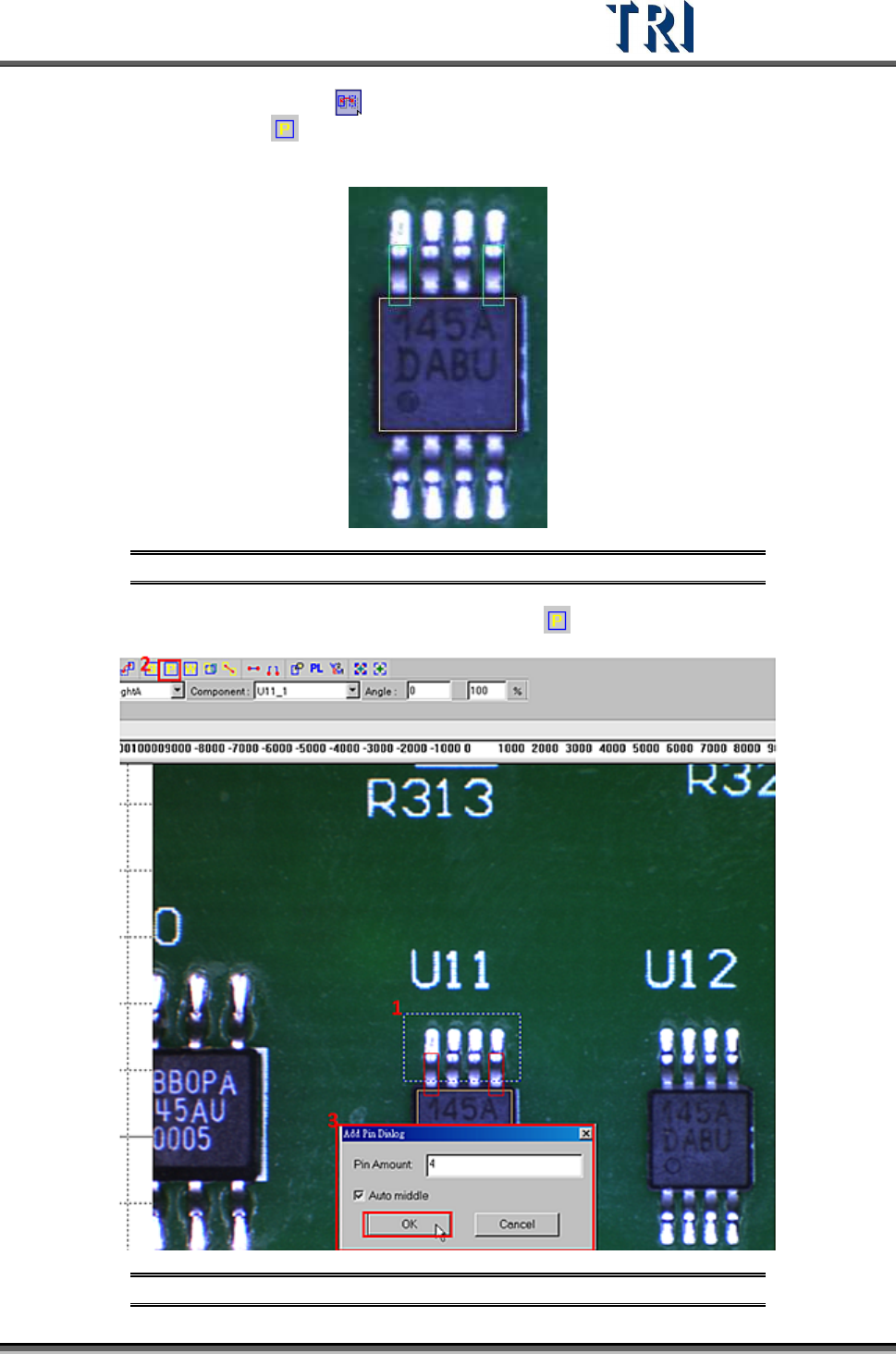
(3) Select the first pin and press [Mirror Copy] by Y direction to copy the pin to the last
lead area. Or click on
[Add Pin] to add one pin again, then move and resize the box
to match the last lead area.
Figure 371: Use [Mirror Copy] to Set Pins in First & Last Lead Area
(4) Choose the two pins at end of the side then click on [Add Pin] to add more pins.
Figure 372: Choose First & Last Pins, Add Pins