TR7500_Series_Software_v29_En - 第246页
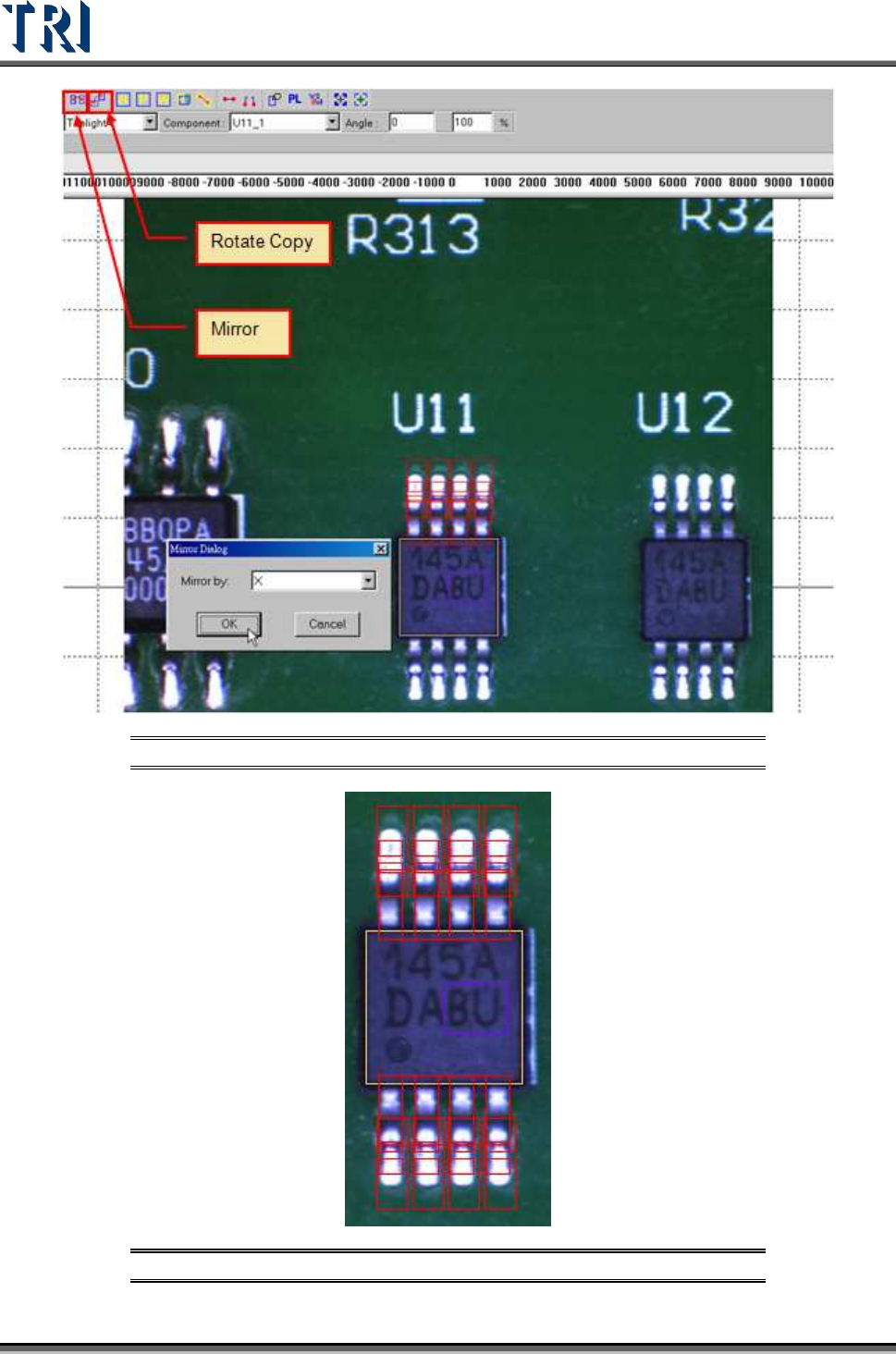
Test Research Inc. 224 TR7500 Series User Guid e –Softwa re v.2.9.0 Figure 374 : Choose [Rotat e Copy] or [Mirror] Figure 375 : Results of [Mir ror} Command
Test Research Inc.
TR7500 Series User Guide –Software v.2.9.0 223
Set pass level.
[Void Window]
Choose [Void Window] and [Rear Camera] to adjust [Void] windows to the
bright area.
Set the algorithm as [Dark].
[Align Window]
Move all [Align] boxes to correct position.
[Missing]
Set camera as top or other angle camera in the [Property] dialog.
Select missing and camera then highlight the [Missing] box.
Resize the solder box.
Add standard image.
[Extra Blob]
Add new [Extra Blob] at left or right camera.
(7) Mirror or rotate copy to other side.
Select all windows to be mirrored then click on [Mirror] button.
Select direction.
Test Research Inc.
224 TR7500 Series User Guide –Software v.2.9.0
Figure 374: Choose [Rotate Copy] or [Mirror]
Figure 375: Results of [Mirror} Command
Test Research Inc.
TR7500 Series User Guide –Software v.2.9.0 225
(8) Add images of lead and solder inspection windows. All inspection windows with the
same method will use the image.
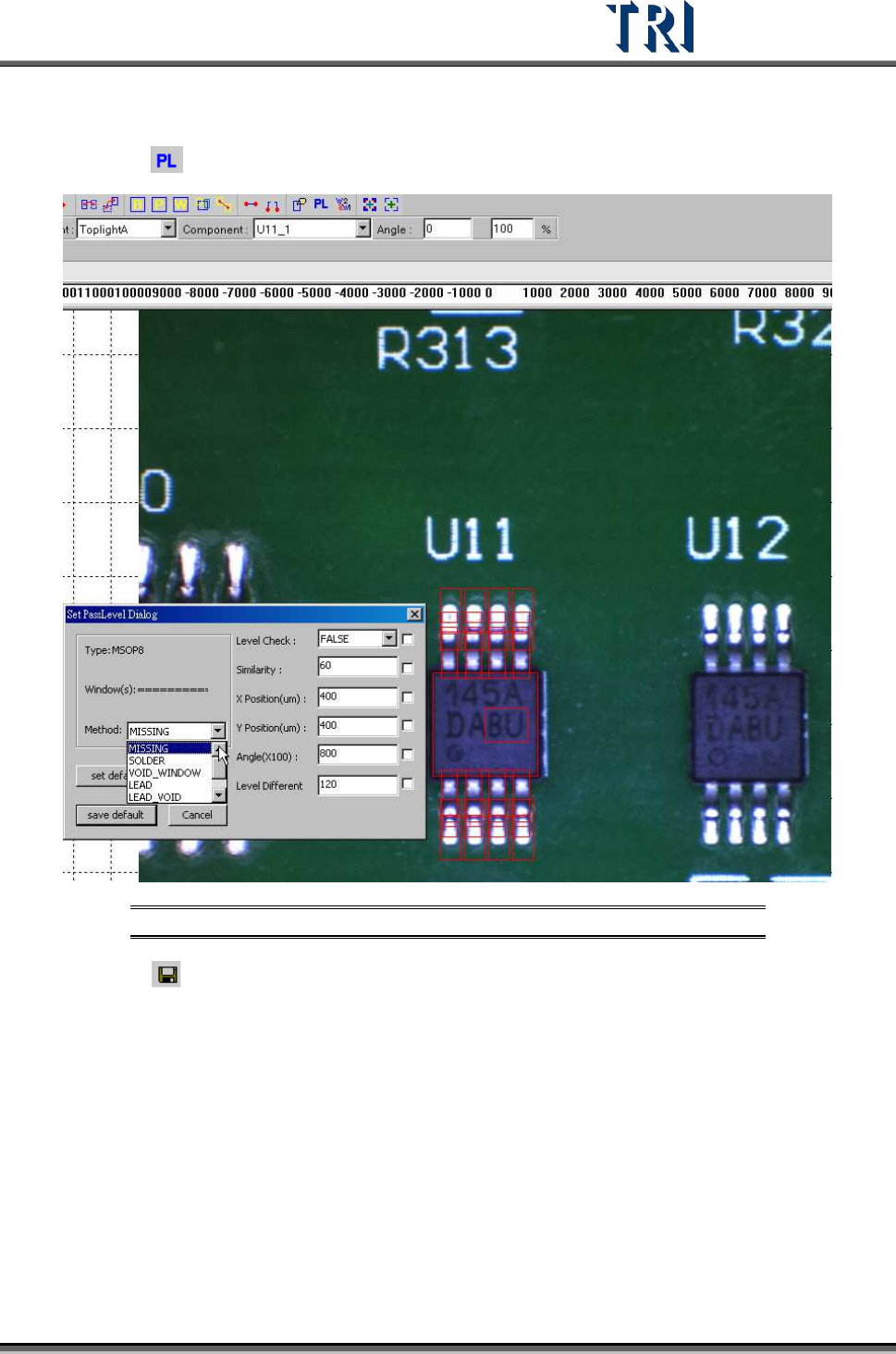
(9) Click on
[Pass Level] to set pass level for all types.
Figure 376: Example: Set Pass Level
(10) Click on [Save] to save this type. The system will store the saved file in
[C:\AOI\packagelibrary] folder