TR7500_Series_Software_v29_En - 第254页
Test Research Inc. 232 TR7500 Series User Guid e –Softwa re v.2.9.0 Figure 388 : Align Pass Leve l Settings 9.2.9 Warp The assumption is that the w arp in one FOV is the same . Each componen t has a relationship with the…
Test Research Inc.
TR7500 Series User Guide –Software v.2.9.0 231
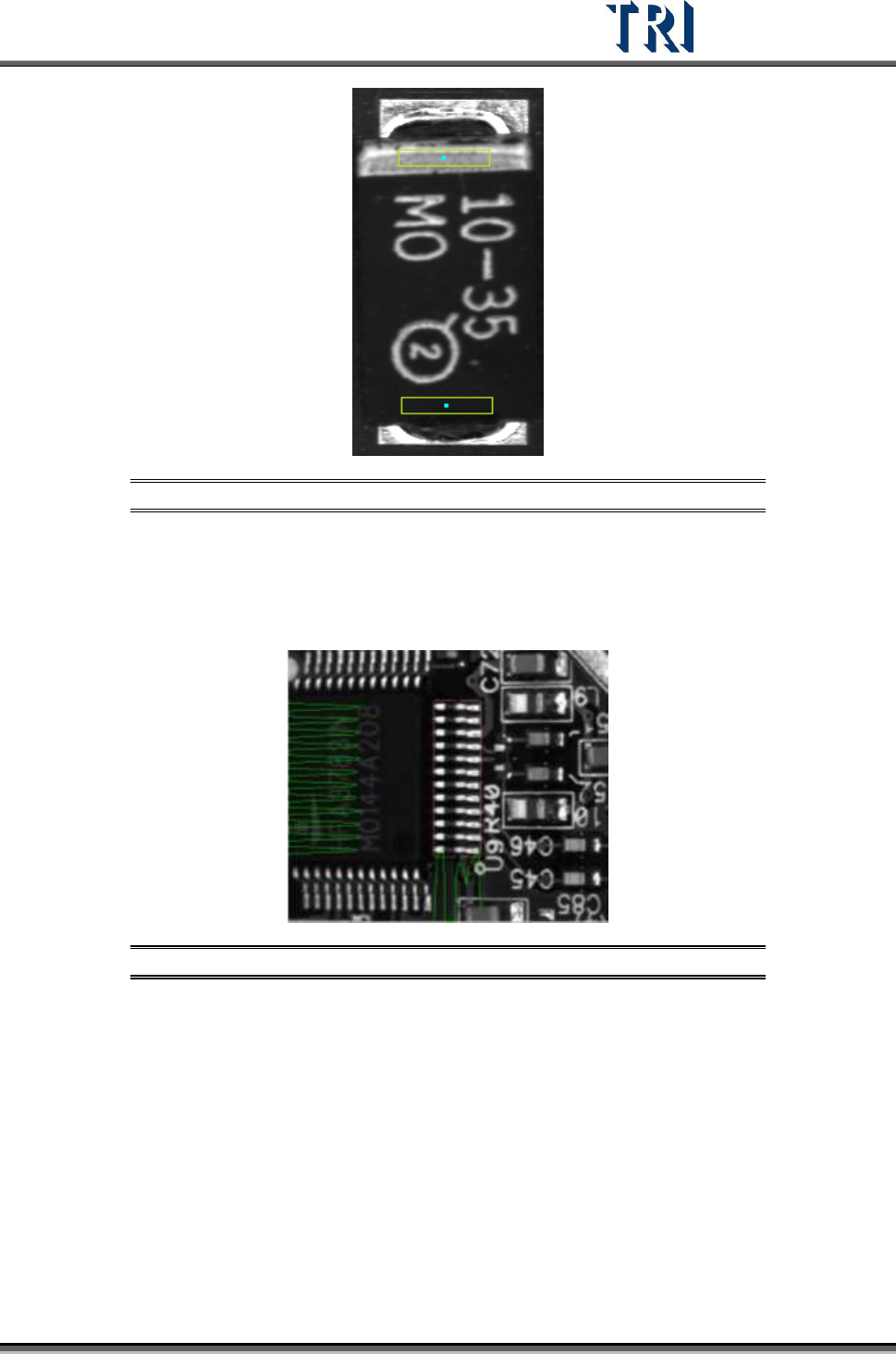
Figure 386: Set Two Polarity Pair Windows
9.2.8 Align
The [Align] window uses the projection in X-Y direction (Method3) to relocate an IC or Rnet
(Cnet) when the PCB is warped. Align only relocates one component.
Figure 387: Align Window
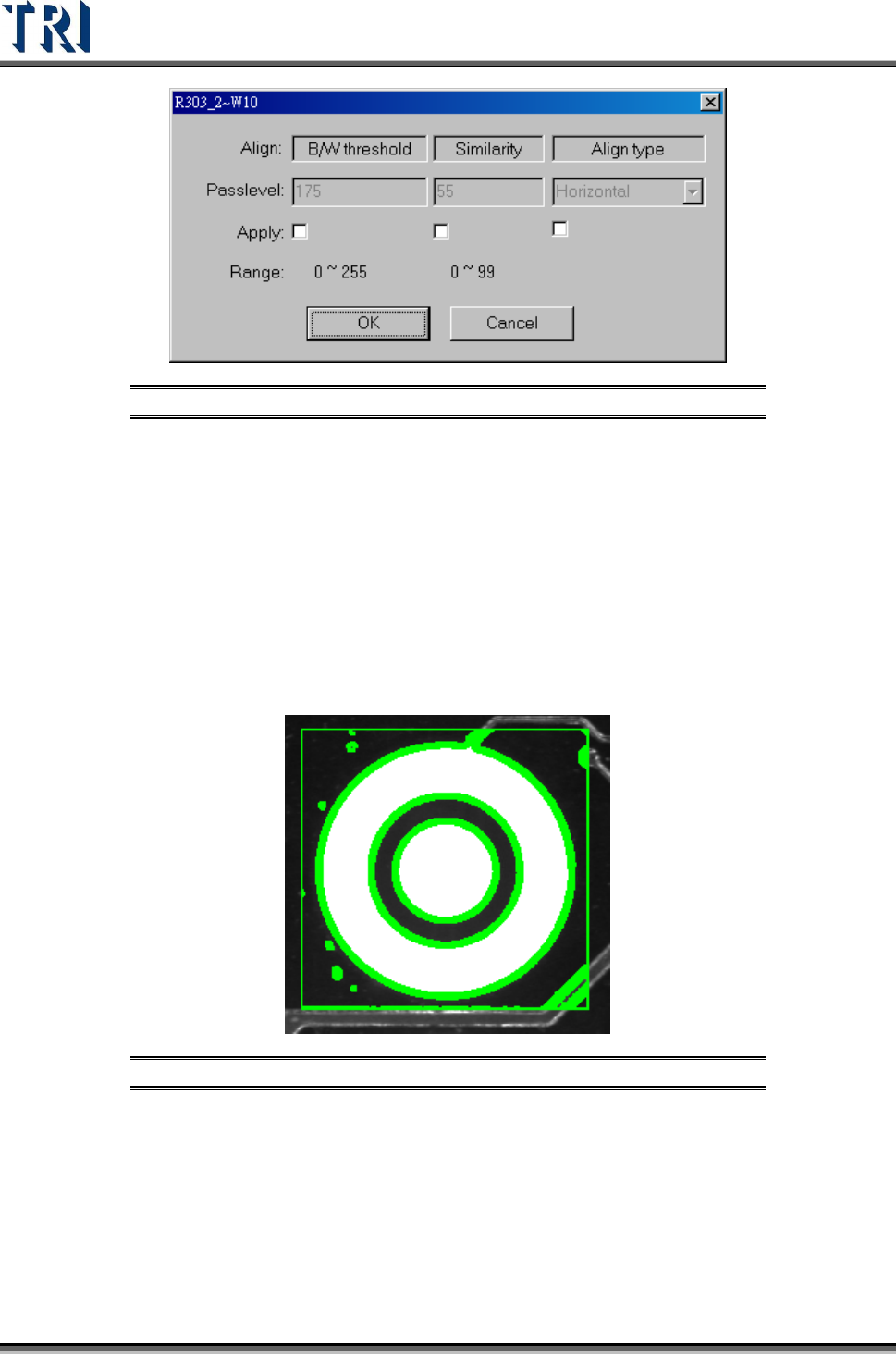
The [Pass Level Settings] are shown in the following figure.
Test Research Inc.
232 TR7500 Series User Guide –Software v.2.9.0
Figure 388: Align Pass Level Settings
9.2.9 Warp
The assumption is that the warp in one FOV is the same. Each component has a relationship
with the warp model. During inspection, [Warp] will calculate the shift distance in the X-Y
direction. Each component will have the shift added, then start to test for pass/fail.Select
Method 1 or Method 2 to do pattern matching. AN FOV to be inspected with an angle camera
must use [Warp]. [Warp] can only be added in [Train] dialog.
9.2.10 ROI
[ROI] is an inspection box to inspect the scrape of surface.
Figure 389: ROI Inspection Box
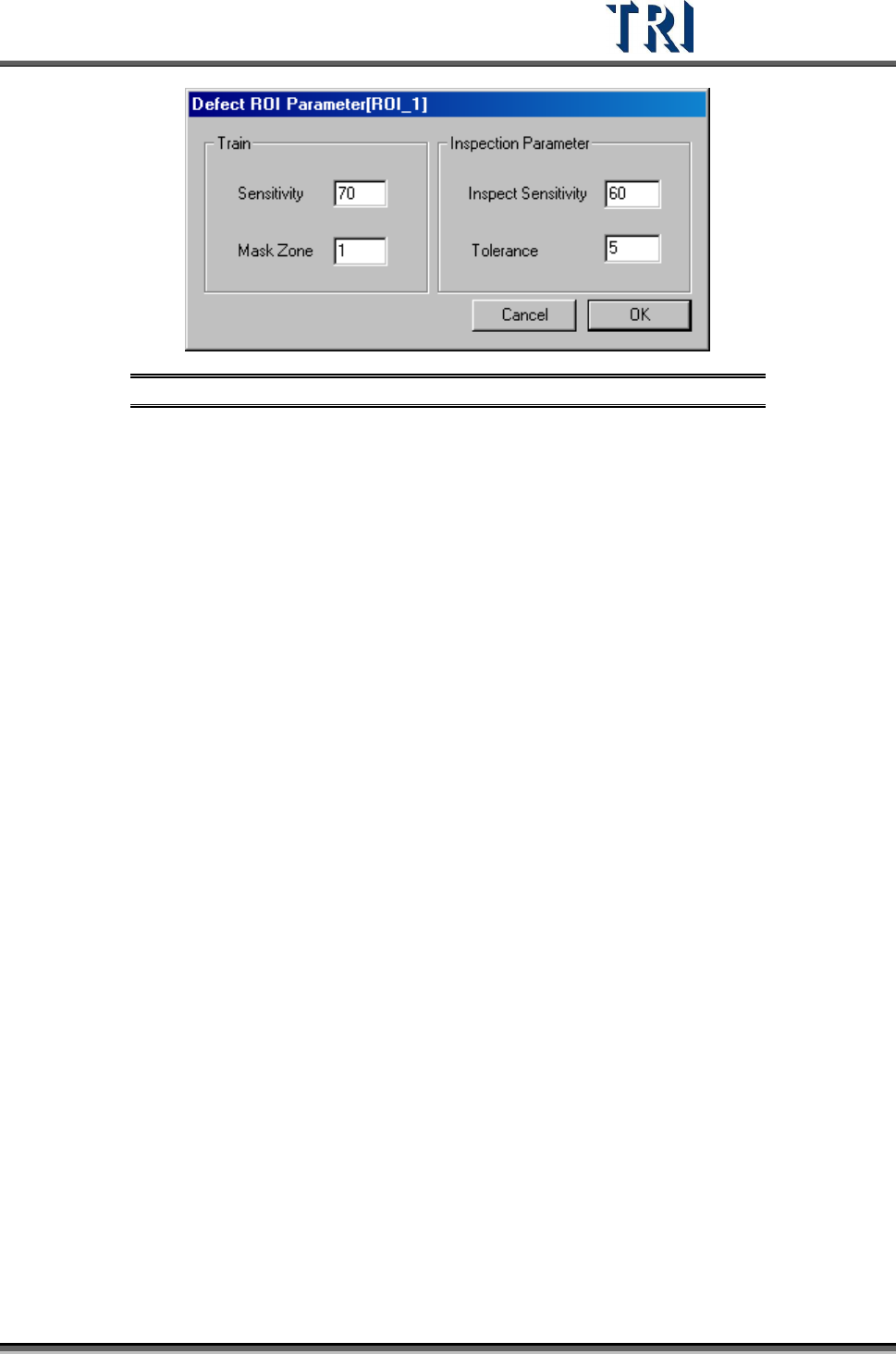
The [ROI Parameters] are shown in the following figure.
Test Research Inc.
TR7500 Series User Guide –Software v.2.9.0 233
Figure 390: ROI Parameter Dialog
[Train] –Set the parameter for training
[Sensitivity] – Using 70 as an example. If the difference of gray level between
neighboring pixels is larger than 30 (100-70) the two pixels will be
regarded as edges.
[Mask Zone] – Using 1 as an example. Next to the edge points, the adjacent 1
pixel is masked as Untest.
[Inspection Parameter] – Set the parameter for inspection. The system only
inspects the area that is in an ROI box and not masked.
[Inspect Sensitivity] – Using 60 as an example. If the difference of gray level
between adjacent pixels is larger than 40 (100-60) the two pixels will be
regarded as edges.
[Tolerance] – Using 5 as an example. If a group size of edges is more than 5
the inspection window will be regarded as failed.
The [Sensitivity] value must be bigger than [Inspect Sensitivity] or it will result in
more false calls.