TR7500_Series_Software_v29_En - 第295页
Test Research Inc. TR7500 Series User Guide – Software v.2.9.0 273 Figure 459 : Warp Set on FO V Image Figure 460 : WarpModel in Component List
Test Research Inc.
272 TR7500 Series User Guide –Software v.2.9.0
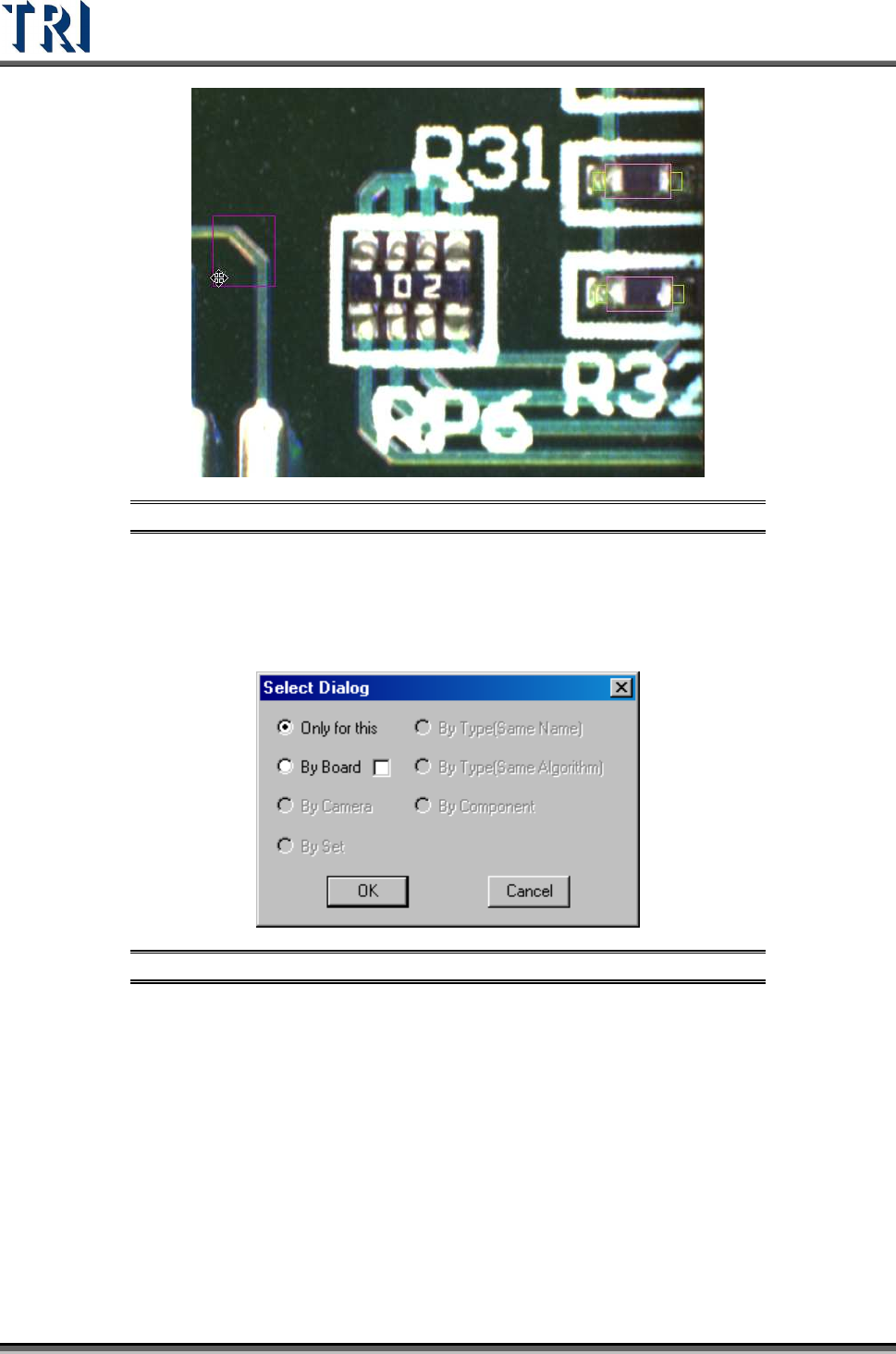
Figure 457: Adjust Multi-Function Window
Step2. Select the copy rules. [By Board] means copy the setting to related multi-board
FOVs. Selecting the check box means the inspection boxes will be moved a
relative distance according to the [Warp] position setting when copying the
[Warp] to multiple boards on the same panel.
Figure 458: Select Warp Copy Rules
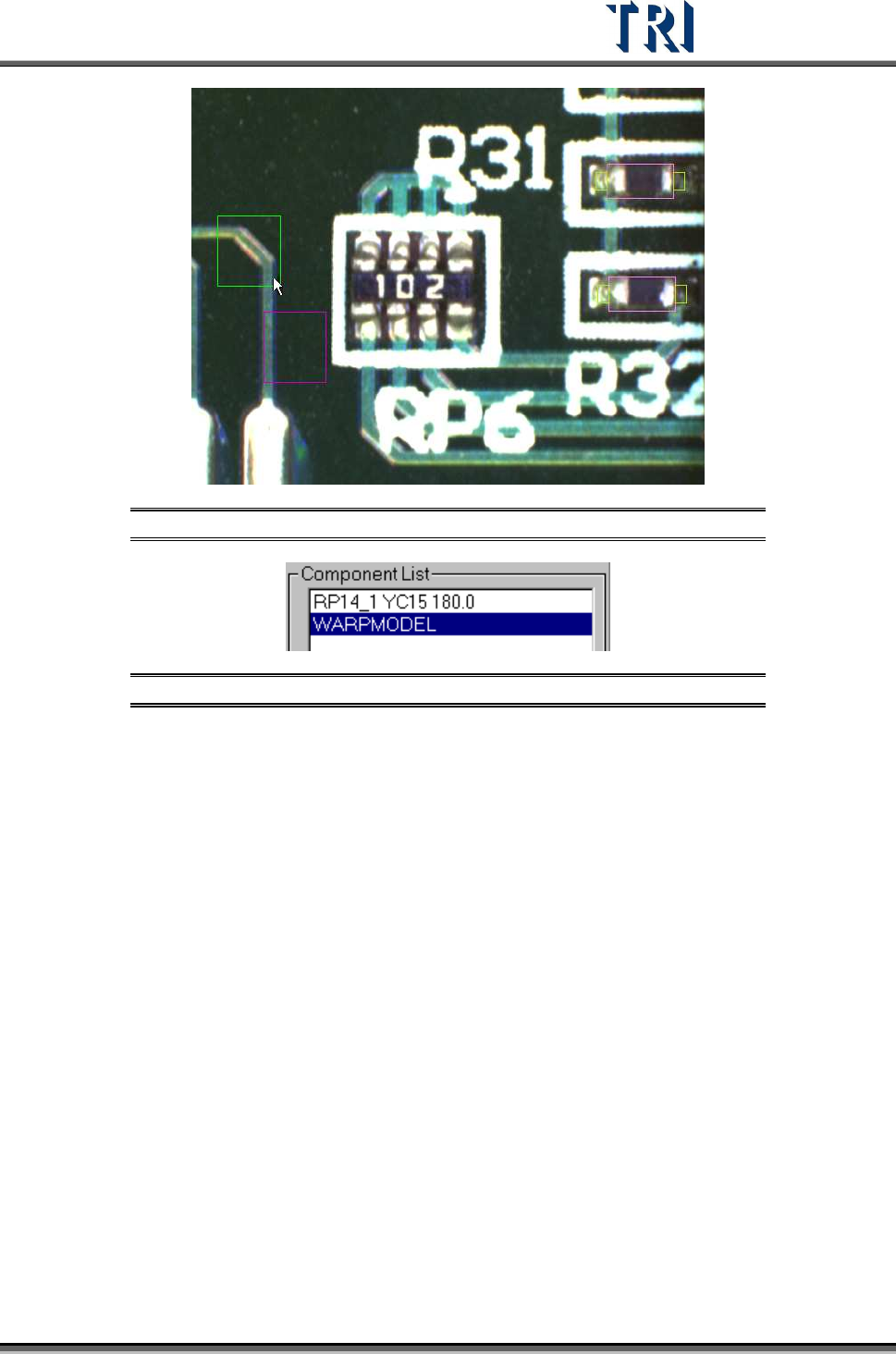
Step3. When finished setting there is a warp on the FOV image and a [WARPMODEL]
component in the component list.
Test Research Inc.
TR7500 Series User Guide –Software v.2.9.0 273
Figure 459: Warp Set on FOV Image
Figure 460: WarpModel in Component List
Test Research Inc.
274 TR7500 Series User Guide –Software v.2.9.0
11.9.4.2 Warp Model Score
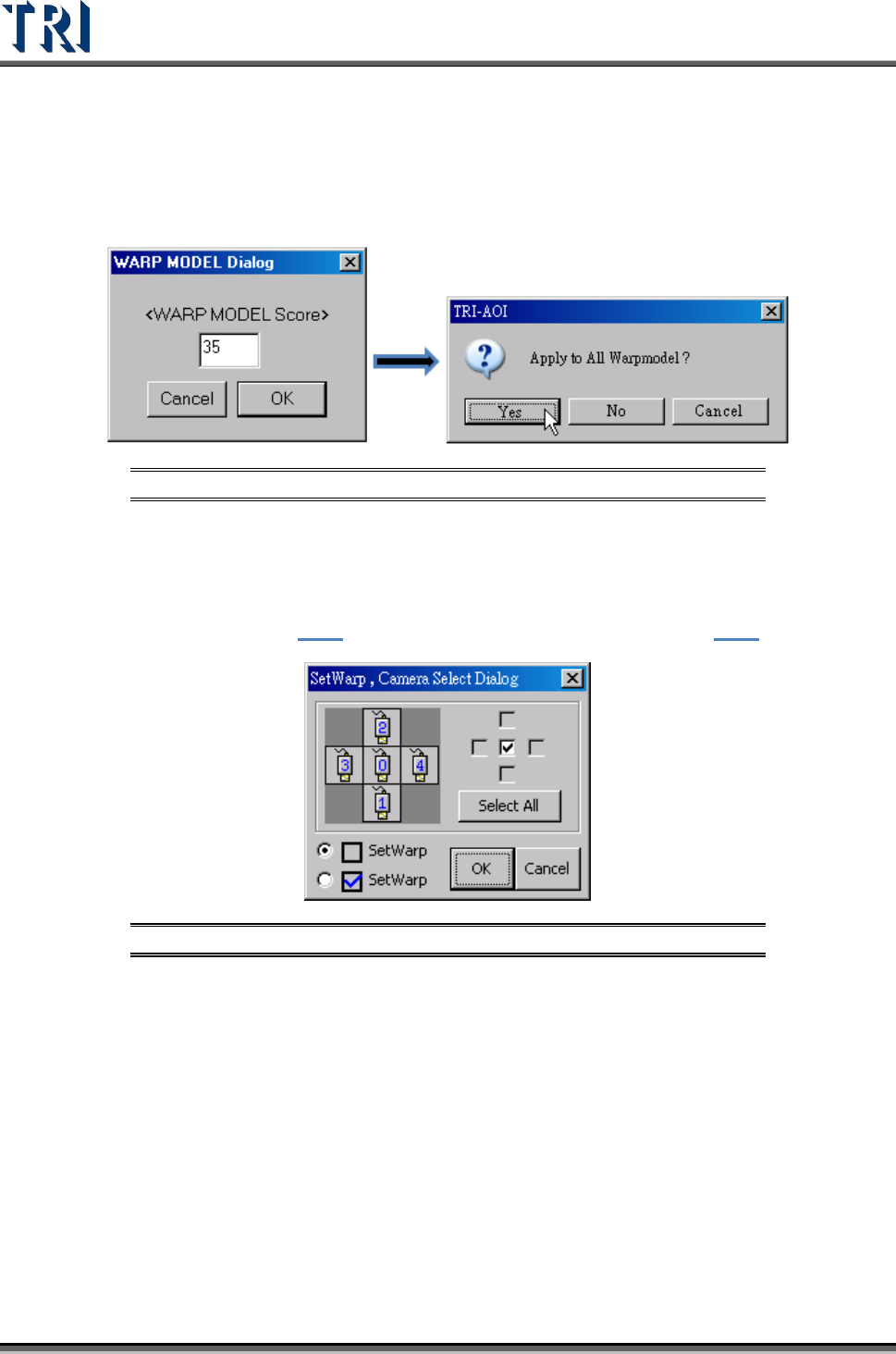
Set the similarity score. When the similarity is higher than this score, the inspection window
in the FOV will be relocated according to the [Warp] setting.
Figure 461: Warp Model Score
11.9.4.3 Warp Algorithm Modification
The function is to change the algorithm for the specified [Warp]. Press [Ctrl] and [W] key
under the FOV with [Warp] window, the following window appears. The unchecked icon
represents Method 1 (section
9.1.1) and the checked one means Method 2( 9.1.2)).
Figure 462: Change Warp Algorithm