TR7500_Series_Software_v29_En - 第30页
Test Research Inc. 8 TR7500 Series User Guide – Software v.2.9.0 2.4 Ed it Component Data Edit the AOI file to mee t the position o f components in the upper left corner board of a multi- board panel. 1. [Component Data …
Test Research Inc.
TR7500 Series User Guide –Software v.2.9.0 7
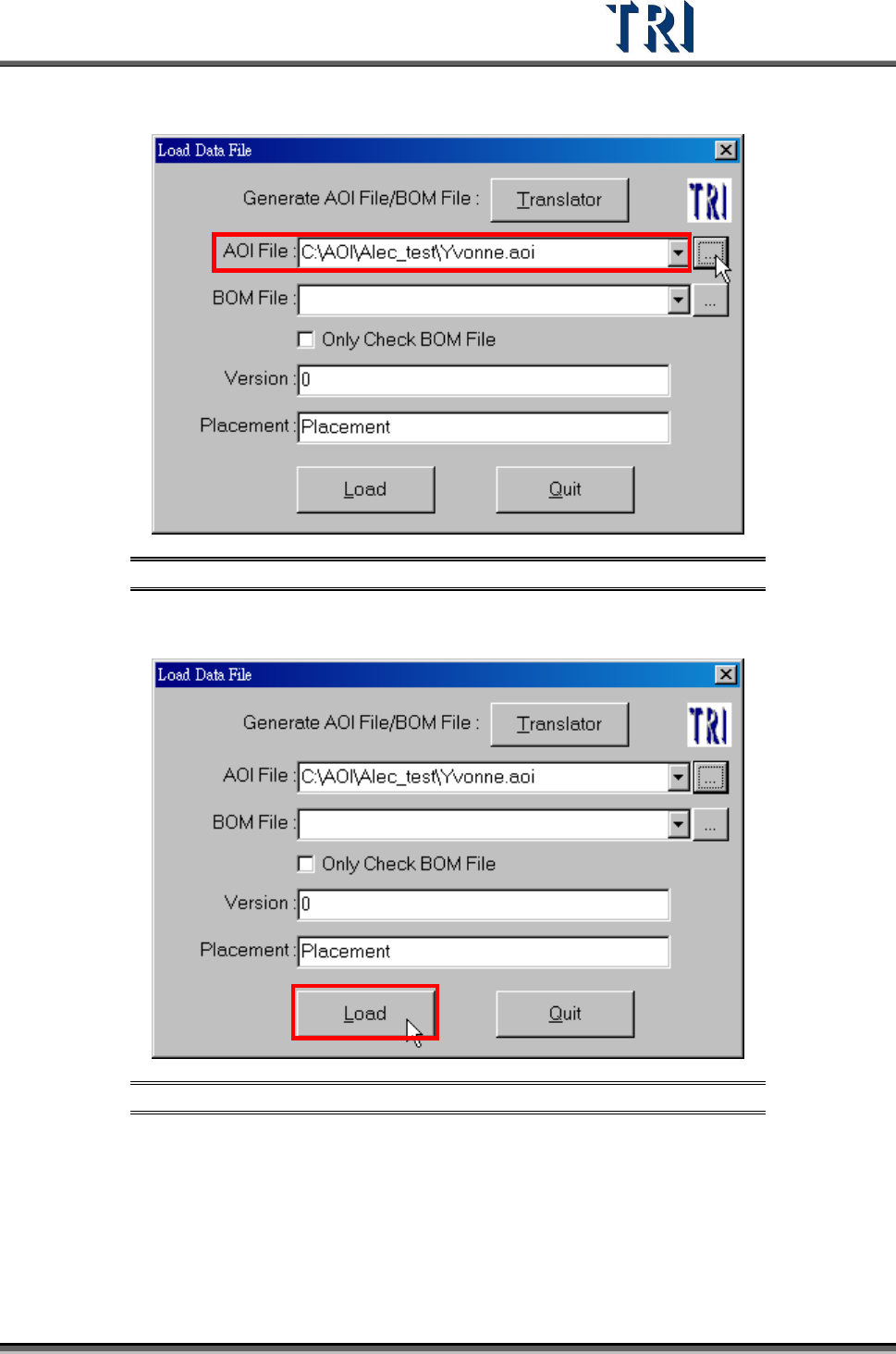
7. Browse AOI files Name and Path.
Figure 10: Browse File to Translate
8. Load AOI file.
Figure 11: Load AOI File
Test Research Inc.
8 TR7500 Series User Guide –Software v.2.9.0
2.4 Edit Component Data
Edit the AOI file to meet the position of components in the upper left corner board of a multi-
board panel.
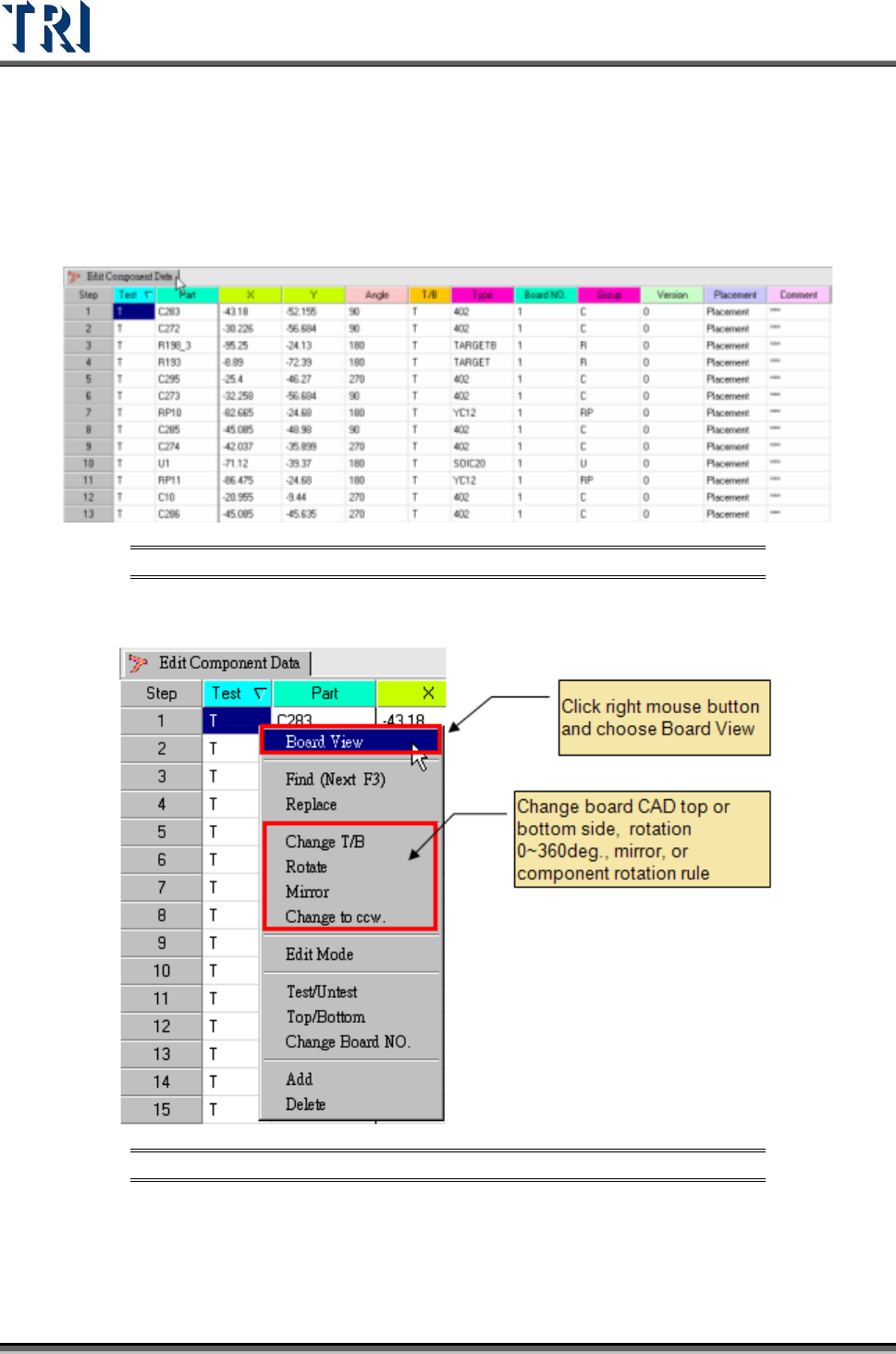
1. [Component Data List]
Figure 12: Component Data List
2. Board pad Viewer.
Figure 13: Select Board View
Test Research Inc.
TR7500 Series User Guide –Software v.2.9.0 9
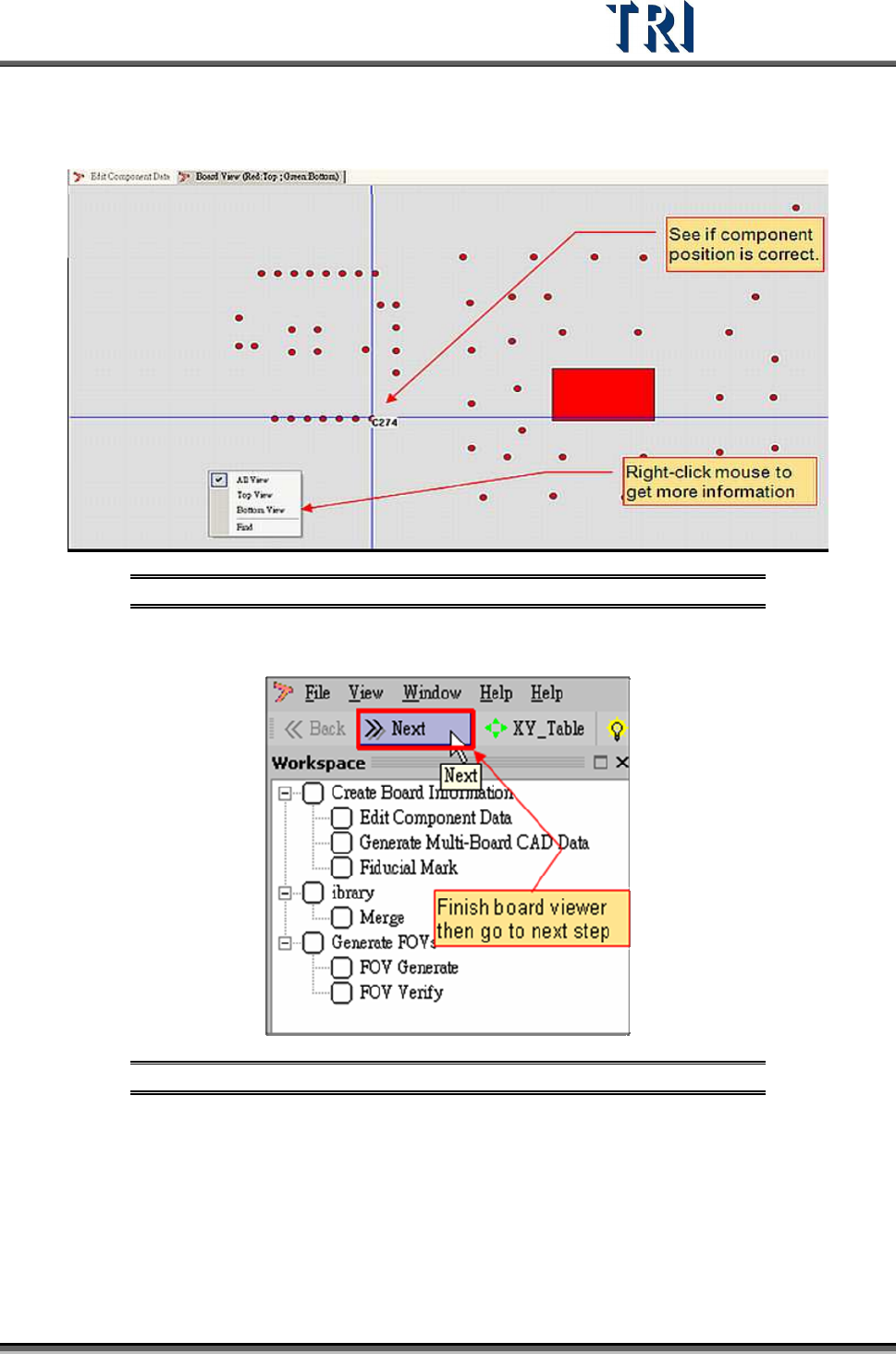
3. Pre-find component position for board alignment.
Figure 14: Board View -- Find Component Position
4. Click on [Next] to go to next step.
Figure 15: Going to Next Step in ATPG Process
5. System confirm dialog window.