TR7500_Series_Software_v29_En - 第307页
Test Research Inc. TR7500 Series User Guide – Software v.2.9.0 285 11.9.12 Image Library 11.9.12 .1 Load Load a saved image to use. After loadin g, t he image is displ ayed. Figure 476 : Load a Saved I mage 11.9.12 .2 Sa…
Test Research Inc.
284 TR7500 Series User Guide –Software v.2.9.0
11.9.11 Train/Untrain/Test/Untest
11.9.11.1 Train
Train the selected inspection box.
[For all FOV] – Train all inspection boxes.
[For Untrained] – Train all untrained inspection boxes.
11.9.11.2 UnTrain
Untrain the selected inspection box
[For all FOV] – Untrain all inspection boxes.
11.9.11.3 Test
Set the selected inspection box as test.
11.9.11.4 Untest
Set the selected box as untest.
Test Research Inc.
TR7500 Series User Guide –Software v.2.9.0 285
11.9.12 Image Library
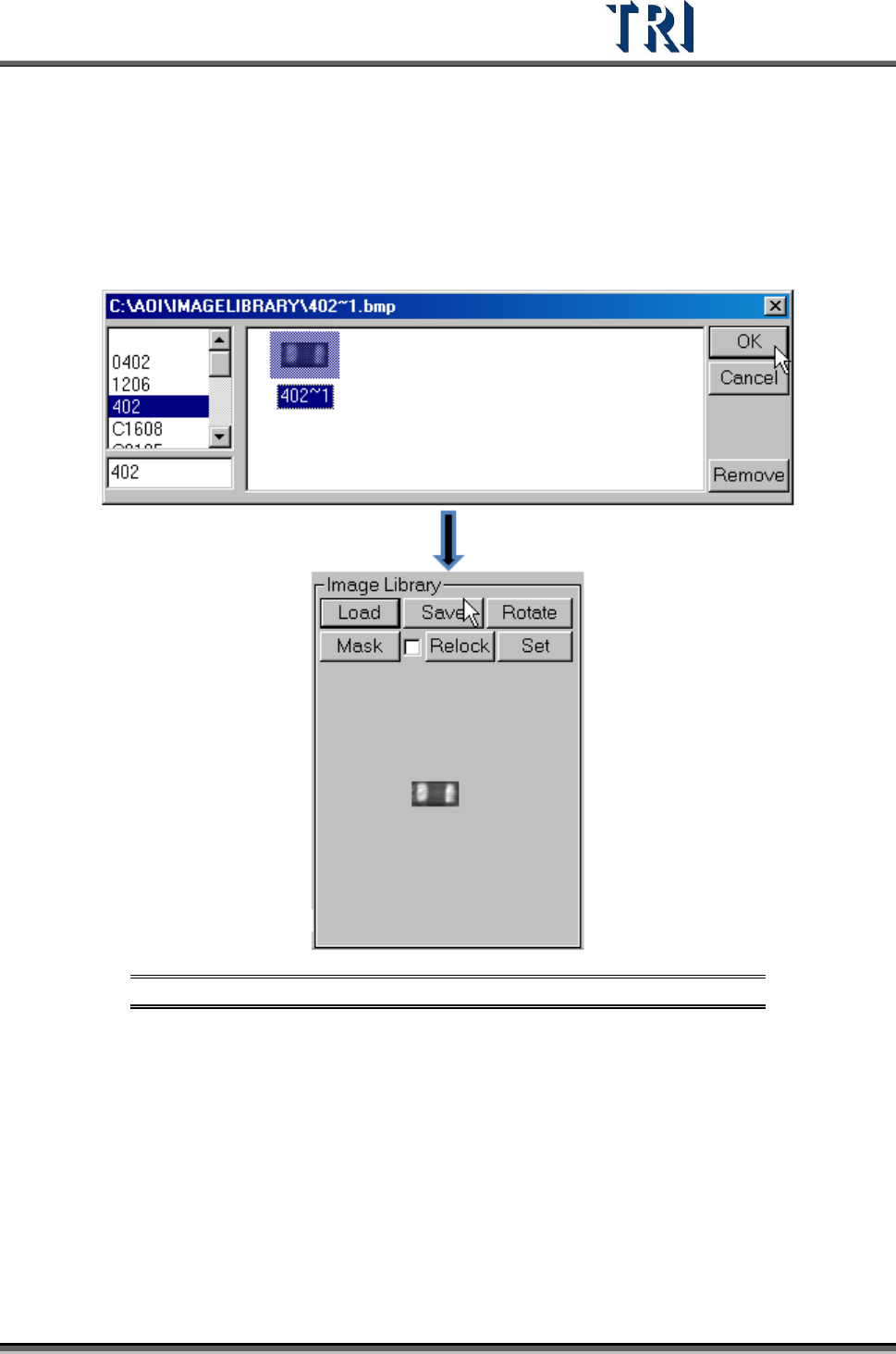
11.9.12.1 Load
Load a saved image to use. After loading, the image is displayed.
Figure 476: Load a Saved Image
11.9.12.2 Save
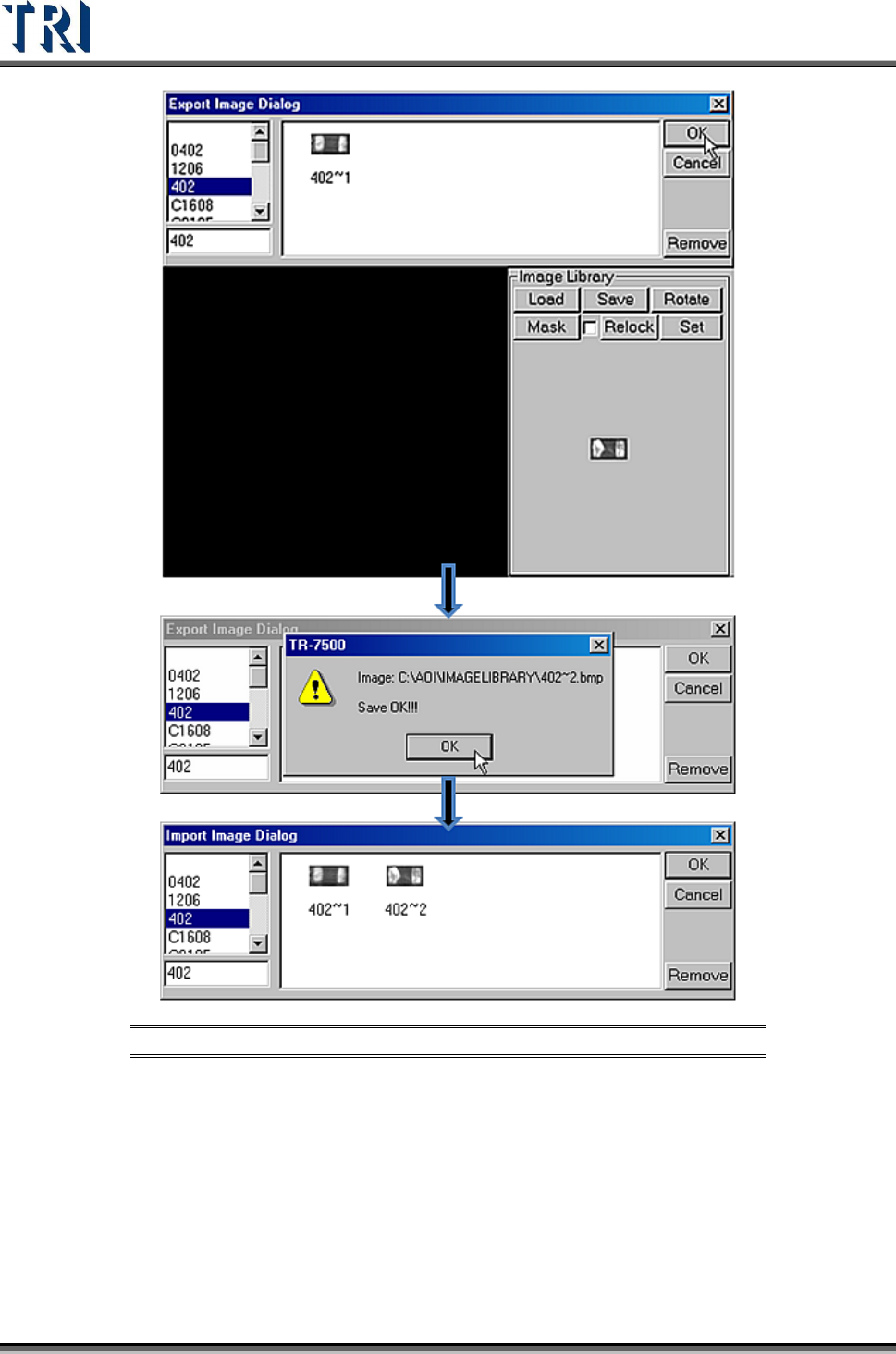
Save the image in the image area to [ImageLibrary] folder. Select a type to save it as.
Test Research Inc.
286 TR7500 Series User Guide –Software v.2.9.0
Figure 477: Save a New Image from Image Area
11.9.12.3 Rotate
Click on [Rotate] to rotate the current image. It rotates 90 degree for each click.
11.9.12.4 Mask
Click on [Mask] to set the mask of the component image.