TR7500_Series_Software_v29_En - 第43页
Test Research Inc. TR7500 Series User Guide – Software v.2.9.0 21 (4) Press [Next] 2.6 Fid ucial Mark Se tting The Fiducial M ark setting is for detec t ing panel offset. 1. Press [Set Fiducial M ark ] icon.
Test Research Inc.
20 TR7500 Series User Guide –Software v.2.9.0
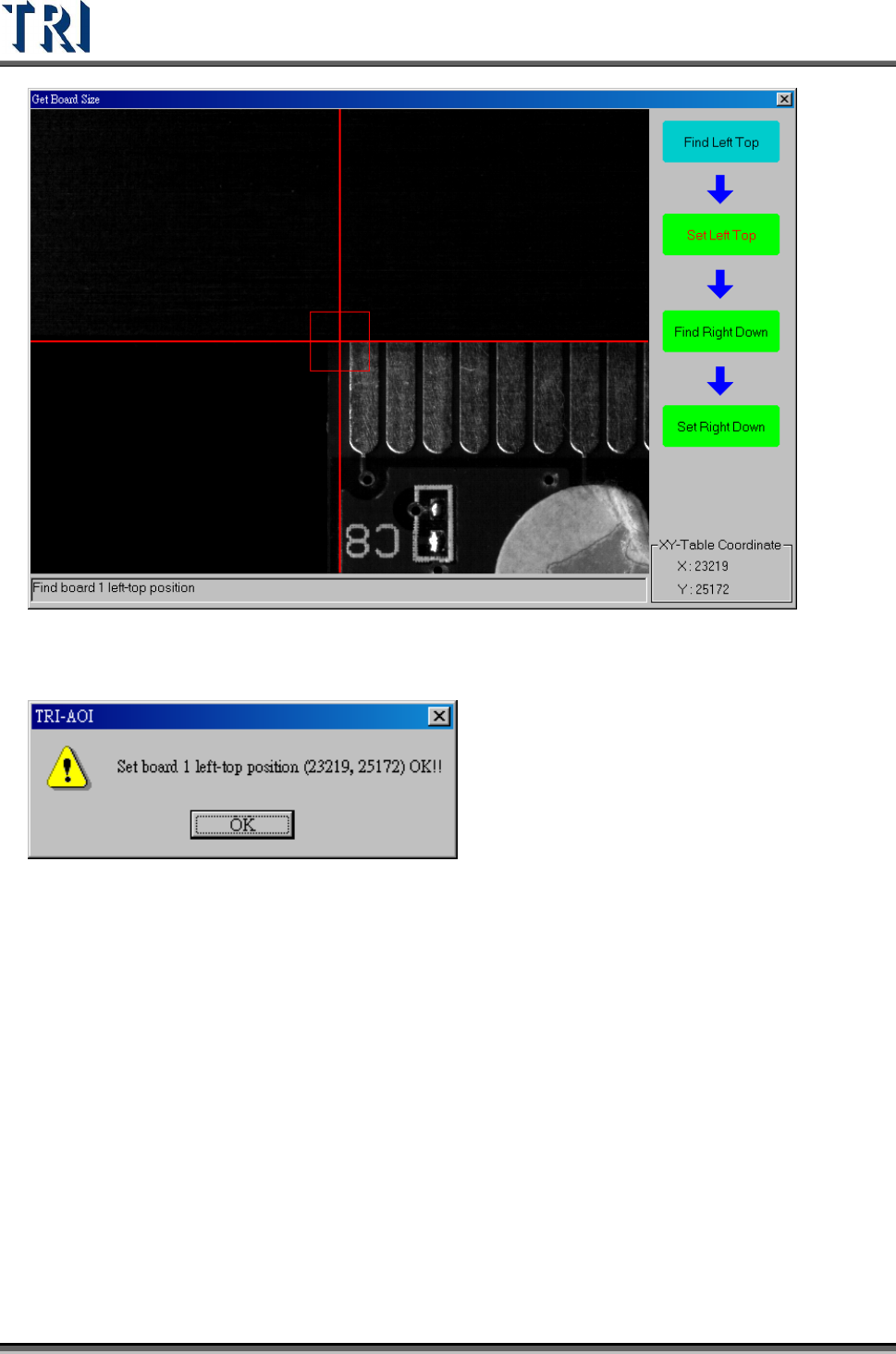
(2) System displays the upper-left corner coordinates. Press [OK].
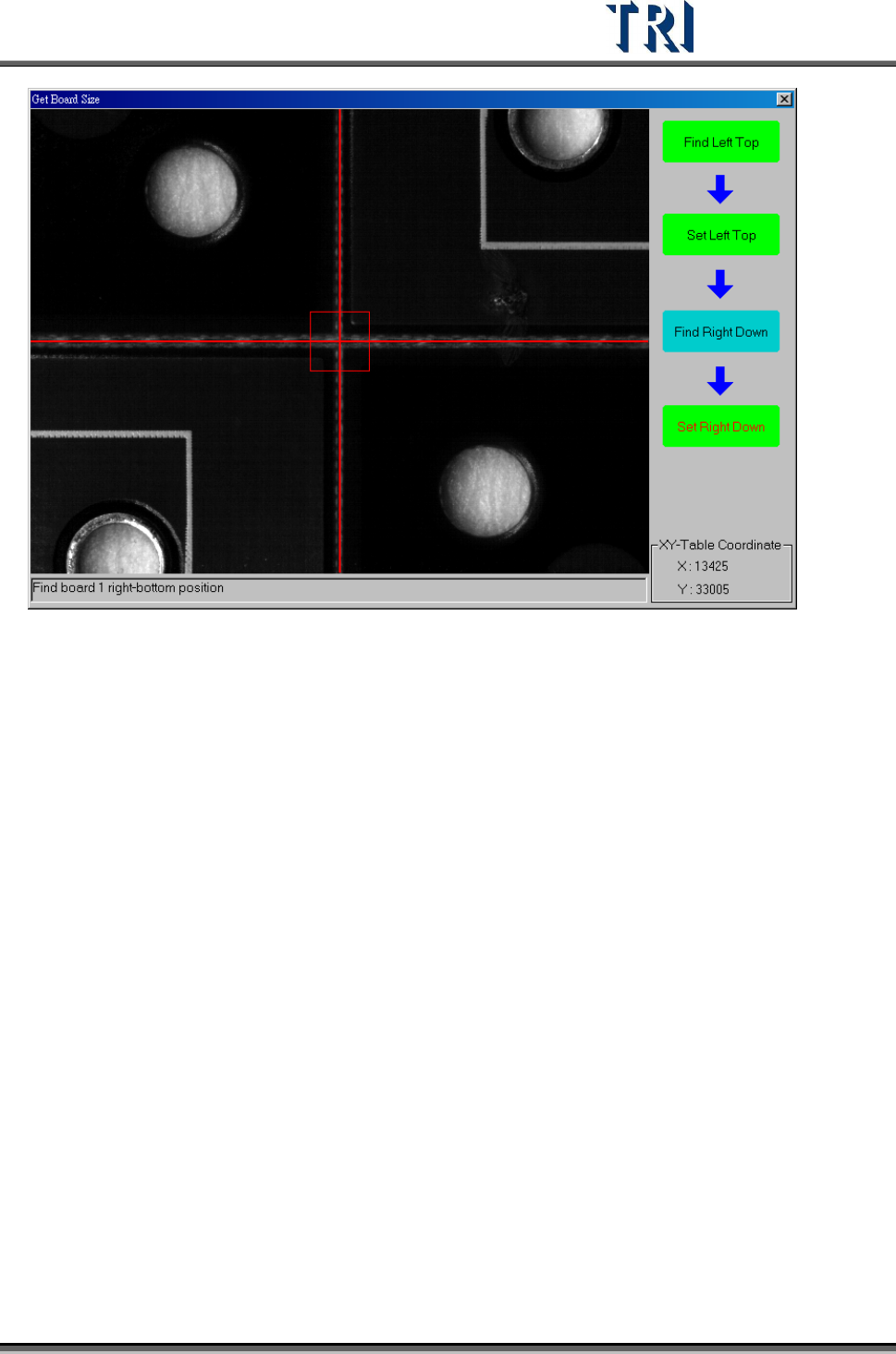
(3) Move the camera to the lower-right corner, then press [Set Right Down] to get the
position.
Test Research Inc.
TR7500 Series User Guide –Software v.2.9.0 21
(4) Press [Next]
2.6 Fiducial Mark Setting
The Fiducial Mark setting is for detecting panel offset.
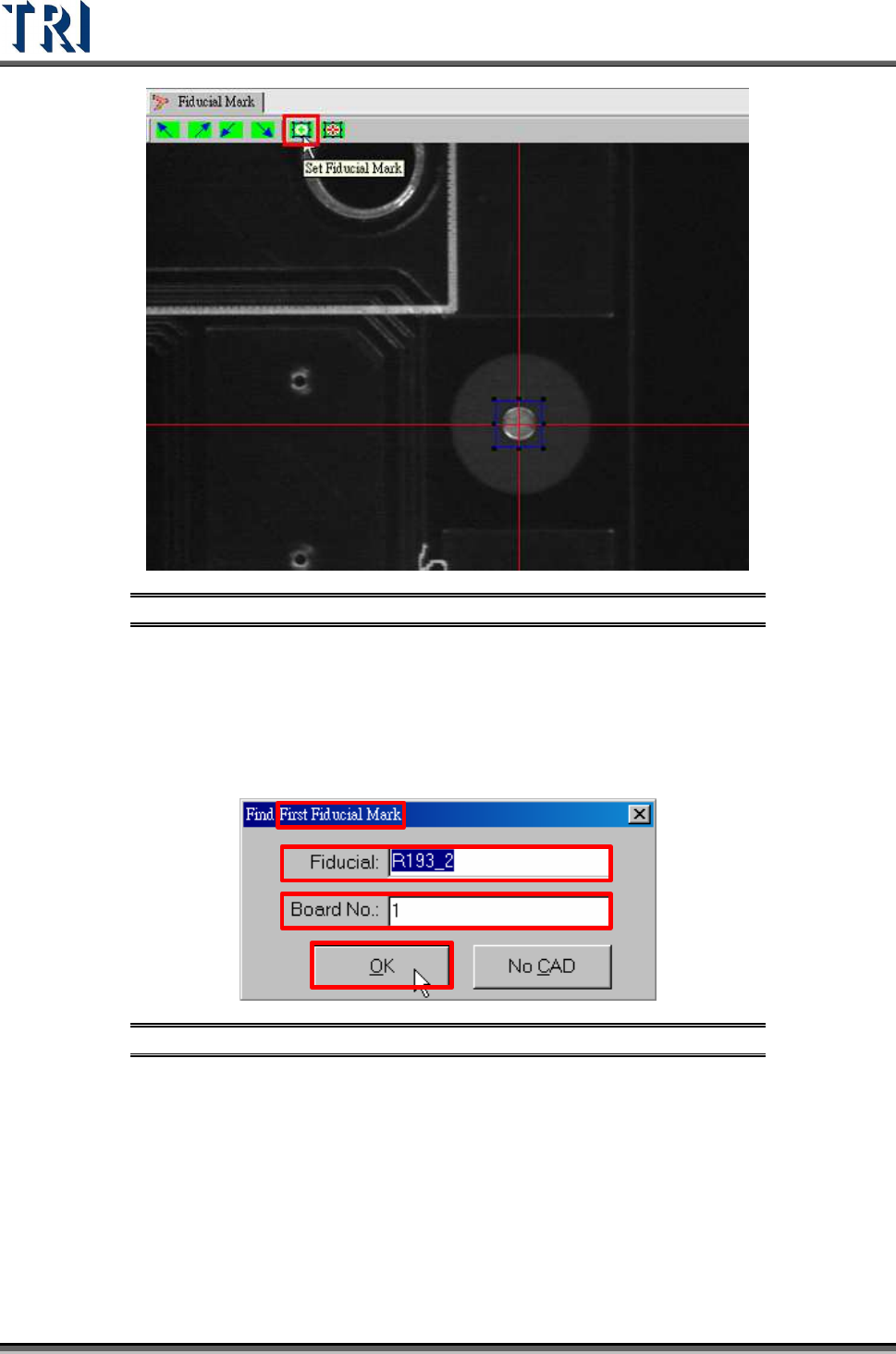
1. Press [Set Fiducial Mark] icon.
Test Research Inc.
22 TR7500 Series User Guide –Software v.2.9.0
Figure 32: Set Fiducial Mark Icon
2. The first fiducial mark (Fiducial 0) must be found In the beginning. If the fiducial mark
to be set is listed in CAD file, input the name and board number directly and press
[OK]. Or press [No CAD] to find the fiducial mark manually.
3. With CAD
Step1. Input the name and the board number of fiducial mark and press [OK].
Figure 33: Using CAD to Find First Fiducial Mark
Step2. The camera moves to the position of the fiducial mark automatically
according to the CAD data.
4. Without CAD
Step1. Press [No CAD].