TR7500_Series_Software_v29_En - 第55页
Test Research Inc. TR7500 Series User Guide – Software v.2.9.0 33 Figure 55: Click Next to Fini sh Fiducial M ark Step 6. Display end result of Fid ucial Mark setting procedure. Figure 56: Finish S etting Fi ducial Marks
Test Research Inc.
32 TR7500 Series User Guide –Software v.2.9.0
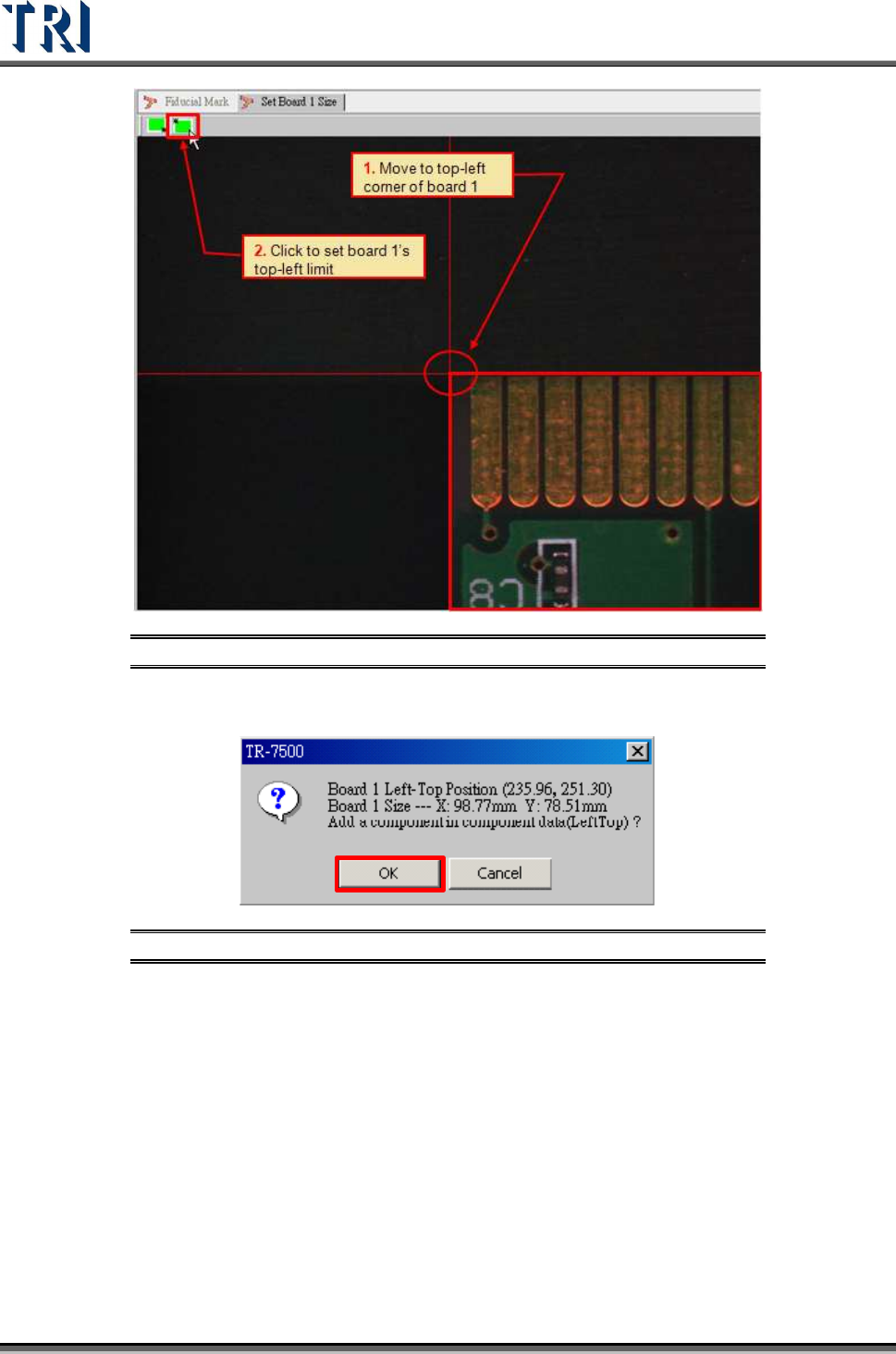
Figure 53: Move to Top-Left Corner & Set Limit
4. Confirm board 1’s top-left position.
Figure 54: Confirm Top-Left Corner Position
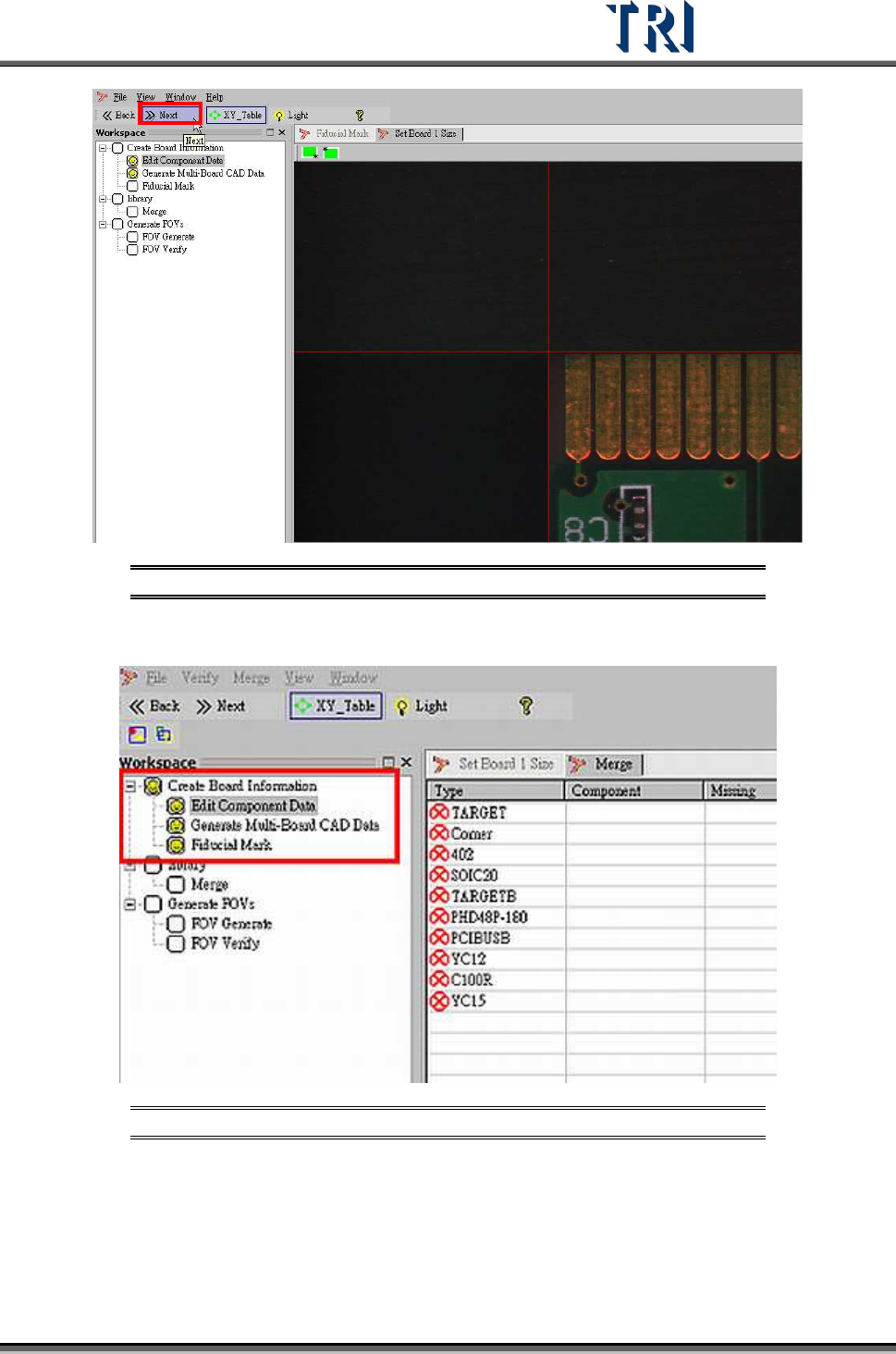
5. Board size setting is finished. Proceed to next step.
Test Research Inc.
TR7500 Series User Guide –Software v.2.9.0 33
Figure 55: Click Next to Finish Fiducial Mark Step
6. Display end result of Fiducial Mark setting procedure.
Figure 56: Finish Setting Fiducial Marks
Test Research Inc.
34 TR7500 Series User Guide –Software v.2.9.0
2.8 Edit (Create or Modify a New) Component Library
See Chapter 8, Edit Component Library Commands
2.9 Merge with Component Library
Merge CAD file with component library (component has finished editing).
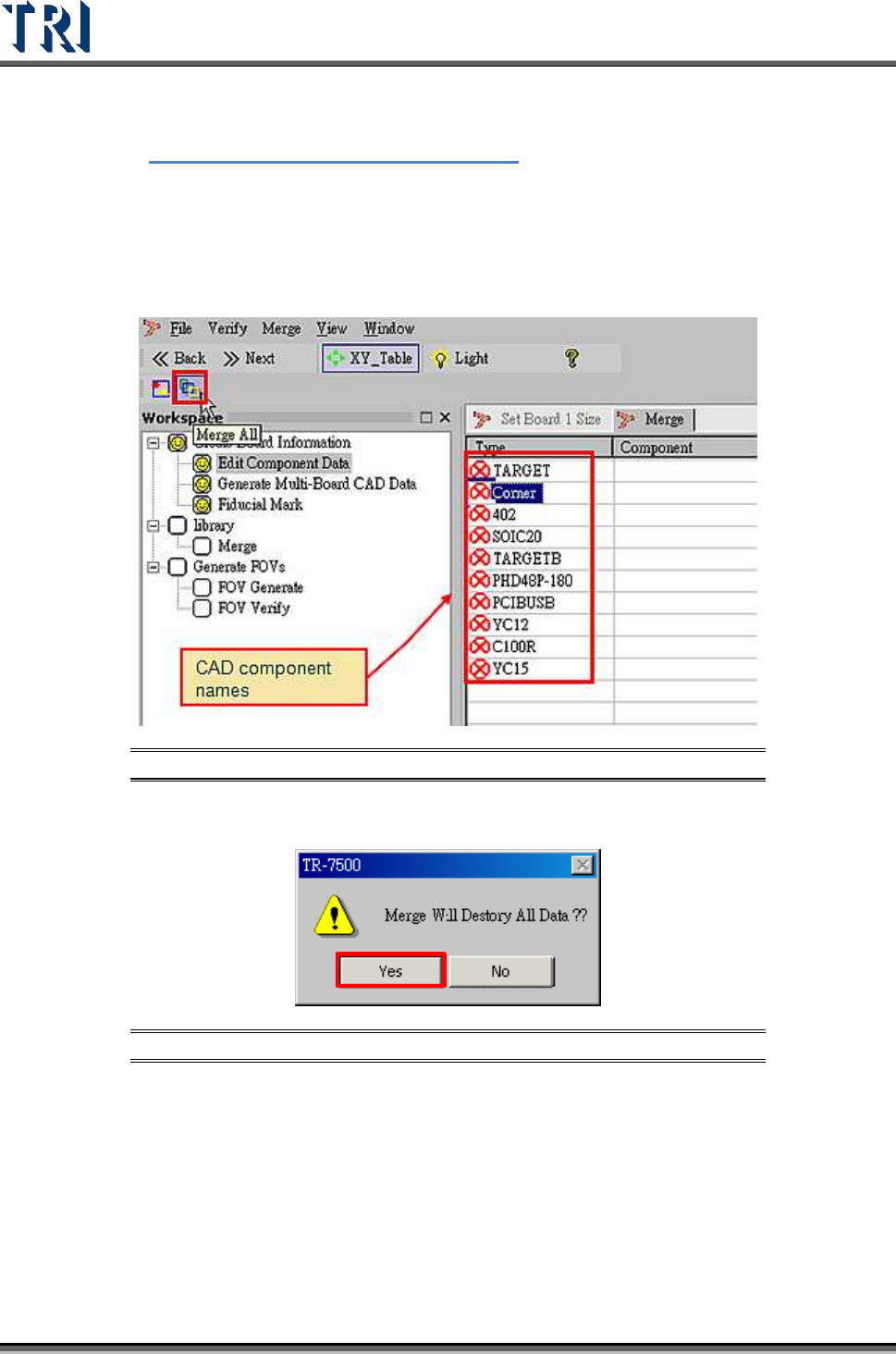
1. Select [Merge] button.
Figure 57: Select Merge Component Library
2. Warning message before merge component library.
Figure 58: Confirm Merge Function
3. Merge finished. CAD device linked with component library.
4. Proceed to next step.