TR7500_Series_Software_v29_En - 第56页
Test Research Inc. 34 TR7500 Series User Guide – Software v.2.9.0 2.8 Ed it (Create or Modify a New ) C omponent Lib rary See Chapter 8, Edit Co mponent Library Commands 2.9 Mer ge with C omponent Lib rary Merge CAD file…
Test Research Inc.
TR7500 Series User Guide –Software v.2.9.0 33
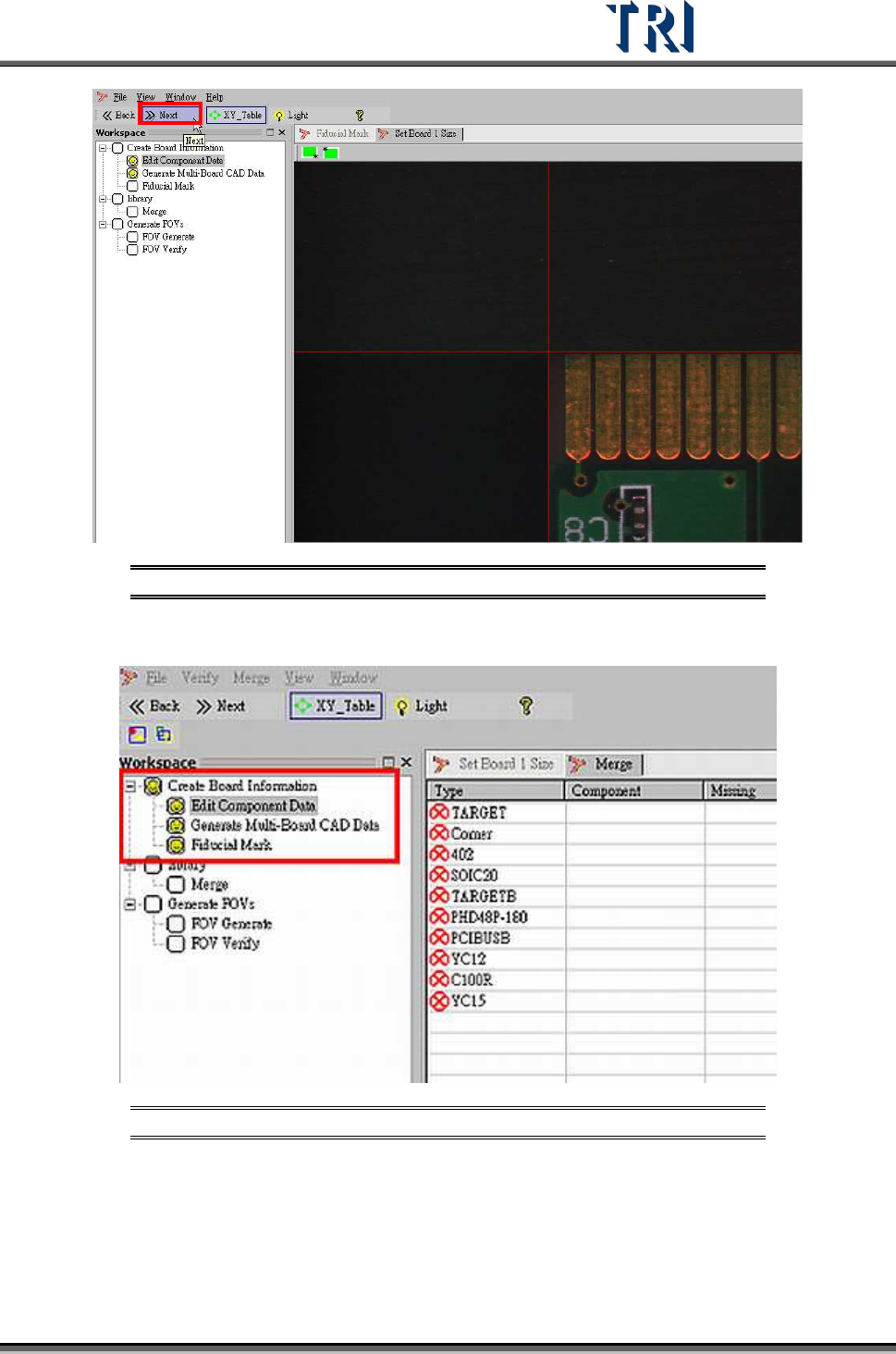
Figure 55: Click Next to Finish Fiducial Mark Step
6. Display end result of Fiducial Mark setting procedure.
Figure 56: Finish Setting Fiducial Marks
Test Research Inc.
34 TR7500 Series User Guide –Software v.2.9.0
2.8 Edit (Create or Modify a New) Component Library
See Chapter 8, Edit Component Library Commands
2.9 Merge with Component Library
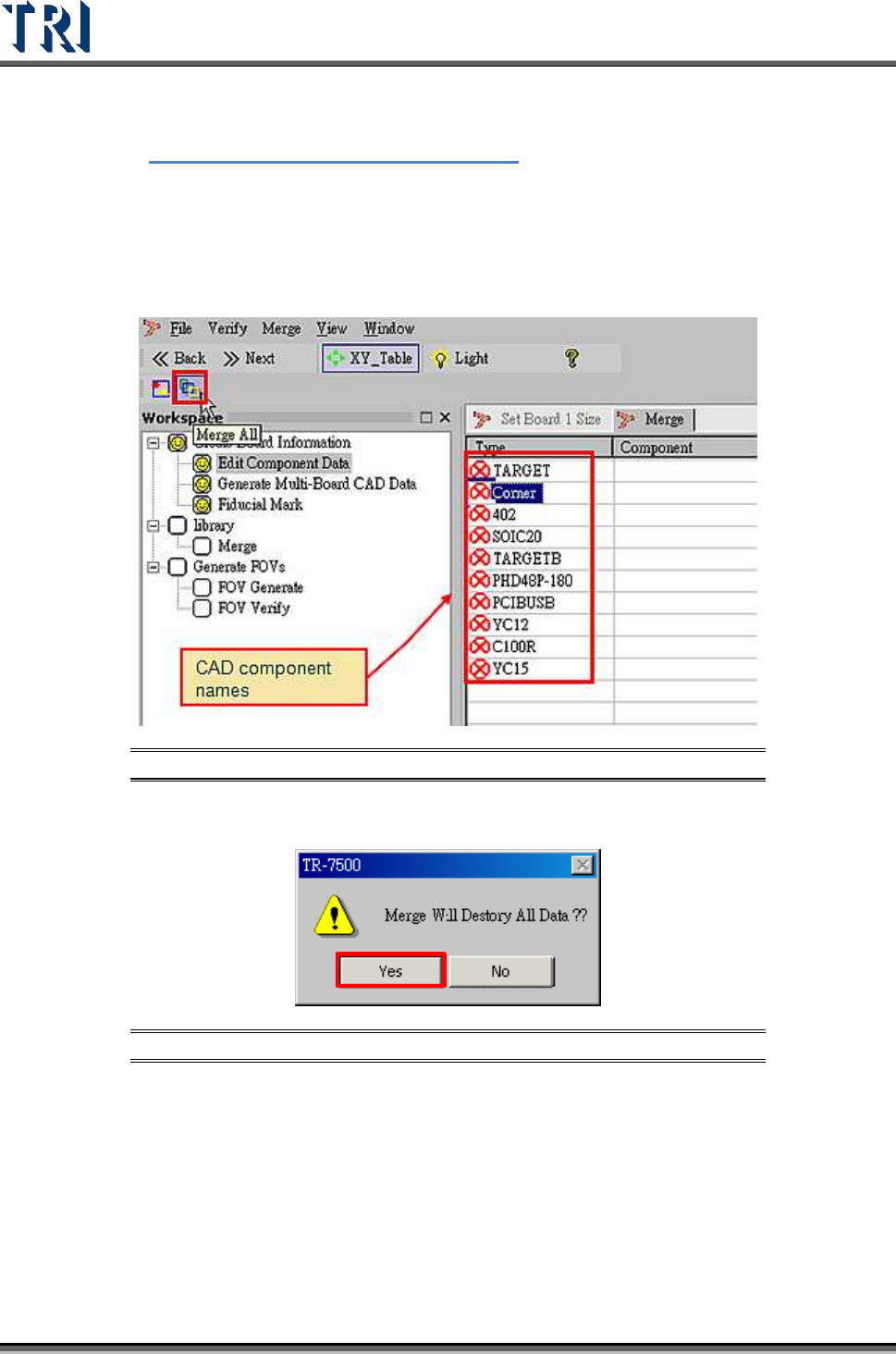
Merge CAD file with component library (component has finished editing).
1. Select [Merge] button.
Figure 57: Select Merge Component Library
2. Warning message before merge component library.
Figure 58: Confirm Merge Function
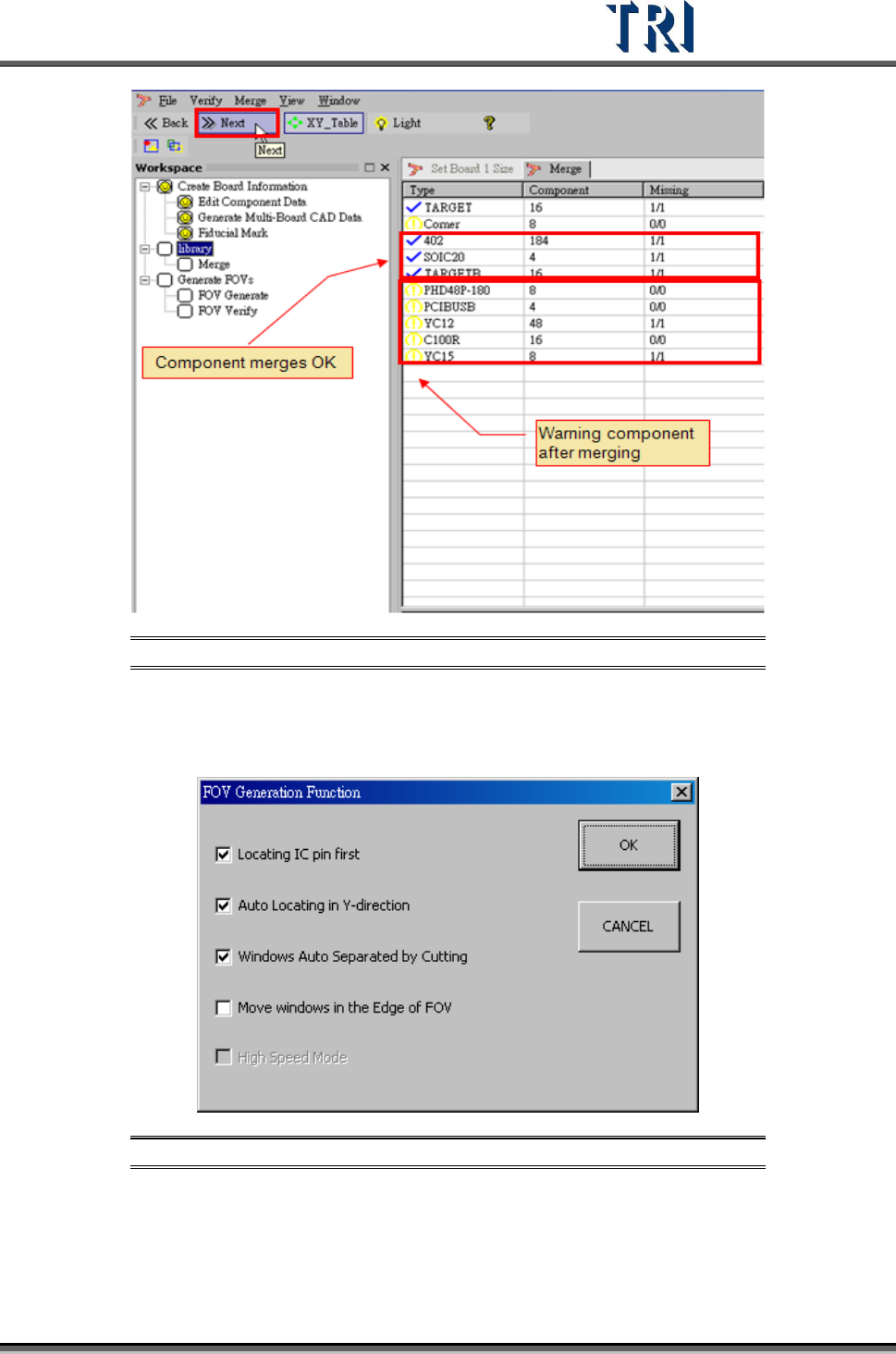
3. Merge finished. CAD device linked with component library.
4. Proceed to next step.
Test Research Inc.
TR7500 Series User Guide –Software v.2.9.0 35
Figure 59: Click Next, Finish Library Merge, Proceed to Generate FOVs
2.10 FOV Generate
1. Set the best FOV distribution rule for AOI inspection.
Figure 60: Set FOV Distribution Rules
There are four functions for FOV generation. The more check boxes selected, the
longer the generation process will take. The functions are:
a. [Locating IC pin first]– It will take fewer FOVs to merge with IC pin windows,
including LEAD and SOLDER.