TR7500_Series_Software_v29_En - 第66页
Test Research Inc. 44 TR7500 Series User Guide – Software v.2.9.0 3 M ENU B AR I NTRODUCT ION 3.1 File Tab Figure 77: TR75 00 Menu B ar – File Tab 3.2 View Tab Figure 78: TR75 00 Menu B ar – View Tab 3.3 Para meter Tab F…
Test Research Inc.
TR7500 Series User Guide –Software v.2.9.0 43
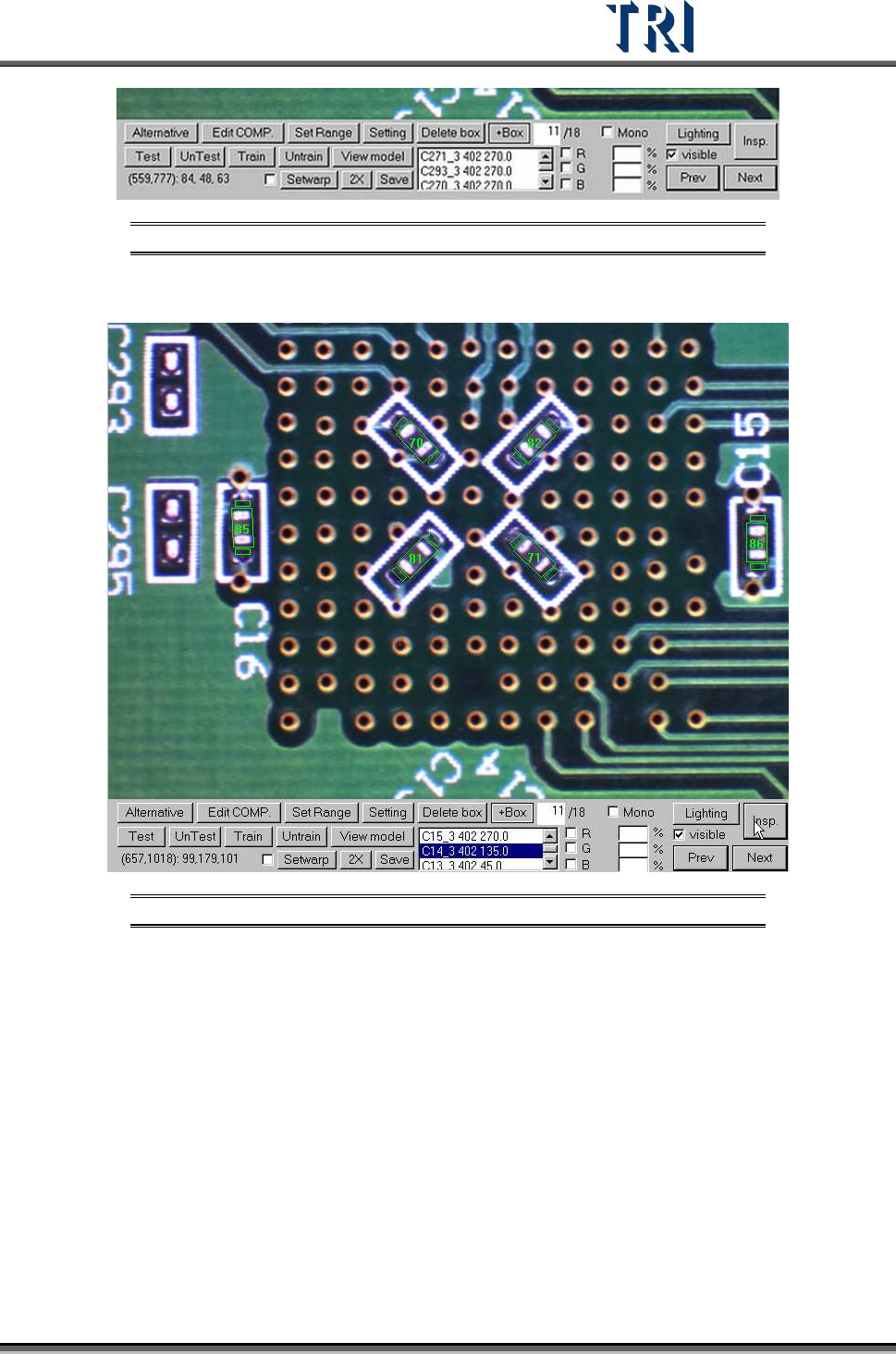
Figure 75: Fine Tuning Functions
6. Press [Insp.] to check the result of tuning.
Figure 76: Press Insp to View Results
7. After all FOVs are tuned well, press [Save prj.] to save the changed project.
8. Press [Close &Stop] to close the result dialog.
9. Choose [Operation/Confirm Mode] and press [Inspect] to inspect whole board by real
time images. Tune the failed images.
10. Do the above actions for several different golden boards as the case may be until the
project is stable.
11. Start to inspect.
Test Research Inc.
44 TR7500 Series User Guide –Software v.2.9.0
3 M
ENU
B
AR
I
NTRODUCTION
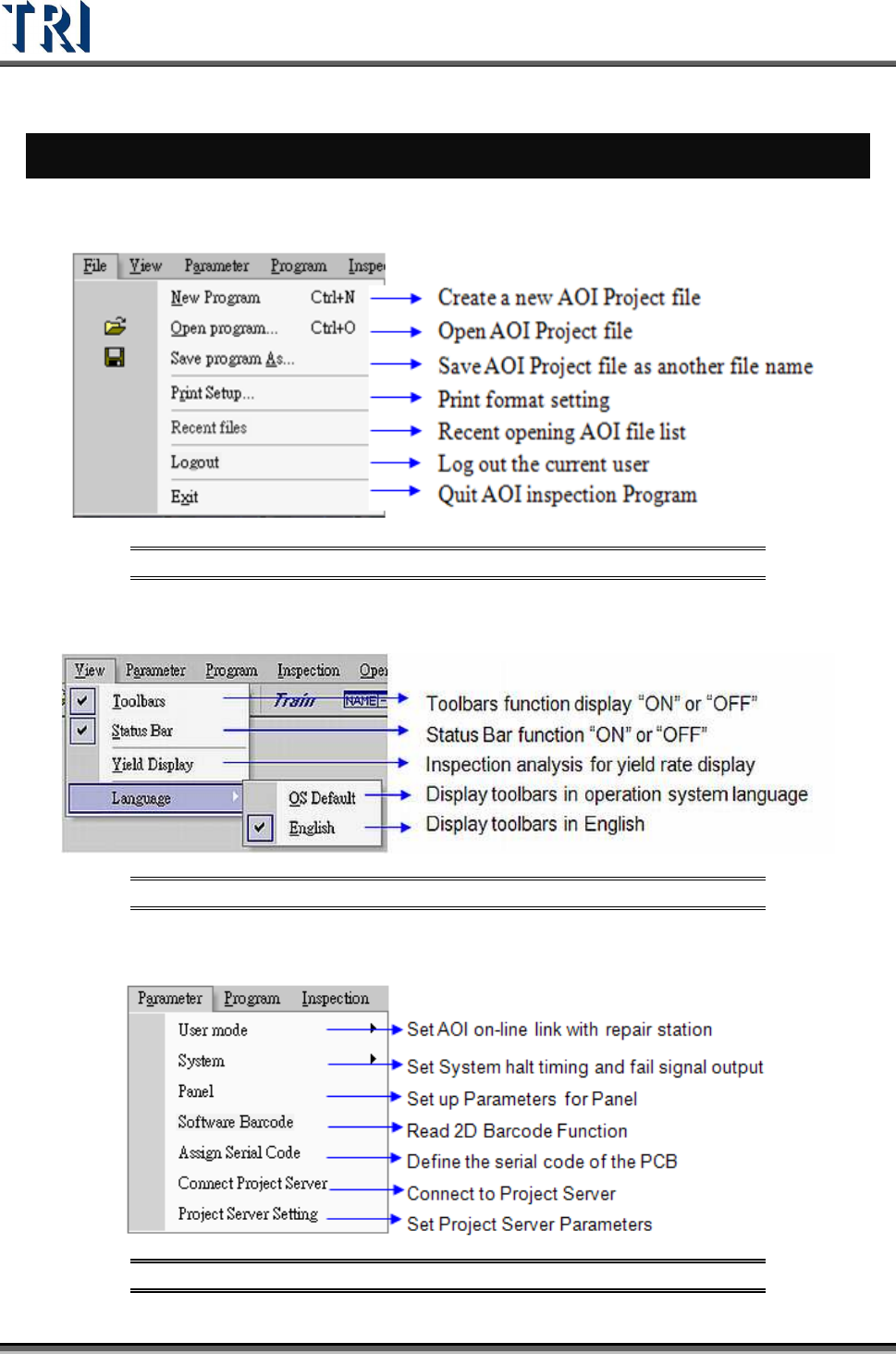
3.1 File Tab
Figure 77: TR7500 Menu Bar – File Tab
3.2 View Tab
Figure 78: TR7500 Menu Bar – View Tab
3.3 Parameter Tab
Figure 79: TR7500 Menu Bar – Parameter Tab
Test Research Inc.
TR7500 Series User Guide –Software v.2.9.0 45
3.3.1 User Mode
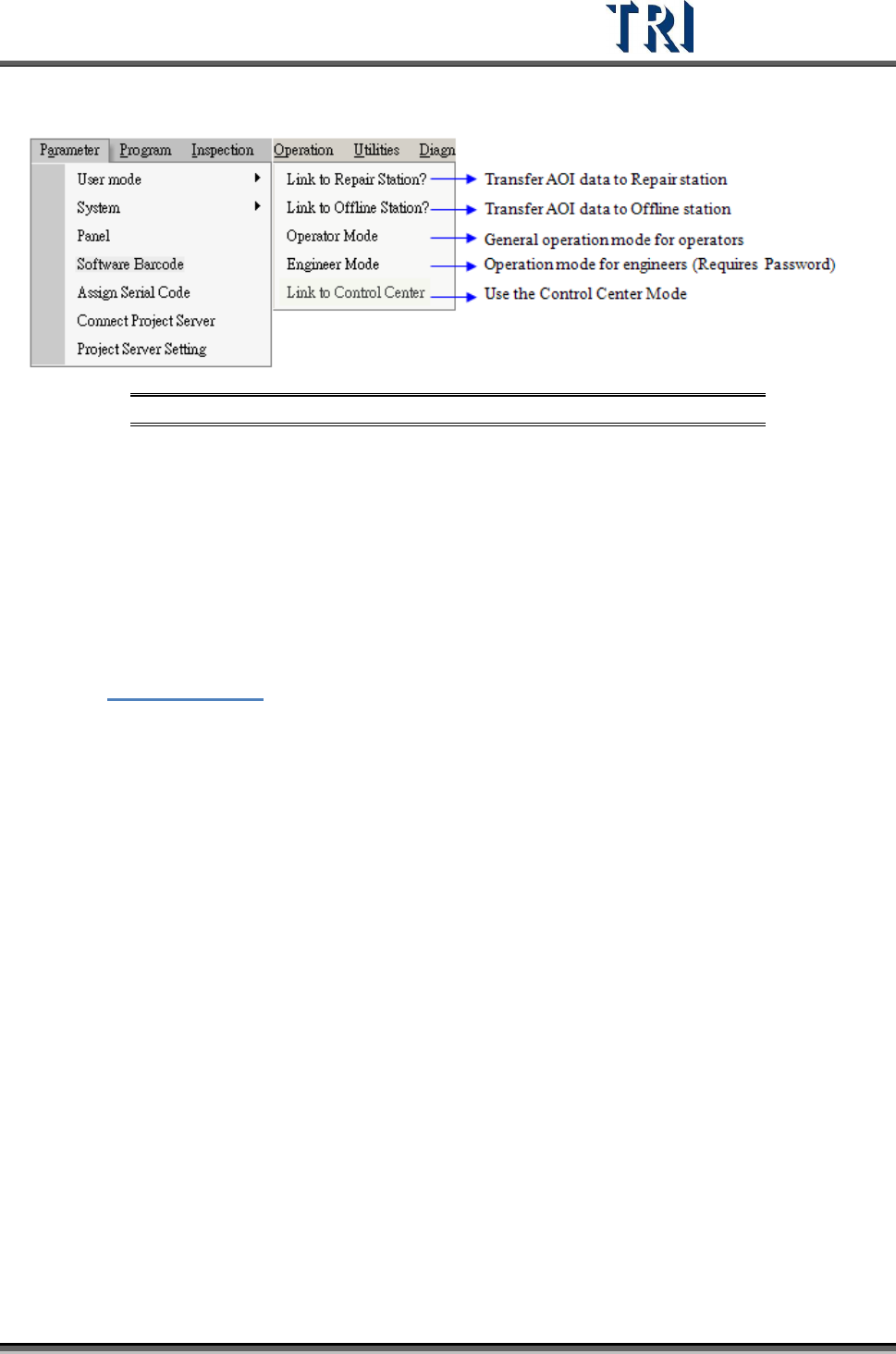
Figure 80: TR7500 Menu Bar – Parameter Tab/User Mode
3.3.1.1 Link to Repair Station?
Check to deliver the test result data to repair station. If the communication between
computers is broken the data will be saved in [C:\AOI_Repair_Data] folder. After the link is
normal the data will be transferred to the repair station automatically.
3.3.1.2 Link to Offline Editor?
Select this item to pass the result to Offline Editor. When [Offline=1] is set in the registry, it
means that the machine is an Offline Editor, the item turns to display [Link to Machine?]. See
Chapter
15 Offline Editor for more information about Offline Editor.
3.3.1.3 Operator Mode/Engineer Mode
Choose [Operator Mode] or [Engineer Mode] to operate the project. The initial setting is the
same as the previous user’s setting. Users cannot edit the project in [Operator Mode], they
can only open or inspect the project. The password of choosing [Engineer Mode] is [7100].
3.3.1.4 Link to Control Center
When [Link to Control Center] is enabled or disabled, the AOI main PC will send a “Reset”
signal to the PLC and Repair Station.
If the result is “PASS”, the board will be sent to the next station; if the result is “FAIL”, the
board will stay in the conveyor behind and wait for the confirmation from Repair Station. If
there is still a board in the conveyor behind after the next board is inspected completely, the
boards will be stuck. The system will send an alarm under the stuck situation until an
operator goes to solve it.
When the board is stuck, take the board away manually to test continuously. If the situation is
complicated, disable [Link to Control Center] then enable it again. The system will be reset
and you can try to inspect it again.