TR7500_Series_Software_v29_En - 第78页
Test Research Inc. 56 TR7500 Series User Guide – Software v.2.9.0 3.3.5 Handy Barcode Scanner Setting This requires a USB- t o-RS232 adapter cabl e. The USB connector has to be connected wi th the main PC and the RS232 c…
Test Research Inc.
TR7500 Series User Guide –Software v.2.9.0 55
trigger is about 2 seconds. Since it’s an independent action for every scanning, the
barcode scanner will read the same barcode twice or more when the scanner reads
the same barcode.
[First In First Out] - means the data on the barcode first read will first be sent out,
while [Last In First Out] means the data last read will first be sent out. [Output By
Barcode Position] means it depends on the barcode position, data near the
Scanner will first be sent out.
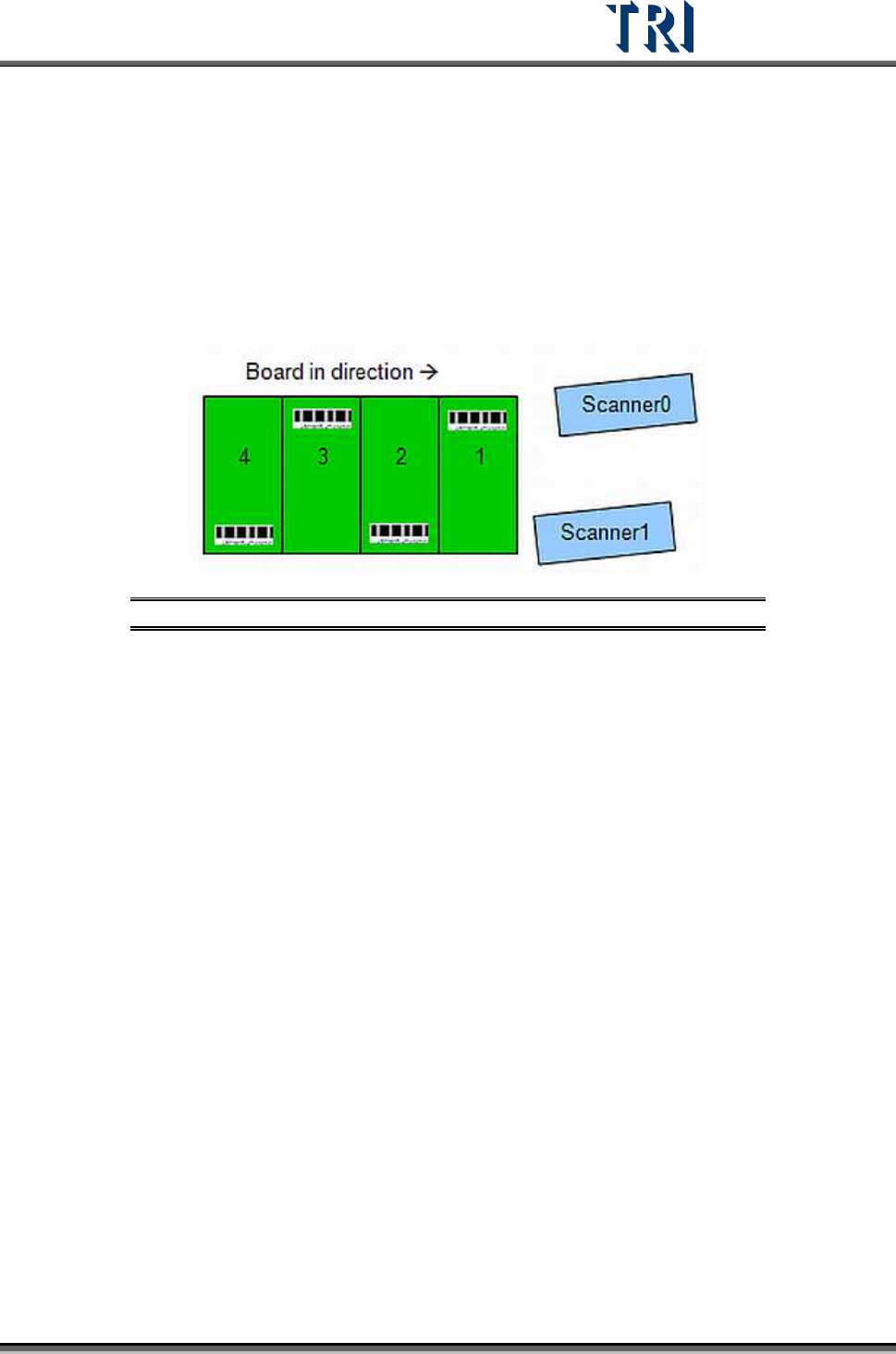
[Interlace Output] - For dual scanners; this should be selected if the barcodes are to
be read in sequence as shown in the following figure.
Figure 99: Interlaced Barcodes, Dual Scanners
Test Research Inc.
56 TR7500 Series User Guide –Software v.2.9.0
3.3.5 Handy Barcode Scanner Setting
This requires a USB-to-RS232 adapter cable. The USB connector has to be connected with
the main PC and the RS232 connector has to be connected with the Handy Barcode
Scanner. In addition, there is a power cable to be connected to the scanner.
1. Set the COM Port to [COM6].
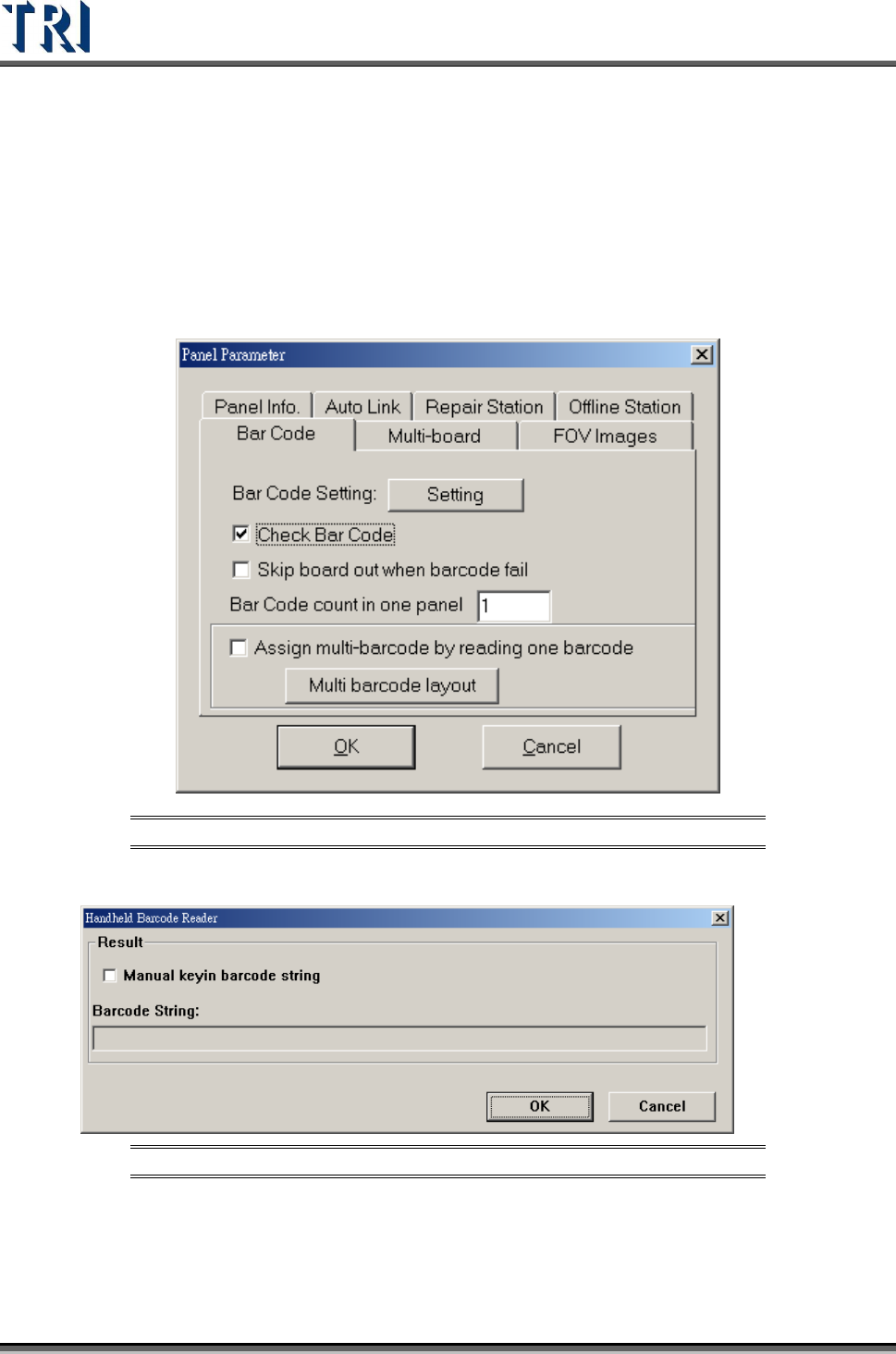
2. Select [Check Barcode] and input the number of the barcode to be read.
Figure 100: Panel Parameter – Bar Code Tab Check Bar Code
3. When system starts to inspect, the following barcode reading window will be displayed.
Figure 101: Barcode Reader Window
4. If [Manual keyin barcode string] is checked, the user can input the barcode by the
keyboard.
5. When the total number of barcode is more than 1, set the number in [Barcode Number]
field. Then press [Reset] to finish the setting.
Test Research Inc.
TR7500 Series User Guide –Software v.2.9.0 57
3.3.6 Multi-Board
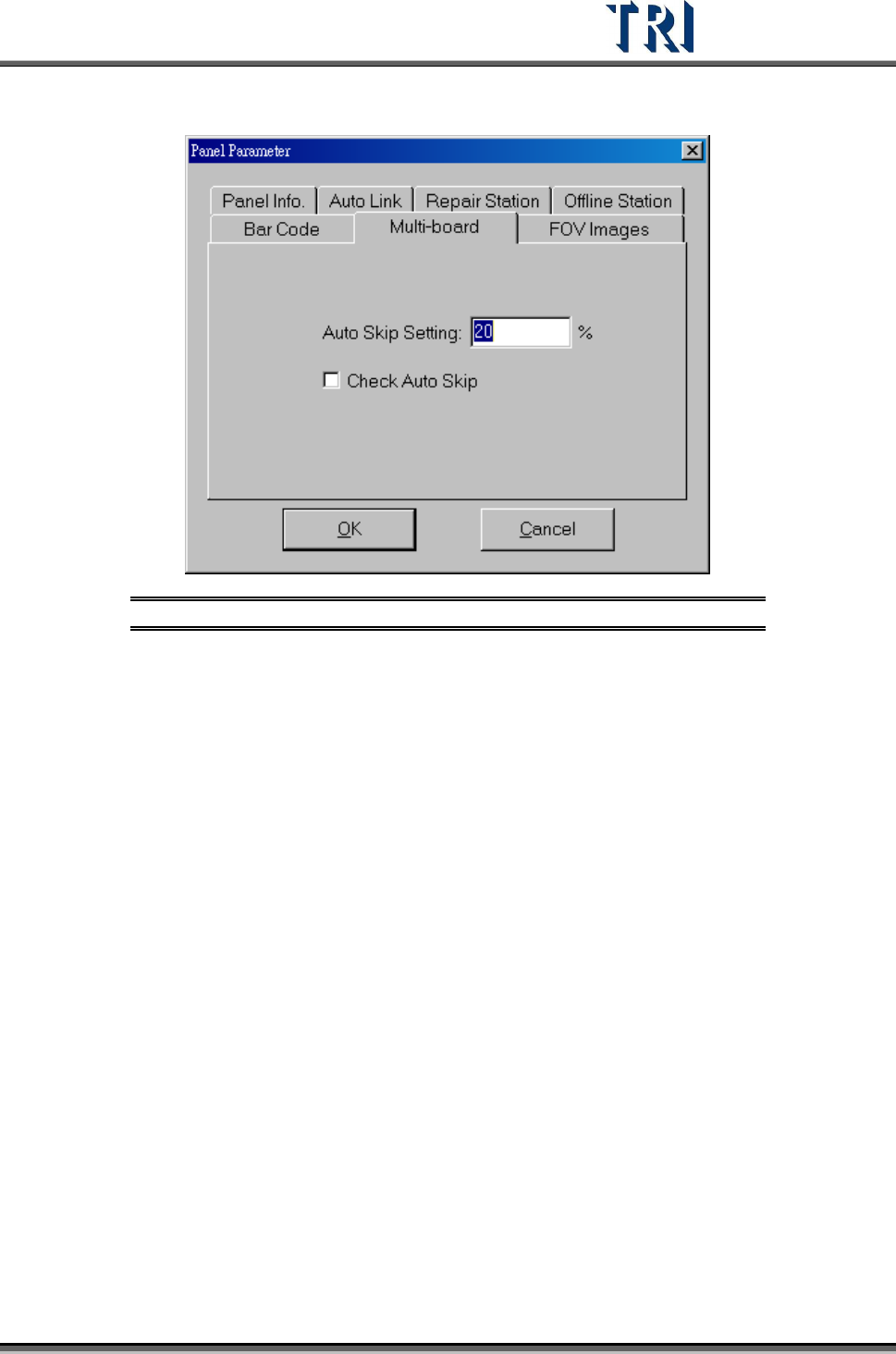
Figure 102: Panel Parameter –Multi-board Tab
[Auto Skip Setting] – Setting the skip ratio. If the ratio of failed points for a panel is
higher than the setting, the panel will be regarded as invalid board. This value
should be set greater in a situation that there are many components and smaller in
a situation that there are few components
[Check Auto Skip] – Enable auto skip function.