TR7500_Series_Software_v29_En - 第84页
Test Research Inc. 62 TR7500 Series User Guide – Software v.2.9.0 3.4.3.1 By Component Typ e Set the pass lev el by component type. After selection the f ollowing w indow appears. Figure 110 : Sample Compo nent List In t…
Test Research Inc.
TR7500 Series User Guide –Software v.2.9.0 61
[Send to Repair] – When this item is selected, the serial number is sent to Repair
Station and located on [BarcodeSN] field.
3.4 Program Tab
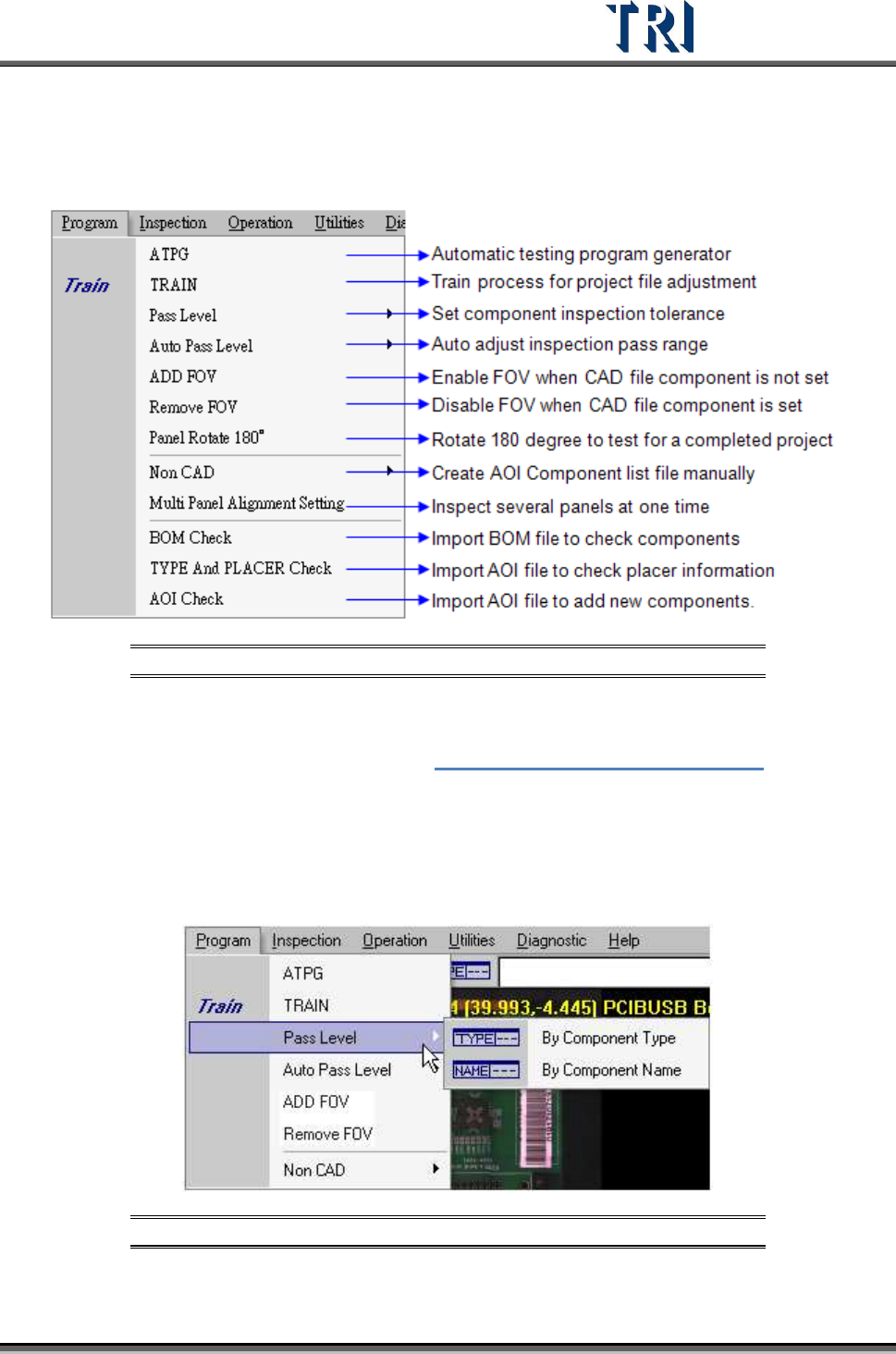
Figure 108: Program Tab
3.4.1 ATPG
Press to enter the [ATPG] flow. See Chapter 4 AOI ATPG Function Instruction.
3.4.2 TRAIN
Press to enter the [Train] dialog.
3.4.3 Pass Level
Figure 109: Program – Pass Level
Test Research Inc.
62 TR7500 Series User Guide –Software v.2.9.0
3.4.3.1 By Component Type
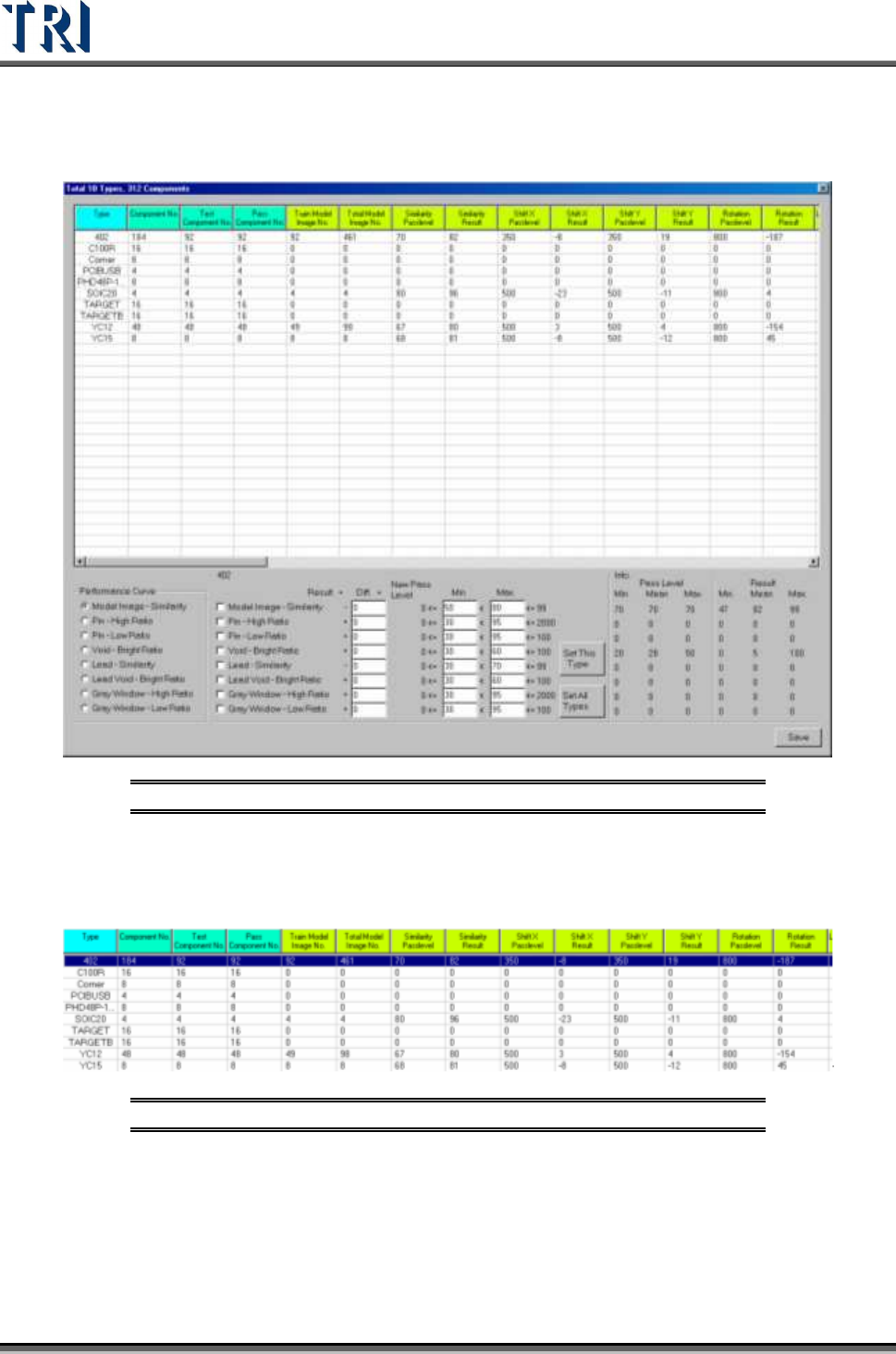
Set the pass level by component type. After selection the following window appears.
Figure 110: Sample Component List
In the table the first four columns display the component information and the following
columns show the information of different inspection boxes. Double click on the inspection
result cell to edit the pass level.
Figure 111: Four Fields to Edit in Component List
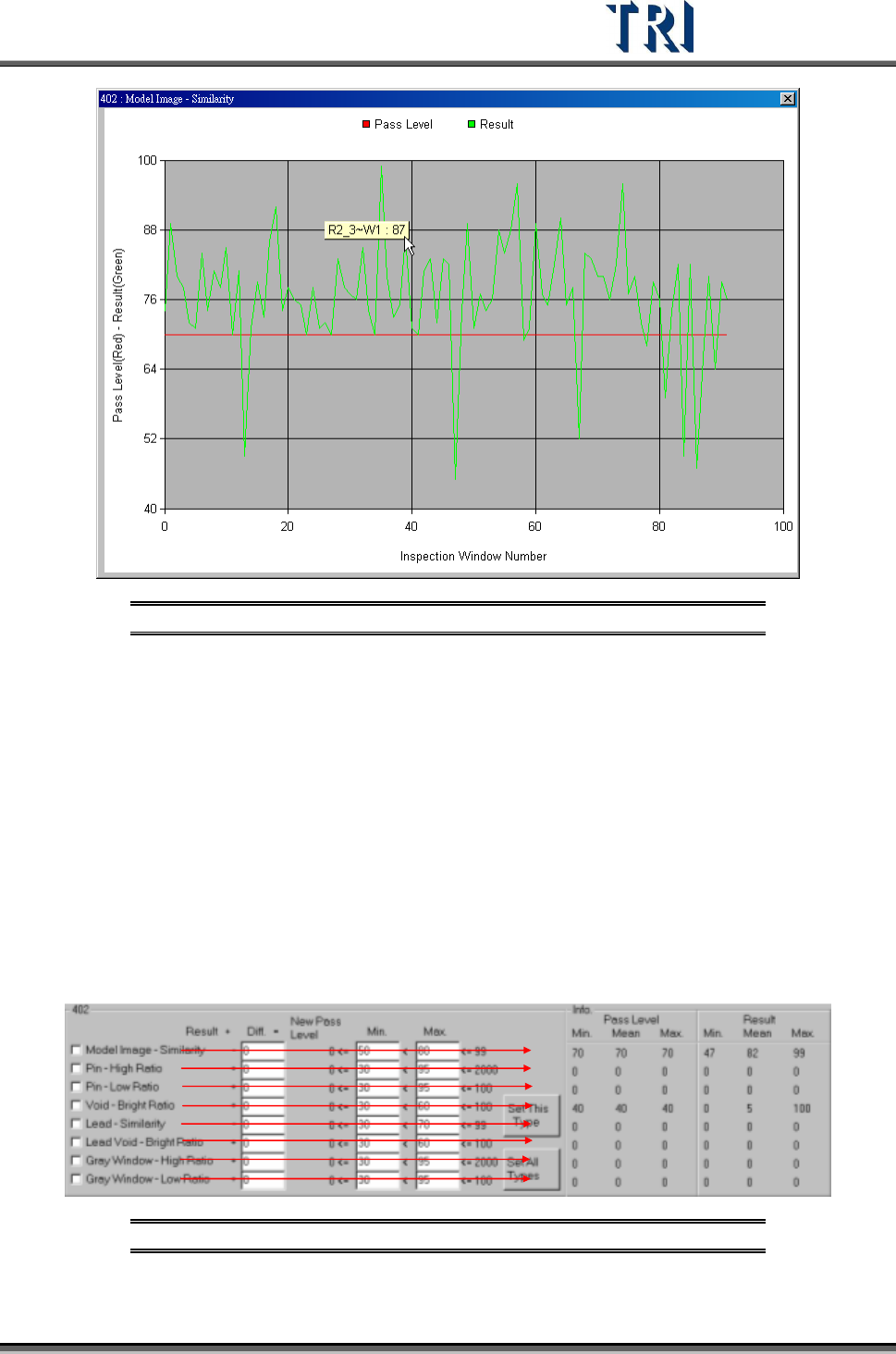
Select a kind of inspection box in [performance curve] and double click on the type name in
table then it will show the result of all components in this type. The horizontal axis is for every
component and the vertical axis means the score. The green points mean the average result
of every component and the red points mean the pass level of every component. Click to
show the component name and score.
Test Research Inc.
TR7500 Series User Guide –Software v.2.9.0 63
Figure 112: Sample Pass Level Graph
Select a type on the table and the information of the type will be listed in [Info.] area. The
meanings are:
[Pass Level Min.] – The minimum of pass level for all components in the selected
type.
[Pass Level Mean] – The average of pass level for all components in the selected
type.
[Pass Level Max.] – The maximum of pass level for all components in the selected
type.
[Result Min.] – The minimum of result for all components in the selected type.
[Result Mean] – The average of result for all components in the selected type.
[Result Max.] – The maximum of result for all components in the selected type.
Figure 113: Detailed Component Information