4000 Bauelemente auf Basis SV 408-01-SP0.pdf - 第25页
SOKO SOKO 4000 Componente / Gantry 05/2006 Edition 25 After successful completi on this window appears: 2 2 Fig. 2.1 1 - 7 Completion scree n 2 : Press „Finish“ to close the dialog. : T o use the SOKO you have to reboot …
SOKO 4000 Componente / Gantry SOKO
05/2006 Edition
24
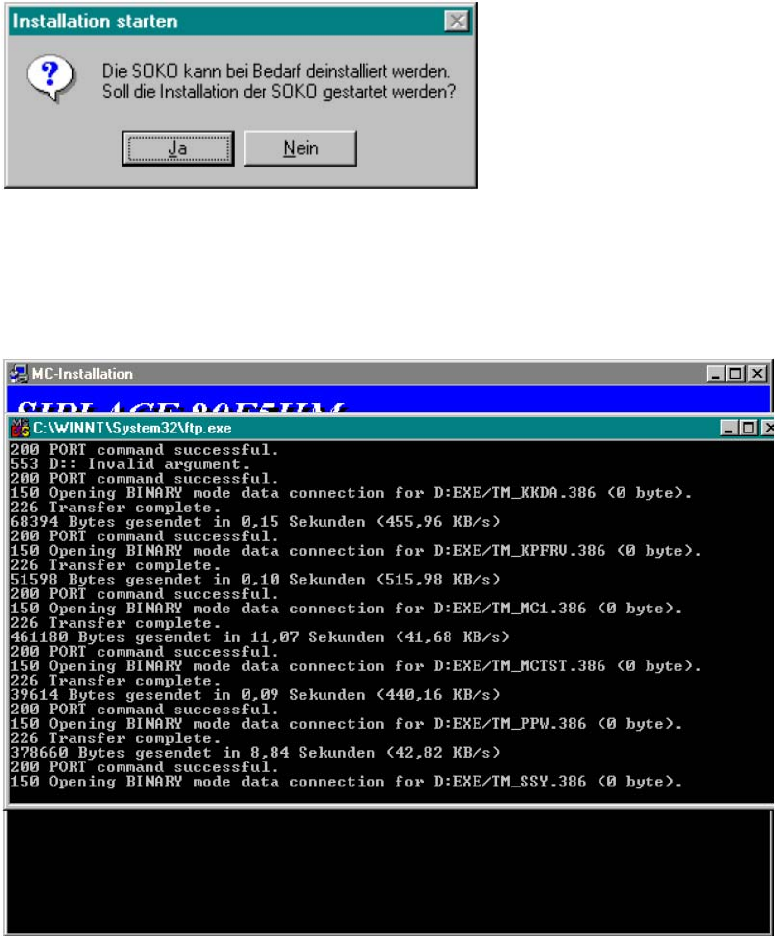
: Press „Ja“ to start the installation.
2
Fig. 2.11 - 5 Start of installation
2
The Installation starts. 2
2
Fig. 2.11 - 6 Installing the SOKO
2
2
2
2
2
SOKO SOKO 4000 Componente / Gantry
05/2006 Edition
25
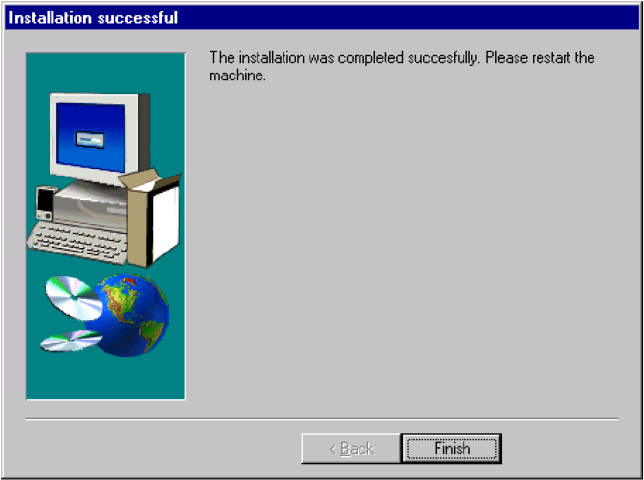
After successful completion this window appears: 2
2
Fig. 2.11 - 7 Completion screen
2
: Press „Finish“ to close the dialog.
: To use the SOKO you have to reboot the machine.
SOKO 4000 Componente / Gantry SOKO
05/2006 Edition
26
2.1.1.2 Deinstallation
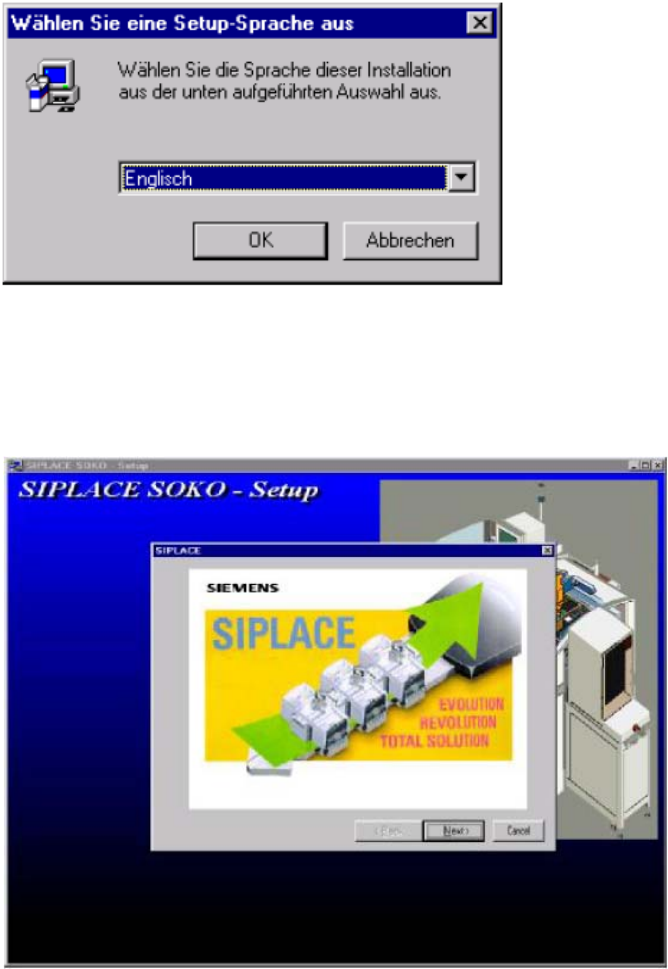
You can choose english or german descriptions for installation. 2
: Select your preferred language and press „OK“.
2
Fig. 2.11 - 8 Language selection
2
: Press „Next“ to reach the registration menu.
2
Fig. 2.11 - 9 Welcome
2
2