4000 Bauelemente auf Basis SV 408-01-SP0.pdf - 第31页
SOKO SOKO 4000 Componente / Gantry 05/2006 Edition 31 2.1.1.3 Inst allation from a remote CD-ROM Drive If the station compu ter you want to install the SO KO on is not equipped with a CD-ROM drive, you 2 can use a remote…
SOKO 4000 Componente / Gantry SOKO
05/2006 Edition
30
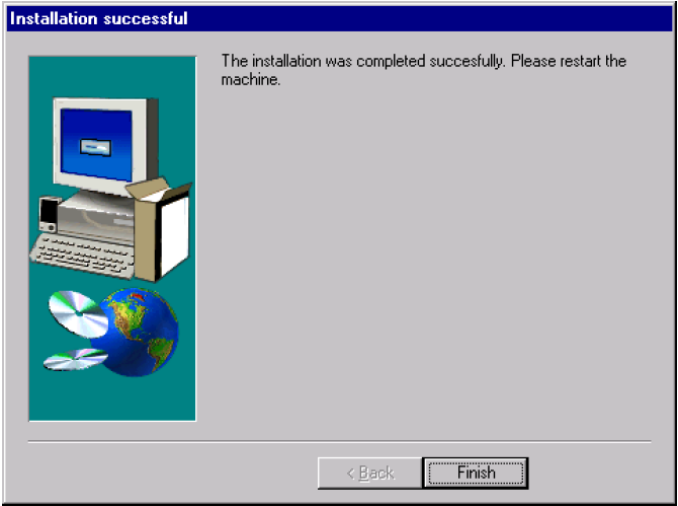
This dialog appears if the SOKO was successfully removed from the machine. 2
2
Fig. 2.11 - 15 Deinstallation completed
2
: Press „Finish“ to close the dialog.
: You have to reboot the machine to apply the changes.
SOKO SOKO 4000 Componente / Gantry
05/2006 Edition
31
2.1.1.3 Installation from a remote CD-ROM Drive
If the station computer you want to install the SOKO on is not equipped with a CD-ROM drive, you 2
can use a remote CD-ROM drive for the installation. 2
The station computer with CD-ROM drive must share the CD-ROM. Follow these steps: 2
Dazu gehen Sie wie folgt vor: 2
: Log in as Administrator.
: Put the CD into the drive.
: Start the Windows NT Explorer (Start -> Programs -> Explorer.
: Right click the CD-ROM icon.
: Choose the entry „share“.
: Share the drive.
2
: Connect the station computer on which you want to install the SOKO, with the station computer
which shares the CD-ROM drive.
Use the „connect drives“ of the Windows Explorer.
: Start the file „setup.exe“ in the directory „SOKO“ of the CD.
The installation proceeds over the network.
2
2
2
SOKO 4000 Componente / Gantry SOKO
05/2006 Edition
32