00193325-01.pdf - 第101页
SIPLACE S oftware Guide SR.503.xx Issue 12/01 E N 7.6 "T raceability" Option 101 7.6.3.2 Settings in "Conf iguring T raceability" Menu In the menu Options => Configu re T rac eability of th e SIPLA…
SIPLACE Software Guide SR.503.xx
7.6 "Traceability" Option Issue 12/01 EN
100
7.6.3 User Interface Settings
7.6.3.1 Machine Options Settings
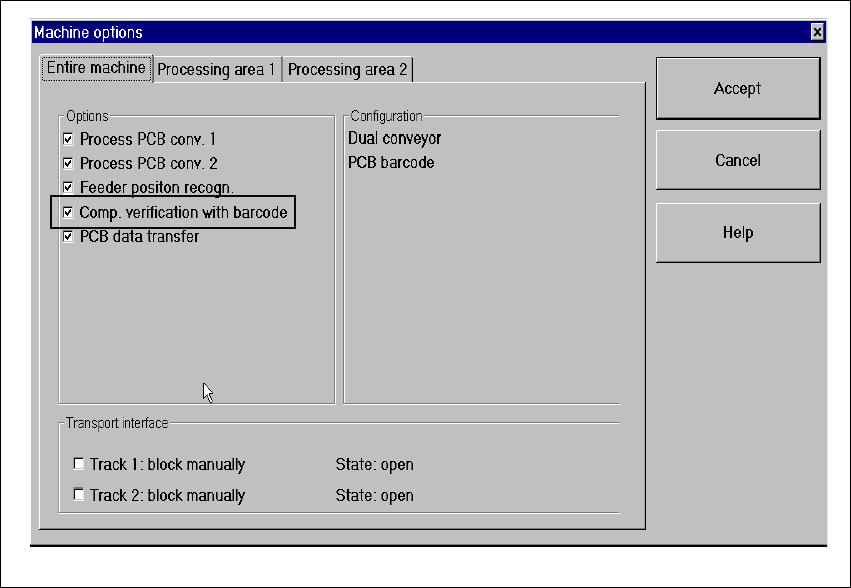
In order to operate Traceability or Setup Control, the "Setup control with barcode" setting in the
machine’s options must be activated. 7
Fig. 7.6 - 1 Dialog: Machine Options – Setup Control with Barcode
SIPLACE Software Guide SR.503.xx
Issue 12/01 EN 7.6 "Traceability" Option
101
7.6.3.2 Settings in "Configuring Traceability" Menu
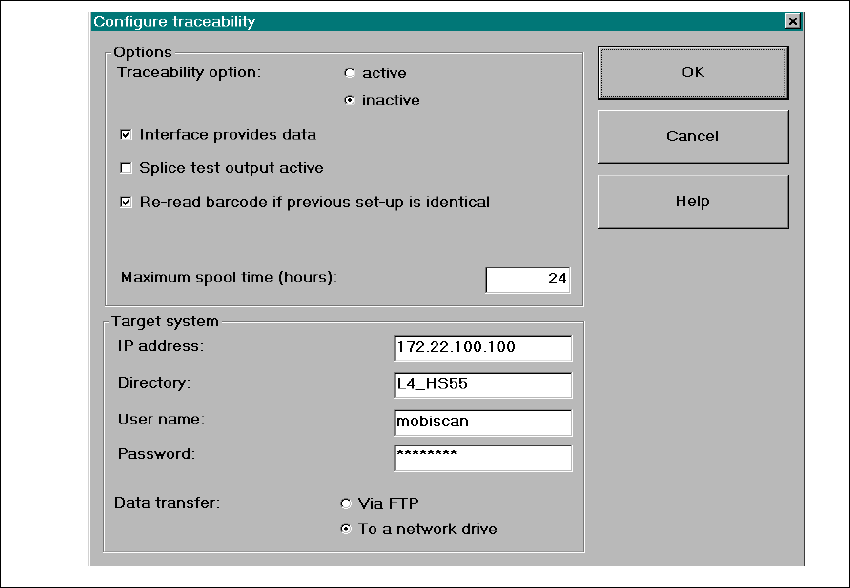
In the menu Options => Configure Traceability of the SIPLACE user interface, the operator can
change the Traceability settings. Refer to the Online Help for a description of the parameters. 7
Fig. 7.6 - 2 Dialog: Configuring Traceability

SIPLACE Software Guide SR.503.xx
7.7 "Long Printed Circuit Board" Option Issue 12/01 EN
102
7.7 "Long Printed Circuit Board" Option
7.7.1 Purpose
The "Long printed circuit board" option allows you to process overlength printed circuit boards (up
to a length of 610mm). 7
7.7.2 Description
NOTE:
Please refer to the UNIX Line Computer Operating Guide and the Operating Guide for the
respective machine for a detailed description. 7
7