00193325-01.pdf - 第11页
SIPLACE S oftware Guide SR.503.xx 1 Preface Issue 12/01 E N 1.2 Structure of the software guide 11 1.2 S tructure of t he sof tw are guide This softw are guide contains th e follow ing chap ters: 1 Preface 1 The Prefac e…
1 Preface SIPLACE Software Guide SR.503.xx
1.1 General Issue 12/01 EN
10
1
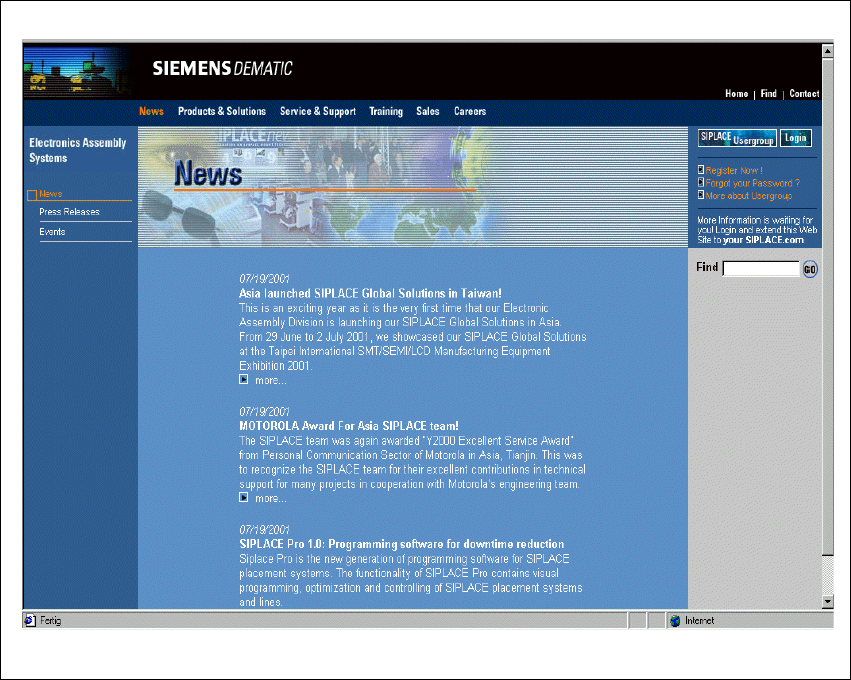
Fig. 1.1 - 1 SIPLACE home page
The various topics include information on the following 1
– our products
– our services
– the people to contact etc.
In addition to this, registered customers also have access to the SIPLACE User Group. Here you
can call up specialized information about our placement machines, for example 1
– technical documentation
– technical information
– lists of spare parts etc.
Registration for access to the User Group is very simple: 1
Click the icon Register Now!.
Fill in the registration form and send it off.
You will receive a USER ID and a password which entitles you to access. 1
SIPLACE Software Guide SR.503.xx 1 Preface
Issue 12/01 EN 1.2 Structure of the software guide
11
1.2 Structure of the software guide
This software guide contains the following chapters: 1
Preface 1
The Preface gives you an overview of the structure of the software guide. It also gives information
about user classification system. 1
Introduction and basic terms 1
This chapter describes the abbreviations used, the indicators of a SIPLACE machine and the sys-
tem components of a SIPLACE line. 1
Graphical user interface 1
This chapter provides information about the graphical user interface of the software and its struc-
ture (overview of the main view in the form of a flow chart). 1
Switching the SIPLACE line on and off 1
This chapter contains information about switching a SIPLACE line on and off. 1
Error information and TSS 1
This chapter indicates how the error information produced by the error diagnostics system can be
used. It also describes how to enter and store personal notes about errors. And how the
menu-controlled TSS provides support when identifying and analyzing errors. 1
Online help system 1
This chapter describes how to use the online help system. 1
Station extensions/software 1
Here you will find a description of how to use the remote service option and a short description of
all software options. 1
New functionality 1
Here you will find a listing of new functionality and a short description about. 1
Software installation 1
This chapter contains notes about the software installation process. 1

1 Preface SIPLACE Software Guide SR.503.xx
1.3 User classification Issue 12/01 EN
12
1.3 User classification
The operating software is structured in such a way that certain functions or menus can only be
carried out/called by specially trained staff. The following different types of user exist: 1
– operators
– line engineers
– service engineers.
The access to each class can be password-protected. 1
The operator 1
The operator class consists of all members of staff that have been trained to use the machines.
They are able to carry out functions within the framework of the operating functions of the ma-
chine, or to call the menus required to operate the machine. 1
The line engineer 1
The line engineer has completed a special training course, and is authorized to carry out tasks
such as the creation of set-up configurations and determination of vision parameters etc. 1
The service engineer 1
Persons of this class have been trained to carry out servicing work and to set up machines and to
change the set-up of machines. 1
WARNING
Only people with the appropriate training for the specific piece of software may carry out tasks on
the machine. All tasks must be carried out by trained and qualified members of staff. All warning,
caution and danger notes must be observed! 1
NOTE: We would like to draw you attention to the fact that the contents of this software guide
are not part of an previous or existing agreement, commitment or legal agreement, nor is this in-
tended to modify one of the above. All obligations of the company Siemens Dematic AG may be
taken from the appropriate sales contract, which also contains complete and valid warranty agree-
ments. These contractual statements are neither extended nor restricted by this software guide.1