00193325-01.pdf - 第112页
9 Software installation SIPLACE Software Guide SR.503.x x 9.2 Installing the 503.xx station software Issue 12/01 EN 112 9.2.7 Selecting additional component s This is fo r the uni nterrup tible power sup ply for the stat…
SIPLACE Software Guide SR.503.xx 9 Software installation
Issue 12/01 EN 9.2 Installing the 503.xx station software
111
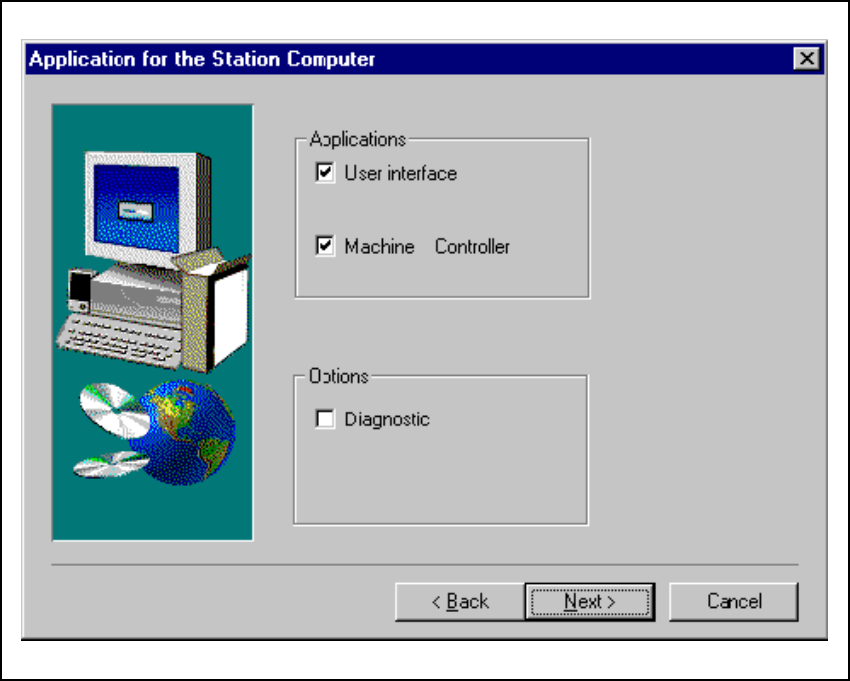
9.2.6 Applications for the placement machine
In the following screen, you must check the program packages you wish to install. 9
Fig. 9.2 - 6 „Application selection“ dialog
Click the Next button. Select the machine type in the following dialog box. 9
SIPLACE HS-50 9
SIPLACE S-25 HM 9
9
9 Software installation SIPLACE Software Guide SR.503.xx
9.2 Installing the 503.xx station software Issue 12/01 EN
112
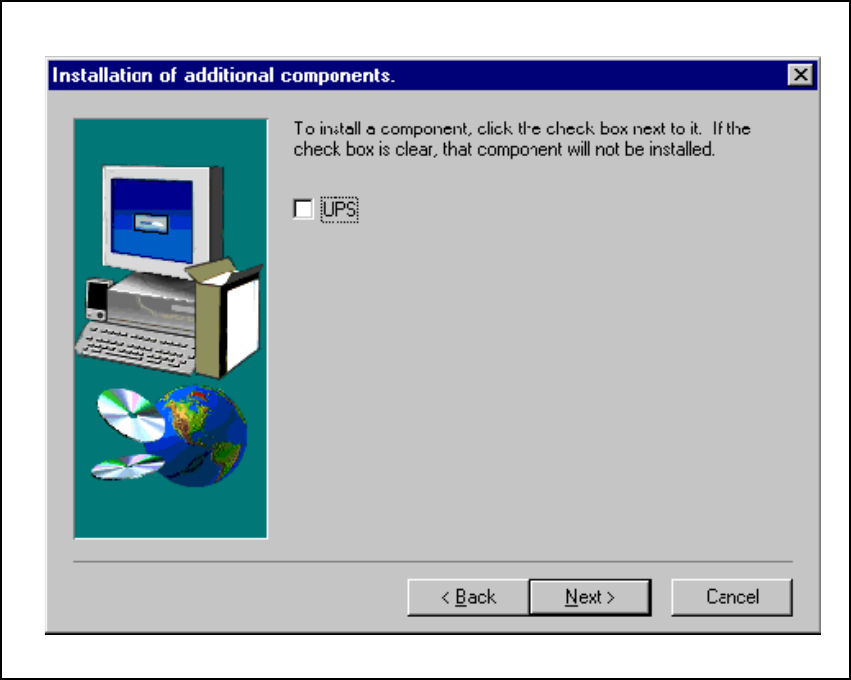
9.2.7 Selecting additional components
This is for the uninterruptible power supply for the station computer. 9
9
Fig. 9.2 - 7 Component selection
SIPLACE Software Guide SR.503.xx 9 Software installation
Issue 12/01 EN 9.2 Installing the 503.xx station software
113
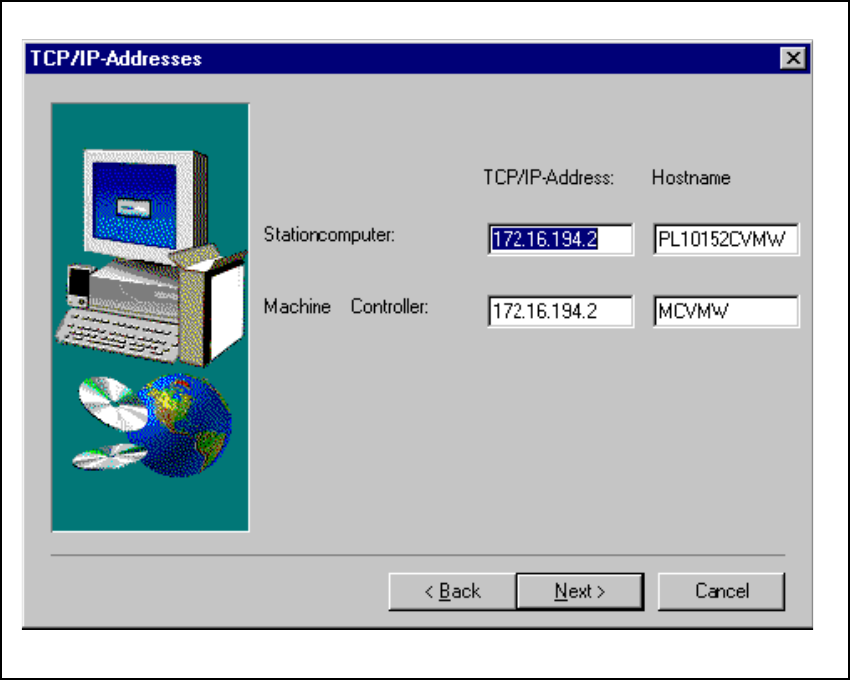
9.2.8 TCP/IP addresses
The next thing to do is to enter the TCP/IP addresses of the computer in your SIPLACE placement
machine. 9
The default addresses for your machine can be found on the stickers on the station computer. 9
9
Fig. 9.2 - 8 TCP/IP addresses