00193325-01.pdf - 第55页
SIPLACE S oftware Guide SR.503.xx 3 Graphical user i nterface Issue 12/01 E N 3.3 User interface - views and menus 55 3.3.2.5 „Language“ menu It is possi ble to set the l anguage versi ons for t he user interfac e integr…
3 Graphical user interface SIPLACE Software Guide SR.503.xx
3.3 User interface - views and menus Issue 12/01 EN
54
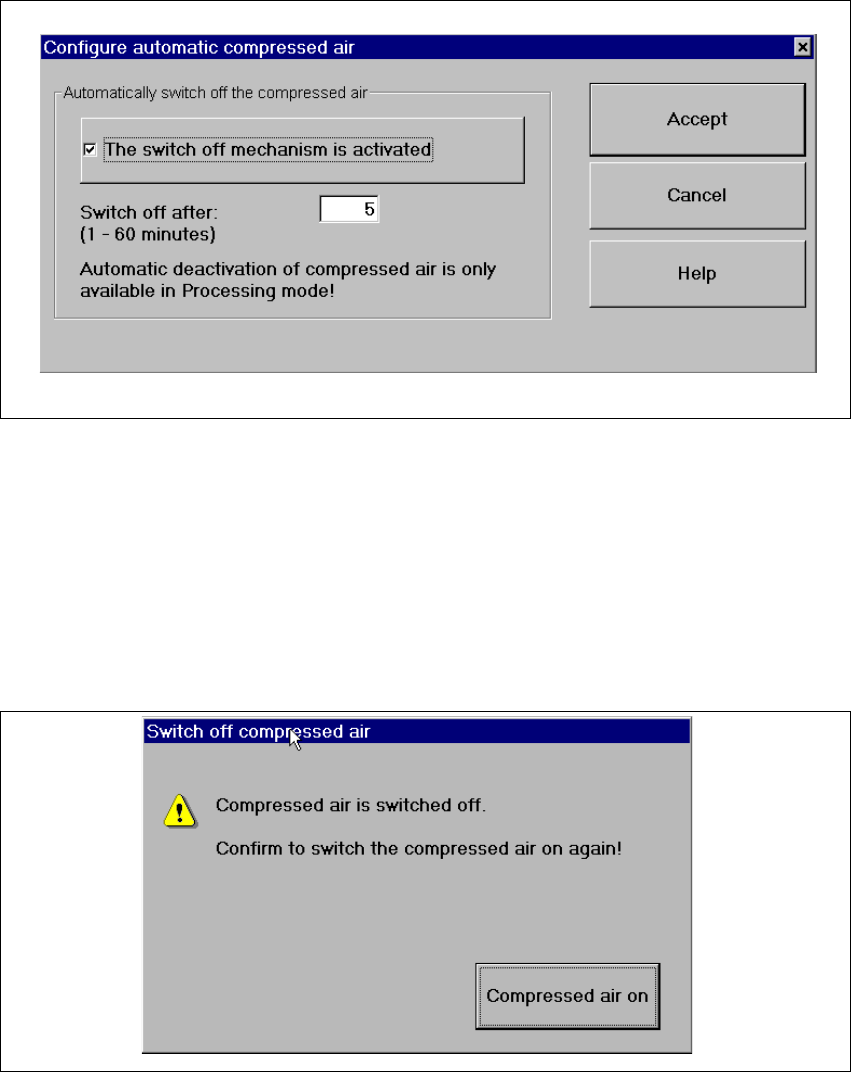
Click the Configure compressed air deactivation... menu item.
This displays the following window.
3
Fig. 3.3 - 17 "Configure compressed air deactivation" dialog box
Activate/deactivate the check box for the automatic deactivation.
Click Accept to save the settings.
3
Click the Switch off compressed air... menu item. (This function is only possible if the ma-
chine is in the „Processing suspended“ status.)
This displays the following window.
3
Fig. 3.3 - 18 "Switch off compressed air" window
Activate the Compressed air on button.
The compressed air is reactivated.
SIPLACE Software Guide SR.503.xx 3 Graphical user interface
Issue 12/01 EN 3.3 User interface - views and menus
55
3.3.2.5 „Language“ menu
It is possible to set the language versions for the user interface integrated into the station com-
puter software via the „Language“ menu.
The user interface can be changed to a different language from any view.
You can choose between „German“ and „English“. 3
Click the menu item corresponding to the required language.
The user interface texts are displayed in the selected language.
It is possible to extend the range of languages available using a language CD to install addi-
tional languages.

3 Graphical user interface SIPLACE Software Guide SR.503.xx
3.3 User interface - views and menus Issue 12/01 EN
56
3.3.2.6 "Help" menu
This menu gives you access to all the functions required to call the help system as well as general
information concerning the station computer or the software. 3
Contents Ctrl+F1 3
This calls the on-line help system. 3
Help Alt+F1 3
This calls the help system and displays information about the current view. 3
Use help 3
Information on how to use the Help system is displayed. 3
Info... 3
This displays information on the currently installed software version (SC version), the service
pack, the language CD and general information on the station computer. 3
NOTE
You can use the button (bottom right) to call the Online Help system from within any view of
the user interface.
This calls the help system for the current view.
A detailed description of the functions in the Help menu can be found in Chapter 6. 3
Click the required menu item in the "Help" menu or press the corresponding key combination.
3