00193325-01.pdf - 第65页
SIPLACE Software Guide SR.503.xx 4 Switching the SIPLACE line on and off Issue 12/01 E N 4.2 Switching off the SIPLACE line 65 4.2 Switching off the SIPLACE line CAUTION Before you switch o ff the line, AL WA Y S make su…
4 Switching the SIPLACE line on and off SIPLACE Software Guide SR.503.xx
4.1 Switching on the SIPLACE line Issue 12/01 EN
64
4
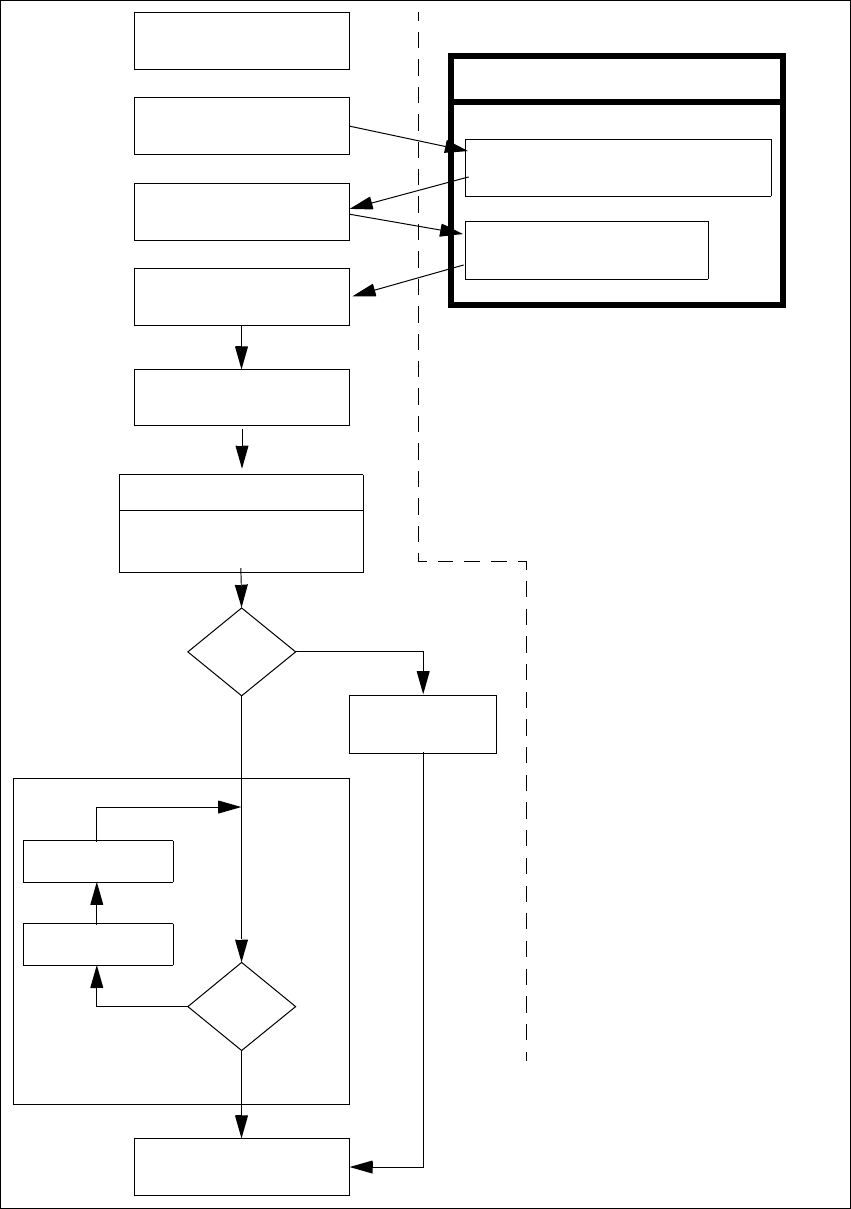
Fig. 4.1 - 3 "Switching on the SIPLACE line" flow chart
Nozzle check
If necessary, change
nozzle configuration
Test set-up
Set tracks to full
No
Line computer tasks
Load cluster data
Fiducials
OK?
Make settings on the machine
Set-up generator appears
Check the set-up
(attach feeder modules)
Switch on
Wait for PCB
Introduce PCB
Track errors
Yes
Abort
placement
No
PCB to output conv.
Yes
Station computer
Bold type:
Italic type:
To be carried out by the
operator
Carried out or signaled
by the station
Confirm the
set-up generator

SIPLACE Software Guide SR.503.xx 4 Switching the SIPLACE line on and off
Issue 12/01 EN 4.2 Switching off the SIPLACE line
65
4.2 Switching off the SIPLACE line
CAUTION
Before you switch off the line, ALWAYS make sure that: 4
– All placement operations on the stations have been completed
– The z-axis of all placement heads are in the top end position
– None of the placement heads still contain components
– All gantries have moved into the standby position
– The station computers have been properly shut down.
4.2.1 Switching off the line computer (UNIX)
CAUTION
NEVER just switch off the line computer at the power switch (UPS).
ALWAYS shut down the operating system of the line computer with „Shutdown“. Otherwise you
will almost certainly lose a lot of data and may even need to reinstall the line computer software.4
Position the mouse at the right or lower edge of the screen.
The cursor will change into a cross.
Press and hold down the left mouse button. The main menu appears.
Move the mouse cursor onto the 'Shutdown' menu item and then release the mouse button.
The following dialog box appears on screen:
Click Yes. The dialog box closes and the operating system is shut down. This operation takes
around 1 minute. The following message then appears:
Switch off the UPS.
Really shutdown?
Yes No
** Safe to Power Off **
-or-
** Press Any Key to Reboot **

4 Switching the SIPLACE line on and off SIPLACE Software Guide SR.503.xx
4.2 Switching off the SIPLACE line Issue 12/01 EN
66
4.2.2 Switching off Siplace Pro (Windows NT)
Select Item --> Exit from the SIPLACE Pro menu bar.
Close all other programs on the computer.
Select Shutdown from the Windows Start menu.
4.2.3 Switching off the stations
Proceed as follows to switch off the station: 4
Terminate all placement operations.
Check to make sure that the z-axes of all placement heads are in the top end position.
Check to see if there are components in the placement heads and, if necessary, remove.
If necessary, move all gantries to the waiting position with the help of the corresponding gantry
functions (see the user manual for your machine).
NOTE
Gantries are usually moved automatically to the waiting position. 4
Shut down properly the operating system of the station PC.
Now switch off the station at the main switch.
4.2.4 Starting stations which have already been powered up after shutting down
the line computer
If the stations remain switched on after shut down of the line computer, and the line computer has
been restarted, the computer then reconnects to the stations (synchronous restart). 4