00193325-01.pdf - 第91页
SIPLACE S oftware Guide S R.503.xx 7 Station extensions/software Issue 12/01 E N 7.1 "Remote Support" option 91 7.1.5.2 Connecting t he ISDN router to the customer’ s site L AN The adv antage of this alternat i…
7 Station extensions/software SIPLACE Software Guide SR.503.xx
7.1 "Remote Support" option Issue 12/01 EN
90
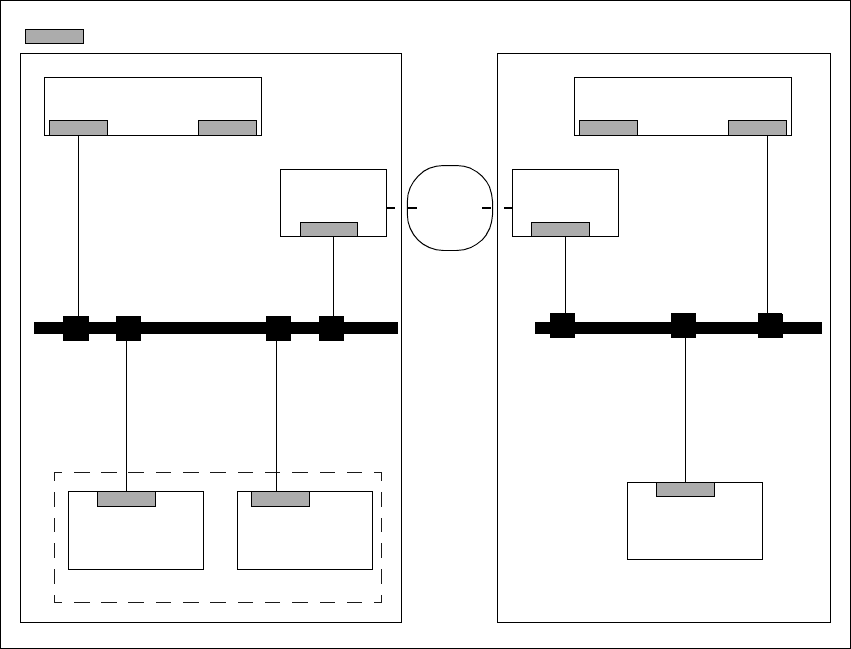
7.1.5.1 Connecting the ISDN router to the local SIPLACE-LAN
This option is used when there is no site LAN available at the customer’s premises.
The customer will not need to implement any additional data security measures. 7
7
Fig. 7.1 - 1 Connecting the ISDN router to the local SIPLACE-LAN
Line computer
(LC)
Router
Station com-
Machine
controller
SIPLACE
LAN
Router
Station com-
LAN
Line computer
(LC)
Customer placement line Service dept.
ISDN
Network
= LAN card
SIPLACE Software Guide SR.503.xx 7 Station extensions/software
Issue 12/01 EN 7.1 "Remote Support" option
91
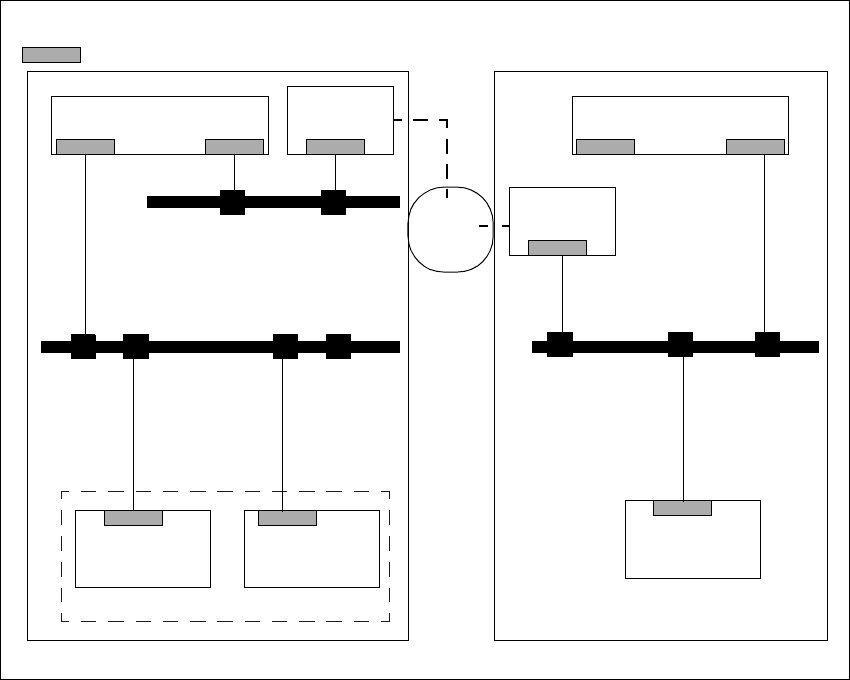
7.1.5.2 Connecting the ISDN router to the customer’s site LAN
The advantage of this alternative is that several placement lines can be addressed via a single
router. 7
7
Fig. 7.1 - 2 Connection to the customer’s site LAN
7.1.6 Procedure and Operation
Contact the appropriate service center (Munich, Norcross or Singapore).
Follow the instructions given by the engineer.
Line computer
(LC)
Router
Station com-
Machine
controller
SIPLACE
LAN
Router
Station com-
LAN
Line computer
(LC)
Service point
Central customer site network
= LAN card
Customer placement line
ISDN
Network

7 Station extensions/software SIPLACE Software Guide SR.503.xx
7.2 Test program „SITEST“ Issue 12/01 EN
92
7.2 Test program „SITEST“
7.2.1 Purpose
This test program is used to calibrate or set up SIPLACE machines. 7
7.2.2 Description
NOTE:
Please refer to the SITEST Software Guide and the Online Help for a detailed description. 7