Infinity DI.pdf - 第16页
INFINITY TECHNI CAL REFEREN CE DRI VES AND SEN SORS Chapter Issu e 4 Aug 01 Infinity Dual Imag e Manual 1.11 DRIVES AND SENSORS Drives Senso rs Name T ype Contr ol Card Functio nal Descrip t ion Screen Load Stepper 13 M1…
1.10 Infinity Dual Image Manual Chapter Issue 4 Aug 01
INFINITY
TECHNICAL REFERENCE
MECHANICAL DETAIL
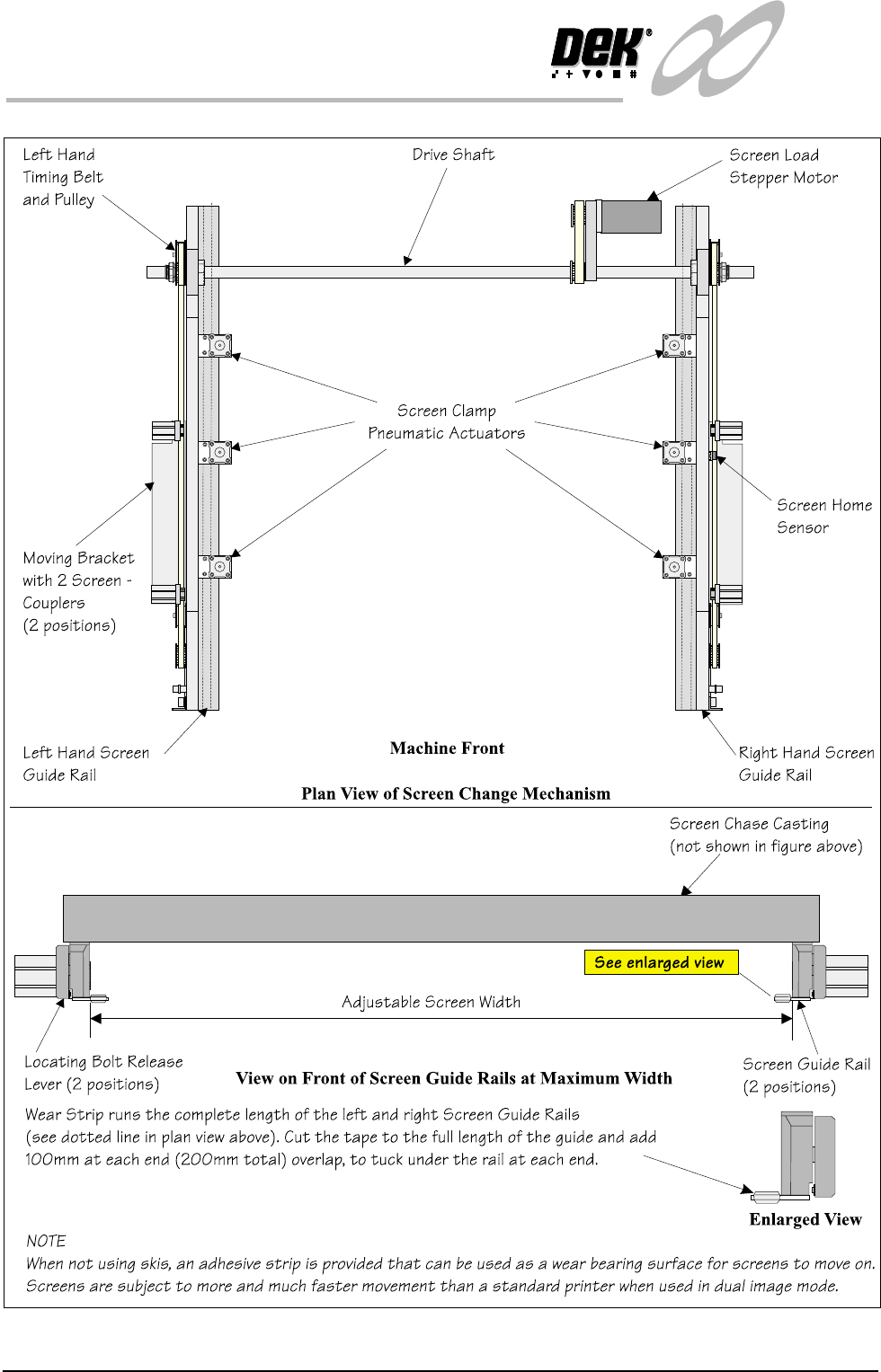
Figure 1-7 Screen Change Overview
INFINITY
TECHNICAL REFERENCE
DRIVES AND SENSORS
Chapter Issue 4 Aug 01 Infinity Dual Image Manual 1.11
DRIVES AND SENSORS
Drives
Sensors
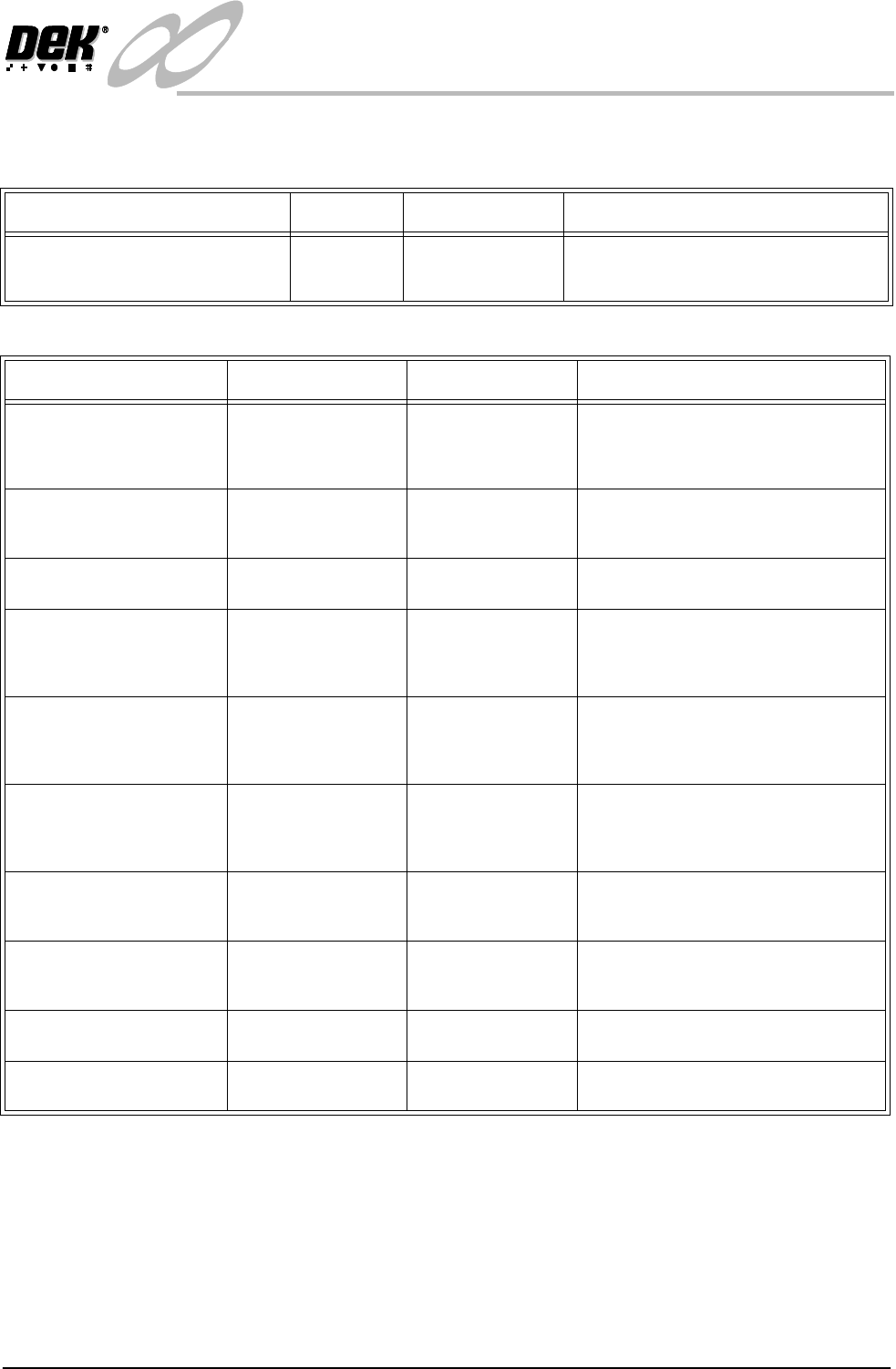
Name Type Control Card Functional Description
Screen Load Stepper 13M1 Stepper Stepper Drive
X6 Channel 2
Moves the screen load actuators (2 on
each screen rail) via a drive shaft and
two pulley system
Name
Type
Control Card Functional Description
Bar Code Reader
(Optional)
Laser Scanner and
(Trigger) diffuse
opto sensor
X7
4 Channel RS232
Trigger sensor detects product and
switches the reader on. Laser scanner
reads the bar code label to identify the
product being printed.
Product Sensor Diffuse Opto MultiMove (IN8) Alternative to the bar code reader
option. Determines which product is
on the input conveyor.
Board Present Diffuse Opto MultiMove (IN9) Confirms the presence of a board on
the input conveyor.
Screen at Front Long throw opto
through beam
MultiMove X11
(IN6)
Senses when the screen is clear of the
front of the chase. Used by the soft-
ware to determine whether a stencil
load or unload is viable.
Screen at Rear Long throw opto
through beam
MultiMove X11
(IN5)
Senses when the screen is clear of the
rear of the chase. Used by the soft-
ware to determine whether a stencil
load or unload is viable.
Screen at Centre Long throw opto
through beam
MultiMove X11
(IN4)
Senses when the screen is clear of the
centre of the chase. Used by the soft-
ware to determine whether a stencil
load or unload is viable.
Screen in Transit Front Diffuse opto with
background sup-
pression
MultiMove X11
(IN7)
Senses the stencil position during a
stencil unload. Prevents the stencil
from hitting the machine cover.
Screen in Transit Rear Diffuse Opto MultiMove X11
(IN1)
Senses the stencil position during a
stencil unload. Prevents the stencil
from hitting the machine cover
L/H Coupling Rear
Extended
Reed Switch MultiMove X11
(IN3)
Detects when the left hand screen
coupling is fully extended.
R/H Coupling Rear
Extended
Reed Switch MultiMove X11
(IN3)
Detects when the right hand screen
coupling is fully extended.
1.12 Infinity Dual Image Manual Chapter Issue 4 Aug 01
INFINITY
TECHNICAL REFERENCE
DRIVES AND SENSORS
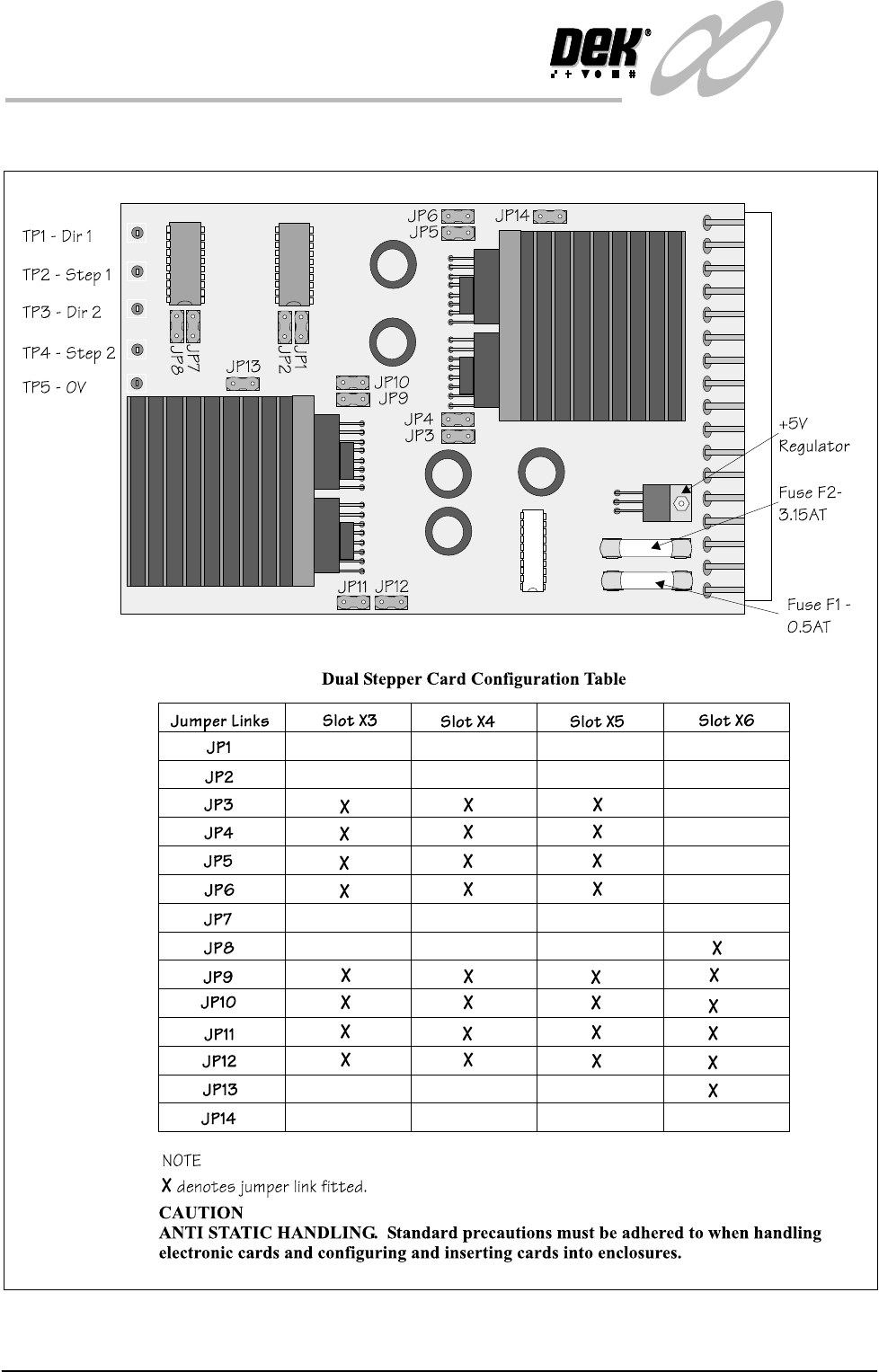
Stepper Drive Card The link settings for the Dual Image stepper drive card are shown below:
Figure 1-8 Dual StepperDrive PCB