Infinity DI.pdf - 第23页
1.18 Infinity Dual Imag e Manual Chapter Issue 4 Aug 01 INFINITY TECHNIC AL RE FERENCE SEQU ENCES Scr een Shuttle Sequence (A uto Load) Product Sensor Option Ensure that the c orrect boards f or printing are loade d into…
INFINITY
TECHNICAL REFERENCE
SEQUENCES
Chapter Issue 4 Aug 01 Infinity Dual Image Manual 1.17
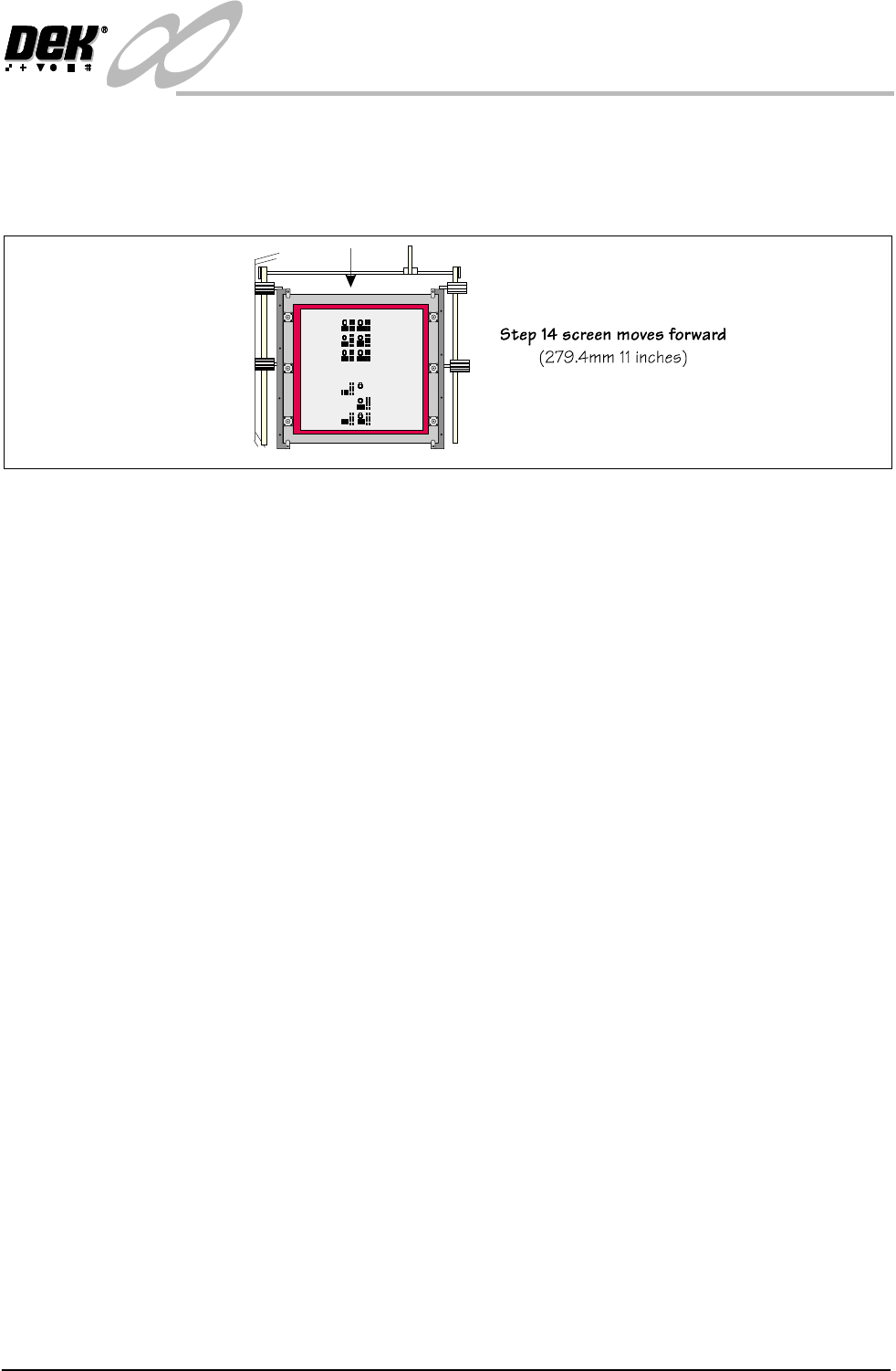
14. The screen is moved to the location determined by the product file.
15. The screen clamps engage to clamp the screen.
Normal board to screen alignment takes place.
Figure 1-12 Load Sequence Front Image - Bar Code Reader Option (continued)

1.18 Infinity Dual Image Manual Chapter Issue 4 Aug 01
INFINITY
TECHNICAL REFERENCE
SEQUENCES
Screen Shuttle Sequence (Auto Load)
Product Sensor
Option
Ensure that the correct boards for printing are loaded into the feeder
1. Turn the printing machine on and initialize.
2. Set up the product files, set the tooling and load the screen (The chase
actuators disengage).
3. Select Auto from the mode option on the status page.
4. Select Run.
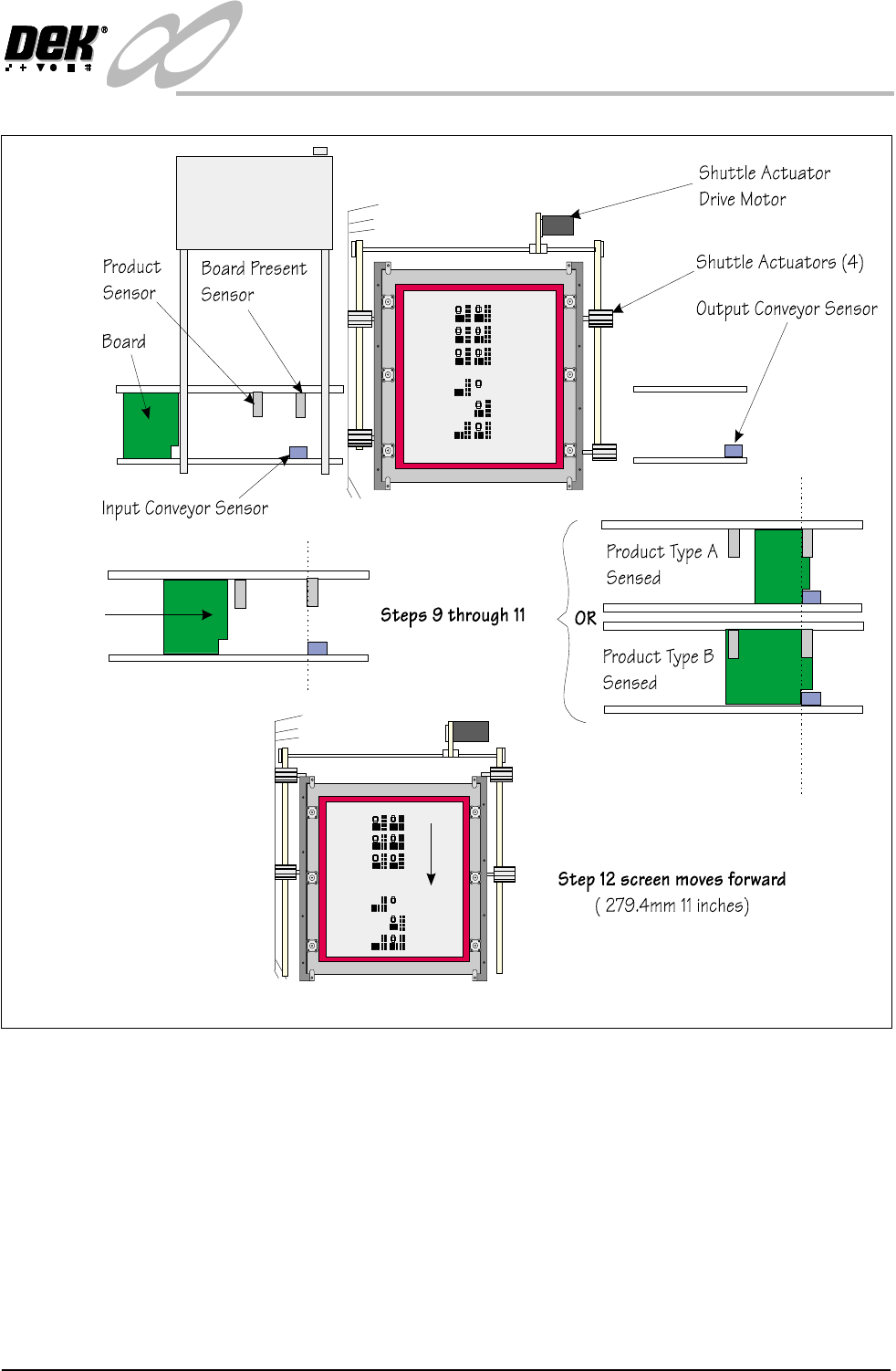
5. The screen shuttle actuators move the screen in the chase until the sensor at
the rear detects the presence of the screen.
6. The screen shuttle actuators (rear) engage the screen at the rear, the actuators
are coupled and the front actuators engage to grip the screen. The screen is
moved forward.
7. The shuttle actuators disengage the screen and move forward to allow the
rear actuators to engage in the slot to clamp the screen.
8. The front left actuator releases and the right hand actuators fully engage to
allow the screen to be pushed to the left.
9. The first board in the batch is fed to the inroad conveyor sensor and stops.
10.The machine interrogates the board present sensor to check that the board
has arrived at the correct position for loading.
11.If the presence of a board is also detected by the product sensor it switches
on and the product file for this type is loaded.
12.As the board details have been confirmed, the machine starts the shuttle
action of the screen.
INFINITY
TECHNICAL REFERENCE
SEQUENCES
Chapter Issue 4 Aug 01 Infinity Dual Image Manual 1.19
Figure 1-13 Load Sequence Front Image - Product Sensor Option
13.The screen clamps engage to clamp the screen. Normal screen to board
alignment takes place.