Infinity DI.pdf - 第27页
1.22 Infinity Dual Imag e Manual Chapter Issue 4 Aug 01 INFINITY TECHNIC AL RE FERENCE POSITIONING POSITIONING All sensors are positioned on the input frame and take into acc ount any features that may pre vent product f…
INFINITY
TECHNICAL REFERENCE
SEQUENCES
Chapter Issue 4 Aug 01 Infinity Dual Image Manual 1.21
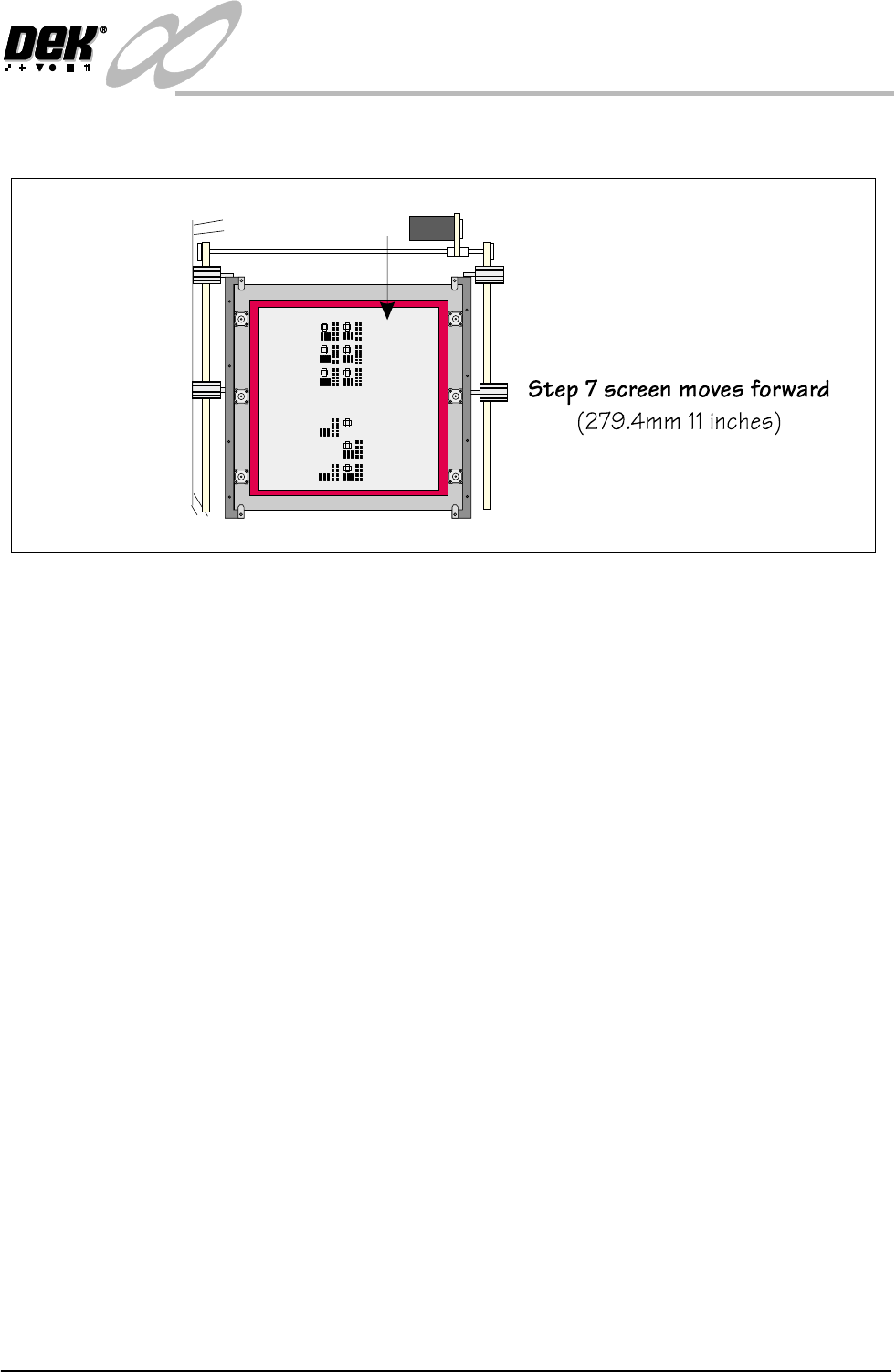
8. The screen clamps the screen. Normal board to screen alignment takes place.
Figure 1-15 Load Sequence Rear Image -Product Load (Continued)

1.22 Infinity Dual Image Manual Chapter Issue 4 Aug 01
INFINITY
TECHNICAL REFERENCE
POSITIONING
POSITIONING All sensors are positioned on the input frame and take into account any features
that may prevent product from being correctly loaded. As the parameters for
the products differ, board lengths and widths may vary, with the exception of the
screen home position, fixed positions are not quoted. All other positions for the
system are shown in the various chapters of the Infinity Technical Reference
Manual.
Screen Home
Position
Refer to the Infinity Technical Reference Manual for details on setting this
parameter.
Distance to Image
Reference Position
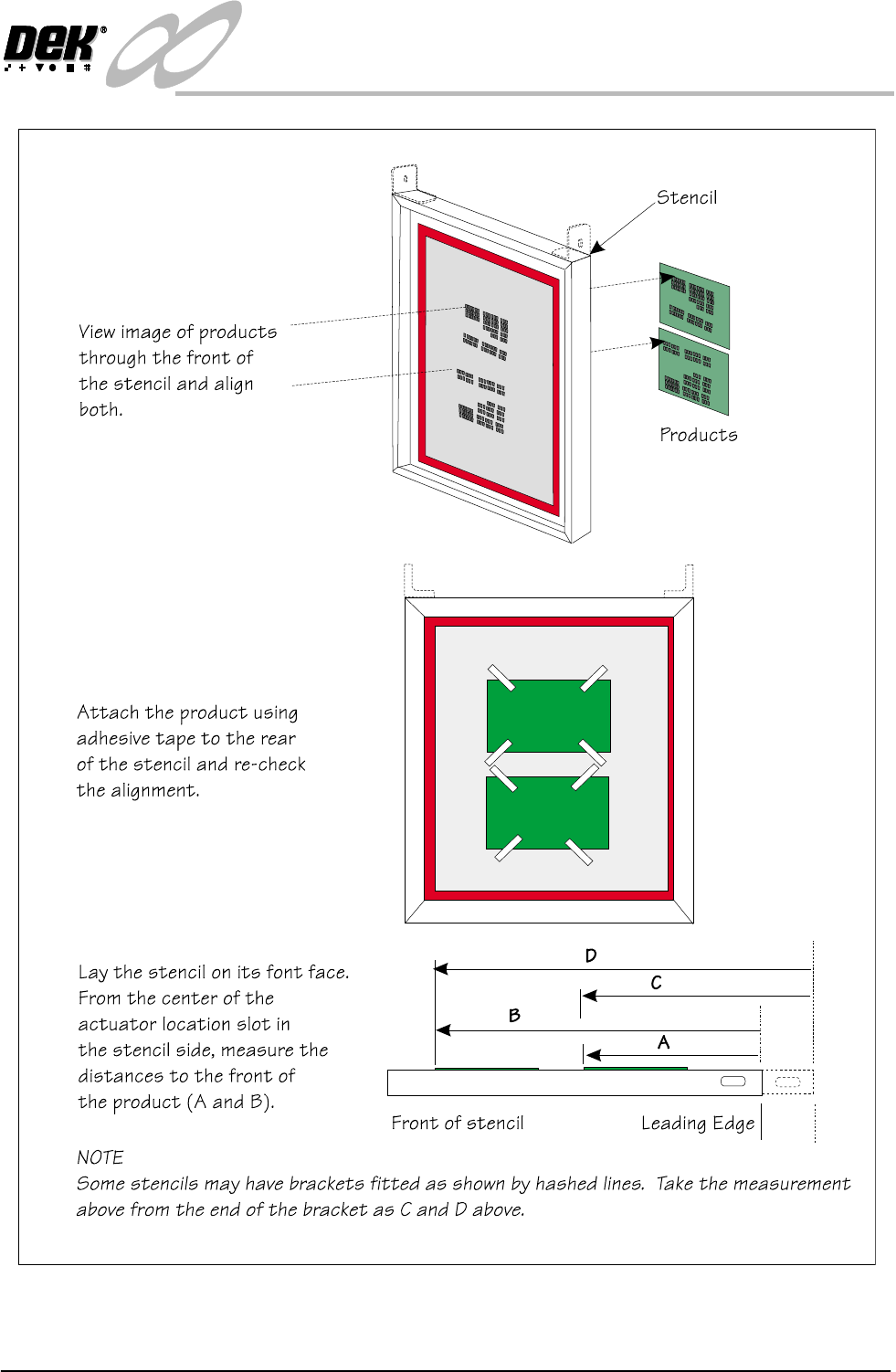
This parameter is used to set the position of the product images.
1. Tape the product image to the correct stencil such that the images line up, see
figure overleaf.
2. Measure the distance to the front edge of the product with respect to the
leading edge on the rear of the stencil or skis.
3. Input the value into each product file. See section: Adjustments and Settings
- Distance to Image.
4. Remove the products from the rear of the stencil, fit the stencil into the
machine and test (the images should align when the rising table lifts the
product to the print position). Adjust the parameter in the product file if
necessary.
INFINITY
TECHNICAL REFERENCE
POSITIONING
Chapter Issue 4 Aug 01 Infinity Dual Image Manual 1.23
Figure 1-16 Distance to Image Position Setting