Infinity DI.pdf - 第45页
1.40 Infinity Dual Imag e Manual Chapter Issue 4 Aug 01 INFINITY TECHNIC AL RE FERENCE DIAGN OSTICS Syste m Digital G roup This diagnostic is pro vided to monitor the system input and output states. Selecting this diagno…

INFINITY
TECHNICAL REFERENCE
DIAGNOSTICS
Chapter Issue 4 Aug 01 Infinity Dual Image Manual 1.39
Toggle Screen
Clamps
Selecting this diagnostic function alternately energizes and de-energizes the
screen clamps, displaying On when energized and Off when de-energised.
Load Screen Selecting this diagnostic function performs a load screen cycle. During the load
screen cycle, after the screen has cleared the rear sensor, if a screen bar code
reader is fitted, the screen bar code reader is triggered and the resultant barcode
is displayed in the message box on the monitor.
NOTE
If a barcode reader is fitted and the read barcode function is not displayed, check
that the screen barcode hardware has been enabled in set preferences.
Unload Screen Selecting this diagnostic function performs a unload screen cycle.
Drive Coupling
Extended
This diagnostic function monitors and continuously displays the status of the
drive couplings.
Front Screen Sensor This diagnostic function continuously displays the status of the front screen
sensor.
Centre Screen
Sensor
This diagnostic function continuously displays the status of the centre screen
sensor.
Rear Screen Sensor This diagnostic function continuously displays the status of the rear screen
sensor.
Exit Screen Sensor This diagnostic function continuously displays the status of the screen safety
rear sensor.
Safety Screen
Sensor
This diagnostic function continuously displays the status of the screen safety
front sensor.
1.40 Infinity Dual Image Manual Chapter Issue 4 Aug 01
INFINITY
TECHNICAL REFERENCE
DIAGNOSTICS
System
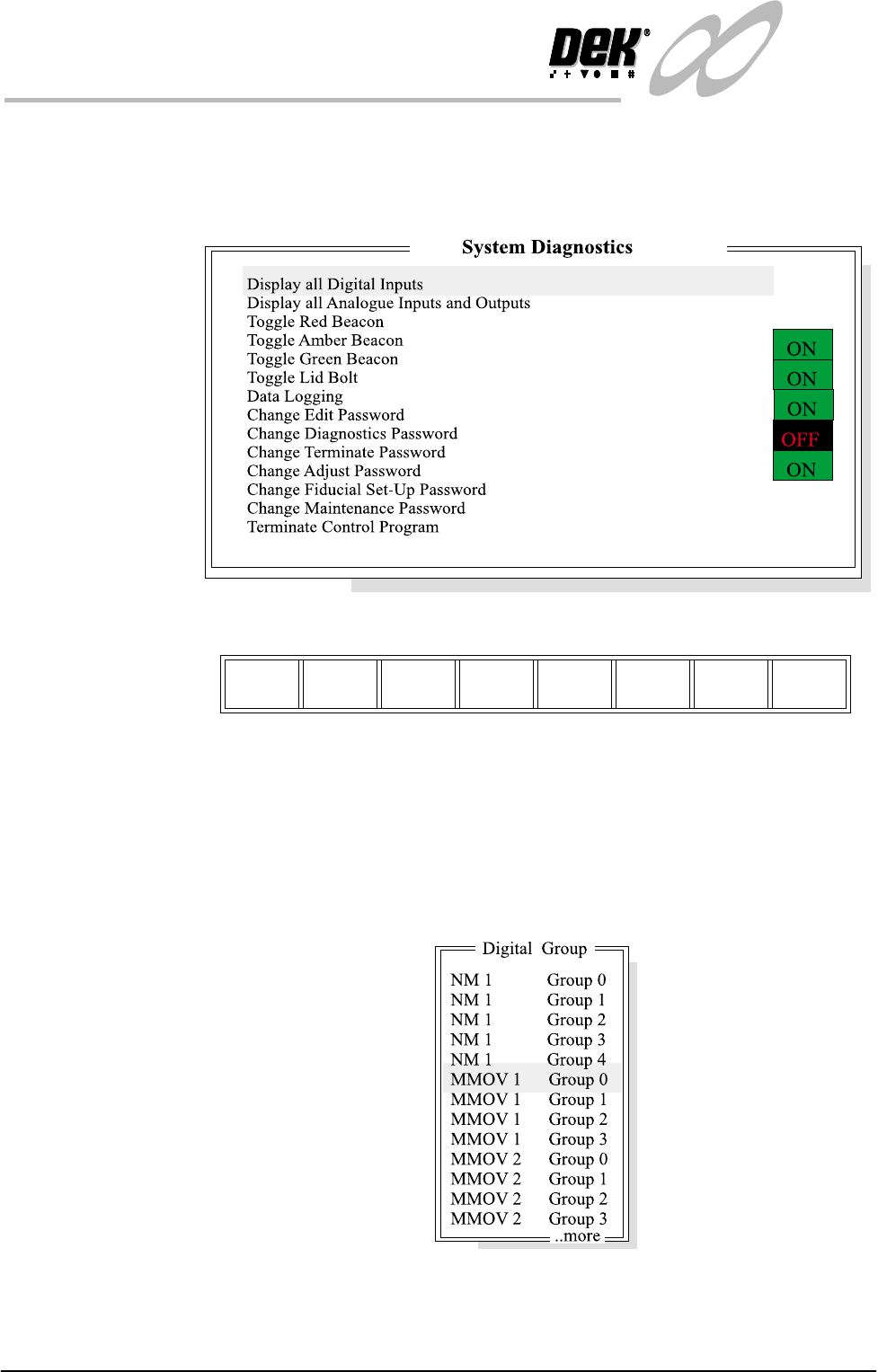
Digital Group This diagnostic is provided to monitor the system input and output states.
Selecting this diagnostic opens the following window:
The menu bar changes displaying the following:
Next / Previous keys move the highlight bar up and down the list of selectable
diagnostic functions.
Run Diagnost activates the diagnostic function, as selected by the highlight bar.
Exit returns operation to the module diagnostics page.
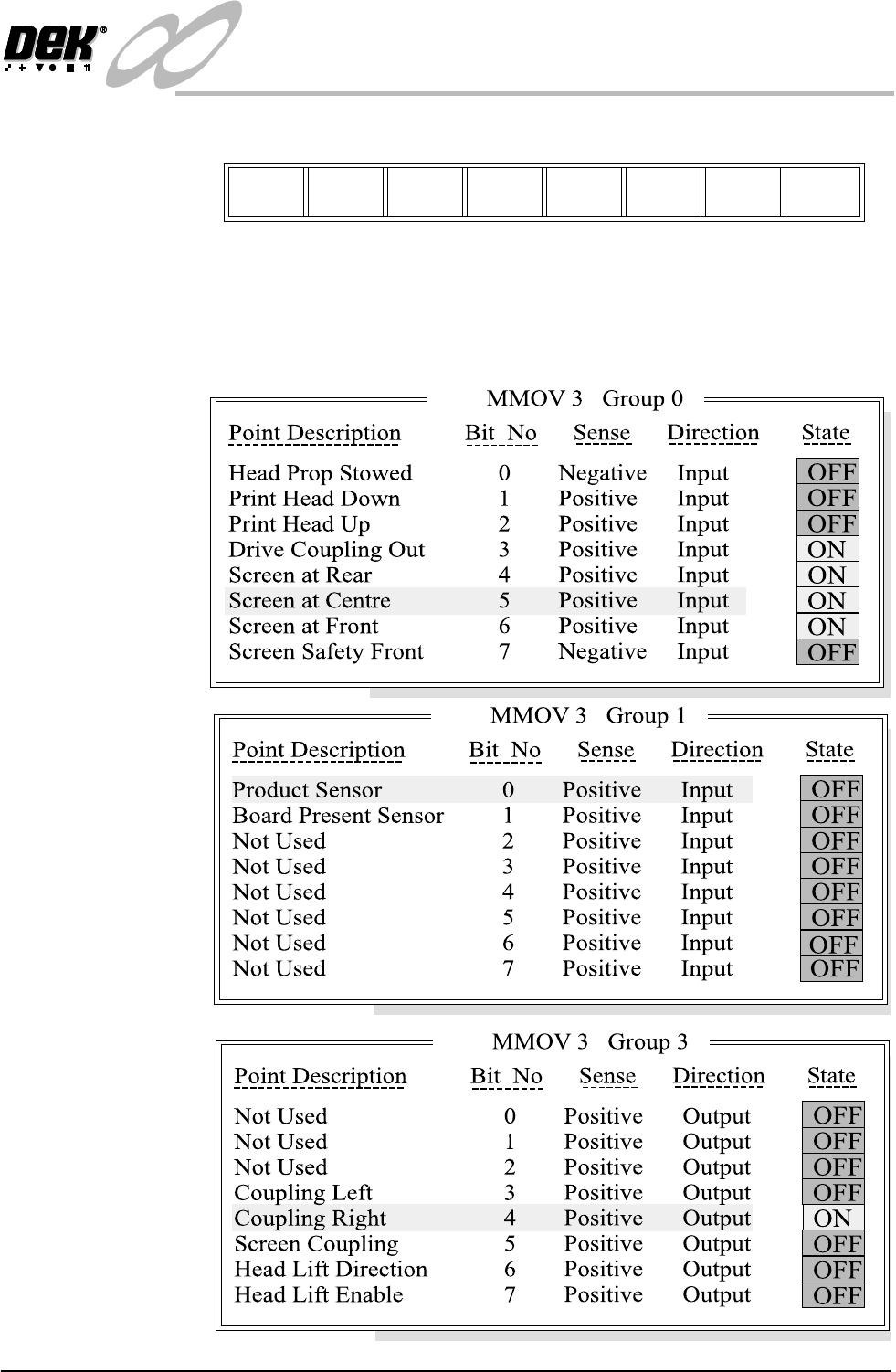
Display all Digital
Inputs.
Selecting this diagnostic function opens the window:
Run
Diagnost
Next Previous Exit
INFINITY
TECHNICAL REFERENCE
DIAGNOSTICS
Chapter Issue 4 Aug 01 Infinity Dual Image Manual 1.41
The menu bar changes displaying the following:
Run Diagnost activates the diagnostic function, as selected by the highlight bar.
Next / Previous keys move the highlight bar up and down the list of selectable
diagnostic functions.
Exit returns operation to the module diagnostics page.
Run
Diagnost
Next Previous Exit