Infinity DI.pdf - 第46页
INFINITY TECHNI CAL REFEREN CE DIAGN OSTICS Chapter Issu e 4 Aug 01 Infinity Dual Imag e Manual 1.41 The menu bar changes displaying the following: Run Diagnost activ ates the diagnostic function, as selected by the high…
1.40 Infinity Dual Image Manual Chapter Issue 4 Aug 01
INFINITY
TECHNICAL REFERENCE
DIAGNOSTICS
System
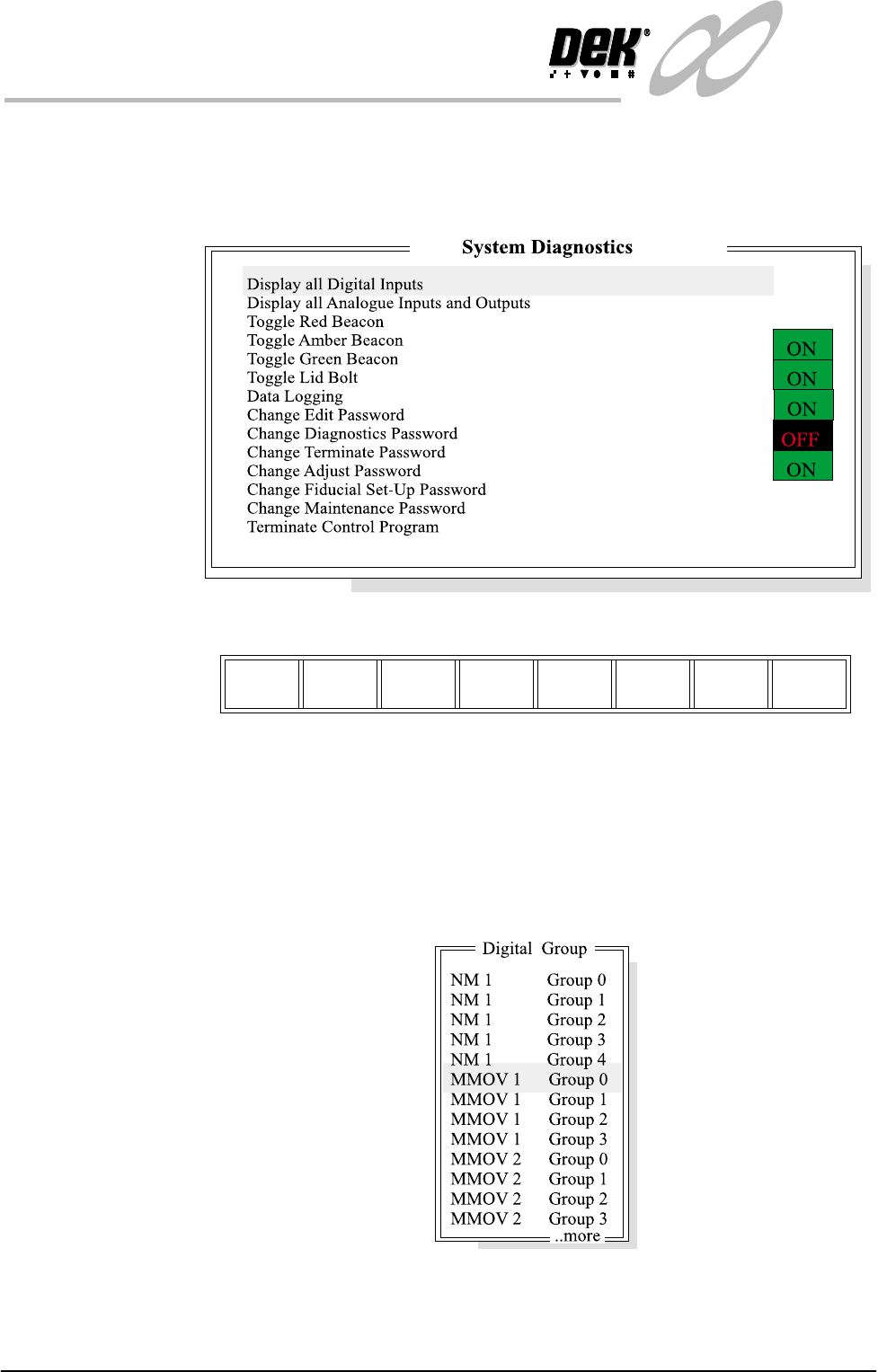
Digital Group This diagnostic is provided to monitor the system input and output states.
Selecting this diagnostic opens the following window:
The menu bar changes displaying the following:
Next / Previous keys move the highlight bar up and down the list of selectable
diagnostic functions.
Run Diagnost activates the diagnostic function, as selected by the highlight bar.
Exit returns operation to the module diagnostics page.
Display all Digital
Inputs.
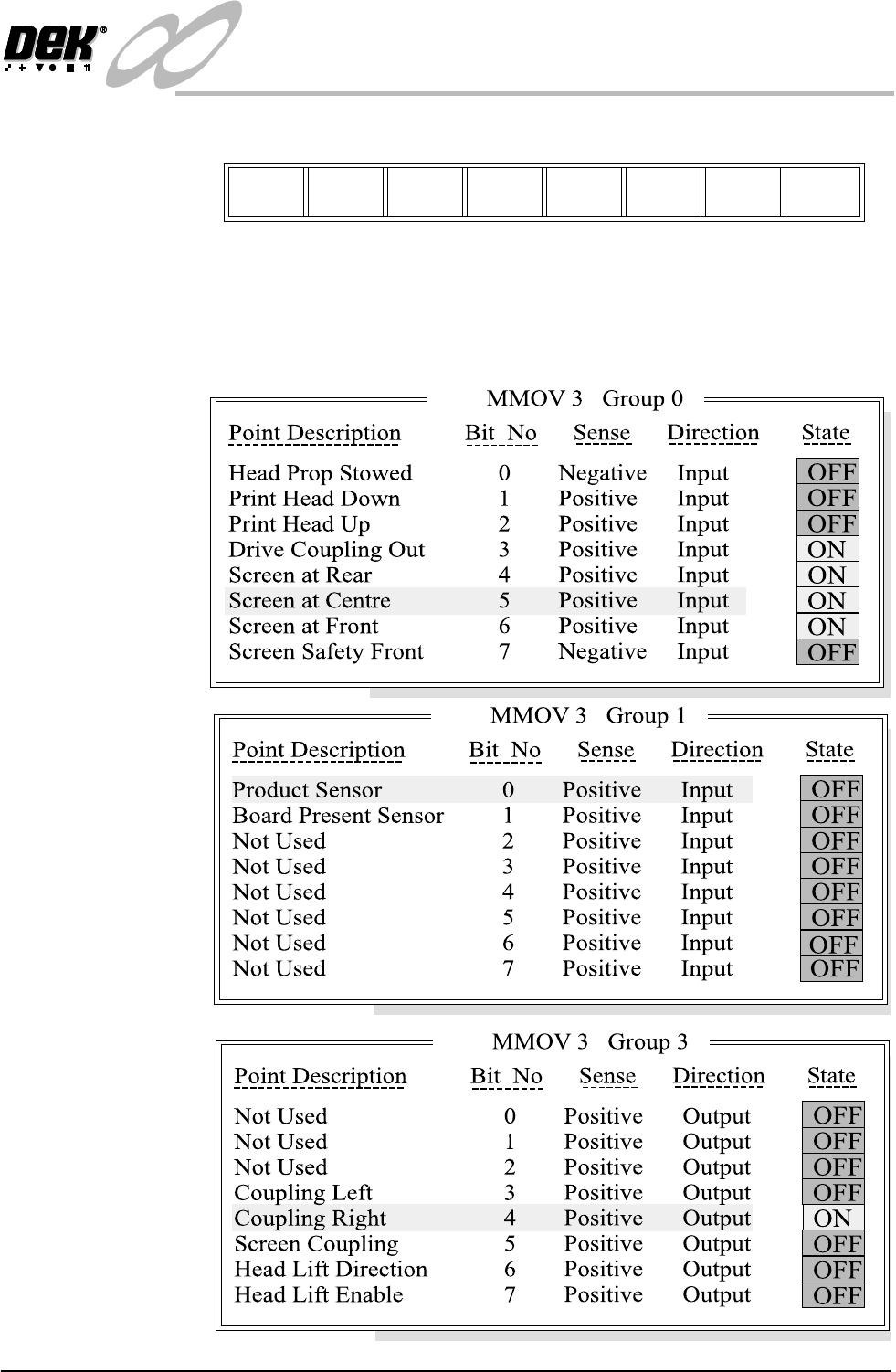
Selecting this diagnostic function opens the window:
Run
Diagnost
Next Previous Exit
INFINITY
TECHNICAL REFERENCE
DIAGNOSTICS
Chapter Issue 4 Aug 01 Infinity Dual Image Manual 1.41
The menu bar changes displaying the following:
Run Diagnost activates the diagnostic function, as selected by the highlight bar.
Next / Previous keys move the highlight bar up and down the list of selectable
diagnostic functions.
Exit returns operation to the module diagnostics page.
Run
Diagnost
Next Previous Exit

1.42 Infinity Dual Image Manual Chapter Issue 4 Aug 01
INFINITY
TECHNICAL REFERENCE
DIAGNOSTICS