00198486-01_Programming_Training_E_by_DEK_EN - 第15页
3 Create from Default or copy from existing 3.1 Creating a new product file Programming Training E by DEK 12/2017 15 1. Select which type of Tooling is being used. 1. Add the measurements of the location for the Board FI…
3 Create from Default or copy from existing
3.1 Creating a new product file
14 Programming Training E by DEK 12/2017
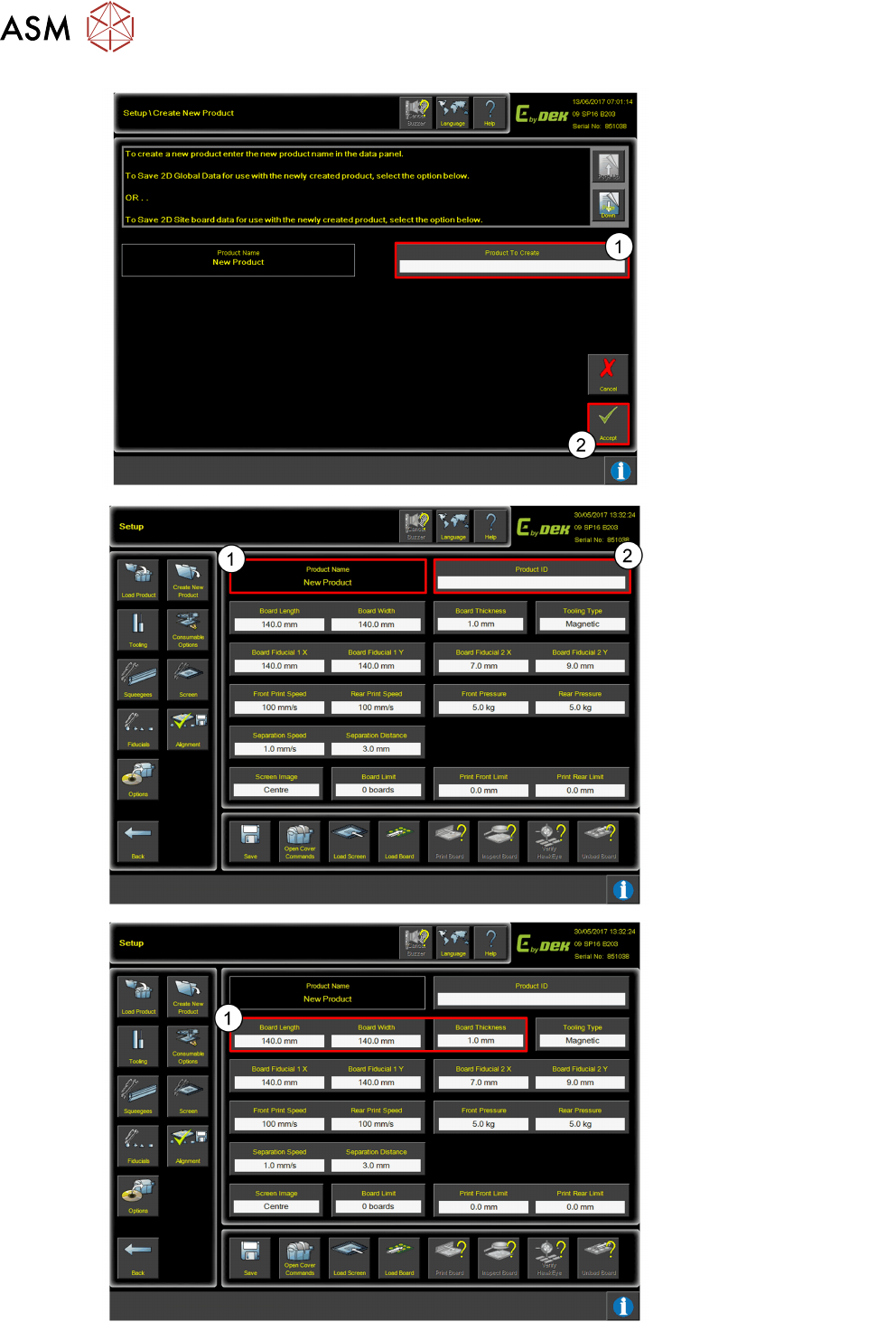
1. Type in the New Product
name into the box.
2. Click Accept.
1. The product name will
appear on the Setup
page.
2. A Product ID can be
added to the Product.
1. Add in the Board
Length, Board Width
and Board Thickness
measurements to set
parameters.
3 Create from Default or copy from existing
3.1 Creating a new product file
Programming Training E by DEK 12/2017 15
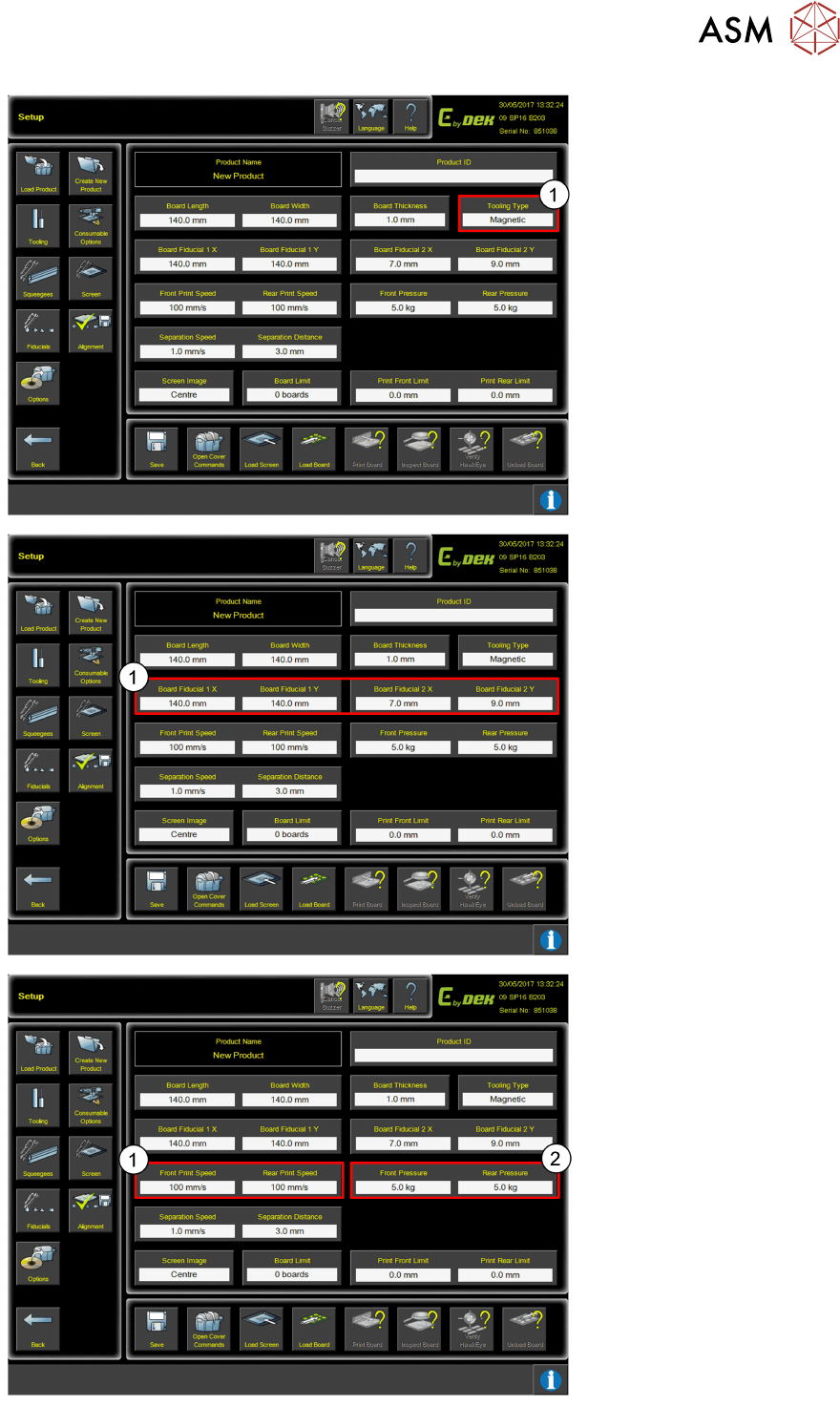
1. Select which type of
Tooling is being used.
1. Add the measurements
of the location for the
Board FIducials.
1. Set the Print Speed.
2. Set the Squeegee
Pressure.
3 Create from Default or copy from existing
3.1 Creating a new product file
16 Programming Training E by DEK 12/2017
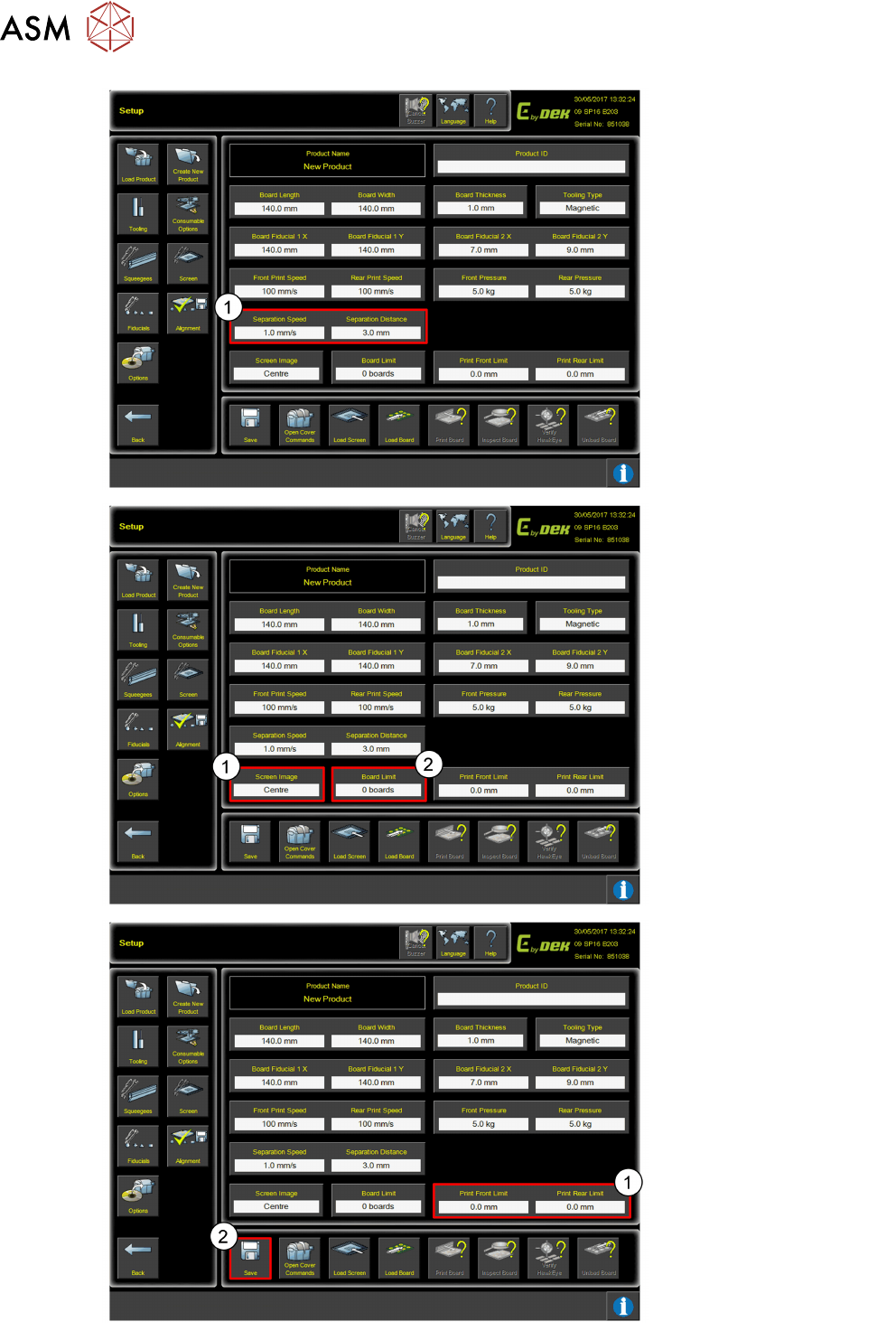
1. Set Separation Speed
and Separation
Distance.
1. Select Screen Image
location settings.
2. Add Board Limit.
1. Set Print Limits.
2. Click Save when
complete.