00198486-01_Programming_Training_E_by_DEK_EN - 第28页
6 Tooling type Room for Your Sketches and Notes 28 Programming Training E by DEK 12/2017 Room for Your Sketches and Notes
6 Tooling type
Programming Training E by DEK 12/2017 27
6 Tooling type
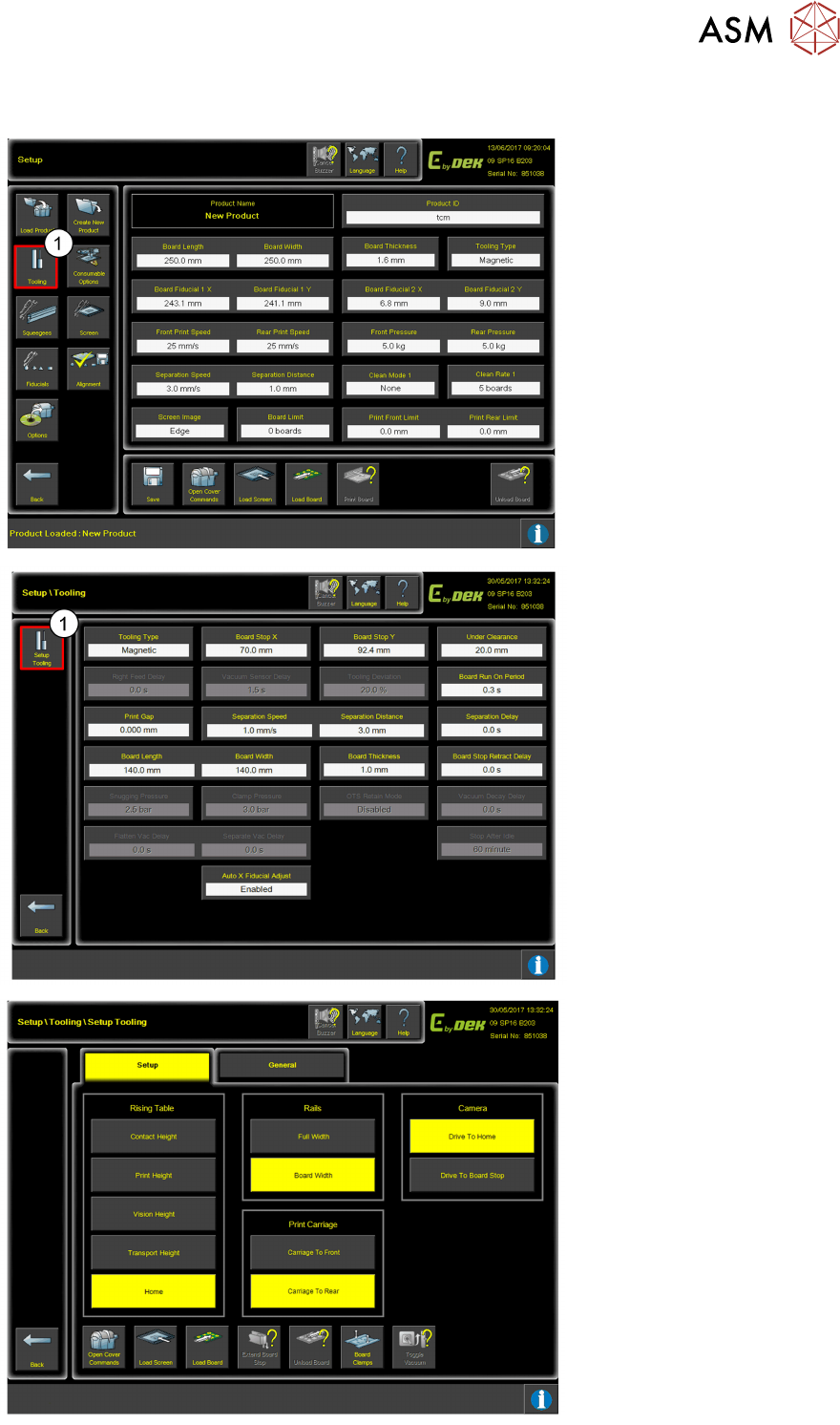
1. Click Tooling.
The Tooling settings can be
changed/adjusted to suit the
process.
1. Click Setup Tooling for
axis functionalities.
Use the functionalities to
move the axis to gain
access to correctly fit the
tooling.

6 Tooling type
Room for Your Sketches and Notes
28 Programming Training E by DEK 12/2017
Room for Your Sketches and Notes
7 USC
Programming Training E by DEK 12/2017 29
7 USC
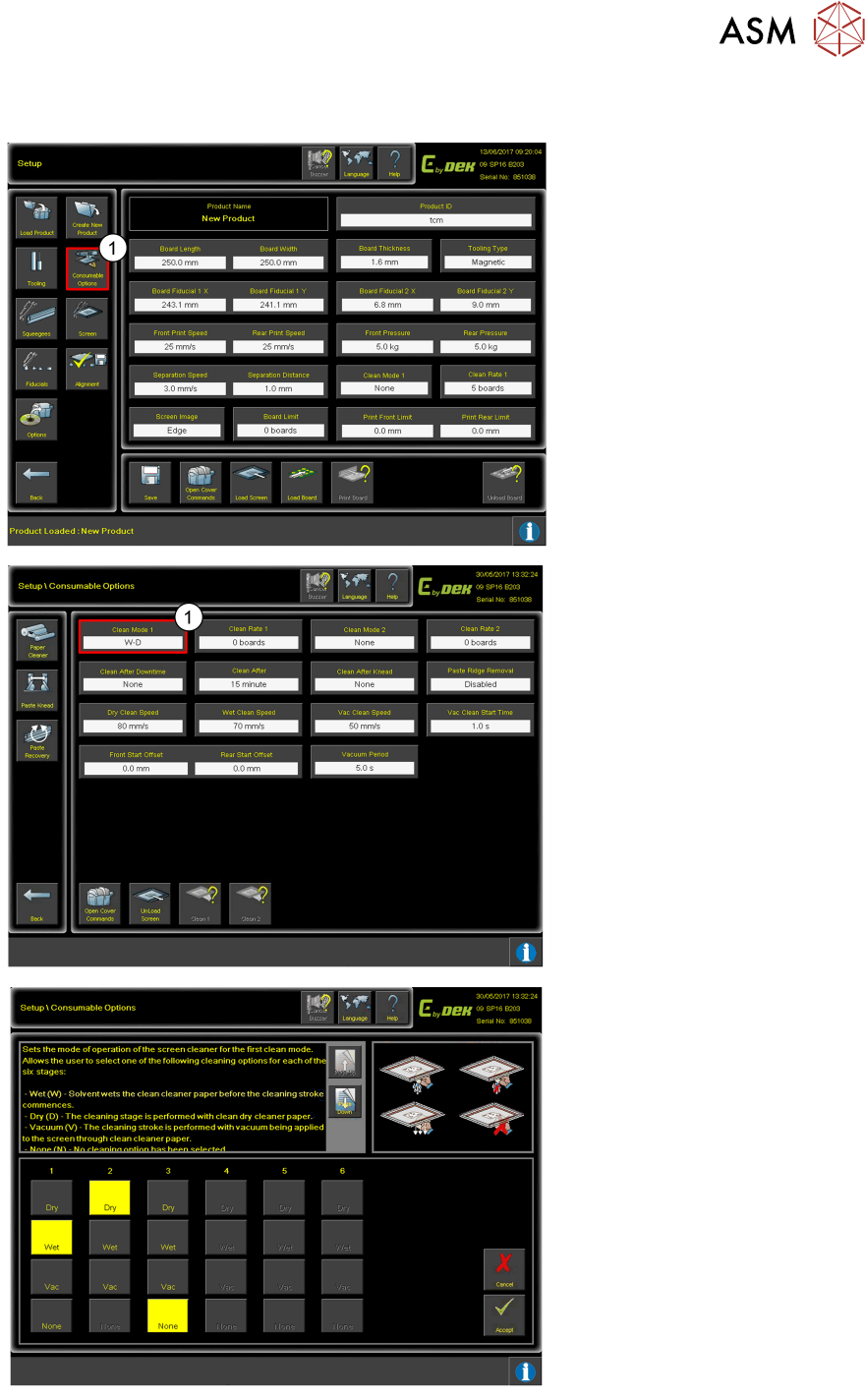
1. Click Consumable
Options.
The USC settings can be
changed/ adjusted to suit
the process
1. Click Clean Mode 1 to
adjust USC ‘Sweep’
settings.
Use this page to set the
operation to the required
clean sweeps.