CP6的IO代码.pdf - 第167页
Part 5 Chapter 2 Cam Box Edition 1.2 5-2-4 CP-6-series Mechanical Reference • When measuring belt tension, make certain to set the tension pulley. • Belts (c) and (d) are a set of two belts. Be sure to synchronize them. …
Part 5 Chapter 2 Cam Box
Edition 1.2 5-2-3 CP-6-series Mechanical Reference
2.2 Timing Belt Tension Adjustment (Cam Box)
WARNING
• Always be sure to cut off the main power before carrying out any
work.
• Exercise extreme caution when working on the machine if the cam is
not at its origin (0 deg.). Recoil of the cam axis can endanger the
operator.
<4000 Type>
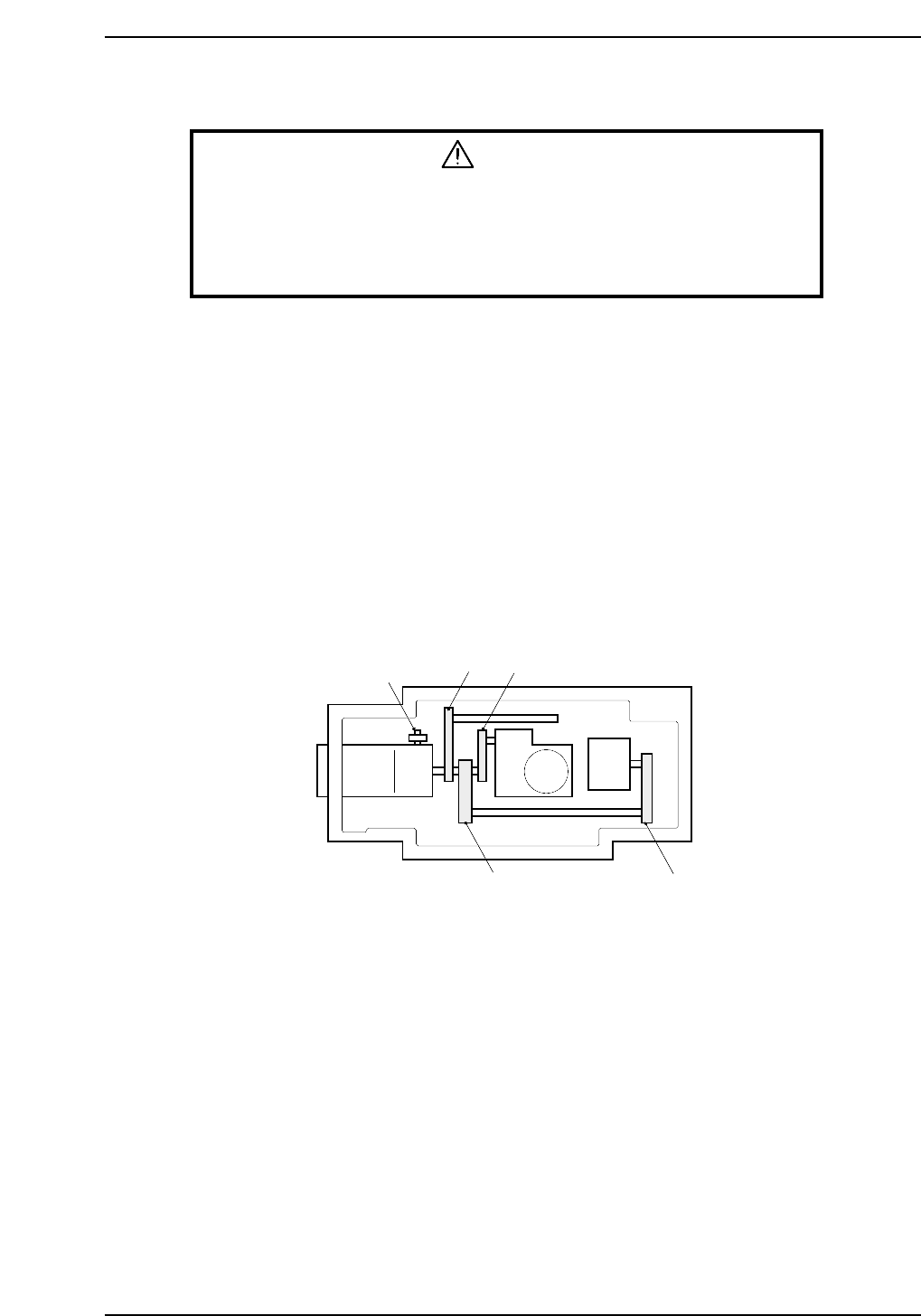
There are four timing belts in the cam box. With a finger flick the center of the timing
belt to start it oscillating. Measure the oscillation with a frequency meter and compare
the readout with the stipulated frequency values. The belt's frequency of oscillation can
be adjusted using the jack bolt.
Adjustment procedure
First, adjust the tension of the belt (b) between the central axis and nozzle index unit.
Through using the adjustment bolt and moving the central axis, the tension changes. At
this time, make sure that there is no tension on belts (a) and (d).
Next, adjust belts (a), (c), and (d) using the tension pulley. Refer to figure below for belt
location and the figure on the following page for tension values.
Motor
Adjusting bolt
(a)
(b)
(c)
(d)
CP6M5006
Part 5 Chapter 2 Cam Box
Edition 1.2 5-2-4 CP-6-series Mechanical Reference
• When measuring belt tension, make certain to set the tension pulley.
• Belts (c) and (d) are a set of two belts. Be sure to synchronize them.
• Even though belts (c) and (d) are a set, measure them one by one.
<5000 Type>
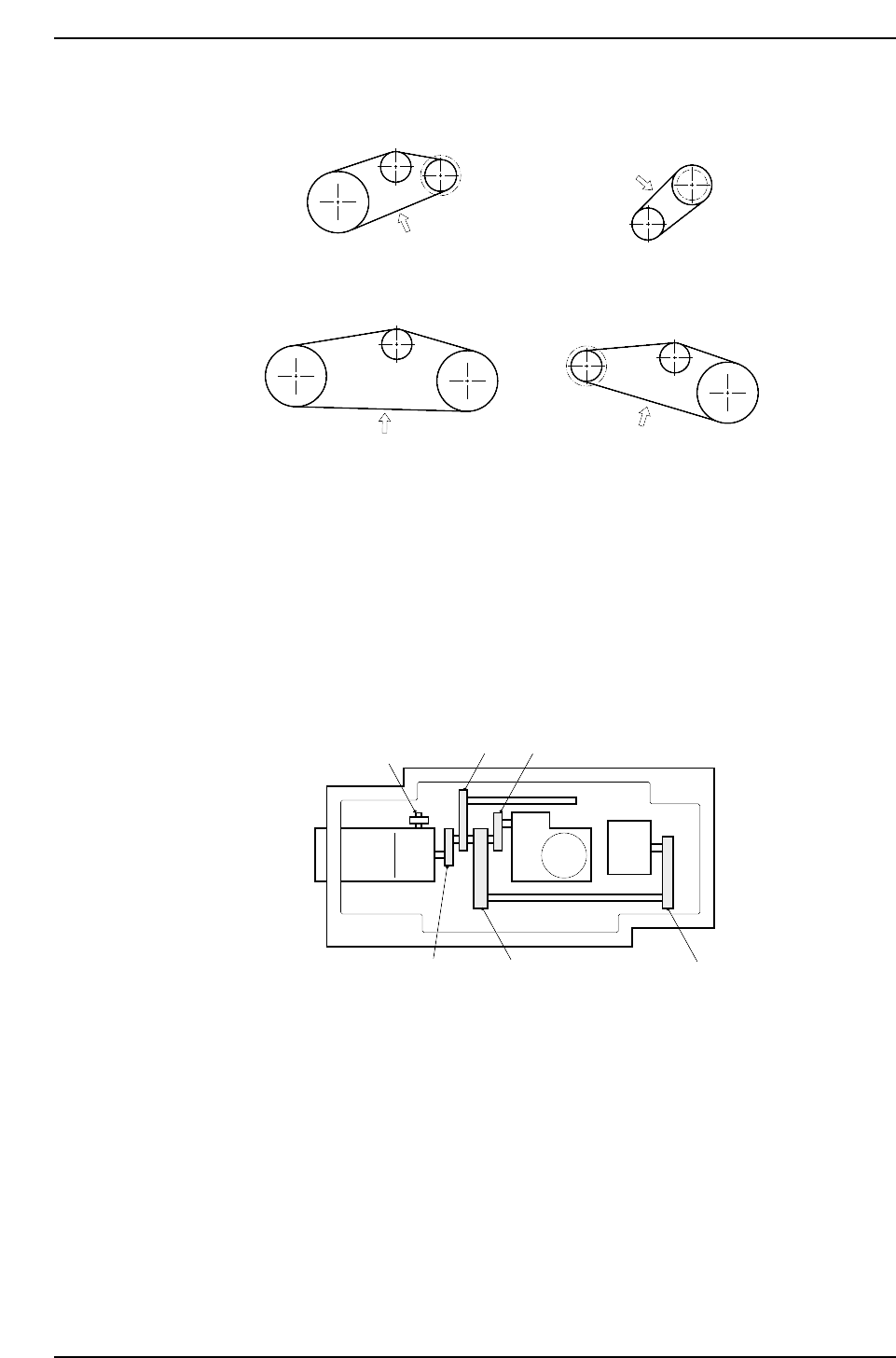
There are five timing belts in the cam box. With a finger, flick the center of each timing
belt to start it oscillating. Measure the oscillation with a frequency meter and compare
the readout with the stipulated frequency values. The belts frequency of oscillation can
be adjusted using the jack bolt.
Motor
Adjusting bolt
(e)
(a) (b)
(c)
(d)
CP6M5008
198 ±5Hz
83.5 ±5Hz
112 ±5Hz
72 ±5Hz
(a)
(d)
(c)
(b)
CP6M5007
Part 5 Chapter 2 Cam Box
Edition 1.2 5-2-5 CP-6-series Mechanical Reference
Adjustment procedure
First, adjust the tension of the belt between the idler pulley and the nozzle index unit
pulley (figure (b)). The belt tension can be changed using the adjustment bolts and by
moving the idler pulley. At this time make sure that there is no tension on belts (a), (d),
and (e).
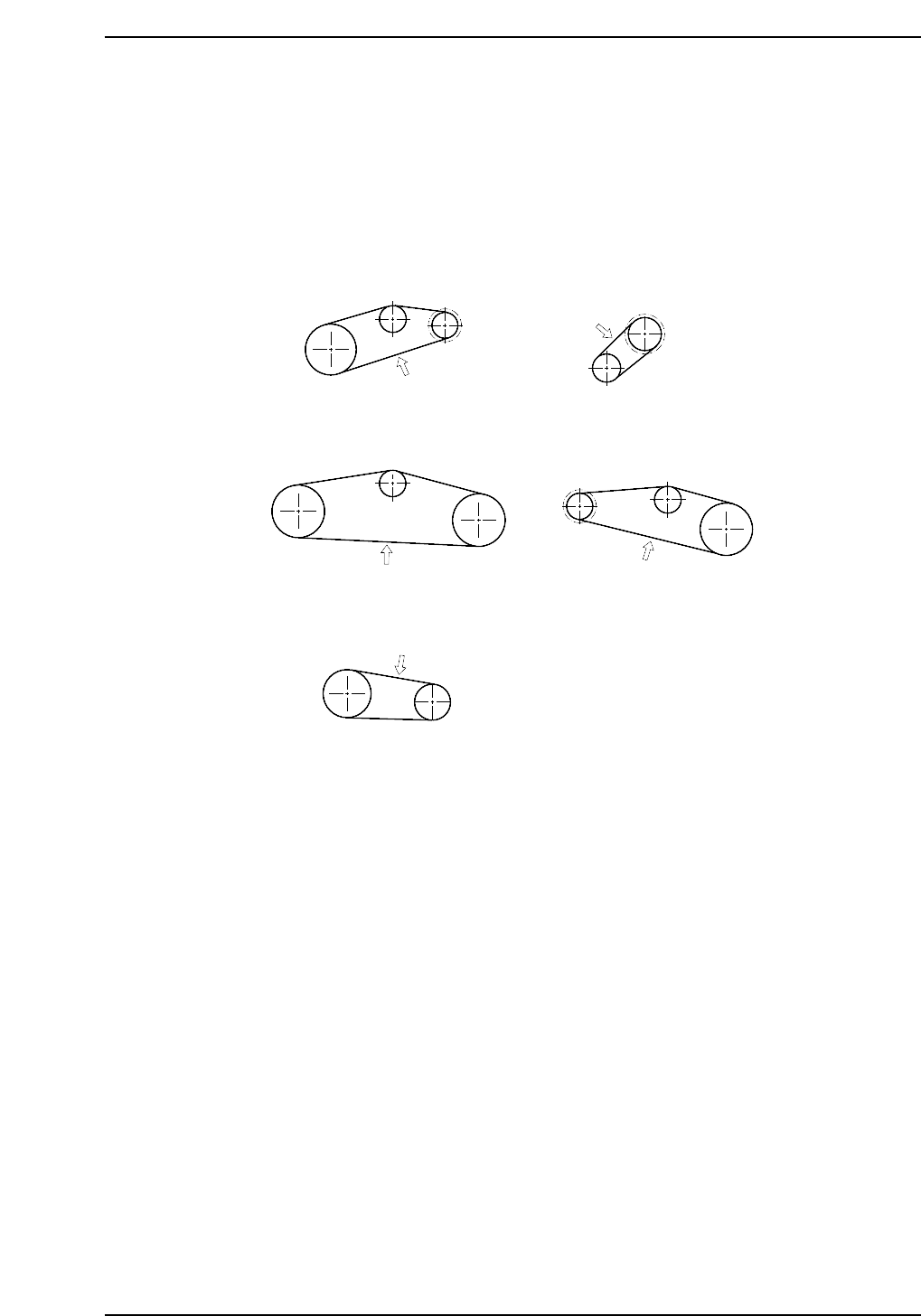
Next, adjust belts (a), (c), (d) and (e) using the tension pulley. Refer to the figure below
for belt tension values.
• When measuring belt tension, ensure that the tension pulley is secured.
• Belts (c) and (d) are a set of two belts. Be sure to synchronize them so that the
numbers run sequentially.
• Even though belts (c) and (d) are a set, be sure to measure their individual
tensions.
(a)
(d)
(c)
(b)
(e)
90 ± 5 Hz
120 ± 5 Hz
69 ± 5 Hz
57 ± 5 Hz
121 ± 5 Hz
CP6M5009a