CP6的IO代码.pdf - 第279页
2. Set the parts reel into the feeder holder. Set the components so that the parts feed from the top of the reel as shown in the illustration. Make sure to use the center pin in the holder. Setting the Parts Reel 1 Note:…
1.6 Loading W32 Paper Feeder (used only in Japan)
1.6.1 Loading Procedures
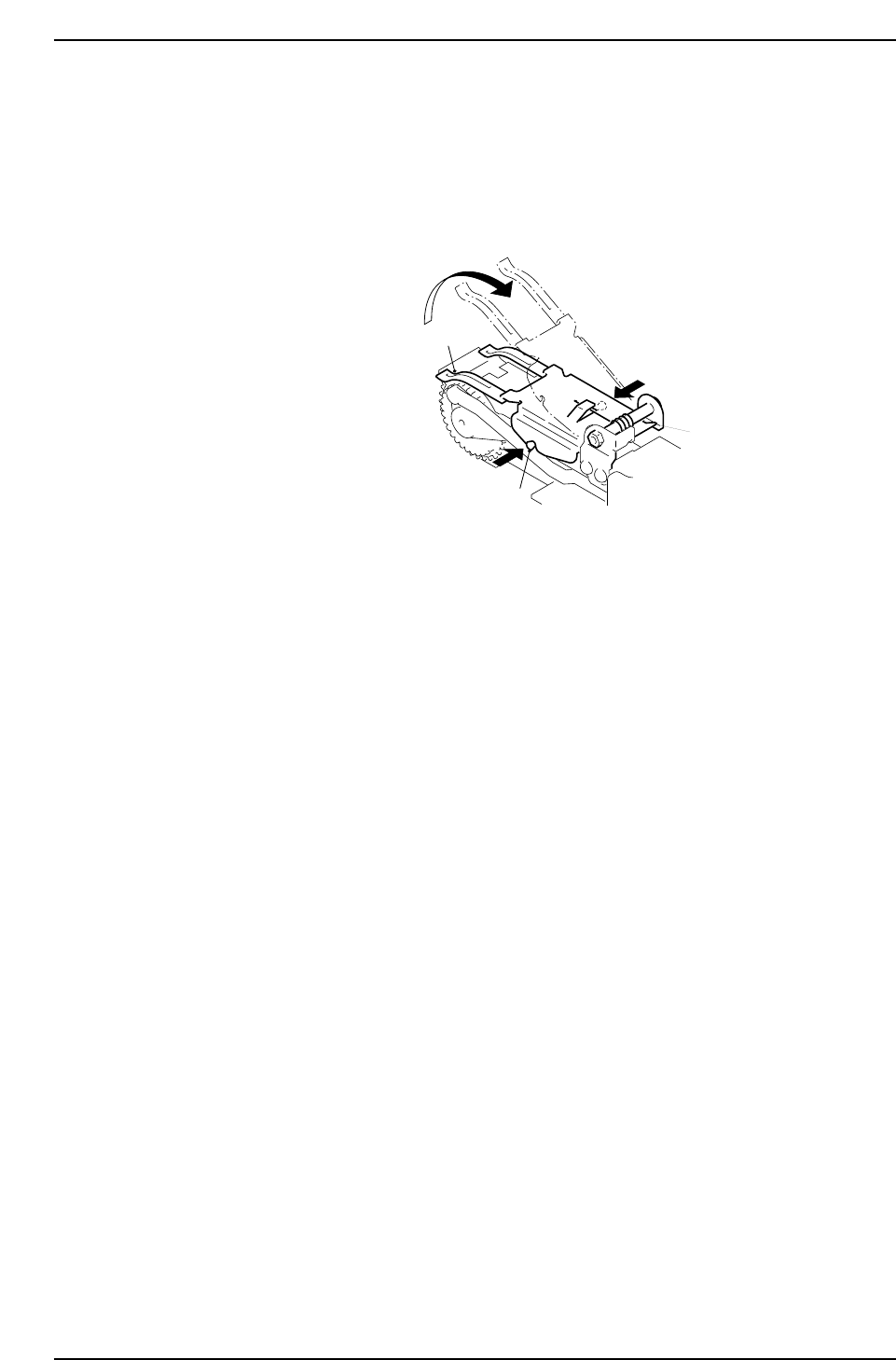
1. Release the lock by raising the tape leaf while pushing the clamp pins (one on the
right side and one on the left side) at the same time. When unlocked, the tape leaf
will raise up in the direction of the arrow (due to spring pressure).
Unlocking the Tape Leaf
Tape leaf
Spring
Clamp pin
CP6M8025
Part 8 Chapter 1 WC Feeders
Edition 1.0 8-1-16 CP-6 Series Mechanical Reference
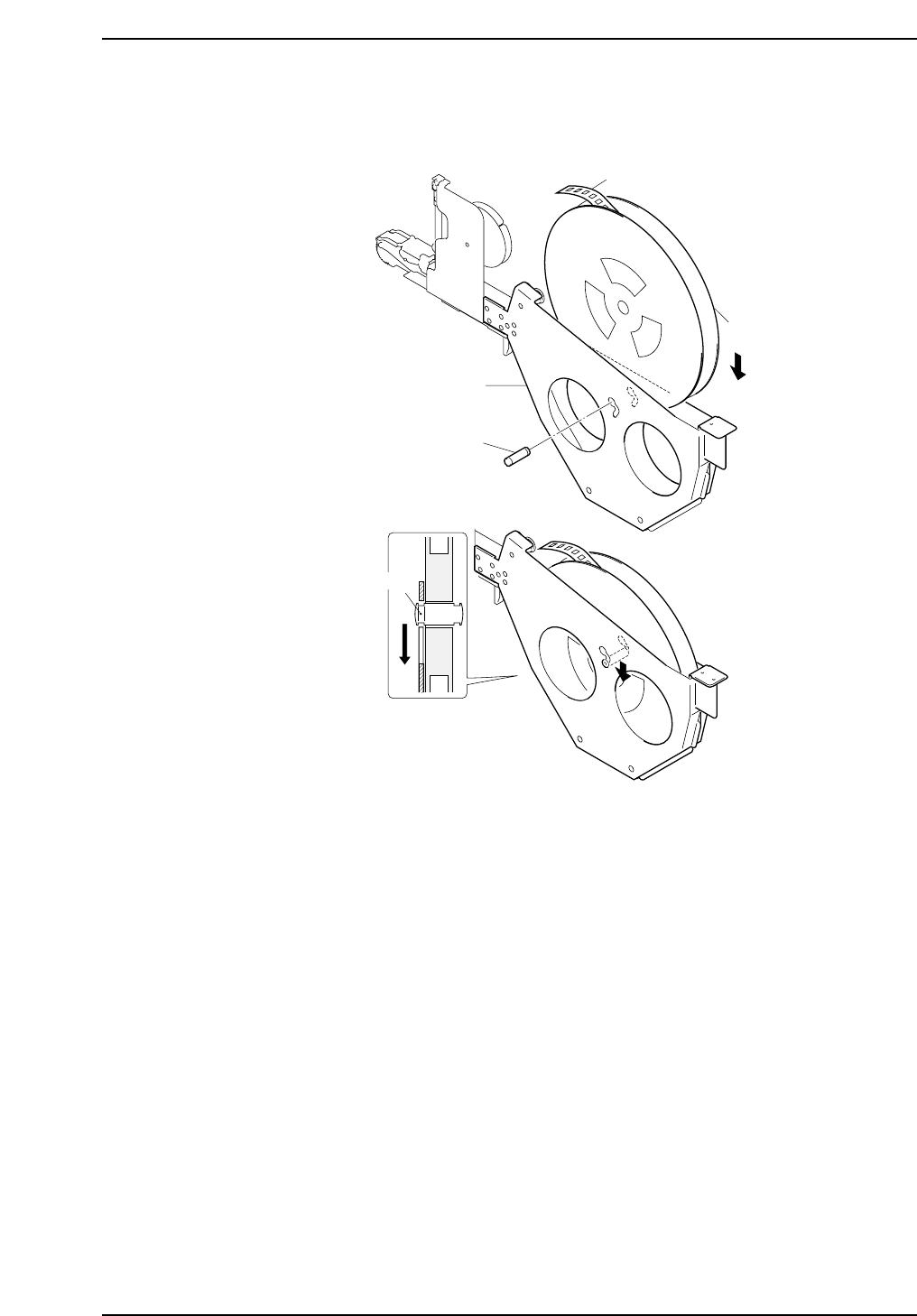
2. Set the parts reel into the feeder holder. Set the components so that the parts feed
from the top of the reel as shown in the illustration. Make sure to use the center
pin in the holder.
Setting the Parts Reel 1
Note: Because the W32 paper feeders do not have rollers, make sure to use the center pin.
Parts reel
Parts tape
Holder
Pin
Groove
When loading components, insert
the pin into the center hole of the
parts reel, align the grooves on
the pin with the slots on the holder
and slide to the bottom-most point
of the holder.
CP6M8026
Part 8 Chapter 1 WC Feeders
Edition 1.0 8-1-17 CP-6 Series Mechanical Reference
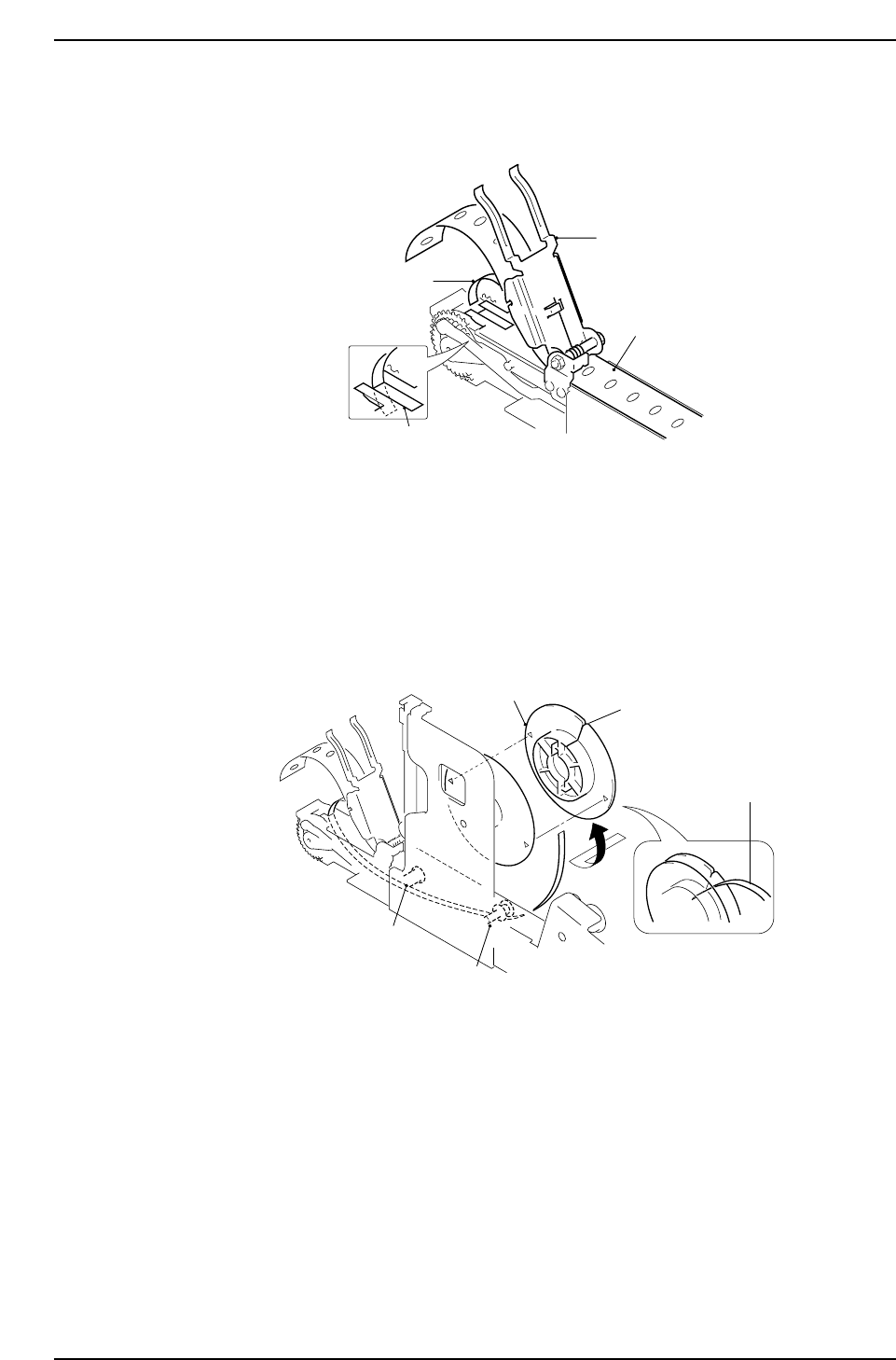
3. Slide the paper tape under the tape leaf and pull to the front of the feeder. Insert
the adhesive tape into the shutter and pull to the back.
Setting the Parts Reel 2
4. Set the adhesive tape under rollers 1 and 2 and cinch into the take-up reel. Tie a
knot in the end of the adhesive tape, insert into the slit on the take-up reel cover
and pull until snug. On the take-up reel there are two arrows. When locking the
take-up reel, align the arrows and turn in the direction as shown below.
Setting the Adhesive Tape
Take-up reel
Slit
Adhesive tape
Roller 1
Roller 2
CP6M8028
Tape leaf
Paper tape
Adhesive tape
Shutter
CP6M8027
Part 8 Chapter 1 WC Feeders
Edition 1.0 8-1-18 CP-6 Series Mechanical Reference