DECAN_S1_Maintenance_EN.pdf - 第14页
chapt er 1 This Chapter describes the work environment and working tools for the maintenance of the machine. Conditions fo r Main t e nanc e Nex t Generation, Multi- Funct ional Placer DE CAN S 1 Mai nte nan ce H an dbo …
chapter 1
This Chapter describes the work environment and working tools for the maintenance of
the machine.
Conditions for Maintenance
Next Generation, Multi-Functional Placer
DECAN S1 Maintenance Handbook
1-4
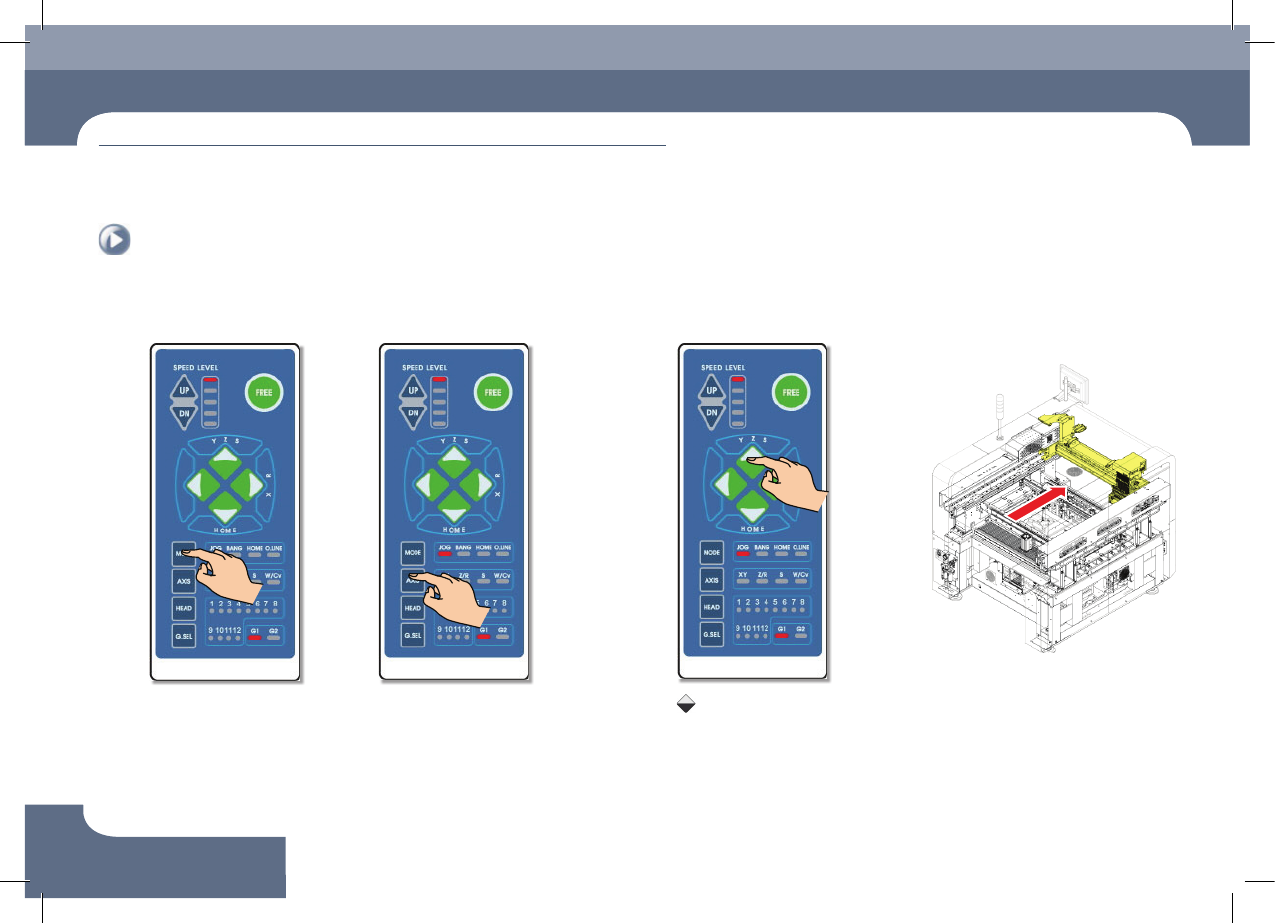
Common Working Procedure before Maintenance
Conditions for Maintenance
1. Press the 'MODE' button
Select JOG
3. Press the 'Direction' button
Press the Key
Keep pressing the key until
the front X-frame move to
the desired position.
2. Press the 'AXIS' button
Select XY
5. Backward movement of the X-frame
4. Backward movement of
the X-frame
chapter 1
This Chapter describes the work environment and working tools for the maintenance of
the machine.
Conditions for Maintenance
Next Generation, Multi-Functional Placer
DECAN S1 Maintenance Handbook
1-5
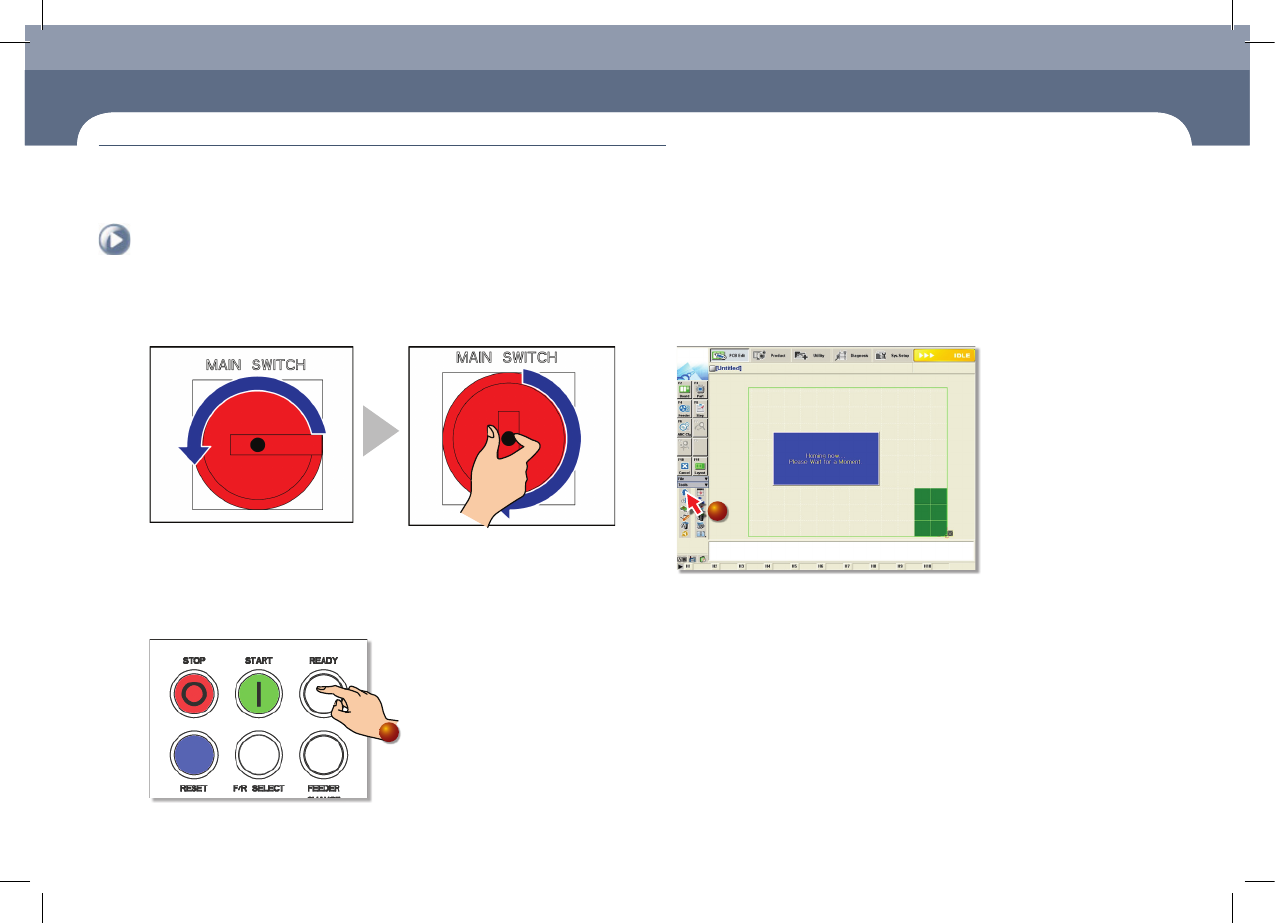
Common Working Procedure before Maintenance
1. Power supply procedure
Step 1.
Main Switch On
- Power supply turned off - Power supply turned on
2. Home
Step 1.
Press the machine's 'Ready' button
1
Step 2.
Perform homing by clicking the 'Start Home' icon
2
Common Working Procedure before Maintenance
chapter 1
This Chapter describes the work environment and working tools for the maintenance of
the machine.
Conditions for Maintenance
Next Generation, Multi-Functional Placer
DECAN S1 Maintenance Handbook
1-6
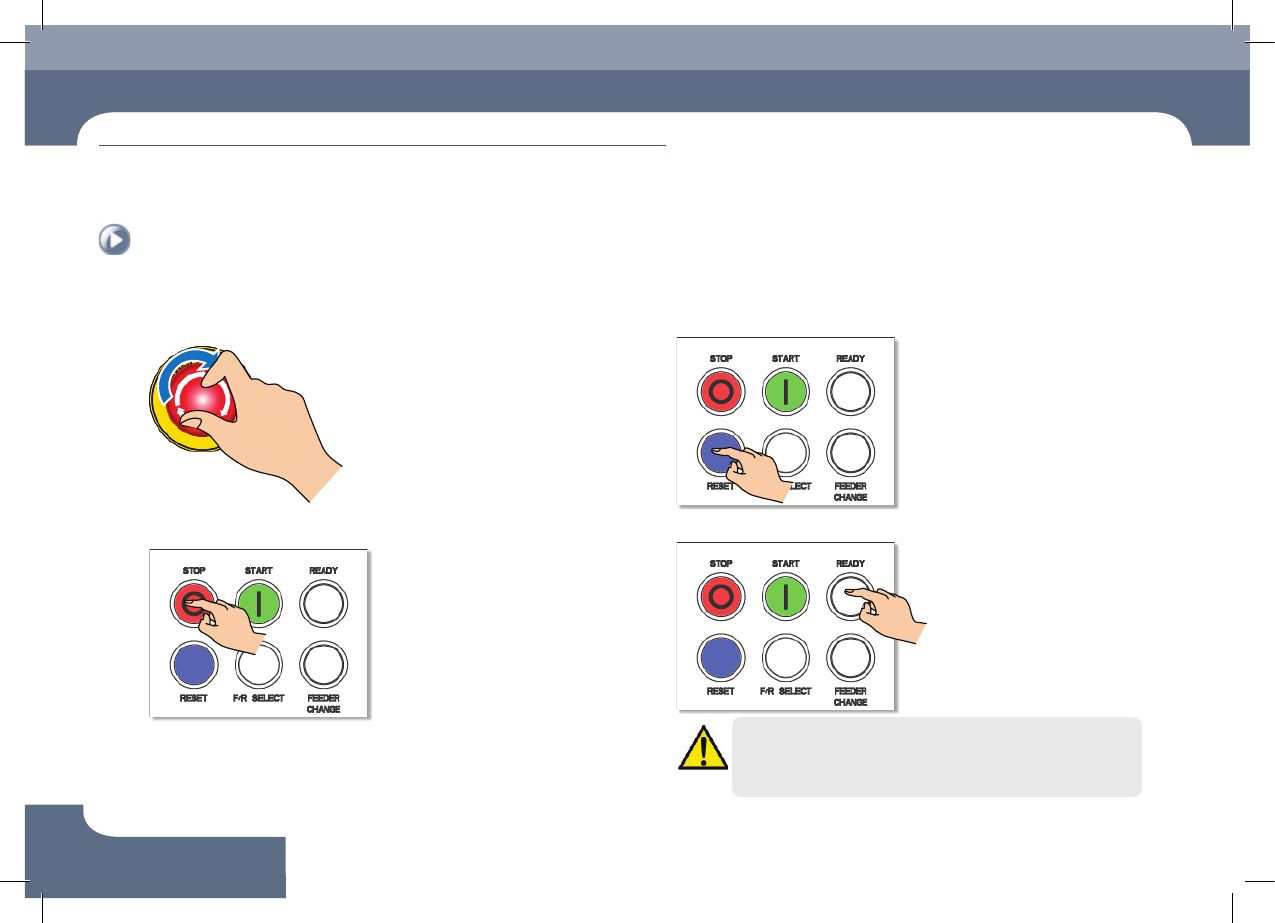
Common Working Procedure before Maintenance
Conditions for Maintenance
3. Releasing 'Emergency Stop' mode
Step 1.
Press the 'EMG' button
Step 2.
Press the 'STOP' button
Step 3.
Press the 'RESET' button
Step 4.
Press the 'READY' button
Warning
Perform checking with the power supply to the motor cut off
without fail.