DECAN_S1_Maintenance_EN.pdf - 第36页
DE CAN S 1 Mai nte nan ce H an dbo ok 3 -7 chapt er 3 Daily Inspe ction Nex t Generation, Multi- Funct ional Placer Cleaning feeder and feeder base Step 6 . Clea n the fe ed er ba se slot a nd co nne cto r using a fl at …
DECAN S1 Maintenance Handbook
3-6
chapter 3
Daily Inspection
Next Generation, Multi-Functional Placer
Cleaning feeder and feeder base
Daily Inspection
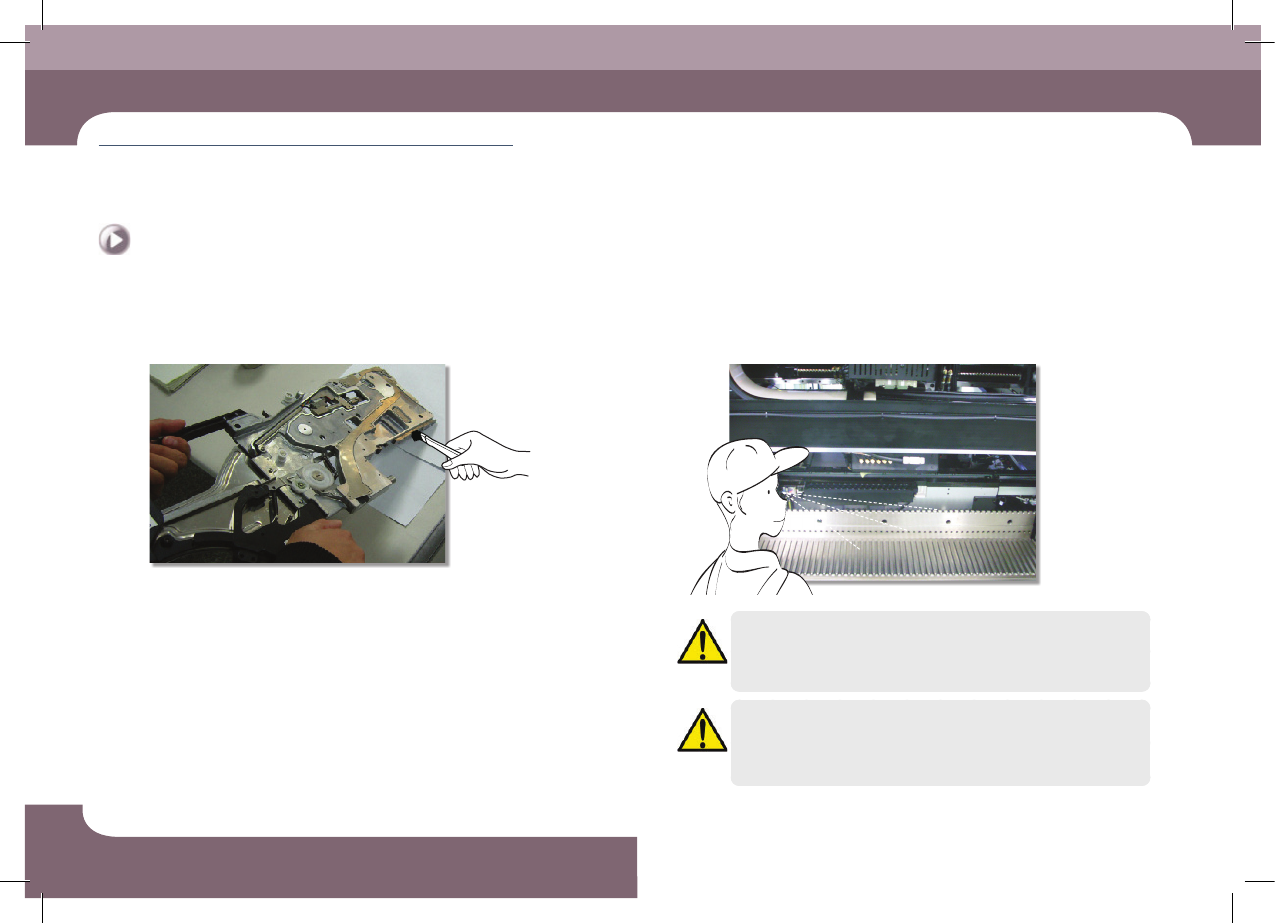
Step 4.
Clean the feeder connector and the installation guide
using a brush.
Step 5.
Check visually for any foreign materials in the feeder
base slot and connector.
Caution
In case the feeder is installed on the feeder base without visually
checking and cleaning the feeder base upper surface and feeder
slot, the feeder could not be installed and removed smoothly.
Caution
When the feeder is felt stuck during the installation of the feeder
unlike normal feeling, do not apply excessive force to the feeder.
After removing the feeder, Check it visually and clean it if necessary.
DECAN S1 Maintenance Handbook
3-7
chapter 3
Daily Inspection
Next Generation, Multi-Functional Placer
Cleaning feeder and feeder base
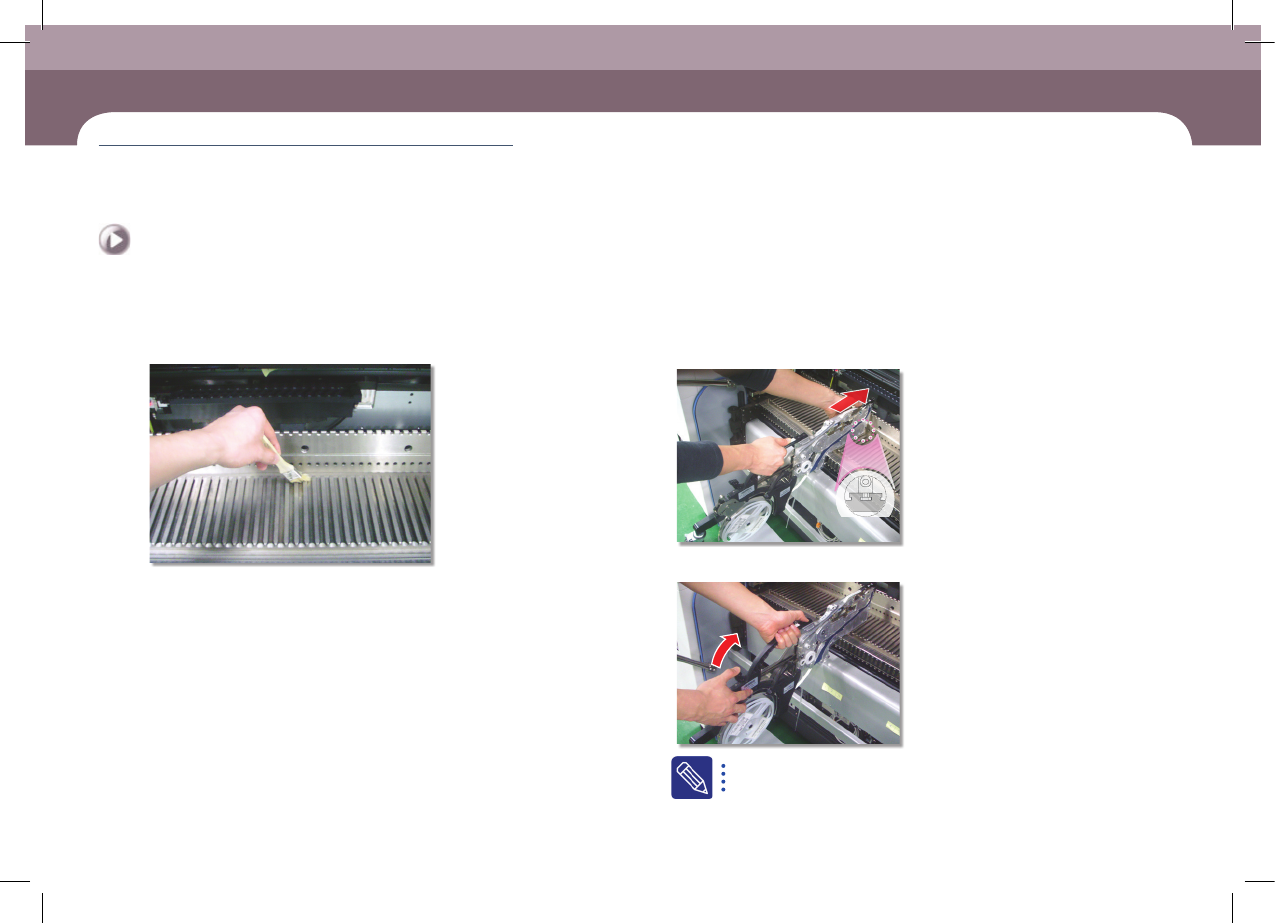
Step 6.
Clean the feeder base slot and connector using a flat
brush.
Step 7.
Install the feeder
①Fixing the feeder in the slot
②Fixing the grip
If it is properly installed, the LED color turns green.
DECAN S1 Maintenance Handbook
3-8
chapter 3
Daily Inspection
Next Generation, Multi-Functional Placer
Cleaning the Backup Table
Daily Inspection
If foreign materials such as solder enter the machine, they may cause it to fail.
Therefore, clean the Backup Table to prevent this problem from happening.
Tool for Maintenance
Ultra fine fiber cloth, cleaning liquid
Measures
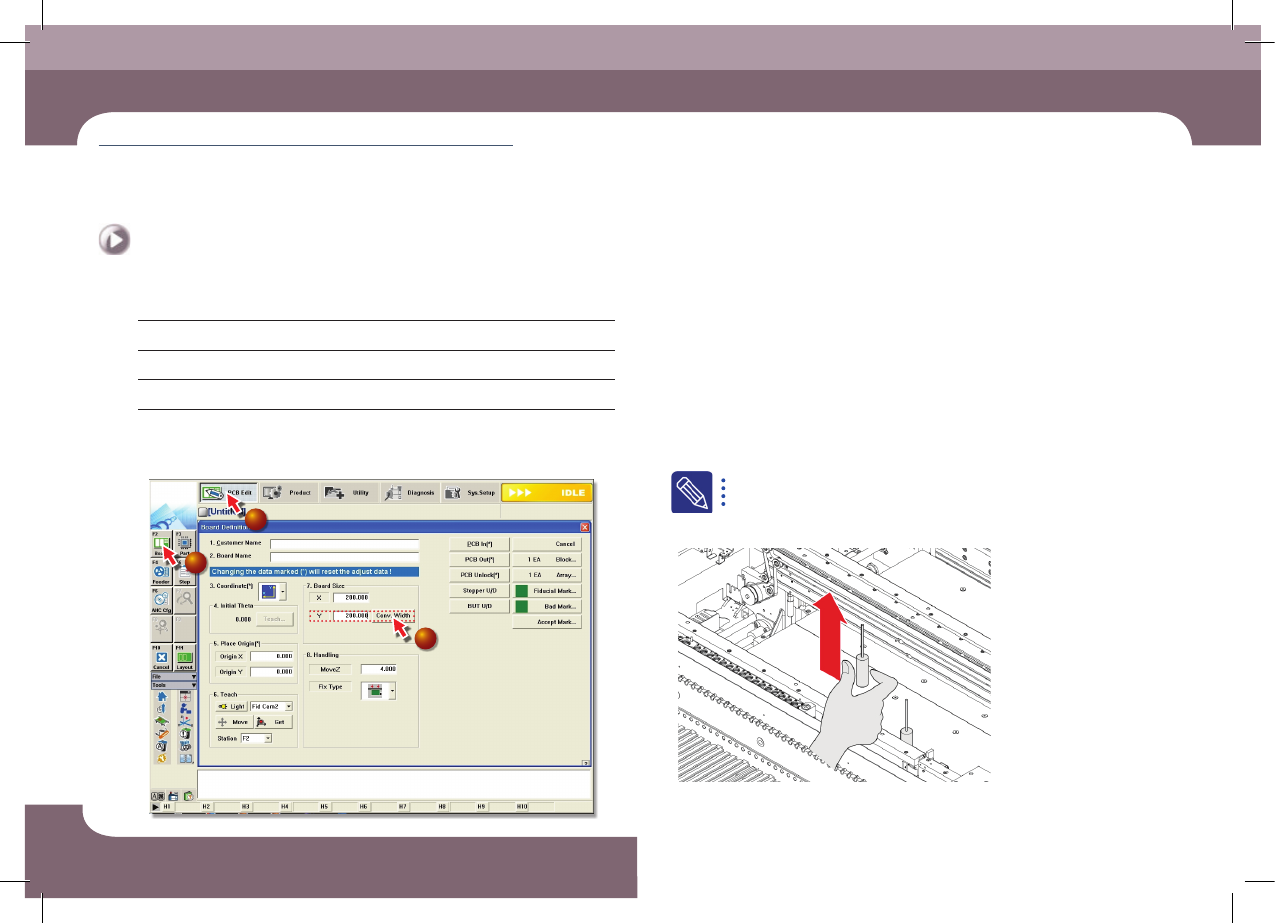
Step 1.
Select 'Board' from the submenu of the 'PCB Edit' menu
of the MMI and enter '200' for Board Size Y value and
then click the <Conv. Width> button
1
2
3
Step 2.
Move the X Frame assembly backward as described in
"Backward movement of the X-frame" on page 1-4.
Step 3.
Press the 'STOP' and 'RESET' buttons in order after
pressing the 'EMG' button on the OP panel to stop
operation.
For more details, refer to "How to perform emergency stop" on page
1-2.
Step 4.
Remove the backup pin
Cleaning the Backup Table
(Time required: 5min / No. D-3)